Privoxy
Privoxy is free, non-caching web proxy software for privacy controls, access rules, and modifications to HTTP headers and web pages.
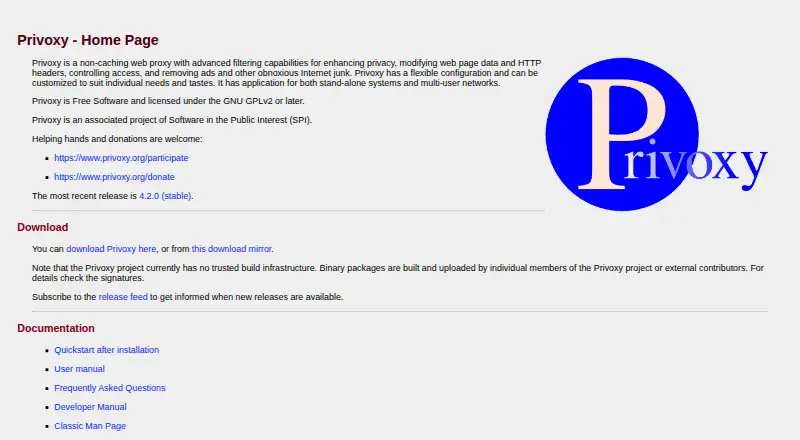
What Privoxy is
Privoxy is free, non-caching web proxy software for privacy controls, access rules, and modifications to HTTP headers and web pages. It can filter page content with text replacements, remove banners and web bugs, and filter HTML annoyances. HTTPS inspection lets it filter HTTPS requests and responses, and it can be chained with other proxies. A browser-based configuration and control utility includes rule tracing and remote toggling. Privoxy can serve multiple clients on a network or LAN gateway. It runs on Linux, macOS, Windows, and self-hosted setups, among other Unix-like systems, and supports multiple browsers. The software is licensed under the GNU GPL version 2 or later; its listed plan is free, with no registration. A basic configuration comes with a new installation, while many advanced features are disabled until activated. Privoxy handles HTTP and HTTPS proxying, not FTP, SMTP, messaging protocols, IRC, or ICQ. It is not a malware-removal tool, and its default configuration does not filter malware. The project says it has no trusted build infrastructure; packages are built and uploaded by individuals or external contributors.
Good
- Filters web pages, banners, and web bugs
- HTTPS request and response inspection
- Can serve multiple network clients
- Free software under GNU GPL version 2 or later
Watch out
- Many advanced features are disabled by default
- Does not filter malware by default
- Does not proxy FTP, SMTP, messaging, IRC, or ICQ
- Project reports no trusted build infrastructure
Who it suits
Privoxy is aimed at people seeking privacy controls or fine-grained control over web activity. It may also suit users who want proxy filtering for multiple clients on a network.
Verdict
Privoxy offers configurable web proxy filtering and controls, but advanced features need activation. Its protocol scope and lack of malware filtering are important limits to consider.
Plans and prices
From Privoxy's own pricing page, checked 15 Oct 2026.
| Plan | Price | What it gives you |
|---|---|---|
| Free Software | Free | GPLv2-or-later software · self-hosted proxy |
| Privoxy free software | Free | no warranty · no registration · free to use, copy, modify or distribute |
The facts
Each one read from Privoxy's own pages, with the date it was checked.
What it does
- Ad blocking
- Privoxy blocks advertisements and can remove banners and other page annoyances.checked 15 Oct 2026
- API and extensibility
- Privoxy exposes a browser-accessible CGI control interface and supports external filters, configurable actions, and client tags.checked 15 Oct 2026
- Associated organization
- The project identifies itself as associated with Software in the Public Interest.checked 15 Oct 2026
- Build security
- The project says it has no trusted build infrastructure and that binary packages are built and uploaded by individual project members or external contributors.checked 1 Oct 2026
- Build trust limitation
- Privoxy states that it has no trusted build infrastructure and that binaries are uploaded by project members or external contributors.checked 15 Oct 2026
- Click tracking
- Privoxy can bypass many click-tracking scripts by avoiding script redirection.checked 15 Oct 2026
- Configuration
- A new installation includes a basic configuration, while many advanced features are disabled by default and require activation.checked 1 Oct 2026
- Cookie management
- The user manual lists cookie management as a core capability.checked 15 Oct 2026
- Customization
- The project says its configuration is flexible and can be tailored for individual users or multi-user networks.checked 15 Oct 2026
- Developer contribution
- Contributors are directed to the privoxy-devel mailing list, Git repository, GNU build tools, and SourceForge patch tracker.checked 15 Oct 2026
- Documentation depth
- The project publishes user, FAQ, developer, installation, configuration, and man-page documentation.checked 15 Oct 2026
- Filtering
- Privoxy provides web-page filtering, text replacements, banner removal, web-bug removal, and HTML annoyance filtering.checked 1 Oct 2026
- GIF de-animation
- The software can de-animate GIF images.checked 15 Oct 2026
- Header manipulation
- Actions and filters can modify both client and server headers.checked 15 Oct 2026
- Homebrew availability
- Homebrew provides a privoxy formula installable with brew install privoxy and identifies its license as GPL-2.0-or-later.checked 15 Oct 2026
- HTTPS inspection
- Privoxy can inspect HTTPS traffic and filter HTTPS requests and responses.checked 15 Oct 2026
- Independent editorial criticism
- Wikipedia reports that PC World rated Privoxy 4/5 and characterized it as complicated but powerful.checked 15 Oct 2026
- Independent editorial praise
- Wikipedia reports that Linux Format rated Privoxy 9/10 and described it as customizable, easy to set up, well documented, and enjoyable to use.checked 15 Oct 2026
Where it runs
- Browser control
- Privoxy includes an integrated browser-based configuration and control utility with rule tracing and remote toggling.checked 1 Oct 2026
- Browser control interface
- An integrated browser interface at config.privoxy.org (also p.p) provides configuration, tracing, and remote toggling.checked 15 Oct 2026
- Browser support
- multiple-browserschecked 21 Sep 2026
- Device coverage
- desktopchecked 21 Sep 2026
- Homebrew platforms
- Homebrew lists binary packages for Apple Silicon and Intel macOS plus ARM64 and x86_64 Linux.checked 15 Oct 2026
Money
- Free plan
- Yeschecked 21 Sep 2026
The full review of Privoxy
Privoxy is a free, non-caching web proxy for people who want detailed control over web traffic and are willing to configure it. Its flexible filtering and network use are compelling, but its narrow protocol scope and lack of malware filtering rule it out as an all-purpose security layer.
Overview
Privoxy combines privacy-oriented proxying with controls for modifying HTTP headers and web pages, restricting access, and removing ads and other unwanted content. It can serve multiple clients on a network or act as a LAN gateway, so it can suit a shared setup as well as an individual desktop. Because it does not cache traffic, choose it for filtering and control rather than proxy caching.
The boundary is clear: Privoxy handles HTTP and HTTPS proxying, not FTP, SMTP, instant messaging, IRC, or ICQ. It is also not a malware-removal tool; its default configuration does not attempt malware filtering. Readers seeking broad threat protection or filtering across other protocols should look elsewhere.
Key features
- Fine-grained page filtering: Rules can replace text, remove banners and web bugs, and filter HTML annoyances. That breadth suits users who want to shape individual browsing experiences, but it demands more involvement than a simple, automatic ad blocker.
- HTTPS inspection: Privoxy can filter HTTPS requests and responses, extending its controls beyond unencrypted web traffic.
- Browser-based control: An integrated utility provides configuration, rule tracing, and remote toggling. Rule tracing helps users inspect how controls apply; remote toggling is useful when managing a network setup.
- Proxy chaining: Privoxy can be chained with other proxies, giving experienced users another way to fit it into a proxy configuration.
- Configuration trade-off: A basic configuration comes with a new installation, but many advanced features are disabled until activated. That is a sensible starting point for customization, not a turnkey choice for readers who expect every control to work immediately.
Pricing
Privoxy is free software under the GNU GPL version 2 or later. The Privoxy free software plan costs nothing, with use, copying, modification, and distribution allowed; it requires no registration and comes with no warranty. There is no paid plan to step up to, but users should be comfortable relying on community discussion for help: the users mailing list is a place to discuss issues, and developers participate there.
Platforms
Privoxy supports desktop use on Windows, GNU/Linux, and Mac OS X, as well as Haiku, BSD variants, Solaris, and other Unix flavors. It can also be self-hosted and used by multiple clients on a network. It works with multiple browsers, but it is a proxy rather than a browser-specific extension. The project says it has no trusted build infrastructure; binary packages are built and uploaded by individual project members or external contributors, a consideration for users who prioritize a controlled software supply chain.
Who it's for
Privoxy is best for privacy- and security-minded users who want fine-grained control of web requests, can handle proxy configuration, and value the option to serve a LAN. It is a poor fit for anyone seeking malware removal, an all-protocol network filter, or an immediately comprehensive setup without enabling features and configuring rules.
Pros and cons
- Pro: Detailed page filtering, header and page modification, and access control let users tailor web traffic beyond basic banner removal.
- Pro: HTTPS filtering, proxy chaining, and multi-client network use make it adaptable to individual and shared proxy setups.
- Pro: Free GPL-licensed software with permission to use, modify, and redistribute, and no registration requirement.
- Con: Many advanced features require activation, so getting the intended behavior takes configuration.
- Con: HTTP and HTTPS are its only supported proxy protocols; it does not cover FTP, SMTP, IM, IRC, or ICQ.
- Con: Default settings do not filter malware, so Privoxy should not be treated as a malware defense.
- Con: The project lacks trusted build infrastructure, and individual members or outside contributors upload binary packages.
Alternatives
Forward Proxy Software and Proxy Software are useful starting points for comparing tools in those categories; browse Ad blockers if removing ads is the main goal rather than configuring a web proxy.
- Cloudflare Gateway is a better fit for teams needing a broader platform mix and a free tier capped at 50 users with up to 24 hours of standard log retention; its pay-as-you-go plan is $7 a month, billed monthly.
- mitmproxy is another free, open-source HTTPS proxy for users seeking an interactive proxy tool.
- 3proxy is another free, open-source proxy option for users comparing self-hosted software.
- Skyhigh Private Access is a paid alternative with a broader mobile, web, and desktop platform range.
- Squid is a free self-hosted proxy to consider when caching is relevant; third-party commercial support may be available.
- Zscaler Private Access is a paid alternative with mobile, web, and desktop support, and no free plan.
- Tinyproxy is a free, self-hosted option for users comparing lightweight proxy software.
- Check Point Harmony SASE is a paid alternative with a 30-day trial before a license is required.
Verdict
Choose Privoxy if you want free, configurable filtering of HTTP and HTTPS traffic and are prepared to activate and tune its controls. Its range of page-level rules and ability to serve a network make it useful for technically confident users. Look elsewhere if you need malware filtering, protocols beyond web traffic, or a ready-to-go security service.
Getting started
- Open the Privoxy website and obtain the free software
- Install it on Windows, Linux, macOS, or another supported system
- Use the included basic configuration to begin
- Open the browser-based configuration and control utility
- Enable advanced features and filtering rules as needed
- Configure a browser or network clients to use the proxy
Limits worth knowing
Privoxy currently handles HTTP and HTTPS proxying only; it does not handle FTP, SMTP, instant messaging, IRC, or ICQ. Many advanced features start disabled and require activation, and its default configuration does not filter malware.
Questions
How much does Privoxy cost?
Privoxy is free software. The listed plan is free, with no registration.
Which systems can run Privoxy?
It is available for Windows, GNU/Linux, Mac OS X, Haiku, BSD variants, Solaris, and other Unix flavors.
Can Privoxy inspect HTTPS traffic?
Yes. It supports HTTPS inspection for filtering requests and responses.
Does Privoxy remove malware?
No. It is not designed as a malware-removal tool, and its default configuration does not attempt malware filtering.
Can it serve multiple computers?
Yes. Privoxy can run as a server for multiple clients on a network or LAN gateway.
What license does Privoxy use?
It is free software licensed under the GNU GPL version 2 or later.
Alternatives to Privoxy
- 1

Cloudflare Gateway
Free planAndroidiOSWebAPI8.3$7 usage-based - 2

mitmproxy
Free planOpen sourceWebAPILinuxmacOS7.7Free plan - 3

Check Point Harmony SASE
AndroidiOSWebLinux7.3 - 4

Prisma Access
AndroidiOSWebAPI7.3 - 5

3proxy
Free planOpen sourceLinuxmacOSSelf-hostedWindows7.2Free plan - 6

Apache Traffic Server
Free planOpen sourceAPILinuxmacOSSelf-hosted7.2Free plan