
OpenBOM
OpenBOM is a cloud product data platform connecting CAD, bill of materials, product data management, engineering change, procurement, and ERP workflows.
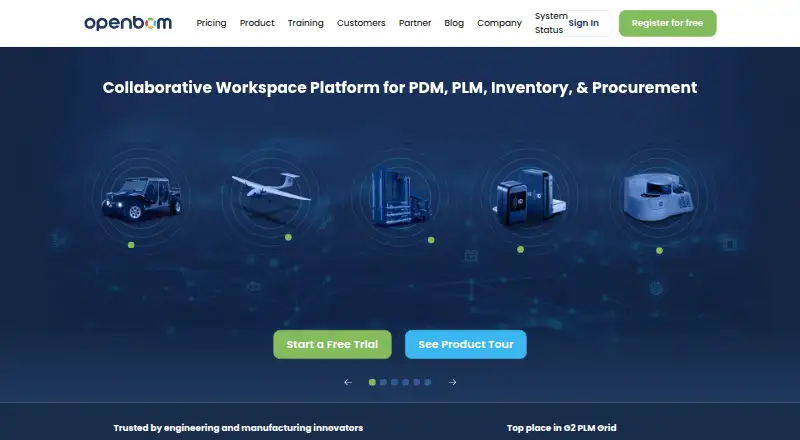
What OpenBOM is
OpenBOM is a cloud product data platform connecting CAD, bill of materials, product data management, engineering change, procurement, and ERP workflows. Its CAD file tools support locking, versions, revisions, releases, SmartSync, and automatic BOM extraction. Digital xBOM views can represent EBOM, MBOM, SBOM, and other structures as single-level, multi-level, or flattened lists. Engineers can work on shared data in real time, with comments, tasks, and mentions tied to items. Procurement workflows include inventory, RFQs, purchase orders, and supplier or contractor collaboration. Listed CAD integrations include SOLIDWORKS, Altium Designer, Onshape, Autodesk Fusion, PTC Creo, Siemens NX, and Autodesk Inventor; ERP examples include QuickBooks, NetSuite, and SAP. Free access covers up to 2,000 data records, and a 14-day trial is offered. Only users editing or managing data need paid seats, and CAD add-ins require an active Team or Company subscription plus a license for each user needing integration.
Good
- Supports multi-level and flattened BOM structures.
- Includes revision control and engineering change workflows.
- Real-time collaboration includes comments, tasks, and mentions.
- Unlimited read-only users are free.
- Lists CAD and ERP integrations.
Watch out
- Free access is limited to 2,000 data records.
- CAD add-ins require a Team or Company subscription.
- CAD integration requires a license for each user needing it.
Who it suits
OpenBOM suits engineering and manufacturing teams managing product data from design through production. It may also suit organizations coordinating CAD, BOM, procurement, and ERP workflows.
Verdict
OpenBOM links product data and procurement workflows, with free read-only access and paid editing seats. Teams needing CAD add-ins should account for the subscription and per-user license requirements.
Plans and prices
From OpenBOM's own pricing page, checked 29 Sep 2026.
| Plan | Price | What it gives you |
|---|---|---|
| Data records (up to 2,000) | Free | up to 2,000 records · records count unique part numbers, BOM part records, and managed CAD/PDM files · Free |
| Data records up to 2,000 | Free | unique part numbers · BOM records · managed CAD/PDM files |
| CAD add-in | $25 a month | Requires Team or Company subscription · yearly per seat per CAD system |
| Professional Team (yearly) | $30 a month | per seat · unlimited free read-only users · BOM management · part catalog · inventory control · RFQ / purchase orders · REST API · billed yearly; $30 / seat / month |
| Professional Team | $30 a month | unlimited read-only users · BOM, catalog, inventory, RFQ/PO · collaboration · import/export · REST API · yearly per seat |
| Professional Team (monthly) | $55 a month | per seat · unlimited free read-only users · BOM management · part catalog · inventory control · RFQ / purchase orders · REST API · billed monthly |
| Company | $90 a month | Team features · CAD/PDM · revision control · ECO change management · xBOM · MFA · yearly per seat |
| Company (yearly) | $90 a month | per seat · includes Team · CAD file management (PDM) · revision control · change management (ECO) · advanced BOM (xBOM) · MFA · billed yearly; $90 / seat / month |
| Company (monthly) | $165 a month | per seat · includes Team · CAD file management (PDM) · revision control · change management (ECO) · advanced BOM (xBOM) · MFA · billed monthly |
| Data records (up to 5,000) | $180 a month | up to 5,000 data records · Per Month (Monthly Rate); yearly rate $100 per month |
| Data records up to 5,000 | $180 a month | record-based pricing · monthly rate |
| Data records (up to 10,000) | $360 a month | up to 10,000 data records · Per Month (Monthly Rate); yearly rate $200 per month |
| ERP integrations | Priced on request | pricing quoted by sales · Custom flat rate per integration |
| Enterprise | Priced on request | SSO · custom integrations · enterprise support · private/custom hosting · custom quote |
The facts
Each one read from OpenBOM's own pages, with the date it was checked.
What it does
- API documentation change
- OpenBOM says its legacy API document stopped being maintained on January 1, 2026 and directs developers to the OpenAPI reference.checked 14 Oct 2026
- API limits
- API requests are rate-limited per app key using a token-bucket system backed by Redis.checked 14 Oct 2026
- Audience
- The product tour presents OpenBOM as a workspace for engineering and manufacturing teams managing product data from design through production.checked 29 Sep 2026
- BOM management
- The platform supports engineering, manufacturing, flattened, configured and multi-level BOM views with shared editing and traceability.checked 14 Oct 2026
- CAD and PDM
- OpenBOM manages CAD files, versions, references and derivatives and links them to items, BOMs and revisions.checked 14 Oct 2026
- CAD file management
- Its cloud PDM centralizes CAD files, supports locking, versions, revisions, releases, SmartSync, and automatic BOM extraction.checked 29 Sep 2026
- Change control
- Company and Enterprise capabilities include revisions, ECO change management, approvals and release history.checked 14 Oct 2026
- Collaboration
- Multiple engineers can work on the same data in real time, with comments, tasks, and mentions attached to items.checked 29 Sep 2026
- Compliance
- OpenBOM's security page states that it has achieved SOC 2 Type II compliance.checked 29 Sep 2026
- Documentation
- The training library provides user guides, videos, webinars, CAD integration material, xBOM lessons and community access.checked 14 Oct 2026
- ERP and API
- The pricing page names QuickBooks, NetSuite, and SAP as ERP integration examples, and says API access has no call limits with cost reflected via data records.checked 29 Sep 2026
- Funding
- Dealroom lists a $4.0 million early-VC round in July 2018.checked 14 Oct 2026
- Integrations
- Listed integrations include SolidWorks, Onshape, Autodesk Fusion and Inventor, Altium, KiCad, NetSuite, QuickBooks, Xero, Odoo, Dynamics 365 Business Central and Katana.checked 14 Oct 2026
- Legal entity
- Crunchbase identifies Newman Cloud Inc. as the legal company also known as OpenBOM.checked 14 Oct 2026
- Licence
- The terms grant a limited non-exclusive use licence and identify the service and software as proprietary materials owned by Newman Cloud, Inc.checked 14 Oct 2026
- Limit: bugs
- A Capterra reviewer cautions that users may encounter bugs.checked 14 Oct 2026
- Limit: enterprise scale
- OpenBOM’s own 2026 guidance says it may not suit organizations needing thousands of concurrent users, extensive process customization or specialized regulatory workflows.checked 14 Oct 2026
- Limit: learning curve and gaps
- G2 review analysis repeatedly mentions learning curves, unintuitive navigation, missing features or API limitations, and ERP integration problems.checked 14 Oct 2026
- Limit: TrustRadius pricing and workflow
- TrustRadius reviews report significant price increases, uncertain ROI, repeated log-outs, custom-field annoyances and weak revision control; one review says purchasing and inventory require a $450 monthly tier.checked 14 Oct 2026
Where it runs
- Browser support
- Registration documentation says the latest versions of Chrome, Safari and Firefox are supported.checked 14 Oct 2026
The company
- Company details
- The company story says OpenBOM was founded in 2015 in Boston, Massachusetts; the pricing page lists Newton, Massachusetts as corporate headquarters.checked 29 Sep 2026
- Company identity
- LinkedIn identifies OpenBOM as privately held, founded in 2016, headquartered in Boston and employing 11–50 people.checked 14 Oct 2026
- Headquarters
- Newton, Massachusetts, United Stateschecked 23 Sep 2026
Money
- Free access
- Unlimited read-only users are free, and the pricing FAQ says qualified educational, personal, and non-commercial users may access free plans.checked 29 Sep 2026
The full review of OpenBOM
OpenBOM is a cloud product-data workspace spanning CAD, BOM, engineering change, procurement and ERP workflows. It is best suited to engineering and manufacturing teams coordinating product data from design through production. Its combination of BOM tools and purchasing workflows is compelling, but the cost of editing seats and CAD add-ins deserves careful budgeting.
Overview
OpenBOM connects product records across design and production rather than treating the bill of materials as an isolated document. Its xBOM supports engineering, manufacturing and software BOM views, with single-level, multi-level and flattened structures. That breadth is useful when different teams need to work from related product data; teams seeking only a small, standalone parts list may not need the full workflow scope.
Key features
CAD and product data
Cloud PDM centralizes CAD files and supports locking, versions, revisions and releases, with SmartSync and automatic BOM extraction. Those controls make it a stronger fit for teams managing changing design files than a BOM-only tool. The trade-off is that CAD add-ins are separately licensed and require an active Team or Company subscription.
BOMs and collaboration
Engineers can work on shared data in real time, with comments, tasks and mentions attached to items. This keeps discussion close to the product record. Revision control, BOM comparison and change workflows also support teams tracking how product definitions evolve.
Procurement and integrations
Inventory, RFQs, purchase orders and supplier or contractor collaboration extend the product record into procurement. Listed CAD integrations include SOLIDWORKS, Altium Designer, Onshape, Autodesk Fusion, PTC Creo, Siemens NX and Autodesk Inventor. QuickBooks, NetSuite and SAP are named as ERP integration examples. REST API access has no call limits, with cost reflected through data records.
Security and support
OpenBOM says communications between its servers, browsers and client applications are encrypted, and describes granular sharing permissions. It states that it has achieved SOC 2 Type II compliance. Support is available through product-embedded tools and 24/7 online support.
Pricing
The free Data records plan costs nothing and allows up to 2,000 records. Records count unique part numbers, BOM part records and managed CAD/PDM files. Unlimited read-only users are free, but anyone editing or managing data needs a paid seat, so this free tier is most useful for small datasets and broad view-only access—not a free multi-editor workspace.
Professional Team (yearly) is $30 a year, billed yearly at $30 / seat / month; Professional Team (monthly) is $55 a month per seat. Both include BOM management, part catalog, inventory control, RFQs and purchase orders, REST API access and unlimited free read-only users. The yearly option has the lower stated per-seat rate; monthly billing costs more per seat.
Company (yearly) is $90 a year, billed yearly at $90 / seat / month; Company (monthly) is $165 a month per seat. Both include Team features plus CAD file management, revision control, change management, advanced xBOM and MFA. This tier suits teams that need managed CAD data and change controls; the higher monthly rate buys a monthly billing term rather than the lower yearly rate.
CAD add-in pricing is $45 a month, billed monthly, with a stated rate of $25 / seat / month / CAD system billed annually. It is priced per seat per CAD system and requires Team or Company, so CAD integration adds a separate recurring cost on top of the subscription.
For larger record volumes, the 5,000-record plan is $180 a month, with a yearly rate of $100 per month; the 10,000-record plan is $360 a month, with a yearly rate of $200 per month. Enterprise and ERP integrations have custom pricing. Enterprise includes Company, SSO, custom integrations, enterprise support, and private or custom hosting; ERP integrations are quoted by sales as a custom flat rate per integration. A 14-day trial is available. Qualified educational, personal and non-commercial users may access free plans.
Platforms
OpenBOM is a cloud service with web, Windows, macOS, Linux and API availability. Its cloud deployment avoids requiring a self-hosted installation, while the listed platform range gives teams several ways to access or integrate with it.
Who it's for
OpenBOM is a strong candidate for engineering and manufacturing teams that need to coordinate CAD files, structured BOMs, revisions and purchasing activity in one product-data workflow. It is less suitable for teams whose priority is unrestricted editing at no cost, or who need CAD add-ins without also paying for a Team or Company subscription.
Pros and cons
- Pros: BOM views span EBOM, MBOM, SBOM and other structures, helping teams work with product data in forms suited to different stages.
- Pros: Procurement tools, supplier collaboration and ERP examples extend the workflow beyond design records.
- Pros: Unlimited free read-only access can support broad visibility without buying a seat for every stakeholder.
- Cons: Editing and data management require paid seats, limiting how far the free plan can serve an active team.
- Cons: CAD add-ins carry an additional per-seat, per-system charge and require Team or Company.
- Cons: The free record allowance is capped at 2,000, and higher record tiers add monthly charges.
Alternatives
For a wider comparison, see Bill of Materials Software.
- Cascadia PLM is worth comparing for teams looking for a self-hosted PLM option with unlimited editors and viewers in its free Core plan.
- NETVIBES is an alternative to consider for readers seeking a platform with Android and iOS availability.
- BOMIST may suit a single-user project with a defined parts and product cap on its free plan.
- Dokuly is an option for teams seeking free, open-source PLM in a self-hosted Docker stack.
- Carbon may be a better match for readers prioritizing open-source ERP, MRP, MES and QMS core features.
- Dolibarr is another free software option.
- IndaBOM is a free, open-source, fully managed option for single-user access.
- TurboPLM offers a free private workspace for one member and up to 100 parts.
Verdict
Choose OpenBOM if your engineering or manufacturing team needs CAD-aware product data, multiple BOM structures and procurement workflows connected in a cloud workspace. Its strongest case is the span from design control to purchasing, with free read-only access for wider teams. Look elsewhere if your priority is free editing, or if the added subscription and per-user CAD integration costs do not fit your budget.
Getting started
- Visit the OpenBOM website.
- Choose the free plan, start the 14-day trial, or select a paid plan.
- Create a workspace and invite read-only users or paid editors as needed.
- Connect a listed CAD integration; CAD add-ins require an active Team or Company subscription and a license for each user who needs CAD integration.
Limits worth knowing
The free plan covers up to 2,000 data records. Professional Team starts at $30/user/mo billed annually; CAD add-ins require an active Team or Company subscription and a license for each user needing CAD integration.
Questions
Is OpenBOM free?
Yes. Its free plan covers up to 2,000 data records, and unlimited read-only users are free. Qualified educational, personal, and non-commercial users may access free plans.
How much does OpenBOM cost?
Professional Team is listed at $30/user/mo billed annually, or $55 a month when billed monthly. A 14-day trial is available.
Which platforms does OpenBOM support?
OpenBOM lists API, Linux, macOS, web, and Windows.
Which CAD and ERP products integrate with OpenBOM?
Listed CAD integrations include SOLIDWORKS, Altium Designer, Onshape, Autodesk Fusion, PTC Creo, Siemens NX, and Autodesk Inventor. ERP examples include QuickBooks, NetSuite, and SAP.
Do all users need a paid seat?
No. Users who only read data can use free read-only access; users who edit or manage data need paid seats.
What does the Company plan add?
Company includes Team, CAD file management, revision control, change management, advanced BOM, and MFA.
Alternatives to OpenBOM
- 1
Odoo Manufacturing
Free planOpen sourceAndroidiOSWebAPI8.7From $24.90 a month - 2

Cascadia PLM
Free planOpen sourceWebAPILinuxmacOS8.2Free plan - 3

Katana
Free planWebAPI7.6Free plan - 4
Microsoft Dynamics 365 Sales
AndroidiOSWebAPI7.6 - 5

MRPeasy
AndroidiOSWebAPI7.2From $49 a month - 6
Global Shop Solutions ERP
AndroidiOSWebAPI7.1