Omnique
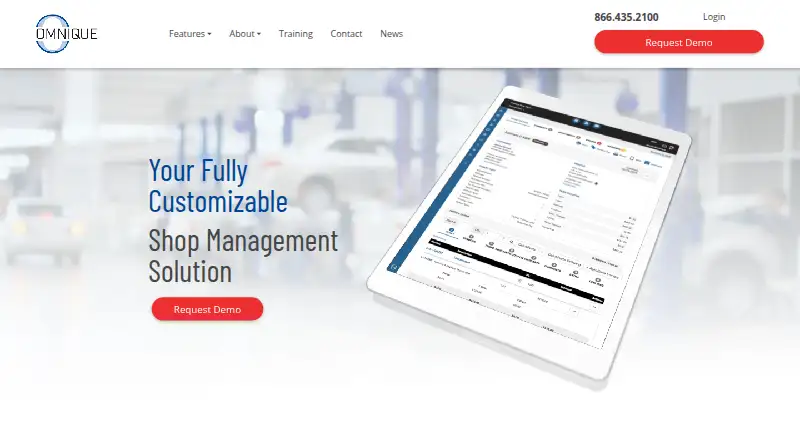
The facts below are what the maker publishes about Omnique, checked and dated. Our editors have not written about it yet.
Plans and prices
From Omnique's own pricing page, checked 11 Oct 2026.
| Plan | Price | What it gives you |
|---|---|---|
| Custom plan | Priced on request | Choose needed features · add features as the business grows · month-to-month contract |
The facts
Each one read from Omnique's own pages, with the date it was checked.
What it does
- Compatibility
- The FAQ says Omnique works on Mac, PC, Linux, tablets, and phones with an internet connection.checked 11 Oct 2026
- Contracts and cancellation
- Omnique's FAQ says plans are month to month and can be canceled at any time.checked 11 Oct 2026
- Digital inspections
- Technicians can submit inspection notes, photos or videos for customers to review and approve repairs.checked 11 Oct 2026
- Estimates and scheduling
- The software lets auto shops create estimates, order parts, and schedule appointments.checked 11 Oct 2026
- Installation
- Omnique is web-based and can be used in a browser without installation or download.checked 11 Oct 2026
- Integrations
- Omnique describes integrations with Auto Master Systems and DealerSocket for dealership workflows.checked 11 Oct 2026
- Intended customers
- The company says its software serves shops ranging from single locations to franchise dealerships.checked 11 Oct 2026
- Labor guide
- The labor guide provides vehicle specifications and repair labor times for estimates, repair orders and appointments.checked 11 Oct 2026
- Parts and inventory
- QuickParts supports electronic parts ordering, saved parts, inventory levels and supplier searches.checked 11 Oct 2026
- Payments
- Integrated payments are powered by 360 Payments and include text-to-pay; PayPal and Venmo are available to 360 Payments Text-to-Pay customers.checked 11 Oct 2026
- Pricing and contracts
- Plans are customized to the shop’s needs; the FAQ says contracts are month to month and can be canceled at any time.checked 11 Oct 2026
- Product
- Omnique is shop management software for independent automotive repair and sales businesses.checked 11 Oct 2026
- Repair workflows
- The software lets auto shops create estimates, order parts and schedule appointments.checked 11 Oct 2026
- Security
- The feature page says Omnique uses separate logins and configurable employee access, and stores data on a secured server with off-site backup.checked 11 Oct 2026
- Support
- Support is available by phone, email and live chat; the listed phone number is 866.435.2100.checked 11 Oct 2026
- Web access
- Omnique is web-based and can be accessed through a browser without installing or downloading software.checked 11 Oct 2026
- What it does
- Omnique is customizable shop management software for independent automotive repair and sales businesses, including single-location shops and franchise dealerships.checked 11 Oct 2026
- Who it is for
- Omnique describes its product as designed for independent auto repair shops and dealership service departments.checked 11 Oct 2026
Where it runs
- Device access
- The FAQ says Omnique works on Mac, PC, Linux, tablets and phones with an internet connection.checked 11 Oct 2026
Money
- Trial
- Omnique offers a full-feature free trial for 30 days.checked 11 Oct 2026
- Trial and setup
- The company offers a full-feature 30-day free trial and says there are no upfront fees.checked 11 Oct 2026
Alternatives to Omnique
- 1
MotorDesk
AndroidiOSWebAPI7.9From £79 a month - 2
GaragePlug
AndroidiOSWebmacOS7.8From $199.99 a month - 3

Workshop Software
AndroidiOSWebAPI7.8 - 4

Shop Boss
AndroidiOSWebAPI7.7From $199 a month - 5

Shopmonkey
AndroidiOSWebAPI7.6From $215 a month - 6
RepairShopr
AndroidiOSWebAPI7.1From $59.99 a year