Music Player Daemon
Music Player Daemon (MPD) is a free, GPL-licensed server application for playing music.
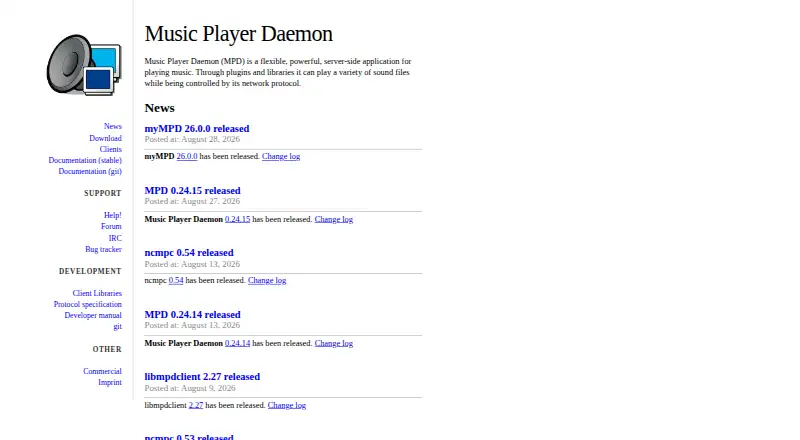
What Music Player Daemon is
Music Player Daemon (MPD) is a free, GPL-licensed server application for playing music. It uses plugins and libraries to play sound files, while a network protocol lets a separately installed client or interface control playback. MPD supports Linux, Windows, macOS, Android, API use, and self-hosted deployments. Network playback is supported, with compatibility for WAV, AIFF, AAC, FLAC, DSDIFF, DSF, MP3, and codecs handled by FFmpeg. Configurable decoder, encoder, filter, and playlist plugins provide control over playback behavior, including ReplayGain and cross-fading. Audio output devices can be configured, and MPD attempts to detect an output when none is set, although at least one output is required. Storage plugins can reach remote SMB/CIFS and NFS file servers and combine multiple sources into one virtual music directory. The project lists command-line, console, web, graphical, Android, iOS, and voice clients, including an Alexa skill. By default, clients are unauthenticated and fully permitted, so permission and password settings may be needed for access control. MPD documents limits of 100 simultaneous client connections and 16,384 songs per playlist.
Good
- Free GPL software with no subscription cost
- Supports Linux, Windows, macOS, and Android
- Plays named formats plus FFmpeg codecs
- Remote SMB/CIFS and NFS storage support
- Configurable playback and audio-output plugins
- Clients include web, mobile, voice, and command-line options
Watch out
- Requires a separately installed client or interface
- Default clients are unauthenticated with full permissions
- Passwords travel in clear text and do not authenticate the server
- Official Debian packages are labeled outdated and unsupported
Who it suits
MPD suits listeners and self-hosters who want network-controlled playback across Linux, Windows, macOS, or Android. It also fits users who need configurable audio processing, remote file-server storage, and a choice of client interfaces.
Verdict
Choose Music Player Daemon if you want a free, server-based music player with network control, broad format support, and configurable storage and playback plugins. Look elsewhere if you need an all-in-one player without a separate client, or if default network security concerns cannot be addressed through configuration.
Plans and prices
From Music Player Daemon's own pricing page, checked 11 Oct 2026.
| Plan | Price | What it gives you |
|---|---|---|
| Music Player Daemon | Free | Free software distributed under the GPL |
The facts
Each one read from Music Player Daemon's own pages, with the date it was checked.
Where it runs
- Android availability
- The download page links to an MPD Android APK on F-Droid, while the manual describes the Android build as experimental and says local playback uses OpenSL ES because ALSA is unavailable.checked 11 Oct 2026
- Linux package caveat
- The project labels its official Debian packages outdated and unsupported by the project.checked 11 Oct 2026
- Supported platforms
- Linux,Windows,macOS,Androidchecked 21 Sep 2026
- Windows availability
- The project provides a Windows x64 binary and documents compiling MPD for Windows; its build process may feel awkward to Windows users.checked 11 Oct 2026
What it does
- Audio outputs
- MPD supports configurable audio output devices, and requires at least one output, though it attempts to autodetect one if none is configured.checked 11 Oct 2026
- Client integrations
- The project lists command-line, console, web, graphical, Android, iOS, and voice clients, including an Alexa skill.checked 11 Oct 2026
- Client/server design
- MPD acts as the server and requires a separately installed client or interface for users to control it.checked 11 Oct 2026
- Commercial use
- Vendors may sell products containing MPD, but must comply with the GPL, including providing source code for GPL components and MPD modifications.checked 11 Oct 2026
- Format support
- WAV,AIFF,AAC,FLAC,DSDIFF,DSF,MP3,FFmpeg-supported codecschecked 21 Sep 2026
- License model
- freechecked 21 Sep 2026
- Network playback
- Yeschecked 21 Sep 2026
- Network security
- By default, clients are unauthenticated and have full permissions; access can be restricted with permission and password settings, but MPD warns that passwords travel in clear text and do not authenticate the server.checked 11 Oct 2026
- Playback configuration
- MPD supports configurable decoder, encoder, filter, and playlist plugins, along with settings such as ReplayGain and cross-fading.checked 11 Oct 2026
- Release signing
- The project says release tarballs and Git tags are signed with GPG key C6DB4512.checked 11 Oct 2026
- Remote storage
- Storage plugins can access remote file servers, including SMB/CIFS and NFS, and multiple storages can be combined into a virtual music directory.checked 11 Oct 2026
- Resource limits
- MPD documents configurable denial-of-service safeguards, including a default maximum of 100 simultaneous client connections and a default maximum playlist length of 16,384 songs.checked 11 Oct 2026
- Support
- The project lists a help page, forum, IRC, and bug tracker as support channels.checked 11 Oct 2026
- What it does
- MPD is a server-side application for playing music, using plugins and libraries to play sound files and a network protocol for control.checked 11 Oct 2026
Money
- Free plan
- Yeschecked 21 Sep 2026
The full review of Music Player Daemon
Music Player Daemon (MPD) is free, GPL-licensed server software for network-controlled music playback. It is best for technically minded listeners and builders who want playback separated from storage and control. The trade-off is a more involved setup than a conventional all-in-one player, with network permissions requiring careful configuration.
Overview
MPD runs as a server and relies on a separately installed client or interface for control. That design works well when music should play on a home server, desktop, or another dedicated machine while phones, browsers, terminals, or voice tools act as remotes. It is the wrong shape for anyone who expects one application to provide playback, library browsing, and controls without assembling additional components.
Network playback is built in, and the project identifies command-line, console, web, graphical, Android, iOS, and voice clients, including an Alexa skill. This range makes MPD adaptable to different control preferences, but selecting and maintaining a client is part of the ownership cost.
Key features
Formats and playback control
MPD handles WAV, AIFF, AAC, FLAC, DSDIFF, DSF, MP3, and codecs supported by FFmpeg. Decoder, encoder, filter, and playlist plugins let administrators shape the playback chain, while ReplayGain and cross-fading settings cover practical listening preferences. These options favor users who want to tune audio handling rather than accept a fixed pipeline.
Audio outputs are configurable, and at least one output is required. MPD attempts to detect an output when none is configured, which can reduce initial work, but output setup remains a server-side responsibility rather than a polished consumer-app workflow.
Storage and network architecture
Storage plugins can reach remote file servers over SMB/CIFS and NFS. Multiple storages can be combined into one virtual music directory, a useful arrangement for households or small systems that keep libraries on more than one server. The server model also means playback can continue on the host while control moves between compatible clients.
Security and limits
Clients are unauthenticated by default and receive full permissions. Permission and password settings can restrict access, but passwords travel in clear text and do not authenticate the server, so exposing MPD to an untrusted network demands additional planning. Configurable denial-of-service safeguards include a default ceiling of 100 simultaneous client connections and a default playlist maximum of 16,384 songs.
Licensing and distribution
MPD is distributed under the GPL at no cost. Vendors may include it in commercial products, provided they meet GPL obligations such as supplying source code for GPL components and their MPD modifications. Release tarballs and Git tags are signed with GPG key C6DB4512, giving distributors a defined way to verify releases.
Pricing
| Plan | Price | Best for |
|---|---|---|
| Music Player Daemon | free | Anyone needing GPL-licensed server playback without subscription fees |
There is no free trial because the software is free, and no paid tier removes the need to configure a client, output, storage, or network access.
Platforms
MPD supports Linux, Windows, macOS, and Android, with API and self-hosted deployment options. A Windows x64 binary is provided, although the documented build process may feel awkward to Windows users. Android downloads point to an F-Droid APK, while the manual describes Android support as experimental; local playback uses OpenSL ES because ALSA is unavailable. The project labels its official Debian packages outdated and unsupported, so Linux users may need to choose another packaging route.
Who it's for
Choose MPD if you are comfortable administering a server, want remote control across several client types, or need plugins and remote-storage integration for a deliberately assembled music system. It is also a strong fit for vendors embedding GPL software under the license terms. Look elsewhere if you want a single install that is immediately ready for listening, or if clear-text password transport and unauthenticated defaults cannot be addressed in your network design.
Pros and cons
- Pros: Free GPL distribution keeps licensing costs low and permits compliant commercial embedding.
- Pros: Broad format support, FFmpeg codecs, configurable outputs, and playback plugins accommodate varied libraries and audio chains.
- Pros: SMB/CIFS and NFS plugins, plus a combined virtual music directory, suit distributed collections.
- Cons: A separate client is mandatory, adding setup and maintenance compared with integrated players.
- Cons: Default full permissions without authentication create a security task before network use.
- Cons: Android is experimental, Windows builds can be awkward, and official Debian packages are outdated and unsupported.
Alternatives
foobar2000 is a better pick when you want free playback across Android, iOS, Linux, macOS, and Windows without committing to MPD's server/client architecture.
Quod Libet suits users seeking a free GPL audio player for Linux, macOS, and Windows with a conventional desktop focus.
AIMP is a free option for Android, Linux, and Windows when a straightforward freeware player is preferable.
Audacious offers free open-source playback on Linux, macOS, and Windows.
Winamp for Artists is worth considering for artist-focused web and mobile services, with a free Essential plan and a paid Ultra tier.
BBC Sounds is for UK listeners who want a free Android, iOS, or web service rather than local-file server playback.
Audirvāna is the paid alternative for users who want integrated streaming content alongside studio features.
JRiver Media Center is a paid choice for a traditional media-center application on Linux, macOS, or Windows.
Browse more options in Audio Player Software and Media Player Software.
Verdict
Music Player Daemon is a compelling choice for administrators and enthusiasts who want free, network-controlled playback with configurable formats, outputs, plugins, and storage. Its main reason to choose it is architectural flexibility; its main reason to look elsewhere is the operational burden of a separate client and security configuration, especially on platforms where support is experimental or packaging is outdated.
Getting started
- Open the Music Player Daemon website
- Install MPD on Linux, Windows, macOS, or Android
- Configure at least one audio output device
- Install a compatible client or interface
- Connect music storage, including optional SMB/CIFS or NFS sources
- Set permissions and password controls before exposing network access
Limits worth knowing
MPD documents a default maximum of 100 simultaneous client connections and a default maximum playlist length of 16,384 songs. At least one audio output is required, and clients must be installed separately.
Questions
Is Music Player Daemon free?
Yes. The listed plan is free, and MPD is distributed as free software under the GPL.
Which platforms does MPD support?
The listed platforms are Linux, Windows, macOS, and Android, with API and self-hosted use also listed.
Does MPD include a client?
MPD acts as the server and requires a separately installed client or interface for control.
Which audio formats are supported?
Supported formats include WAV, AIFF, AAC, FLAC, DSDIFF, DSF, MP3, and codecs supported by FFmpeg.
Can MPD use remote music storage?
Yes. Storage plugins can access SMB/CIFS and NFS file servers, and multiple storages can form one virtual music directory.
How is network access secured?
Clients are unauthenticated with full permissions by default. Permission and password settings can restrict access, but passwords travel in clear text and do not authenticate the server.
Alternatives to Music Player Daemon
- 1
foobar2000
Free planAndroidiOSAPILinux8.2Free plan - 2
Volumio
Free planAndroidiOSWebAPI8.2Free plan - 3

Infuse
Free planiOSmacOS8.1From $16.99 a year - 4
mpv
Free planAndroidAPILinuxmacOS7.9Free plan - 5

Audirvāna
AndroidiOSLinuxmacOS7.7 - 6

MediaPortal
Free planAndroidiOSWebWindows7.6Free plan