
AIMP
AIMP is a free audio player for Windows, Linux and Android.
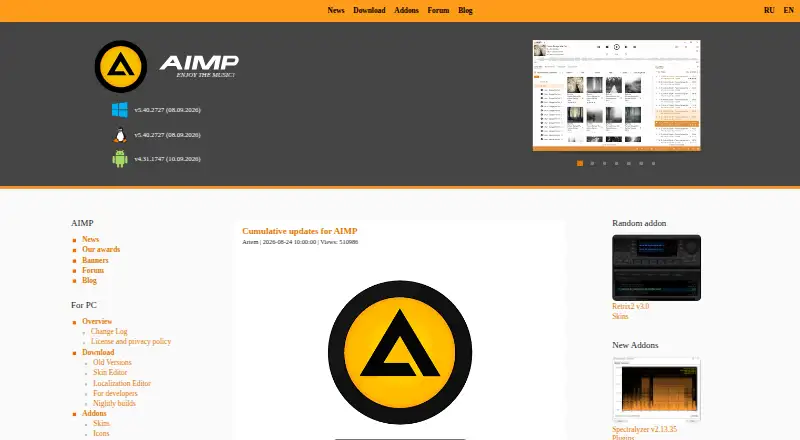
What AIMP is
AIMP is a free audio player for Windows, Linux and Android. It supports a wide list of formats, including APE, MP3, WAV, OGG, FLAC, MP4, M4A, AAC, OPUS, DSF, AIFF, MIDI, WMA, AC3, DTS and MPEG-DASH, among others. Network playback is supported. The listed format range includes familiar audio files as well as tracker formats such as MOD, MO3, S3M, MTM and XM. AIMP does not support subtitles, and 4K playback is listed as unavailable. Its maker is AIMP, founded in 2006. The combination of desktop and Android versions gives users a player across those listed platforms, while the format support covers many different file types. If subtitles or 4K playback are part of your requirements, those capabilities are not included in the listed feature set.
Good
- Free audio player.
- Available on Windows, Linux and Android.
- Supports network playback.
- Supports many listed audio formats.
Watch out
- Subtitle support is unavailable.
- 4K playback is unavailable.
Who it suits
AIMP suits people looking for a free audio player for Windows, Linux or Android, particularly those needing support for a broad range of listed formats. It is not a fit if subtitle support or 4K playback is required.
Verdict
AIMP covers three listed platforms and a broad range of formats at no cost. Its stated gaps are subtitle support and 4K playback.
Plans and prices
From AIMP's own pricing page, checked 8 Oct 2026.
| Plan | Price | What it gives you |
|---|---|---|
| AIMP | Free | Freeware; provided “AS IS”; may be used at home or by organizations |
The facts
Each one read from AIMP's own pages, with the date it was checked.
What it does
- 4K playback
- Nochecked 21 Sep 2026
- Audio tools
- PC features include a 20-band equalizer, sound effects, volume normalization, audio conversion, CD grabbing, and tag editing.checked 8 Oct 2026
- Cloud storage
- The PC player lists support for OneDrive, Google Drive, Dropbox, Mail.ru Cloud, Yandex Disk, and custom WebDAV clouds.checked 8 Oct 2026
- Desktop privacy
- The desktop privacy policy says an update request sends a derived unique identifier and localization name, and crash reports may include hardware, OS, plugins, recent actions, and a crash trace.checked 8 Oct 2026
- Format support
- APE,MP3,WAV,OGG,MPGA,UMX,MOD,MO3,WV,IT,S3M,MTM,XM,FLAC,MP4,M4A,M4B,MPC,AIFF,AAC,OPUS,DSF,DFF,TTA,WEBM,CDA,AC3,DTS,MIDI,RMI,SPX,TAK,WMA,MKA,MPEG-DASHchecked 21 Sep 2026
- Integrations
- The PC player has a built-in scrobbler for Last.fm, Libre.fm, and ListenBrainz.checked 8 Oct 2026
- License model
- freechecked 21 Sep 2026
- Mobile integrations
- The Android player supports Android Auto and shared music folders on Windows networks using Samba v2/v3.checked 8 Oct 2026
- Mobile privacy
- The mobile privacy policy says the app does not collect, store, or send user-related information to AIMP or third-party servers except in connection with crash reports.checked 8 Oct 2026
- Network playback
- Yeschecked 21 Sep 2026
- Playback
- The PC player supports many audio formats, CUE sheets, and DirectSound, ASIO, WASAPI, and WASAPI Exclusive output.checked 8 Oct 2026
- Purpose
- AIMP for PC is a free audio player for local files, NAS, cloud storage, and podcasts, with tools for working with audio files.checked 8 Oct 2026
- Radio and recording
- The PC player supports internet radio and can capture streams in several audio formats.checked 8 Oct 2026
- Subtitle support
- Nochecked 21 Sep 2026
- Support
- The site lists [email protected] and a user forum for support and feedback.checked 8 Oct 2026
- WebDAV
- The Android player can play music from cloud storage that supports the WebDAV protocol.checked 8 Oct 2026
Where it runs
- Android edition
- AIMP for Android is a playlist-based audio player with internet radio, album art, CUE sheets, and customizable playback modes.checked 8 Oct 2026
- Linux support
- The stable PC download runs on Linux through Wine and the maker warns that some things may not work as expected; a native Linux PC beta is also listed.checked 8 Oct 2026
- Supported platforms
- Windows,Linux,Androidchecked 21 Sep 2026
The company
- Founded
- 2006checked 28 Sep 2026
Money
- Free plan
- Yeschecked 21 Sep 2026
The full review of AIMP
AIMP is a free audio player for people who keep music on a computer, network share, cloud service or Android device and want unusually broad format coverage. It is best for audio-first listeners who do not need subtitles or high-resolution video playback. The result is a capable, no-cost library player rather than a universal home-media application.
Overview
AIMP’s central strength is flexibility without a subscription. The PC edition handles local files, NAS locations, cloud storage and podcasts, while network playback lets listening extend beyond a single machine. That combination suits large or mixed collections, especially when files are spread across storage services.
Its limits define the product just as clearly. AIMP has no subtitle support and no 4K playback, so it should not be the only player in a setup built around subtitled films or 4K video. For music playback, however, the free license removes the cost barrier and leaves the format range to do the practical work.
Key features
Format support covers common files such as MP3, WAV, FLAC, AAC, OPUS and WMA, alongside less typical choices including APE, UMX, MOD, MO3, WV, IT, S3M, MTM, XM, DSF, DFF, TTA, TAK, MIDI, RMI, SPX, WEBM, CDA, AC3, DTS, MKA and MPEG-DASH. AIMP also supports MP4, M4A, M4B, MPC, AIFF and other formats. That breadth is valuable when a library mixes downloaded music, archived discs, tracker modules and high-resolution audio; fewer files require conversion or a second player.
On PC, CUE-sheet support helps with image-based albums, and DirectSound, ASIO, WASAPI and WASAPI Exclusive output give users several routes to their audio hardware. A 20-band equalizer, sound effects, volume normalization, audio conversion, CD grabbing and tag editing make AIMP useful for maintaining a collection as well as playing it.
Internet radio and stream capture add a practical broadcast option. The built-in scrobbler connects to Last.fm, Libre.fm and ListenBrainz, so listening can feed those services without a separate utility. Cloud connections include OneDrive, Google Drive, Dropbox, Mail.ru Cloud, Yandex Disk and custom WebDAV clouds.
The Android edition is organized around playlists and adds internet radio, album art, CUE sheets and customizable playback modes. Android Auto support makes it a better fit for in-car listening, while Samba v2/v3 shared folders can expose music stored on Windows networks. WebDAV playback extends cloud access on mobile, although that route depends on a WebDAV-capable service.
Pricing
AIMP costs nothing under its sole AIMP plan. It is freeware, provided “AS IS,” and may be used at home or by organizations. There is no paid tier and no free trial because the complete offering is the free plan. That makes it an uncomplicated choice for households, clubs and organizations that need playback without per-seat charges or renewal decisions.
The trade-off is capability rather than price: paying nothing does not add subtitle handling or 4K playback. If those are requirements, a paid media application may be a better purchase than trying to make AIMP serve that role.
Platforms
AIMP supports Windows, Linux and Android. The stable PC download runs on Linux through Wine, and the maker warns that some functions may not behave as expected there; a native Linux PC beta is also listed. Windows is therefore the safest desktop fit, while Linux users should accept that the experience may vary. Android provides the mobile counterpart with Android Auto, Samba shares and WebDAV playback.
Desktop privacy documentation says an update request sends a derived unique identifier and localization name. Crash reports may contain hardware and operating-system details, plugins, recent actions and a crash trace. The mobile policy says user-related information is not collected, stored or sent to AIMP or third-party servers except in connection with crash reports. Support is available through [email protected] and a user forum.
Who it's for
Choose AIMP if you maintain a varied audio library, need NAS or cloud playback, or want one free player across Windows, Linux and Android. It is particularly sensible for listeners who value format coverage, tagging and conversion tools more than video features.
Look elsewhere if subtitles, 4K playback or a fully native Linux desktop experience are central to your setup. AIMP can complement a video player, but its design and feature balance are firmly audio-led.
Pros and cons
- Pros: Exceptional audio-format coverage reduces conversion and player switching.
- Pros: Network, NAS, cloud and WebDAV options support libraries stored in several places.
- Pros: Equalization, normalization, conversion, CD grabbing and tag editing cover useful collection-management tasks.
- Pros: Freeware permits home and organizational use without subscriptions.
- Cons: No subtitle support makes it unsuitable for subtitled video.
- Cons: No 4K playback rules it out as a high-resolution video player.
- Cons: Linux desktop use through Wine may leave some functions unreliable; the native beta is not the stable PC release.
Alternatives
foobar2000 is another free audio player, with editions for Android, iOS, Linux, macOS and Windows; choose it when broader device coverage matters.
Quod Libet is free software under the GNU GPL version 2 or later for Linux, macOS and Windows, making it an option for users who prefer that licensing model.
Music Player Daemon is free GPL software spanning Android, API, Linux, macOS, self-hosted and Windows deployments; consider it for a service-oriented or self-hosted setup.
Winamp for Artists targets artist profiles rather than general local-library playback, with a free Essential plan and a 12.99 EUR monthly Ultra plan billed annually at 155,88€.
Audacious is a free audio player for Linux, macOS and Windows.
BBC Sounds is free on Android, iOS and the web, exclusively for UK listeners.
Audirvāna is a paid player with a 7.99 USD monthly Studio Classic subscription and a free trial.
JRiver Media Center is a paid Windows, macOS and Linux option with free trials and a single-version Master License.
For category browsing, see Audio Player Software and Media Player Software.
Verdict
AIMP is a strong recommendation for audio-focused listeners who want extensive format support, network and cloud access, and useful library tools at no cost. Its main reason to choose something else is equally direct: subtitle-free, non-4K playback and an imperfect stable Linux route make it a poor replacement for a general-purpose video player.
Alternatives to AIMP
- 1
foobar2000
Free planAndroidiOSAPILinux8.2Free plan - 2
Volumio
Free planAndroidiOSWebAPI8.2Free plan - 3

Infuse
Free planiOSmacOS8.1From $16.99 a year - 4
mpv
Free planAndroidAPILinuxmacOS7.9Free plan - 5

Audirvāna
AndroidiOSLinuxmacOS7.7 - 6

MediaPortal
Free planAndroidiOSWebWindows7.6Free plan