
Miter Job Costing
Miter Job Costing is part of a construction platform combining payroll, compliance reporting, and labor costing for contractors.
What Miter Job Costing is
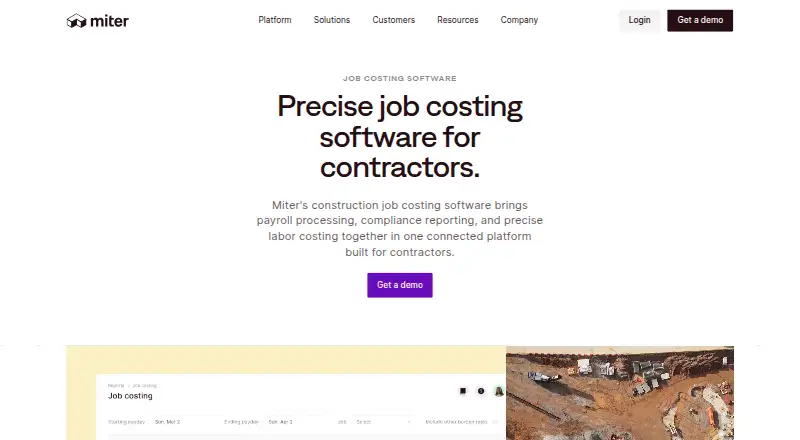
Miter Job Costing is part of a construction platform combining payroll, compliance reporting, and labor costing for contractors. It tags labor and expense data to jobs and cost codes, then sends detailed costs to a contractor’s ERP or accounting system. Users can import a chart of accounts and configure cost codes and GL mapping logic for ERP entries. The product allocates payroll taxes, workers’ compensation, and benefits across jobs, phases, and cost codes; it can also job-cost recurring reimbursements, paid time off, and per diems. Listed integrations include Sage, Acumatica, NetSuite, QuickBooks, Xero, Sage 300 CRE, Viewpoint Spectrum, Viewpoint Vista, CMiC, and Foundation. Customers can also build custom integrations with the REST API. Field teams can record time through more than eight methods, including a mobile app, kiosk, and supervisor entry. Miter’s Production tool lets field teams track equipment use, materials, and quantities from the jobsite. Miter offers onboarding and training and says its support team responds to email the same day. Pricing depends on company size, headcount, and products used, with a custom quote available by demo request.
Good
- Allocates payroll taxes, workers’ compensation, and benefits.
- Supports configurable cost codes and GL mapping.
- Lists integrations with multiple ERP and accounting products.
- Offers more than eight time-entry methods.
- Production tracks equipment, materials, and quantities.
Watch out
- Pricing requires a custom quote.
- Pricing depends on company size, headcount, and products used.
- Custom integrations require customers to build with the REST API.
Who it suits
Miter Job Costing suits contractors that want labor and expense costs assigned to jobs and cost codes and sent to an ERP or accounting system. It also suits field teams using varied time-entry methods and tracking jobsite production data.
Verdict
Miter Job Costing combines labor allocation, cost-code mapping, and ERP data transfer for contractor workflows. Pricing is customized, so prospective customers need to request a demo for a quote.
Plans and prices
From Miter Job Costing's own pricing page, checked 4 Oct 2026.
| Plan | Price | What it gives you |
|---|---|---|
| Custom quote | Priced on request | Pricing based on company size, headcount, and products used; request a demo for a custom quote. |
The facts
Each one read from Miter Job Costing's own pages, with the date it was checked.
What it does
- Additional integrations
- Miter’s integrations page also lists Xero, Sage 300 CRE, Viewpoint Spectrum, Viewpoint Vista, CMiC, and Foundation.checked 4 Oct 2026
- Beyond labor
- Miter says its Production tool lets field teams track equipment usage, materials, and quantities from the jobsite.checked 4 Oct 2026
- Burdened labor
- Miter allocates costs such as payroll taxes, workers’ compensation, and benefits to jobs, phases, and cost codes.checked 4 Oct 2026
- Custom integration
- Miter says customers can build custom integrations with its REST API.checked 4 Oct 2026
- ERP relationship
- Miter describes its job costing as sending detailed cost data to a contractor’s ERP or accounting system.checked 4 Oct 2026
- Fringes and allowances
- The product can job-cost recurring reimbursements, paid time off, and per diems.checked 4 Oct 2026
- Integrations
- The job costing page names Sage, Acumatica, NetSuite, and QuickBooks as ERP and accounting integrations.checked 4 Oct 2026
- Purpose
- Miter combines payroll, compliance reporting, and labor costing in a construction platform built for contractors.checked 4 Oct 2026
- Security page
- Miter links to a Security & Compliance trust center; the linked page returned no readable text when opened.checked 4 Oct 2026
- Support
- Miter offers hands-on onboarding and training, and says its support team responds to email the same day.checked 4 Oct 2026
- Time entry
- Field teams can use more than eight time entry methods, including mobile app, kiosk, and supervisor entry.checked 4 Oct 2026
The company
- Company focus
- Miter describes its platform as purpose-built for contractors and says it brings HR, compliance, and financial software together.checked 4 Oct 2026
- Founded
- 2021checked 28 Sep 2026
Where it runs
- GL mapping
- Users can import their chart of accounts and configure cost codes and GL mapping logic for ERP entries.checked 4 Oct 2026
Money
- Job costing
- It tags labor and expense data to jobs and cost codes, then sends the data to the customer’s ERP.checked 4 Oct 2026
The full review of Miter Job Costing
Miter Job Costing is a contractor-focused way to allocate labor and expenses across jobs and cost codes, with payroll and compliance workflows in the same platform. It suits construction businesses that need job-level costs to reach an existing ERP, rather than a standalone time clock. The trade-off is custom pricing, which makes cost comparisons harder before a demo.
Overview
Miter connects field labor and expenses with accounting records: teams assign costs to jobs, phases, and cost codes, then send detailed data to an ERP or accounting system. That can give contractors a more complete view of job costs than wages alone, especially when taxes, benefits, and reimbursements need to be allocated consistently. Its value depends in part on how well the workflow fits a company’s accounting setup.
Founded in 2021, Miter describes its platform as bringing HR, compliance, and financial software together for contractors. Job costing is one part of that broader focus, not simply a time-entry product.
Key features
Labor and expense allocation
Miter tags labor and expense data to jobs and cost codes, and can allocate payroll taxes, workers’ compensation, and benefits across jobs, phases, and cost codes. This burdened-labor approach helps account for employment costs beyond base pay. Variance analysis and overhead allocation add ways to review costs, making the package more relevant to teams managing project budgets than to buyers who only need clock-in records.
Accounting rules and integrations
Users can import a chart of accounts and configure cost codes and general-ledger mapping logic for ERP entries. Miter can also job-cost recurring reimbursements, paid time off, and per diems. That combination is useful when these items must follow the same project accounting rules as wages, though it puts the accounting workflow at the center of the product’s appeal.
The job-costing page names Sage, Acumatica, NetSuite, and QuickBooks. Other named integrations include Xero, Sage 300 CRE, Viewpoint Spectrum, Viewpoint Vista, CMiC, and Foundation. Customers can also build custom integrations with Miter’s REST API, a useful option when a contractor’s systems do not fit a named connection.
Field data capture
Field teams have more than eight time-entry methods, including the mobile app, kiosk, and supervisor entry. That range can accommodate different jobsite routines rather than forcing every worker onto one device or process. Miter’s Production tool extends jobsite tracking to equipment usage, materials, and quantities, so the platform reaches beyond labor costing.
Pricing
Miter is paid software with custom pricing. Its Custom quote plan is priced according to company size, headcount, and products used, and requires a demo to receive a quote. That structure may suit contractors buying a broader platform around their workforce and project accounting needs, but it leaves no published price for a straightforward comparison with time-tracking tools.
No lower-priced tier or free plan is described. Buyers should therefore assess the quote against the products and headcount they actually need, rather than assume job costing can be purchased separately at a set rate.
Platforms
Miter supports Android, iOS, web, and API access. The mix gives field teams mobile options and provides an integration route for systems work; the platform also supports kiosk and supervisor time entry.
Who it's for
Miter is best suited to contractors who need labor burden, expenses, and other employment-related costs assigned to projects and passed into an ERP or accounting system. It is a stronger fit when configurable cost-code and general-ledger mapping, variance analysis, overhead allocation, and broader workforce workflows matter together. Teams looking only for a simple time clock, or those that need a public price to shortlist software quickly, may prefer a more focused option.
Pros and cons
Pros
- Detailed labor costing: Payroll taxes, workers’ compensation, and benefits can be allocated across jobs, phases, and cost codes.
- Accounting flexibility: Imported charts of accounts, configurable GL mapping, and a REST API support ERP-centered workflows.
- More than labor: Recurring reimbursements, PTO, per diems, and Production tracking for equipment, materials, and quantities broaden job-level visibility.
- Multiple field-entry methods: Mobile, kiosk, and supervisor entry give teams alternatives to a single timekeeping routine.
Cons
- Custom quote only: Pricing depends on company size, headcount, and products, so buyers must request a demo to understand cost.
- ERP-centered value: The main workflow is sending detailed costs to an ERP or accounting system, making it less compelling for buyers seeking only standalone time tracking.
Alternatives
Fareclock is a paid time-tracking alternative with a free trial; its Pro plan is $1.65 a month, billed at $11.00 base plus $1.65 per user, and includes GPS time tracking and shift scheduling. Its Basic plan covers up to five users, making it a more focused option for smaller teams prioritizing time tracking.
BusyBusy has a free plan with unlimited users, while its paid plans add features including GPS breadcrumbing, supervisor tools, daily sign-offs, photos, notes, and scheduling. Consider it when a free starting point or those field-management features matter more than Miter’s stated accounting allocation workflow.
Rhumbix offers timekeeping and production tracking in its Essential — Timekeeping plan, with Data Explorer and enterprise features in Advanced. It is worth comparing when those are the capabilities a contractor wants to prioritize.
Werx is another paid alternative, with an Essential plan at $49 a month month-to-month for 10 active projects and a Plus plan at $89 a month month-to-month for 20 active projects. Its published project limits make it a clearer fit for buyers comparing software by active-project count.
Workyard is a paid option with a Starter plan shown at $6 a month, billed annually; monthly billing is also available. Consider it as another contractor time-tracking option when comparing per-user pricing.
ClockShark is a paid alternative with time and attendance tracking, GPS tracking, job and task tracking, scheduling, manager roles and approvals, and third-party integrations.
mJob is a paid alternative whose Essentials plan includes flexible field time entry, GPS geofencing, labor-law compliance, time automation, ERP integrations, and offline mode.
QuickBooks Time is a paid alternative with Time Premium and Time Elite plans, each including one admin.
For broader comparisons, see Construction Time Tracking Software and Cost Accounting Software.
Verdict
Choose Miter Job Costing if your contracting business needs to allocate the full cost of labor and related expenses to projects, then carry that data into its ERP or accounting system. Configurable mapping, multiple field-entry methods, and broader production tracking strengthen that case. Look elsewhere if you need a simple time tracker or want to compare software using a published price before requesting a demo.
Getting started
- Open Miter’s job costing website
- Request a demo for a custom quote
- Discuss company size, headcount, and products used
- Connect a supported ERP or accounting system
- Choose Android, iOS, web, or API access
- Configure cost codes and general-ledger mapping
Limits worth knowing
The custom-quote plan has no published price. Quote calculation is based on company size, headcount, and products used.
Questions
Which integrations are supported?
Named integrations include Sage, Acumatica, NetSuite, QuickBooks, Xero, Sage 300 CRE, Viewpoint Spectrum, Viewpoint Vista, CMiC, and Foundation.
Can customers build custom integrations?
Yes. Miter provides a REST API for custom integrations.
What platforms are available?
Miter lists Android, iOS, web, and API access.
How is pricing handled?
Pricing is based on company size, headcount, and products used; request a demo for a custom quote.
Alternatives to Miter Job Costing
- 1
BusyBusy
Free planAndroidiOSWebAPI8.1From $9.99 a month - 2
QuickBooks Time
AndroidiOSWebAPI7.8From $20 a month - 3

Fareclock
Free planAndroidiOSWebLinux7.5Free plan - 4
Werx
AndroidiOSWeb7.0From $49 a month - 5

Workyard
AndroidiOSWebAPI7.0From $6 a month - 6
ClockShark
AndroidiOSWeb6.5