MinecraftArt.org Pixel Art Generator
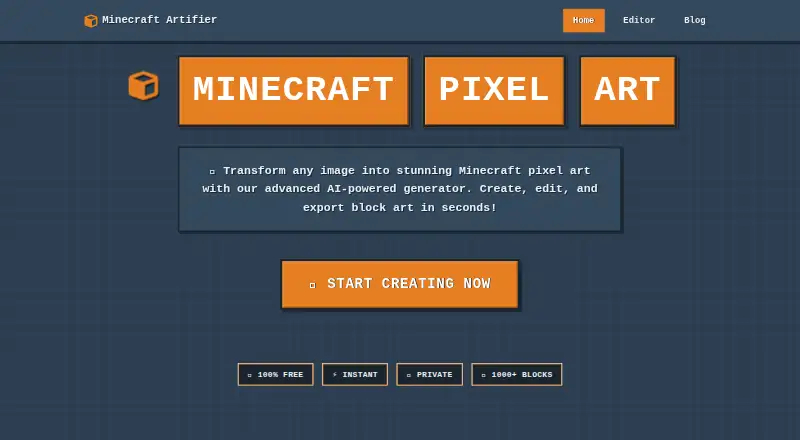
MinecraftArt.org Pixel Art Generator turns an image into Minecraft block pixel art for building.
What MinecraftArt.org Pixel Art Generator is
MinecraftArt.org Pixel Art Generator turns an image into Minecraft block pixel art for building. It runs in a browser, requires no registration, and accepts JPG, PNG, GIF, BMP, and WEBP files up to 10MB. Users can choose all blocks, survival-only blocks, or a custom palette, then adjust block selection and dithering for a Minecraft version, game mode, and custom block preferences. The editor includes pencil, brush, bucket fill, eyedropper, zoom, and unlimited undo and redo. The site says its RGB matching compares image pixels against a database of more than 1,000 Minecraft blocks.
Exports include command blocks, .mcfunction files, and WorldEdit-compatible .schematic files; the site says schematics also work with MCEdit and other building tools. The homepage lists support for Minecraft 1.9 to 1.21, while its FAQ describes compatibility as 1.9 and later. Processing happens locally in the browser, and the site says it does not store uploaded images or generated files on its servers. The free service is provided as-is, without a service-level agreement, and features may be modified or discontinued.
Good
- Accepts five image formats up to 10MB.
- Offers all-block, survival-only, and custom palettes.
- Editor includes unlimited undo and redo.
- Exports schematics, .mcfunction files, and command blocks.
- Processes images locally in the browser.
Watch out
- Free service has no service-level agreement.
- Features may be modified or discontinued.
- Image uploads are limited to 10MB.
Who it suits
It suits builders who want to turn an image into an editable block-art plan and export it in formats used by Minecraft building tools. Palette options and version-specific settings may help users tailor a design to their build.
Verdict
MinecraftArt.org combines image conversion, block palette controls, editing, and several export formats in a browser tool. Its as-is service terms and 10MB input limit are worth noting before use.
Plans and prices
From MinecraftArt.org Pixel Art Generator's own pricing page, checked 7 Oct 2026.
| Plan | Price | What it gives you |
|---|---|---|
| Free | Free | 100% free · 10MB maximum image file size · height limit 256 blocks before Minecraft 1.18 or 384 blocks in 1.18+ |
The facts
Each one read from MinecraftArt.org Pixel Art Generator's own pages, with the date it was checked.
What it does
- Access and support
- The site says no registration is required and directs users to its feedback form and community forum for questions or issues.checked 7 Oct 2026
- Analytics
- The privacy policy says the site collects anonymous usage analytics through Google Analytics, along with browser, device, screen-resolution, performance, and error information.checked 7 Oct 2026
- Block palettes
- Users can select all blocks, survival-only blocks, or a custom palette.checked 7 Oct 2026
- Color matching
- The site says its RGB color-matching algorithm compares image pixels with a database of more than 1,000 Minecraft blocks.checked 7 Oct 2026
- Editing
- The editor includes pencil, brush, bucket fill, eyedropper, zoom, and unlimited undo and redo.checked 7 Oct 2026
- Exports
- The tool exports command blocks, .mcfunction files, and WorldEdit-compatible .schematic files.checked 7 Oct 2026
- Image formats
- It supports JPG, PNG, GIF, BMP, and WEBP images, up to 10MB.checked 7 Oct 2026
- Integrations
- The site says its schematics work with WorldEdit, MCEdit, and other building tools.checked 7 Oct 2026
- Intended users
- The terms describe personal, educational, commercial, and sharing uses of generated art.checked 7 Oct 2026
- Minecraft compatibility
- The homepage says it supports Minecraft versions 1.9 to 1.21; its FAQ describes compatibility as Minecraft 1.9 and later.checked 7 Oct 2026
- Optimization
- Block selection and dithering can be adjusted for Minecraft version, game mode, and custom block preferences.checked 7 Oct 2026
- Privacy
- Image processing runs locally in the browser, and the site says uploaded images and generated files are not stored on its servers.checked 7 Oct 2026
- Purpose
- The tool converts images into Minecraft block pixel art.checked 7 Oct 2026
- Security
- The privacy policy says communications are encrypted with HTTPS and sensitive processing occurs in the browser.checked 7 Oct 2026
- Service limits
- The terms say the free service is provided as-is, has no service-level agreement, and may have features modified or discontinued.checked 7 Oct 2026
The full review of MinecraftArt.org Pixel Art Generator
MinecraftArt.org Pixel Art Generator converts ordinary images into Minecraft block-art designs in a browser. It is aimed at builders who want palette rules, version-aware output, and editing controls before importing a design into a world. The zero-cost access is appealing, but the 10MB input ceiling and height limits matter for ambitious projects.
Overview
This is a web-based image-to-pixel-art workflow rather than a downloadable editor. You supply an image, choose how Minecraft blocks may be used, refine the generated result, and export files intended for in-game construction. No registration is required, which keeps one-off projects quick to start.
Image processing runs locally in the browser, and the service says uploaded images and generated files are not stored on its servers. That is a meaningful advantage for private source material, although the privacy policy still describes anonymous Google Analytics collection, including browser, device, screen-resolution, performance, and error data. HTTPS protects communications, with sensitive processing performed in the browser.
Key features
Input support covers JPG, PNG, GIF, BMP, and WEBP files, with a maximum size of 10MB. That handles most everyday sources but can force users to resize high-resolution originals before conversion. The RGB matching system compares image pixels with a database of more than 1,000 Minecraft blocks, giving the converter a broad color and material range.
Palette control is the tool's strongest differentiator. You can allow every block, restrict results to survival-available blocks, or define a custom palette. Block selection and dithering can also be tuned for a Minecraft version, game mode, and personal block preferences. In practice, that makes it easier to produce art that is actually buildable in a chosen play style instead of merely color-accurate.
The built-in editor provides pencil, brush, bucket fill, eyedropper, zoom, and unlimited undo and redo. Those tools cover individual pixel corrections as well as larger fill operations, so minor mistakes do not require restarting the conversion in another application.
Exports include command blocks, .mcfunction files, and WorldEdit-compatible .schematic files. The site says schematics also work with MCEdit and other building tools, giving experienced builders several routes from a finished design to a placed structure. Compatibility is stated as Minecraft 1.9 through 1.21 on the homepage, while the FAQ describes Minecraft 1.9 and later.
Pricing
| Plan | Price | What it includes |
|---|---|---|
| Free | free | 100% free; images up to 10MB; designs up to 256 blocks high before Minecraft 1.18 or 384 blocks high in 1.18 and later |
There is no paid tier or subscription commitment. The free plan suits hobbyists, students, educators, and commercial creators who can work within the file and height limits. Large murals and other tall builds may need to be split or reduced, and the service terms are explicitly as-is: there is no service-level agreement, and features may be changed or discontinued.
Platforms
The generator runs on the web, with image conversion and editing performed in the browser. That avoids installation and makes it usable anywhere a supported browser is available, while output remains focused on Minecraft-compatible files rather than a general-purpose image format.
Who it's for
Choose it if you build in Minecraft and want control over survival legality, custom materials, dithering, and version-specific settings. It is also a good fit for users who need command blocks, .mcfunction, or WorldEdit-style schematic output and prefer to make touch-ups in the same tool. It is less suitable for oversized source images, designs beyond the height caps, or anyone requiring guaranteed uptime and fixed features.
Pros and cons
Pros
- Flexible palette rules: all-block, survival-only, and custom palettes let builders match their actual resources and game mode.
- Useful refinement tools: pencil, brush, fills, color picking, zoom, and unlimited undo/redo reduce the need for a separate pixel editor.
- Broad Minecraft output: command blocks, .mcfunction, and .schematic exports support different building workflows.
- Local image handling: browser-side processing and no server storage of uploads or generated files are favorable for privacy.
Cons
- 10MB input maximum: larger originals must be resized or compressed first.
- Height restrictions: the 256-block pre-1.18 and 384-block 1.18+ ceilings constrain tall projects.
- As-is service terms: no SLA is offered, and features can be modified or discontinued.
- Analytics collection: anonymous Google Analytics and technical telemetry remain part of the privacy policy.
Alternatives
Minecraft Pixel Art Generators is the broader category to browse when you want to compare several tools at once.
Pick BlockArtLab Minecraft Image Converter if a basic browser converter with PNG blueprints and CSV material lists is enough, or if you want a one-time $9.99 Starter purchase with 300 credits.
Image2Pixel Minecraft Converter is a straightforward free web option with no signup, watermark, or stated usage limits.
Choose Minecraft Image Converter for a free, no-sign-up workflow with PNG and .schem export.
Minecraft Pixel Art Generator removes account and paywall requirements and places no image-size limit beyond the capacity of your own device.
Minecraft Pixel Art Generator & Editor is another free web editor with no account, signup, or usage limits.
Use PixelCraft instead when you specifically want a Windows 10/11 desktop application.
PixelStacker is a free option spanning API, web, and Windows platforms.
Try Pixvael Minecraft Pixel Art Generator when browser or extension access and exports such as .litematic, .mcstructure, PNG, CSV, and project files are priorities.
Verdict
MinecraftArt.org Pixel Art Generator is a strong choice for Minecraft builders who value palette control, in-browser corrections, and several construction-ready export formats without paying or creating an account. Look elsewhere if your source files exceed 10MB, your design is taller than the stated limits, or dependable service guarantees matter more than a capable free tool.
Alternatives to MinecraftArt.org Pixel Art Generator
- 1

BlockArtLab Minecraft Image Converter
Free planWeb7.3$1.99 one-time - 2
Pixvael Minecraft Pixel Art Generator
Free planWebExtension6.6Free plan - 3

Coffee & Fun Minecraft Pixel Art Generator
Free planWeb6.0Free plan - 4

Image2Pixel Minecraft Converter
Free planWeb6.0Free plan - 5
Minecraft Image Converter
Free planWeb6.0Free plan - 6
Minecraft Pixel Art Generator
Free planWeb6.0Free plan