
PixelCraft
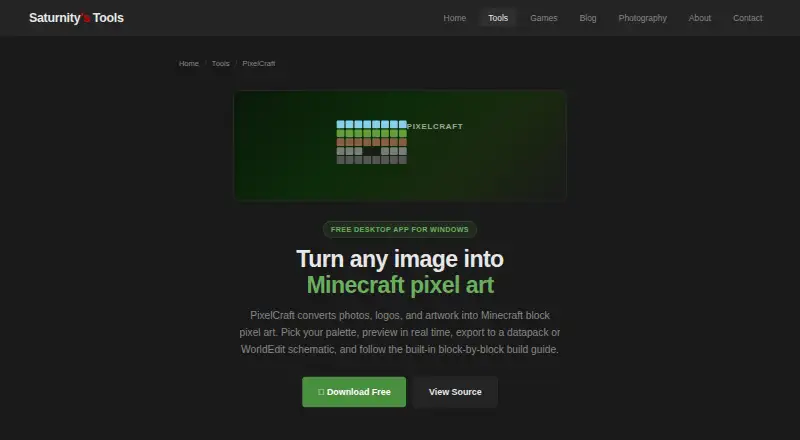
PixelCraft is a free Windows application that converts photos, logos, and artwork into pixel art built from Minecraft blocks.
What PixelCraft is
PixelCraft is a free Windows application that converts photos, logos, and artwork into pixel art built from Minecraft blocks. It accepts PNG, JPG, GIF, and BMP images, and lets users choose a Minecraft version from 1.12 through 1.21. Block palettes include All, Survival-only, and custom options; color matching uses CIE LAB. Users can paint individual blocks or replace every occurrence of a block type at once. Exports include datapack ZIP, .mcfunction, plain command text, and WorldEdit .schem files. The WorldEdit export uses Sponge Schematic v2 and is compatible with WorldEdit 7.x. Build Mode provides a row-by-row guide and lets users mark placed blocks as done. PixelCraft operates offline, processes files locally, and does not send data elsewhere. It is open-source and packaged with PyInstaller, though its executables may trigger antivirus false positives. Its block IDs and command formats are for Java Edition, so Bedrock exports may require manual adjustment.
Good
- Runs offline and processes files locally
- Supports four image formats
- Exports several command and schematic formats
- Build Mode tracks placed blocks
Watch out
- Bedrock exports may need manual adjustment
- Large functions can briefly lag at 50,000 or more setblock commands
- Executables may trigger antivirus false positives
- Requires Windows 10/11 64-bit
Who it suits
PixelCraft suits Windows users who want to turn images into Minecraft block builds, especially for Java Edition. Its offline operation may also appeal to users who want files processed locally.
Verdict
PixelCraft offers image conversion, block editing, build guidance, and multiple exports in a free offline tool. Note its Java Edition focus and the possible lag on very large functions.
Plans and prices
From PixelCraft's own pricing page, checked 2 Oct 2026.
| Plan | Price | What it gives you |
|---|---|---|
| Free | Free | Windows 10/11 64-bit · ~150 MB disk space · no installation · offline use · Free |
The facts
Each one read from PixelCraft's own pages, with the date it was checked.
What it does
- Block palette
- It includes Minecraft blocks with average colors and supports All, Survival-only, or custom palettes.checked 2 Oct 2026
- Build guide
- Build Mode provides a row-by-row guide where placed blocks can be marked as done.checked 2 Oct 2026
- Color matching
- Conversion uses CIE LAB color matching for perceptually accurate results.checked 2 Oct 2026
- Editing
- Users can paint individual blocks and replace every occurrence of a block type in one click.checked 2 Oct 2026
- Edition limit
- The block IDs and command formats are for Java Edition, and Bedrock exports may require manual adjustment.checked 2 Oct 2026
- Exports
- It exports datapack ZIP, .mcfunction, plain command text, and WorldEdit .schem files.checked 2 Oct 2026
- Input formats
- It accepts PNG, JPG, GIF, and BMP images.checked 2 Oct 2026
- Large builds
- Datapack exports split large art into 10,000-command chunks, while functions with 50,000 or more setblock commands can cause brief lag.checked 2 Oct 2026
- Minecraft versions
- Users can select Minecraft versions from 1.12 through 1.21.checked 2 Oct 2026
- Offline operation
- PixelCraft runs entirely offline, processes files locally, and does not send data anywhere.checked 2 Oct 2026
- Purpose
- PixelCraft converts photos, logos, and artwork into Minecraft block pixel art.checked 2 Oct 2026
- Source and safety
- It is an open-source Python application packaged with PyInstaller, whose executables may trigger antivirus false positives.checked 2 Oct 2026
- Support
- Bug reports and feedback go directly to the one-person maintainer, though replies may take a while.checked 2 Oct 2026
- WorldEdit integration
- WorldEdit exports use Sponge Schematic v2 and are compatible with WorldEdit 7.x.checked 2 Oct 2026
The company
- Maker
- The tool is made by Kody, known online as Saturnity, a self-taught developer and amateur photographer.checked 2 Oct 2026
Alternatives to PixelCraft
- 1

BlockArtLab Minecraft Image Converter
Free planWeb7.3$1.99 one-time - 2
Pixvael Minecraft Pixel Art Generator
Free planWebExtension6.6Free plan - 3

Coffee & Fun Minecraft Pixel Art Generator
Free planWeb6.0Free plan - 4

Image2Pixel Minecraft Converter
Free planWeb6.0Free plan - 5
Minecraft Image Converter
Free planWeb6.0Free plan - 6
Minecraft Pixel Art Generator
Free planWeb6.0Free plan