
Microcks
Microcks is a free, open-source tool for mocking and testing APIs and microservices.
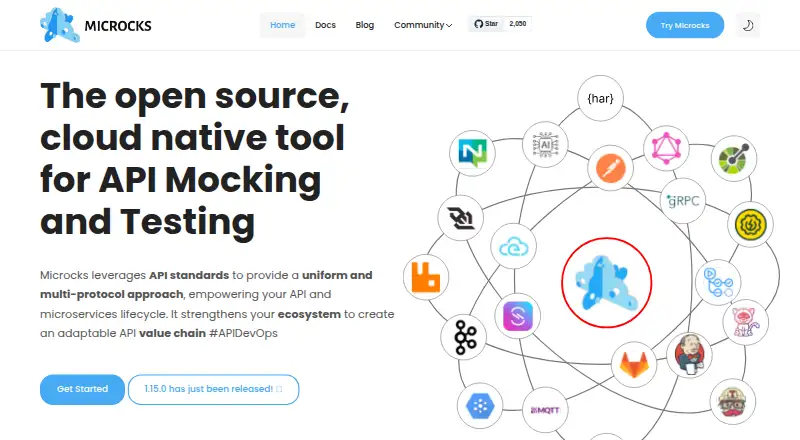
What Microcks is
Microcks is a free, open-source tool for mocking and testing APIs and microservices. It supports OpenAPI, AsyncAPI, gRPC/Protobuf, GraphQL and SOAP. Mocking can draw on supplied examples, generate realistic examples or transform mock data and responses dynamically. Its contract testing checks provider and consumer behavior against live implementations and specification versions. Microcks can automate checks in CI/CD pipelines, with integrations for GitHub Actions, Jenkins, GitLab CI and Tekton. Its containerized architecture can run on-premises, in the cloud or on developer laptops. The Uber distribution is designed for laptop and unit-test use with ephemeral in-memory storage. The project also offers a free community marketplace for API mocks and test suites. Two limits are worth noting: the public demo is read-only, and documentation says the all-managed Kubernetes setup is intended for discovery rather than production because its single Keycloak and MongoDB instances are not tuned for scale or security best practices.
Good
- Supports five API specification and protocol types
- Automates checks in major CI/CD pipelines
- Can run on laptops, cloud or on-premises
- Free and open source
Watch out
- Public demo cannot import or modify artifacts
- All-managed Kubernetes setup is not recommended for production
Who it suits
Microcks suits API owners, developers, quality assurance teams and platform engineers who need API mocks or contract checks. Teams can choose laptop, cloud or on-premises deployment.
Verdict
Microcks covers mocking, contract testing and pipeline automation across several API formats. For production deployments, consider the documented limitations of the all-managed Kubernetes setup.
Plans and prices
From Microcks's own pricing page, checked 2 Oct 2026.
| Plan | Price | What it gives you |
|---|---|---|
| Microcks (open-source distribution) | Free | 100% open source, community-driven initiative · self-hosted deployment options |
The facts
Each one read from Microcks's own pages, with the date it was checked.
What it does
- Access roles
- The documented default roles are user, manager, and admin, with permissions for repository management and instance administration.checked 2 Oct 2026
- AI feature limit
- The AI Copilot guide says the feature supports OpenAI-compatible APIs at the time of writing and requires an OpenAI API key in the documented Docker Desktop Extension setup.checked 2 Oct 2026
- Audience
- The project describes use cases for API owners, developers, quality assurance teams, and platform engineers.checked 2 Oct 2026
- Backstage
- The Backstage provider discovers APIs from Microcks instances and synchronizes them into the Backstage Software Catalog.checked 30 Sep 2026
- CI/CD
- It provides integrations for GitHub Actions, Jenkins, GitLab CI, and Tekton pipelines.checked 2 Oct 2026
- CI/CD automation
- It automates checks in CI/CD pipelines and provides auto-generated code snippets for integration.checked 30 Sep 2026
- Contract testing
- It performs provider and consumer contract tests against live implementations and different specification versions.checked 2 Oct 2026
- Current release
- The homepage announces Microcks version 1.15.0 as released.checked 30 Sep 2026
- Demo limitation
- The public demo is read-only and cannot import new APIs or modify existing artifacts.checked 30 Sep 2026
- Deployment
- Microcks can be installed using Docker Desktop Extension, Docker or Podman Compose, Helm, or a Kubernetes Operator.checked 2 Oct 2026
- Dynamic mocking
- Mocking can reuse examples, generate realistic examples, or transform mock data and responses.checked 30 Sep 2026
- Integrations
- Official automation integrations include GitHub Actions, Jenkins, GitLab CI and Tekton Pipelines.checked 30 Sep 2026
- Local use
- The Uber distribution is designed for laptop and unit-test use and uses in-memory MongoDB for ephemeral usage.checked 2 Oct 2026
- Marketplace
- Microcks Hub is described as a free community marketplace for API mocks and test suites, and is enabled by default in Microcks.checked 2 Oct 2026
- Mocking
- It can reuse examples, generate realistic examples, and transform mock data and responses on the fly.checked 2 Oct 2026
- Open source
- Microcks is a 100% open source, community-driven CNCF Incubating project.checked 30 Sep 2026
- Production deployment limit
- The documentation says the all-managed Kubernetes setup is convenient for discovery but is not recommended for production because its Keycloak and MongoDB instances are single instances not tuned for scalability or security best practices.checked 2 Oct 2026
- Project status
- Microcks is a CNCF incubating project and a 100% open-source, community-driven initiative.checked 2 Oct 2026
- Protocols
- It supports OpenAPI, AsyncAPI, gRPC/Protobuf, GraphQL and SOAP.checked 30 Sep 2026
- Purpose
- Microcks is a tool for mocking and testing APIs and microservices.checked 2 Oct 2026
- Secrets
- Only Microcks administrators can manage credentials for Git repositories, API endpoints and event brokers.checked 30 Sep 2026
- Security
- Microcks uses Keycloak for identity, authentication, permissions, and API endpoint protection, with OpenID Connect for user authentication.checked 2 Oct 2026
- Specifications
- It supports OpenAPI, AsyncAPI, gRPC/Protobuf, GraphQL schemas, and SOAP.checked 2 Oct 2026
Where it runs
- CLI platforms
- Microcks CLI binaries are available for Linux, macOS and Windows, and the CLI is also distributed as a container image.checked 30 Sep 2026
The full review of Microcks
Overview
Microcks is an open-source API and microservice mocking and testing tool. It is best suited to teams that need to develop and check APIs across multiple protocols, from local tests to automated delivery pipelines. Its breadth is a strong fit for cross-format workflows, though production deployment calls for care with the bundled Kubernetes setup.
The project is community-driven and incubating at the Cloud Native Computing Foundation. It supports OpenAPI, AsyncAPI, gRPC/Protobuf, GraphQL schemas and SOAP, bringing several common API formats into one mocking and contract-testing workflow. Microcks Hub, enabled by default, adds a free community marketplace for API mocks and test suites.
Key features
Mocking and contract testing
Mocks can reuse existing examples, generate realistic ones or transform data and responses dynamically. That flexibility helps teams represent expected API behavior without requiring every service to be fully implemented first. Provider and consumer contracts can be checked against both live implementations and specification versions, making Microcks useful for validating behavior from either side of an API relationship.
Pipeline automation and integrations
Microcks automates checks in CI/CD and provides generated code snippets for integration. Official integrations cover GitHub Actions, Jenkins, GitLab CI and Tekton Pipelines, giving teams several routes to include checks in existing delivery workflows. The Backstage provider discovers APIs from Microcks instances and synchronizes them into the Backstage Software Catalog.
Local and test workflows
The containerized architecture supports on-premises, cloud and laptop deployments. The Uber distribution is designed for laptop and unit-test use, with in-memory MongoDB for ephemeral usage; it is a practical option for short-lived local test environments rather than a production database setup. Official Testcontainers modules cover Java, NodeJS/TypeScript, Golang and .NET, while Python support is community-maintained.
Access and administration
Authentication uses Keycloak with OpenID Connect Authorization Code Flow. Default roles are user, manager and admin, with permissions covering repository management and instance administration. Only administrators can manage credentials for Git repositories, API endpoints and event brokers, which concentrates secret handling but makes credential administration dependent on that role.
Deployment caveat
The all-managed Kubernetes setup is convenient for discovery, but its single Keycloak and MongoDB instances are not tuned for scalability or security best practices. That makes it a poor choice as-is for production; teams should account for the documented limitation when planning a deployment.
Pricing
Microcks is free. The open-source distribution costs free and includes self-hosted deployment options. There is no paid tier described here, so the trade-off is that teams operate their own deployment rather than choosing a priced hosted plan.
The public demo is read-only: it cannot import new APIs or modify existing artifacts. It can provide a view of the project, but it is not a substitute for a working environment where a team can test its own APIs.
Platforms
Microcks supports API, extension, Linux, macOS, self-hosted, web and Windows environments. CLI binaries are available for Linux, macOS and Windows, and the CLI is also distributed as a container image. The containerized deployment options suit teams that want to run Microcks on their own infrastructure or developer laptops.
Who it's for
API owners, developers, quality assurance teams and platform engineers are the clearest audience. API owners and developers can build mocks around supported specifications; QA teams can use provider and consumer contract checks against implementations or specification versions; platform engineers can automate checks through CI/CD integrations and synchronize APIs into Backstage.
It is a particularly sensible fit for organizations that need one open-source tool across multiple API formats and deployment contexts. Teams seeking a production-ready all-managed Kubernetes installation without further deployment decisions should look elsewhere or plan a more suitable production setup.
Pros and cons
Pros
- Broad protocol coverage: OpenAPI, AsyncAPI, gRPC/Protobuf, GraphQL and SOAP support makes it useful where teams work across different API styles.
- Flexible mock behavior: Existing examples, generated examples and dynamic transformations give teams more control over test responses.
- Useful delivery integrations: Official GitHub Actions, Jenkins, GitLab CI and Tekton integrations support pipeline automation.
- Free and open source: The self-hosted distribution avoids a software fee and can run from laptops to cloud or on-premises deployments.
Cons
- Production setup needs attention: The all-managed Kubernetes configuration uses single Keycloak and MongoDB instances that are not tuned for production scalability or security best practices.
- Demo cannot be used for authoring: Its read-only access prevents importing APIs or changing artifacts.
- Python Testcontainers support is community-maintained: Teams needing an officially maintained Python module should not assume parity with the listed official language modules.
Alternatives
For a narrower focus on API specification differences, consider oasdiff: its open-source engine, CLI and GitHub Action are available under Apache 2.0, and it has a free plan, though it is not presented here as Microcks' broader mocking and contract-testing workflow.
Karate is a free, MIT-licensed framework covering REST, GraphQL and SOAP API testing, as well as browser and desktop UI automation and Gatling performance testing; choose it when those broader automation areas are more central than Microcks-style API mocking.
Specmatic offers a free open-source option for OpenAPI, WSDL and MCP, with contract testing, API resilience testing and service virtualization. It is a reasonable alternative when those formats and resilience testing are the priority.
Pact Broker provides a free self-hosted option, while PactFlow's Starter plan includes unlimited users, two integrations and bi-directional contract testing. Consider it when contract-broker or PactFlow's stated Starter capabilities are the specific need.
Confluent Cloud has a free Basic tier with serverless managed clusters, autoscaling Kafka resources and more than 80 managed connectors; it is the alternative to consider when managed Kafka resources and connectors are the priority.
GraphQL Hive offers a free Hobby plan with one million operations per month, seven-day usage-data retention and unlimited seats, projects, organizations, schema pushes and checks. Choose it when those GraphQL schema-management limits and capabilities better match the job.
Pact is an alternative open-source tooling option for teams focused on that ecosystem.
PactFlow is another alternative for teams evaluating Pact-related tooling.
Verdict
Microcks is a strong choice for API owners, developers, QA teams and platform engineers who want free, open-source mocking and contract testing across several API formats, with pipeline automation and local deployment options. Its broad coverage is the main reason to choose it; the production caveat around the all-managed Kubernetes setup is the main reason to look elsewhere or plan a different deployment.
Getting started
- Visit the Microcks website.
- Choose a deployment that fits your environment: on-premises, cloud, or developer laptop.
- For laptop and unit-test use, consider the Uber distribution with ephemeral in-memory MongoDB.
- Use the CLI on Linux, macOS, or Windows, or run its container image.
- Connect Microcks to a supported CI/CD tool such as GitHub Actions, Jenkins, GitLab CI, or Tekton.
Limits worth knowing
The public demo is read-only and cannot import APIs or change artifacts. The all-managed Kubernetes setup is described as unsuitable for production because its single Keycloak and MongoDB instances are not tuned for scalability or security best practices.
Questions
How much does Microcks cost?
The open-source distribution is listed as free.
Is Microcks open source?
Yes. It is a 100% open-source, community-driven CNCF Incubating project.
Which API specifications and protocols does it support?
It supports OpenAPI, AsyncAPI, gRPC/Protobuf, GraphQL schemas, and SOAP.
Where can Microcks run?
Its containerized architecture supports on-premises, cloud, and developer-laptop deployment. CLI binaries are available for Linux, macOS, and Windows, and the CLI is also distributed as a container image.
Which CI/CD tools integrate with Microcks?
Official automation integrations include GitHub Actions, Jenkins, GitLab CI, and Tekton Pipelines.
Can the public demo be used to add or edit APIs?
No. The public demo is read-only and cannot import new APIs or modify existing artifacts.
Alternatives to Microcks
- 1
Mockzilla
Free planOpen sourceWebAPILinuxmacOS8.1From $10 a month - 2

Beeceptor
Free planWebAPILinuxmacOS7.9From $10 a month - 3
Mockfly
Free planWebAPIExtensionLinux7.4From €150 a year - 4
MockAPI
Free planWebAPI7.2From $35 a year - 5
Knockout API
Free planWebAPI7.0From $10 a month - 6

Mockoon
WebAPILinuxmacOS6.8From €10 a month