MeshLab
MeshLab is a free, open-source desktop application for processing and editing 3D triangular meshes, including models produced by 3D scanning.
What MeshLab is
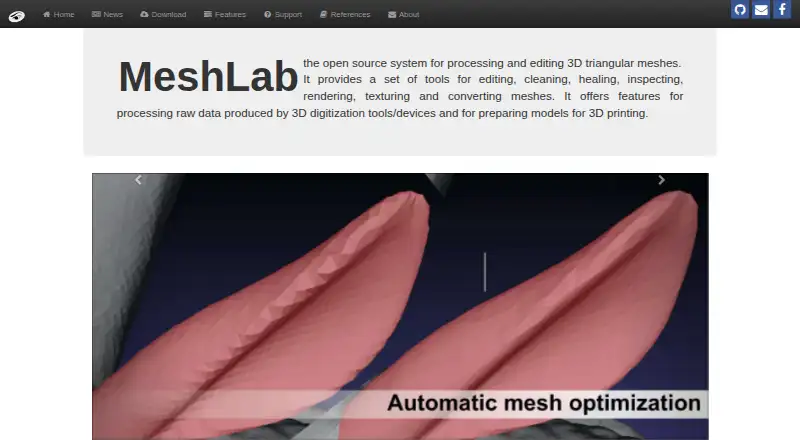
MeshLab is a free, open-source desktop application for processing and editing 3D triangular meshes, including models produced by 3D scanning. Its tools cover cleaning, repair, inspection, rendering, texturing, editing, and format conversion. The site also describes use with raw data from 3D digitization and preparation of models for 3D printing. MeshLab supports PTX point-cloud and range-map files, with exports including PLY, STL, OBJ, OFF, WRL, and DXF. PyMeshLab provides a Python interface for loading and saving meshes and applying MeshLab filters; VCG can be used in a standalone, large-scale automated mesh-processing pipeline. MeshLab runs on Windows, macOS, and Linux and is distributed under the GPL 3.0 license. The listed MeshLab 2025.07 release adds ARM64 support on Linux and macOS and support for 3MF. For usage questions, the site points to Stack Overflow, and it directs bug reports to GitHub. Video learning resources cover basics, features, scanning workflows, and mesh cleaning.
Good
- Free and open source under GPL 3.0
- Tools for cleaning, repair, rendering, and texturing
- Supports point-cloud and range-map inputs
- Exports PLY, STL, OBJ, OFF, WRL, and DXF
- Includes a Python interface through PyMeshLab
Watch out
- No real-time capture
- Desktop platforms only
- Usage questions are directed to Stack Overflow
Who it suits
MeshLab suits people processing unstructured 3D scan models, cleaning meshes, or preparing models for 3D printing. Developers can also use PyMeshLab to work with meshes through Python.
Verdict
MeshLab brings mesh editing, conversion, and scanning-related tools together in a free desktop application. Its stated scope is processing existing mesh and point-cloud data rather than real-time capture.
Plans and prices
From MeshLab's own pricing page, checked 14 Oct 2026.
| Plan | Price | What it gives you |
|---|---|---|
| Free software | Free | full desktop application · mesh and point-cloud processing |
| MeshLab | Free | Open-source mesh processing and editing system |
The facts
Each one read from MeshLab's own pages, with the date it was checked.
Where it runs
- Apple privacy disclosure
- Apple shows that the developer has not supplied privacy-practice details for the iOS app.checked 14 Oct 2026
- iOS viewer limits
- The iOS viewer reads several standard formats and can display complex models, but a reviewer reported crashes around 800,000 vertices and sluggish performance at high polygon counts.checked 14 Oct 2026
What it does
- Automated processing
- The repository describes VCG as usable for a stand-alone large-scale automated mesh processing pipeline.checked 29 Sep 2026
- Build and extensibility
- The repositories publish build scripts, source code, plugin code, CMake files and a separate extra-plugins repository for community plugins.checked 14 Oct 2026
- Color processing
- Color tools adjust gamma, saturation, brightness, contrast, levels, smoothing and sharpening, and can calculate ambient or volumetric obscurance.checked 14 Oct 2026
- Downloads
- Official downloads include Windows 64-bit, macOS Intel and ARM64, Linux Flatpak, Linux AppImage for x86_64 and ARM64, Microsoft Store and source packages.checked 14 Oct 2026
- Format conversion
- It imports and exports many 3D formats and supports interchange with Blender, Photoscan, VisualSfM, CloudCompare, Autodesk tools and Sketchfab.checked 14 Oct 2026
- Institution size
- ISTI-CNR describes itself as having about 230 staff plus a fluctuating number of students and being located in Pisa, Tuscany.checked 14 Oct 2026
- Intended users
- MeshLab is aimed at processing the unstructured models that arise in 3D scanning.checked 29 Sep 2026
- Latest release
- The site lists MeshLab 2025.07, released on 9 September 2025, with ARM64 support on Linux and macOS and 3MF support.checked 14 Oct 2026
- Learning resources
- The support page links YouTube playlists covering basics, features, 3D scanning workflows, and mesh cleaning.checked 29 Sep 2026
- License
- MeshLab source code is distributed under GPL 3.0, while the MeshLab name is a CNR-owned EUIPO trademark.checked 14 Oct 2026
- Limit: 3D-printing tools
- Sculpteo notes missing boolean operations, planar cuts, thickness analysis, automatic thickening and hollowing, plus limited snapping.checked 14 Oct 2026
- Limit: crashes and navigation
- G2 reviewers report occasional crashes, navigation problems and workflows that fail on some point-cloud or texture tasks.checked 14 Oct 2026
- Limit: documentation and learning curve
- SourceForge reviewers repeatedly criticize limited instructions, steep learning, complex menus and an unfriendly interface.checked 14 Oct 2026
- Limit: interface and documentation
- Sculpteo characterizes the interface as difficult for newcomers and the documentation as limited.checked 14 Oct 2026
- Limit: stability and undo
- SourceForge reviews mention hangs or crashes, texture-path errors and the absence of a conventional undo feature.checked 14 Oct 2026
- Measurement
- MeshLab provides interactive point-to-point measurement, section extraction and filters for curvature, geodesic distance and vertex density.checked 14 Oct 2026
The company
- Founded
- 2005checked 28 Sep 2026
- Headquarters
- Pisa, Italychecked 28 Sep 2026
- Maker
- The site says MeshLab has been developed by the Visual Computing Lab of ISTI-CNR since 2005.checked 29 Sep 2026
- Maker history
- The official site says Visual Computing Lab development of MeshLab has been led by ISTI-CNR since 2005.checked 14 Oct 2026
- Maker identity
- MeshLab is led by the Visual Computing Lab of ISTI-CNR, the Italian National Research Council institute in Pisa.checked 14 Oct 2026
Money
- Free plan
- Yeschecked 20 Sep 2026
The full review of MeshLab
MeshLab is a free desktop workstation for repairing, inspecting, converting, and preparing 3D mesh data. It suits scan-processing specialists, 3D-printing users, and developers who want an open-source pipeline; it is not the right choice for capturing scans in real time.
Overview
MeshLab covers the post-processing path for scanned geometry: editing, cleaning, healing, inspection, rendering, texturing, and format conversion. Its focus is triangular meshes and raw output from 3D digitization tools, including PTX point-cloud and range-map files. Point-cloud utilities and mesh-reconstruction tools are useful when a scan is noisy, incomplete, or otherwise unsuitable for direct printing.
The project has been developed since 2005 by a maker headquartered in Pisa, Italy. Source code is distributed under the GPL 3.0 license, making MeshLab a strong fit for users who need an open-source workflow rather than a proprietary editor. MeshLab 2025.07, released September 9, 2025, adds ARM64 support on Linux and macOS and support for 3MF.
Key features
Mesh and point-cloud processing
MeshLab brings point-cloud tools, reconstruction, inspection, and repair into one application. That combination suits scanned models requiring substantial cleanup before printing or export. It handles formats including PLY, STL, OBJ, OFF, WRL, and DXF, so it can serve as a conversion hub when a project moves between scanning, modeling, and fabrication tools.
Rendering, texturing, and export
The built-in render engine lets users inspect geometry in the same desktop environment used for editing. Texturing tools help preserve visual information during preparation, while 3D-print export makes the application practical for producing fabrication-ready files. These capabilities favor technical preparation over presentation-focused modeling.
Automation and Python access
PyMeshLab exposes MeshLab through Python, allowing scripts to load and save meshes and apply MeshLab filters. The VCG technology described by the project can also support a stand-alone, large-scale automated mesh-processing pipeline. This matters to studios and research teams processing repeatable batches, although users who only need occasional manual cleanup may not benefit from that extra programmability.
Learning and support
Questions about using MeshLab are directed to Stack Overflow, while bug reports go to GitHub. YouTube playlists cover basics, feature walkthroughs, 3D-scanning workflows, and mesh cleaning. Those resources give newcomers a route into the tool, but the community-oriented support model is less direct than a commercial product with dedicated assistance.
Pricing
| Plan | Price | Includes |
|---|---|---|
| MeshLab | free | Open-source mesh processing and editing system |
MeshLab is free, with no paid tier, seat charge, quota, or renewal term stated. That makes it suitable for students, hobbyists, independent makers, and teams that can work with community support. The trade-off is that there is no commercial support package or premium workflow indicated, so organizations needing contractual assistance may prefer a paid alternative.
Platforms
MeshLab is a desktop application for Windows, macOS, and Linux. The 2025.07 release adds ARM64 support on Linux and macOS, broadening its fit for newer hardware. It does not provide real-time capture, so scanning must happen elsewhere before files are brought into MeshLab.
Who it's for
Choose MeshLab for unstructured output from 3D scanners, point-cloud cleanup, mesh reconstruction, format conversion, and preparation for 3D printing. It is also a sensible choice for developers who want Python control or an open-source basis for automated processing. Look elsewhere if your priority is capturing scans on a phone or scanner, guided acquisition, or a unified capture-and-edit workflow.
Pros and cons
- Pro: Free GPL 3.0 licensing removes purchase and subscription barriers while permitting an open-source workflow.
- Pro: Point-cloud handling, reconstruction, repair, rendering, texturing, and conversion address the difficult cleanup stage between scanning and printing.
- Pro: PyMeshLab and VCG support scripted and large-scale processing beyond one-off manual edits.
- Con: There is no real-time capture, so users need separate scanning hardware or software.
- Con: Stack Overflow and GitHub are the stated support routes, which may not meet organizations seeking dedicated vendor assistance.
- Con: Its technical post-processing focus is less suitable for users wanting an all-in-one mobile scanning experience.
Alternatives
Structure is the better pick when you need scanning-oriented software across mobile, desktop, and web platforms, with a seven-day free trial of its SDK Developer License.
MeshInspector suits users wanting a freemium viewer and editor for meshes, point clouds, voxels, and G-code, including basic repair tools.
JMStudio is aimed at owners of 3DMakerpro scanners and provides free exports in STL, OBJ, PLY, ASC, and RSCAN.
Revo Scan 6 is a free option for Revopoint scanner users who want scanning and post-processing together.
Polycam is preferable for mobile and web capture, with a free tier offering limited captures, GLTF export, and public link sharing.
RealityScan is an alternative freemium scanning application for Android, iOS, Linux, and Windows.
Scaniverse fits users seeking mobile capture, splats, meshes, VPS maps, and FBX, SPZ, or PLY export under its free plan.
3D Scanner App is a free basic option for iOS and macOS.
For broader category browsing, see 3D Scanning Software and 3D modeling software.
Verdict
MeshLab is an excellent choice for technically minded users who need free, open-source control over scanned meshes, point clouds, reconstruction, and export. Its main reason to choose it is the breadth of post-processing and automation in a zero-cost desktop package. Look elsewhere if you need real-time capture, mobile-first operation, or dedicated commercial support.