
Revo Scan 6
Revo Scan 6 is free software for capturing and processing scans made with Revopoint 3D scanners.
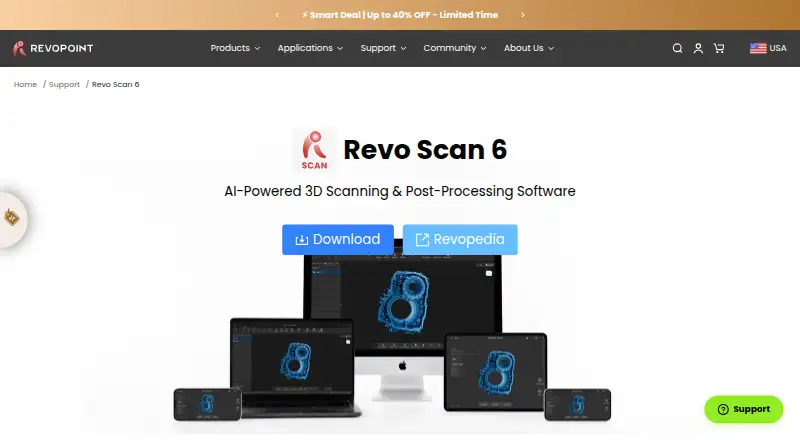
What Revo Scan 6 is
Revo Scan 6 is free software for capturing and processing scans made with Revopoint 3D scanners. Its workflow covers scanning, fusing, editing, and exporting, with tools for point clouds and meshes. Users can remove noise, fill holes, smooth or reposition models, align multiple scans, merge them, and map RGB camera color data onto meshes. Output formats include PLY, OBJ, STL, ASC, 3MF, GLTF, FBX, and Splat for use in CAD, 3D printing, and design workflows. The software is listed for Windows, macOS, Android, and iOS, though Windows requires x86_64 and macOS requires ARM 64 architecture. Compatible scanners vary by platform and include named devices from the POP, MINI, RANGE, INSPIRE, and MIRACO families. AI object segmentation and tracking, 3D Gaussian Splatting, and GPU-accelerated fusion are listed only for POP 4 and INSPIRE 2; GPU fusion also depends on the GPU models listed by the maker. Revopoint describes use in 3D modeling, reverse engineering, CAD design, product development, and 3D printing workflows.
Good
- Free software for Revopoint 3D scanners.
- Provides tools for point clouds and meshes.
- Supports scan alignment and merging.
- Exports PLY, OBJ, STL, 3MF, and other formats.
- Available for Windows, macOS, Android, and iOS.
Watch out
- AI segmentation and tracking are limited to POP 4 and INSPIRE 2.
- Gaussian Splatting is listed only for POP 4 and INSPIRE 2.
- Windows requires x86_64 architecture.
- macOS requires ARM 64 architecture.
Who it suits
Revo Scan 6 suits Revopoint scanner owners working with point clouds or meshes for design, reverse engineering, or 3D printing. Confirm that your scanner and computer or mobile device are supported, since compatibility varies by platform.
Verdict
Revo Scan 6 covers capture, cleanup, alignment, and export in a free package for compatible Revopoint scanners. Some advanced features are restricted to specific scanner models, and platform requirements should be checked first.
Plans and prices
From Revo Scan 6's own pricing page, checked 3 Oct 2026.
| Plan | Price | What it gives you |
|---|---|---|
| Revo Scan 6 | Free | Free 3D scanning and post-processing software · for Revopoint 3D scanners |
The facts
Each one read from Revo Scan 6's own pages, with the date it was checked.
What it does
- 3D rendering
- 3D Gaussian Splatting creates photorealistic 3D representations and exports .splat files; the feature is listed for POP 4 and INSPIRE 2 only.checked 3 Oct 2026
- AI segmentation
- AI-powered object segmentation and tracking isolate objects from backgrounds and are listed for POP 4 and INSPIRE 2 only.checked 3 Oct 2026
- Alignment and texture
- The software can align and merge multiple scans and map RGB camera color data onto meshes.checked 3 Oct 2026
- Editing
- Editing tools cover point clouds and meshes, including noise removal, hole filling, smoothing, and model repositioning.checked 3 Oct 2026
- Exports and integrations
- Listed output formats include PLY, OBJ, STL, ASC, 3MF, GLTF, FBX, and Splat, which the maker says are compatible with CAD, 3D printing, and design tools.checked 3 Oct 2026
- GPU limits
- GPU-accelerated fusion is listed for POP 4 and INSPIRE 2 and only with the GPU models enumerated on the product page.checked 3 Oct 2026
- Purpose
- Revo Scan 6 supports point-cloud capture, post-processing, and multi-model alignment for Revopoint 3D scanners.checked 3 Oct 2026
- Security and compliance
- The maker’s brand story says Revopoint became ISO 9001 certified in 2017; the opened product and brand pages make no Revo Scan 6-specific security certification claim.checked 3 Oct 2026
- Support
- The product page links to Revopedia, a support center, and one-to-one video call tutorials for assistance.checked 3 Oct 2026
- Supported scanners
- The listed compatible devices vary by platform and include POP, MINI, RANGE, INSPIRE, MIRACO, and their named series variants.checked 3 Oct 2026
- Use cases
- The maker describes the software as suited to 3D modeling, reverse engineering, CAD design, product development, and 3D printing workflows.checked 3 Oct 2026
- Workflow
- The software covers a four-step scan, fuse, edit, and export workflow.checked 3 Oct 2026
The company
- Founded
- 2014checked 28 Sep 2026
- Headquarters
- Hong Kong SARchecked 28 Sep 2026
- Maker founding
- Revopoint says it was founded in 2014 by a team of doctors from Xi’an Jiaotong University, MIT, and Hong Kong Polytechnic University.checked 3 Oct 2026
Where it runs
- Supported platforms
- The download section lists Windows, macOS, Android, and iOS versions; Windows requires x86_64 and macOS requires ARM 64 architecture.checked 3 Oct 2026
The full review of Revo Scan 6
Overview
Revo Scan 6 is a free capture and post-processing application for Revopoint 3D scanners. It suits owners building models from scans, especially those who need to combine multiple captures or prepare geometry for CAD and 3D printing. Its broad workflow is useful, but scanner-specific features and hardware requirements make compatibility the first decision.
Key features
From capture to export
The four-stage process—scan, fuse, edit, export—takes a project from real-time point-cloud capture through mesh reconstruction and finishing. Noise removal, hole filling, smoothing, and model repositioning address common cleanup work; multi-scan alignment and merging help when one capture is not enough. RGB camera data can also be mapped onto meshes. Together, these tools make Revo Scan 6 a practical companion for scan-based modeling, though its purpose is tied to Revopoint scanners rather than general-purpose 3D capture.
Model-specific advanced tools
AI segmentation and tracking isolate objects from their backgrounds, while 3D Gaussian Splatting produces photorealistic representations and .splat output. Both are limited to POP 4 and INSPIRE 2. GPU-accelerated fusion is likewise listed for those models and only with enumerated GPU hardware. These capabilities can matter for users with the matching equipment, but they should not be treated as standard features across the compatible scanner range.
File handoff
Exports include PLY, OBJ, STL, ASC, 3MF, GLTF, FBX, and Splat. That selection covers common handoffs into CAD, design, and 3D-printing workflows, although the best fit depends on the receiving application and project.
Pricing
Revo Scan 6 costs nothing. The free plan provides 3D scanning and post-processing for Revopoint 3D scanners, with no paid tier or seat quota in the plan described. Its central limitation is hardware compatibility: the free price does not make it a general scanner application, and several advanced features are restricted by scanner model and GPU.
Platforms
Downloads are available for Windows, macOS, Android, and iOS. Windows requires x86_64, while macOS requires ARM 64 architecture, so check the computer’s processor before installing. Compatible devices vary by platform and include POP, MINI, RANGE, INSPIRE, and MIRACO families; supported inputs also include compatible mobile scanning workflows. Revopoint links to Revopedia, a support center, and one-to-one video-call tutorials for assistance.
Who it's for
Revo Scan 6 is a sound fit for Revopoint scanner owners who need capture, cleanup, alignment, and export in one free workflow. Its tools map well to scan-based 3D modeling, reverse engineering, CAD design, product development, and printing. It is a weaker choice for anyone using another scanner brand, or for buyers who need advanced segmentation, splatting, or GPU fusion without the specified scanner and graphics hardware.
Pros and cons
Pros
- Free scanning and post-processing: the plan includes the core workflow for compatible Revopoint scanners at no charge.
- Useful mesh and point-cloud cleanup: noise removal, hole filling, smoothing, and repositioning cover practical refinement tasks.
- Broad export selection: eight listed formats support different downstream design and fabrication workflows.
Cons
- Hardware-bound: the software is for Revopoint scanners, which rules it out as a flexible choice for other scanner ecosystems.
- Uneven feature availability: AI segmentation, Gaussian Splatting, and GPU-accelerated fusion are limited to POP 4 and INSPIRE 2, with GPU fusion also requiring specified graphics hardware.
- Architecture checks matter: Windows x86_64 and macOS ARM 64 requirements may exclude otherwise capable computers.
Alternatives
JMStudio is another free option for users with 3DMakerpro scanners; it supports Android, iOS, macOS, and Windows and exports STL, OBJ, PLY, ASC, and RSCAN. For mesh processing beyond a scanner-specific workflow, MeshLab is a free, open-source mesh editing system for Linux, macOS, and Windows. Open3D is also free and spans API, Linux, macOS, self-hosted, web, and Windows environments.
Choose Polycam instead if a freemium option across Android, iOS, and web better suits the workflow; its free plan has limited space, object, and AI captures, with GLTF exports and public link sharing. MeshInspector offers a freemium route on Linux, macOS, web, and Windows, including a free Community plan for basic mesh and point-cloud work. Artec Studio is a paid Windows alternative with a 30-day Pro trial, but that trial does not allow project saving or export. Polyga FlexScan3D is a free Windows-oriented alternative described as legacy software. RealityScan is another freemium option, with Android, iOS, Linux, and Windows support.
Browse the 3D Scanning Software directory for more options.
Verdict
For owners of compatible Revopoint scanners, Revo Scan 6 is an easy recommendation when the priority is a no-cost route from capture through cleanup, alignment, and export. Its main reason to choose it is that concentrated workflow; its main reason to look elsewhere is the dependence on Revopoint hardware and model-specific limits on advanced tools.
Alternatives to Revo Scan 6
- 1
Structure
Free planAndroidiOSWebAPI8.0From $199 a year - 2

MeshInspector
Free planWebAPILinuxmacOS7.8From $300 a year - 3
MeshLab
Free planOpen sourceiOSAPILinuxmacOS7.7Free plan - 4

3D Scanner App
Free planiOSmacOS7.5From $69.99 a year - 5

Polycam
Free planAndroidiOSWeb7.5From $150 a year - 6
RealityScan
Free planAndroidiOSLinuxWindows7.4From $1,250 a year