MCA JSON
MCA JSON provides command-line tools and a TypeScript library for working with Minecraft Java Edition MCA (Anvil), NBT, and SNBT files.
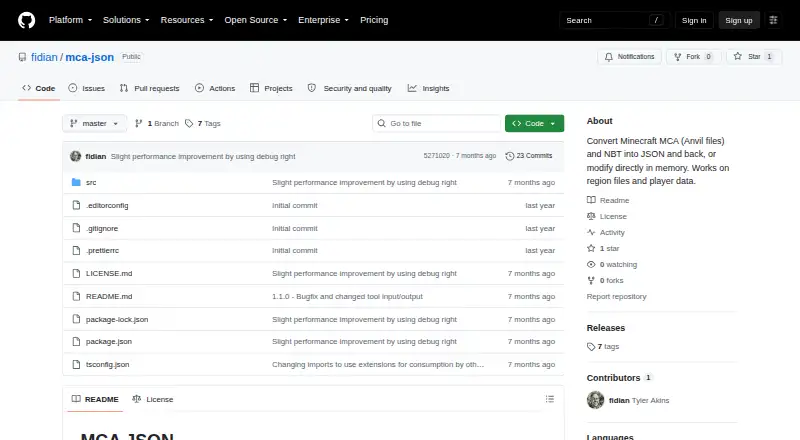
What MCA JSON is
MCA JSON provides command-line tools and a TypeScript library for working with Minecraft Java Edition MCA (Anvil), NBT, and SNBT files. The tools convert MCA and NBT data to JSON and back, list chunks, find signs, remove chunks, and read player locations. The library offers typed classes and methods for parsing and modifying those formats. Installation is documented through npm for global or project use; Deno, Bun, pnpm, and other package managers can also be used. It has no Node-specific tooling requirement and can be bundled for browser environments, but is published as ES modules only and works with Node.js 20 and newer. The project supports Java Edition, not Bedrock Edition. It reads zlib, gzip, LZ4, and uncompressed chunks, while saving modified chunks with zlib. Chunks larger than 1 MiB stored in separate .mcc files and chunks using custom compression cannot be read, though they can be listed and removed. An example mostly untouched region produced about 1 gigabyte of JSON; compact and condensed output options are documented.
Good
- Converts MCA and NBT files to and from JSON
- Can list chunks, find signs, and read player locations
- Library supports parsing and modifying MCA, NBT, and SNBT
- Reads zlib, gzip, LZ4, and uncompressed chunks
Watch out
- Supports Java Edition only
- Cannot read certain separate .mcc or custom-compressed chunks
- Requires Node.js 20 or newer
- Example region output reached about 1 gigabyte
Who it suits
MCA JSON suits developers or Minecraft Java Edition users who need to inspect, convert, or modify region and data files. Its package-manager options and browser bundling may suit different development setups.
Verdict
MCA JSON offers both command-line tools and a typed library for Java Edition world data. Check the chunk-reading limits and potential JSON size before working with large or unusual regions.
Plans and prices
From MCA JSON's own pricing page, checked 9 Oct 2026.
| Plan | Price | What it gives you |
|---|---|---|
| MCA JSON | Free | Open-source command-line tools and JavaScript library for MCA/Anvil and NBT files |
The facts
Each one read from MCA JSON's own pages, with the date it was checked.
Where it runs
- Browser support
- The library has no Node-specific tooling requirement and can be bundled for browser environments; it is published as ES modules only.checked 9 Oct 2026
What it does
- Compression
- The library reads chunks compressed with zlib, gzip, LZ4, or no compression, while modified chunks are saved with zlib.checked 9 Oct 2026
- Installation
- The maker documents global or project installation with npm and says Deno, Bun, pnpm, and other package managers can also be used.checked 9 Oct 2026
- JSON size
- The maker notes that an example mostly untouched region produced about 1 gigabyte of JSON and documents compact and condensed output options.checked 9 Oct 2026
- Library
- The TypeScript library provides typed classes and methods for parsing and modifying MCA files, NBT files, and SNBT strings.checked 9 Oct 2026
- Minecraft edition
- Only Minecraft Java Edition is supported; Bedrock Edition uses a different format.checked 9 Oct 2026
- Purpose
- MCA JSON provides command-line tools and a JavaScript library for converting Minecraft Anvil and NBT files to JSON, converting back, and modifying data.checked 9 Oct 2026
- Read limitation
- Chunks larger than 1 MiB stored in separate .mcc files and chunks using custom compression cannot be read, though they can still be listed and removed.checked 9 Oct 2026
- Runtime
- The library works with Node.js 20 and newer.checked 9 Oct 2026
- Support
- For problems with other Minecraft versions, the maker asks users to supply a test MCA file and problem description or submit a pull request.checked 9 Oct 2026
- Tools
- Its command-line tools convert MCA and NBT to JSON, list chunks, find signs, remove chunks, and read player locations.checked 9 Oct 2026
- Version coverage
- The maker says region structure and NBT reading work across versions and reports trying files from Minecraft 1.2.1 through 1.21.checked 9 Oct 2026
The full review of MCA JSON
MCA JSON is a free toolkit for converting, inspecting, and editing Minecraft Java Edition world files through command-line utilities or a typed JavaScript library. It is aimed at developers and technically minded world owners who need direct file-level control rather than a visual editor. Its broad format support and focused maintenance commands are useful, although large regions and unusual compression require care.
Overview
MCA JSON works with MCA (Anvil), NBT, and SNBT data from Minecraft Java Edition. You can run its command-line tools for one-off operations or use the TypeScript library inside a larger application. That makes it a practical foundation for scripts, migration utilities, diagnostics, and targeted world repairs. Bedrock Edition is not supported because it uses a different format, so Bedrock users need another tool.
Key features
The command-line tools convert MCA and NBT files to JSON and convert JSON back to those formats. They can list chunks, find signs, remove chunks, and read player locations, giving administrators useful ways to inspect or clean a world without building their own parser. These commands suit maintenance jobs and automation; they are not a substitute for a graphical terrain or inventory editor.
The TypeScript library supplies typed classes and methods for parsing and modifying MCA files, NBT files, and SNBT strings. Global and project installation are documented with npm, while Deno, Bun, pnpm, and other package managers can also be used. The package is ES-modules-only. It has no Node-specific tooling requirement for browser bundles, while Node.js applications require version 20 or newer. Developers targeting older Node releases will need to update their runtime or choose another library.
Region structure and NBT reading are reported across Minecraft versions from 1.2.1 through 1.21. Chunk readers handle zlib, gzip, LZ4, and uncompressed data, but edited chunks are written with zlib. Chunks larger than 1 MiB that live in separate .mcc files, along with chunks using custom compression, cannot be read. They can still be listed and removed, which preserves some administrative value but limits full inspection and editing of those regions.
JSON output can become very large: a mostly untouched example region produced about 1 GB. Compact and condensed output modes help reduce that burden, but users should still plan storage and processing capacity before converting broad areas.
Pricing
MCA JSON costs nothing under its single free plan. It includes the open-source command-line tools and JavaScript library, with no paid tier or trial requirement. This is a strong fit for hobbyists, server operators, and developers who can manage files or code themselves; there is no commercial support or higher tier described for teams needing different service terms.
Platforms
The software is available on Linux, macOS, Windows, and the web. The browser option follows from the library's ability to bundle without Node-specific tooling, while command-line and Node use remain suited to local or server-side workflows. ES modules-only packaging should be checked against an existing build system.
Who it's for
Choose MCA JSON if you need programmable access to Java world data, repeatable conversions, chunk-level cleanup, or typed parsing in a JavaScript or TypeScript project. It is particularly appropriate for technically confident world owners and developers building browser or server utilities. It is a poor match for Bedrock worlds, users who require a visual editor, or jobs centered on unreadable oversized or custom-compressed chunks.
Pros and cons
- Pros: Free command-line and library tooling covers conversion, inspection, and modification.
- Pros: Typed APIs support MCA, NBT, and SNBT workflows, with browser bundling and broad package-manager installation options.
- Pros: Reads several compression formats and reports compatibility efforts spanning Java 1.2.1 to 1.21.
- Cons: Bedrock Edition is excluded.
- Cons: Oversized .mcc chunks and custom compression cannot be read, and modified data is saved with zlib.
- Cons: JSON conversion can generate roughly 1 GB for an example region, demanding careful output management.
Alternatives
For a broader visual starting point, browse Minecraft World Editors. MCBE Inventory Editor is the better free choice when Bedrock inventory work is the priority, with Linux, macOS, self-hosted, web, and Windows support. Choose Chunker instead for a free, MIT-licensed open-source tool from Hive Games. Bedrock NBT Editor fits free Bedrock NBT editing on Android, iOS, or the web.
biomed is a free MIT-licensed alternative for Linux, macOS, and Windows. LiveNBTEditor targets Minecraft Java 26.3 and requires a Windows editor, while MCA Selector offers free MIT-licensed downloadable builds for Windows, macOS, Linux, and universal Java. McpeTool is another free MIT-licensed option across API, Linux, macOS, self-hosted, and Windows environments. Minecraft Region Fixer is worth considering for GPL-3.0 region repair on Linux, macOS, or Windows with Python 3.x.
Verdict
MCA JSON is the right pick for Java Edition users who want free, scriptable control over MCA, NBT, and SNBT files, especially when typed JavaScript APIs or focused chunk operations matter. Its main reason to look elsewhere is equally clear: visual editors, Bedrock support, and complete handling of oversized or custom-compressed chunks are outside its practical scope.
Alternatives to MCA JSON
- 1

Chunker
Free planOpen sourceWebAPILinuxmacOS7.6Free plan - 2
MCBE Inventory Editor
Free planOpen sourceWebLinuxmacOSSelf-hosted7.4Free plan - 3
Minecraft Region Fixer
Free planOpen sourceLinuxmacOSSelf-hostedWindows7.2Free plan - 4

Amulet Map Editor
APILinuxmacOSSelf-hosted6.9From £7 a year - 5

Bedrock NBT Editor
Free planAndroidiOSWeb6.6Free plan - 6

Universal Minecraft Tool
Free planWindows6.5From $60 a year