
Masa CMS
Masa CMS is an open-source content management platform for building personalized websites, intranets, and mobile applications.
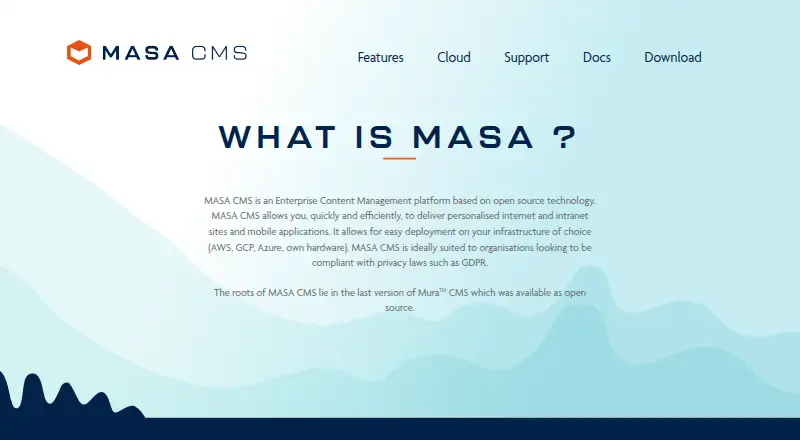
What Masa CMS is
Masa CMS is an open-source content management platform for building personalized websites, intranets, and mobile applications. Its headless publishing supports distributing content across online channels. The editor offers WYSIWYG editing, drag-and-drop tools, markup integration, and interface customization; configurable content types can reflect business-specific requirements. Approval workflows can require selected user groups to approve content in sequence before publication. APIs support programmatic access to content and updates to workflows and content models, while separate environments can keep changes apart from production. The software is free as open-source software; paid MASA Cloud includes AWS infrastructure and support options such as consultancy, training, monitoring, and incident handling. Deployment options listed by the maker include AWS, Azure, Google Cloud, and on-premises infrastructure. Production installation requires ColdFusion 10+ or Lucee 4.5.1.000+ and a supported database, including MySQL, PostgreSQL, Microsoft SQL, or Oracle. Docker setup guidance is available for Unix, Mac, and Windows.
Good
- Free open-source software is available.
- Supports headless publishing across online channels.
- Approval chains can require ordered sign-off.
- Separate environments can isolate production changes.
- Deployment options include cloud and on-premises infrastructure.
Watch out
- Production requires ColdFusion 10+ or Lucee 4.5.1.000+.
- A supported database is required for production.
- Marketing and analytics plugins are described as future integrations.
Who it suits
Masa CMS suits organizations managing personalized sites or apps that need configurable content models, approval workflows, and headless publishing. Teams should account for its specified production runtime and database requirements.
Verdict
Masa CMS combines flexible content management with configurable workflows, APIs, and multiple deployment options. Check the production prerequisites before choosing it.
Plans and prices
From Masa CMS's own pricing page, checked 30 Sep 2026.
| Plan | Price | What it gives you |
|---|---|---|
| MASA CMS open-source software | Free | Available free as open-source software |
| Adhoc | €3 a year | 20 development/consultancy/training hours · best-effort planned response · extra hours €150 · per year |
| Commited | €6 a year | 25 hours · 1-business-day response · extra hours €140 · per year |
| Premium | €7 a year | 25 hours · 1 MASA Cloud production environment · 24/7 monitoring and incident handling under 8 hours · extra hours €120 · per year |
| Advanced | €15 a year | 50 hours · test/acceptance and production environments · 24/7 monitoring and incident handling under 4 hours · extra hours €100 · per year |
| Enterprise | Priced on request | enterprise package · contact for special price |
| MASA Cloud | Priced on request | Paid PaaS support and maintenance · AWS infrastructure · 24/7 support |
The facts
Each one read from Masa CMS's own pages, with the date it was checked.
What it does
- API
- The platform exposes APIs for retrieving content and changing workflows and content models.checked 15 Oct 2026
- API formats
- Documentation describes REST web services, a JSON API and custom endpoints for front-end clients.checked 15 Oct 2026
- APIs and environments
- APIs allow programmatic retrieval of content and updates to workflows and content models, while environments can isolate content, models, and configurations from production.checked 30 Sep 2026
- Content modelling
- Administrators can configure content types and properties for business-specific requirements.checked 15 Oct 2026
- Content models
- Content types are configurable to support business-specific requirements.checked 30 Sep 2026
- Deployment
- MASA can run on AWS, Google Cloud, Microsoft Azure or an organization's own infrastructure.checked 15 Oct 2026
- Documentation limitation
- The documentation labels itself a community work in progress and sends missing sections to Mura 7.1 documentation.checked 15 Oct 2026
- Documentation scope
- The documentation covers installation, configuration, content, permissions, themes, modules, plugins, ORM, events and APIs.checked 15 Oct 2026
- Editing
- Its content editor supports WYSIWYG editing, drag and drop, markup integration, and UI customization.checked 30 Sep 2026
- Editor
- Its editor combines WYSIWYG editing, drag-and-drop tools, markup integration and interface customization.checked 15 Oct 2026
- Extensibility
- Developers can add modules and plugins, use ORM beans and scaffolding, and attach CFML event hooks.checked 15 Oct 2026
- Headless delivery
- The product supports headless publishing across multiple online channels.checked 15 Oct 2026
- Headless publishing
- The headless CMS supports publishing content across a variety of online channels.checked 30 Sep 2026
- Independent support market
- A UK Government Digital Marketplace supplier document describes yearly paid Masa/Mura support contracts and ticket-based assistance.checked 15 Oct 2026
- Integrations
- The maker says plugins for marketing automation, personalization, and analytics are planned; the homepage describes these as future integrations.checked 30 Sep 2026
- Licence
- The public Masa CMS repository is an open-source CFML project under GPL-2.0.checked 15 Oct 2026
- Limit: authentication bypass
- A CVE report lists an authentication-bypass vulnerability in the Remember Me feature of older 7.2, 7.3 and 7.4-beta versions.checked 15 Oct 2026
- Limit: legacy vulnerabilities
- NVD records CVE-2024-32641, a remote-code-execution issue affecting older Masa versions before patched releases.checked 15 Oct 2026
- Limit: SQL injection
- CVE.org records CVE-2024-32640, an SQL-injection-to-RCE issue in older Masa versions.checked 15 Oct 2026
- Local installation
- The quick-start process uses Docker Compose to launch database and MASA containers at localhost:8080.checked 15 Oct 2026
The company
- Company founded
- LinkedIn lists We Are North as founded in 2017.checked 15 Oct 2026
- Company size
- LinkedIn lists We Are North as a privately held company with 11–50 employees.checked 15 Oct 2026
- Headquarters
- We Are North lists Rotterdam, South Holland as headquarters, while its service page gives a Rotterdam office address.checked 15 Oct 2026
- Legal maker
- The service provider identifies the legal entity as We Are North Groep BV, company registration 70361746.checked 15 Oct 2026
The full review of Masa CMS
Overview
Masa CMS is an open-source enterprise content management system for websites, intranets and mobile apps. It suits organizations that need configurable publishing workflows and headless delivery, especially those able to manage its production infrastructure. Its free software lowers the licensing barrier, but production use depends on a compatible application server and database.
Key features
Content teams can edit with WYSIWYG tools, drag and drop, markup integration and a customizable interface. Configurable content types let organizations shape the CMS around their own requirements rather than settle for a fixed set of models.
Approval chains can require designated user groups to approve content in sequence before publication. That structure is useful where publishing needs formal sign-off, though it may be more process than a small team needs. APIs provide programmatic access to content and allow updates to workflows and models; separate environments can keep content, models and configurations apart from production.
Headless publishing extends delivery across online channels. The CMS also supports multisite management, granular permissions and compliance controls. MASA Cloud adds paid support and maintenance, AWS infrastructure, 24/7 monitoring and incident handling, plus consultancy, development and training. Community help is available through GitHub issues and discussions.
Deployment options include AWS, Azure, Google Cloud and on-premises infrastructure. MASA Cloud offers a choice of AWS regions and support for GDPR compliance. Marketing automation, personalization and analytics plugins are future integrations, so organizations that depend on those connections now should not treat them as current capabilities.
Pricing
MASA CMS open-source software: free. The open-source edition suits organizations that can operate the software themselves and want to avoid a license fee. That price does not include the paid cloud support and maintenance package.
MASA Cloud: custom pricing. It is the better fit for organizations seeking AWS infrastructure and round-the-clock support, with consultancy, development, training, monitoring and incident handling. Those services come at a price that must be obtained from the provider.
The free software still has a substantial production prerequisite: ColdFusion 10+ or Lucee 4.5.1.000+, plus a supported MySQL, PostgreSQL, Microsoft SQL or Oracle database. A Docker quick-start covers Unix, Mac and Windows, but that setup path does not remove the production requirements.
Platforms
Masa CMS supports Linux, macOS, Windows, web and self-hosted deployments. Its hybrid deployment model gives organizations a choice between cloud infrastructure and on-premises operation.
Who it's for
Masa CMS is a strong fit for organizations publishing across sites or channels that need custom content models, ordered approvals, environment separation and programmatic control. It is less suitable for teams seeking a turnkey managed service without server prerequisites, or those that need marketing, personalization or analytics plugins already in place.
Pros and cons
- Pro: Open-source software costs nothing, making it possible to adopt without a software license fee.
- Pro: Configurable models, approval chains, APIs and isolated environments support tailored governance and publishing operations.
- Pro: Cloud and on-premises deployment options accommodate different infrastructure choices.
- Con: Production requires a supported ColdFusion or Lucee version and a compatible database, creating operational prerequisites for self-hosters.
- Con: Marketing automation, personalization and analytics plugins remain future integrations rather than present options.
- Con: MASA Cloud support is paid at custom pricing, so its cost cannot be weighed against the free software from the outset.
Alternatives
For a broader comparison, browse Enterprise Content Management Systems.
agorum core is another free open-source option, with no license fees and no expiration date; choose it if you want a document management system and can accept that its integrated workflow editor is reserved for the pro version.
Box offers individual plans with storage and file-upload limits, making it an alternative for readers comparing a freemium cloud service rather than a self-hosted CMS.
Hyland AP Automation is an enterprise accounts-payable automation option for readers whose priority is that business process rather than content publishing.
Epicor Kinetic lets buyers choose a platform core, cloud package, concurrent-user licenses and industry bundles; consider it when that packaged approach better matches your requirements.
M-Files is a paid alternative with an Essentials plan at $65 a month, billed monthly per seat, and native Microsoft 365 experiences; choose it if those experiences are a priority.
ELO Digital Office offers cloud, managed-service or in-house deployment through certified business partners, so it may suit organizations seeking those purchasing and hosting routes.
Xerox DocuShare offers named or concurrent user licensing and online or on-premise deployment; compare it if those licensing and deployment choices fit better.
Contentverse is a paid alternative with a Professional Client plan at from $100 (priced on request), including search, document collaboration and workflow capabilities.
Verdict
Choose Masa CMS if your organization needs flexible content models, governed publishing and headless delivery, and can meet the production requirements or budget for MASA Cloud support. Look elsewhere if you need a turnkey CMS with current marketing and analytics integrations or cannot accommodate its server and database prerequisites.
Getting started
- Open the Masa CMS website.
- Choose the open-source software, available free at no cost.
- Use the Docker quick-start guide for Unix, Mac, or Windows, or choose a supported deployment environment.
- For production, provide ColdFusion 10+ or Lucee 4.5.1.000+ and a supported database.
- Use the community support channels on GitHub, or choose paid MASA Cloud support.
Limits worth knowing
The open-source plan is free. Production installation requires ColdFusion 10+ or Lucee 4.5.1.000+ and a supported MySQL, PostgreSQL, Microsoft SQL, or Oracle database; MASA Cloud is paid.
Questions
Is Masa CMS free?
The open-source software is available at no cost. MASA Cloud is a paid support and maintenance option.
What platforms and deployment options does it support?
Platforms include Linux, macOS, self-hosted, web, and Windows. The maker says it can be deployed on AWS, Azure, Google Cloud, or on-premises infrastructure.
What does the CMS do?
It manages personalized websites, intranets, and mobile applications, with headless publishing across online channels. It also supports configurable content models and approval workflows.
What is required for production installation?
Production installation requires ColdFusion 10+ or Lucee 4.5.1.000+ and access to a supported MySQL, PostgreSQL, Microsoft SQL, or Oracle database.
What support is available?
Community support is available through GitHub issues and discussions. Paid MASA Cloud support includes consultancy, development, training, 24/7 monitoring, and incident handling.
Are integrations available?
Plugins for marketing automation, personalization, and analytics are described as future integrations.
Alternatives to Masa CMS
- 1

Box
Free planAndroidiOSWebAPI8.3From $5 a month - 2

agorum core
Free planOpen sourceWebAPILinuxmacOS8.1From €8.96 a month - 3
Oracle WebCenter Content
AndroidiOSWebAPI7.7$3,450 one-time - 4

d.velop content platform
AndroidiOSWebAPI7.6From €27 a month - 5

M-Files
AndroidiOSWebAPI7.1From $65 a month - 6

Hyland OnBase
AndroidiOSWebAPI7.0