Macrorit Partition Expert
Macrorit Partition Expert is Windows software for managing disk partitions and disks.
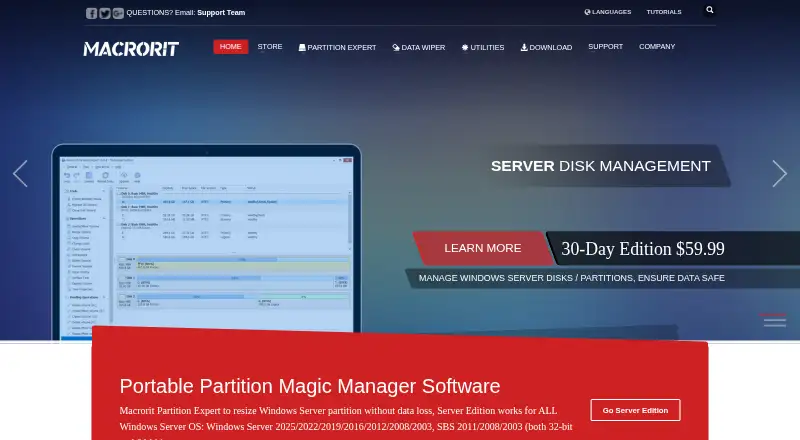
What Macrorit Partition Expert is
Macrorit Partition Expert is Windows software for managing disk partitions and disks. It can resize, move, merge, create, format, delete, copy, and wipe them. An OS migration wizard moves an operating system to another disk, and the software converts NTFS to FAT32 and MBR disks to GPT without data loss. Macrorit says its power-off protection and data-disaster recovery features help prevent data loss during partition operations; users can also cancel an operation before completion while data remains intact. The free edition supports MBR and GPT disks, disks larger than 2 TB, and several sector sizes. The software can run from USB and create 32-bit or 64-bit WinPE bootable CD, DVD, or USB media. The free edition is for home users. The Pro Standard Edition costs $39.99, paid once for commercial use, while the Pro Lifetime Upgrade costs $49.95, paid once. Apple Boot Camp partitions are not supported.
Good
- Resizes, moves, merges, and copies partitions
- Includes an OS migration wizard
- Converts MBR disks to GPT without data loss
- Can create WinPE bootable media
Watch out
- Does not support Apple Boot Camp partitions
- Free edition is for home users
- Runs on Windows only
Who it suits
The free edition suits home users managing Windows disks and partitions. Paid editions include options for commercial use, Windows Server partition work, and technicians providing paid partition services to clients.
Verdict
Macrorit Partition Expert covers a broad set of partition operations, with migration, conversion, and bootable-media options. Check which edition fits your intended use, and note that Apple Boot Camp partitions are outside its support.
Plans and prices
From Macrorit Partition Expert's own pricing page, checked 1 Oct 2026.
| Plan | Price | What it gives you |
|---|---|---|
| Partition Expert Free Edition | Free | Home users · Windows XP/Vista/7/8/10/11 · 32/64-bit |
| Partition Expert Pro Standard Edition | $39.99, paid once | Windows 11/10/8.1/8/7/Vista/XP · commercial use |
| Partition Expert Pro Lifetime Upgrade | $49.95, paid once | Windows 11/10/8.1/8/7/Vista/XP · lifetime upgrade |
| Partition Expert Server Standard Edition | $129.95, paid once | Windows Server 2003/2008/2012/2016/2019/2022/2025 · Windows 7/8/10/11/XP/Vista · 32/64-bit |
| Partition Expert Server Lifetime upgrade | $169.95, paid once | Windows Server 2003/2008/2012/2016/2019/2022/2025 · lifetime upgrade |
| Partition Expert Server Unlimited Edition | $399, paid once | Unlimited usage within one company · Windows client and Server editions · 32/64-bit |
The facts
Each one read from Macrorit Partition Expert's own pages, with the date it was checked.
What it does
- Cancel-at-will
- Users can cancel an operation before it finishes while data remains intact.checked 1 Oct 2026
- Data protection
- Macrorit states that power-off protection and data-disaster recovery help prevent data loss during partition operations.checked 1 Oct 2026
- Filesystem conversion
- It converts NTFS to FAT32 and converts MBR disks to GPT without data loss.checked 1 Oct 2026
- Malware practices
- Macrorit states its applications contain no bundled third-party spyware, adware or malware and pass Kaspersky and Rising tests before release.checked 1 Oct 2026
- Partition management
- The software can resize, move, merge, create, format, delete, copy and wipe partitions and disks.checked 1 Oct 2026
- Portable and bootable
- The product can run portably from USB and create 32-bit or 64-bit WinPE bootable CD/DVD/USB media.checked 1 Oct 2026
- Security and privacy
- Macrorit says it uses administrative, technical and physical safeguards, encrypted payment processing, and does not sell contact information.checked 1 Oct 2026
- Server use
- Server Edition is designed to resize Windows Server partitions and supports Windows Server 2003 through 2025.checked 1 Oct 2026
- Support
- The support center provides pre-sale FAQs, product and technical FAQs, user manuals, refund-policy information and video tutorials.checked 1 Oct 2026
- Supported storage
- The free edition supports MBR and GPT disks, disks larger than 2 TB, and 512-byte, 1K, 2K and 4K sector sizes.checked 1 Oct 2026
- Target customers
- Technician Edition is intended for IT experts and consultants who provide paid partition services to clients.checked 1 Oct 2026
- Unsupported partitions
- The product does not support Apple Boot Camp partitions.checked 1 Oct 2026
The company
- Founded
- 2012checked 28 Sep 2026
Where it runs
- OS migration
- An OS migration wizard moves an operating system from one disk to another.checked 1 Oct 2026
The full review of Macrorit Partition Expert
Macrorit Partition Expert is a Windows utility for reorganizing disks, moving operating systems and creating bootable maintenance media. It suits home users handling upgrades as well as technicians and server administrators who need broader licensing. The free edition is unusually capable for basic Windows partition work, while the paid tiers matter when commercial, server or multi-client use is involved.
Overview
The product combines everyday partition editing with migration and conversion tools in one Windows-focused package. You can resize, move, merge, create, format, delete, copy and wipe partitions or disks, making it appropriate for drive upgrades, cleanup and layout changes. Apple Boot Camp partitions are not supported, so it is not the right choice for that Mac-specific configuration.
Key features
An OS migration wizard moves an operating system from one disk to another, which is useful when replacing a drive without rebuilding Windows from scratch. Macrorit also converts NTFS to FAT32 and MBR disks to GPT without data loss, helping with compatibility and modern partition-table requirements while avoiding a reformat in those operations.
Macrorit says power-off protection and data-disaster recovery help reduce data-loss risk during partition work. An operation can be cancelled before completion while data remains intact. Those safeguards are meaningful for high-consequence disk changes, but they do not replace careful disk selection or backups.
The application can run portably from USB and can create 32-bit or 64-bit WinPE bootable CD, DVD or USB media. That gives administrators a way to perform maintenance when a normal Windows installation will not start. The free edition handles both MBR and GPT disks, drives larger than 2 TB, and 512-byte, 1K, 2K and 4K sector sizes. File-system support includes NTFS, FAT16, FAT32, EXT2, EXT3 and EXT4.
Pricing
Macrorit uses a freemium model. Partition Expert Free Edition costs nothing for home users on Windows XP through 11, in 32- or 64-bit editions. It is the sensible starting point for personal, non-commercial partition work and retains broad disk and media support.
Partition Expert Pro Standard Edition costs $39.99, paid once for commercial use on Windows XP through 11. It is the lowest-cost paid route for a business that needs the desktop product; the free edition is not the commercial license. Partition Expert Pro Lifetime Upgrade costs $49.95, paid once and covers lifetime upgrades, making it preferable if you expect to keep the installation current rather than buy upgrade access later.
For servers, Server Standard Edition costs $129.95, paid once and supports Windows Server 2003 through 2025, as well as listed Windows client versions in 32- and 64-bit forms. Server Lifetime upgrade costs $169.95, paid once for the same server range with lifetime upgrades. Server Unlimited Edition costs $399, paid once and permits unlimited usage within one company across Windows client and Server editions. That tier is aimed at organizations managing multiple machines, not occasional administrators.
Platforms
Macrorit Partition Expert runs on Windows. The editions cover Windows XP, Vista, 7, 8, 8.1, 10 and 11, while the Server editions add Windows Server 2003, 2008, 2012, 2016, 2019, 2022 and 2025. Portable USB execution and WinPE media extend its usefulness beyond a normally booted system.
Who it's for
Choose the free edition for home disk upgrades, repartitioning and conversions. Commercial desktop users should choose a Pro license, and Windows Server administrators need a Server edition. The Technician Edition is intended for IT experts and consultants providing paid partition services to clients; the Unlimited Edition fits repeated use inside one company. Users working with Apple Boot Camp should choose another tool.
Pros and cons
Pros
- Broad operation set: resizing, merging, copying, wiping and migration cover more than a basic partition editor.
- Bootable and portable options: USB and WinPE media support recovery work when Windows will not boot.
- Strong free-edition coverage: large disks, both partition-table types and several sector sizes are supported without payment.
- Clear licensing ladder: home, commercial, server and unlimited-company use have distinct editions.
Cons
- Windows only: it does not provide a native macOS or Linux platform.
- No Boot Camp support: Mac users managing Boot Camp partitions need another solution.
- Upgrade costs rise quickly: lifetime and server licenses cost substantially more than the free home edition.
Alternatives
Disk Partition Software is the broader category guide for comparing partition utilities. Choose GParted if you want free software with native Linux installation and wider platform availability, accepting that Linux is required for native setup.
AOMEI Partition Assistant is a Windows freemium alternative with a free Standard plan and a Professional yearly license. DiskGenius offers free and trial-based Windows editions, including a one-month Professional option. IM-Magic Partition Resizer is another Windows freemium choice with a free edition.
MiniTool Partition Wizard provides basic functions free and a Pro annual subscription that renews automatically unless cancelled. NIUBI Partition Editor offers a free home-use edition and a 39.00 USD one-time Professional license for two computers. Active@ Partition Manager is a free Windows alternative.
Microsoft Quick Assist is for remote support rather than partition management, so select it only when assisting another user is the actual need.
Verdict
Macrorit Partition Expert is a strong choice for Windows users who want extensive partition operations, OS migration and bootable recovery media, with a genuinely useful free home edition. Choose a paid Pro or Server tier when licensing and upgrade coverage matter. Look elsewhere for Apple Boot Camp work, non-Windows systems or a simpler remote-support task.
Alternatives to Macrorit Partition Expert
- 1
DiskGenius
Free planWindows7.5From $99.90 a year - 2
GParted
Free planOpen sourceLinuxmacOSSelf-hostedWindows7.3Free plan - 3

Paragon Partition Manager Community Edition
Free planWindows6.7Free plan - 4

NIUBI Partition Editor
Free planWindows6.6$39 one-time - 5

BootIt Bare Metal
LinuxWindows6.3$39.95 one-time - 6
EaseUS Partition Master
macOSWindows6.3$59.95 one-time