GParted
GParted is a free graphical partition editor for managing disk storage.
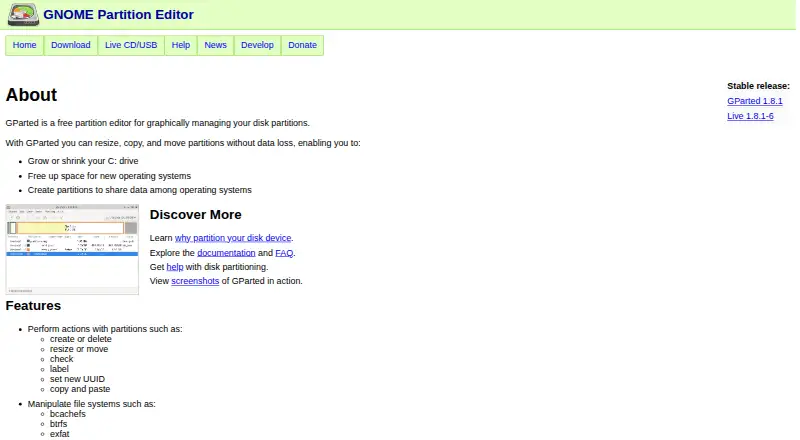
What GParted is
GParted is a free graphical partition editor for managing disk storage. It can create, delete, resize, move, check, label, and copy partitions, or assign them a new UUID. It can also create partition tables such as msdos and gpt. Supported devices include hard drives, USB flash devices, SSDs, NVMe, and RAID devices. The project lists filesystems such as bcachefs, btrfs, exFAT, ext2/3/4, FAT16/32, NTFS, and XFS, though available actions vary by filesystem. GParted Live is a bootable GNU/Linux environment that can run from CD, USB, a PXE server, or a hard disk. Current Live releases are 64-bit amd64 images and work with UEFI Secure Boot; native installation requires Linux. At least 1 GB of RAM is needed to use all application features. The project warns that partition editing can cause data loss and advises making a backup first. It also provides instructions for verifying downloads with a signed checksum list and GPG.
Good
- Handles partition creation, resizing, moving, and copying
- Supports hard drives, USB, SSD, NVMe, and RAID
- GParted Live can boot from several kinds of media
- Free software; no payment required
Watch out
- Partition editing can cause data loss
- Native installation requires Linux
- Current GParted Live releases require compatible x86-64 hardware
- At least 1 GB RAM is needed for all features
Who it suits
GParted suits Linux users managing partitions, including people resizing a system drive, making room for another operating system, or sharing data between operating systems. GParted Live is an option for users who prefer a bootable environment on compatible x86-64 hardware.
Verdict
GParted provides a broad set of partition-management actions and a bootable Live option. Because partition changes can cause data loss, back up data before using it.
Plans and prices
From GParted's own pricing page, checked 15 Oct 2026.
| Plan | Price | What it gives you |
|---|---|---|
| Free software | Free | all core partition-editing functions · bootable GParted Live image · donations encouraged |
| GParted | Free | Partition editor application; requires Linux for native installation · Free software; no payment required |
| GParted Live | Free | Current release is amd64 (x86-64); requires compatible x86-64 hardware · Free bootable image |
The facts
Each one read from GParted's own pages, with the date it was checked.
What it does
- Alignment
- Partitions can be aligned to MiB or traditional cylinder boundaries.checked 15 Oct 2026
- Architecture requirement
- GParted Live releases 1.7.0-1 and newer provide only 64-bit amd64 images and support UEFI Secure Boot.checked 15 Oct 2026
- Audience
- The project describes uses including resizing a system drive, freeing space for another operating system, and creating partitions to share data among operating systems.checked 29 Sep 2026
- Backend integration
- GParted uses GNU libparted to detect and manipulate partition tables, with optional filesystem tools for formats outside libparted.checked 15 Oct 2026
- Build testing
- The development guide provides testbuild.sh and git-test-sequence workflows for compiling and checking commit ranges.checked 15 Oct 2026
- Current architecture
- GParted Live 1.7.0-1 and later releases are available only as 64-bit amd64 images, and the download page says they work with UEFI Secure Boot.checked 29 Sep 2026
- Current release
- The project homepage lists GParted 1.8.1 and GParted Live 1.8.1-6 as stable releases.checked 15 Oct 2026
- Data rescue
- The feature list includes an attempt to rescue data from lost partitions.checked 15 Oct 2026
- Developer workflow
- Developers are instructed to clone the GNOME Git repository, run autogen.sh, make and make install.checked 15 Oct 2026
- Documentation
- Official documentation includes an application manual, Live manual, installation guides, translations, FAQ, bug tracker and third-party documentation links.checked 15 Oct 2026
- Documentation age
- The project marks its older LarryT how-to guides as last updated in 2007 and no longer maintained.checked 15 Oct 2026
- Download verification
- The project provides instructions to verify downloaded files using a signed checksum list and GPG.checked 29 Sep 2026
- Encrypted partitions
- The manual documents opening LUKS encrypted partitions with a passphrase.checked 15 Oct 2026
- Filesystem coverage
- Supported filesystems include bcachefs, btrfs, exFAT, ext2/3/4, FAT16/32, HFS/HFS+, Linux swap, LVM2 PV, Minix, NILFS2, NTFS, ReiserFS/Reiser4, UDF, UFS and XFS.checked 15 Oct 2026
- Filesystems
- The project lists support for filesystems including bcachefs, btrfs, exfat, ext2/3/4, FAT16/32, NTFS, and XFS, with specific supported actions varying by filesystem.checked 29 Sep 2026
- Installation media
- The Live image can be installed to CD, USB, PXE server or hard disk, and users can add packages or create a custom image.checked 15 Oct 2026
- Integrations and dependencies
- GParted uses GNU libparted and optional filesystem tools to detect and manipulate devices, partition tables, and additional filesystem formats.checked 29 Sep 2026
- License
- The application is licensed under GPL version 2 or any later version, while the manual uses GNU Free Documentation License 1.2 or later.checked 15 Oct 2026
- Limit: boot workflow
- PCWorld noted that GParted Live requires command-line intervention during boot and is a large download.checked 15 Oct 2026
- Limit: hardware compatibility
- SourceForge reviews report boot hangs or controller errors on some newer hardware.checked 15 Oct 2026
- Limit: Live hardware support
- A SourceForge reviewer reported missing wireless software and difficulty obtaining it in the Live environment.checked 15 Oct 2026
- Limit: LVM GUI
- A SourceForge reviewer said the Live distribution includes command-line LVM tools but lacks a comparable graphical LVM interface.checked 15 Oct 2026
- Limit: operational risk
- Softpedia warned that the tool can cause serious harm because partition changes require elevated privileges and can be irreversible.checked 15 Oct 2026
- Live environment
- GParted Live is a bootable GNU/Linux image usable on computers running Linux, Windows or Mac OS X.checked 15 Oct 2026
The full review of GParted
Overview
GParted is a free graphical partition editor for people who need to change how a disk is divided, whether to resize a system drive or make room for another operating system. Its broad range of partition operations and bootable Live image make it a practical option when a native installation is unsuitable, but it is not a low-risk choice: partition edits can cause data loss.
Key features
GParted can create, delete, resize, move, check, label, and copy partitions, and set a new UUID. It can also create msdos and GPT partition tables. That range covers common disk-layout jobs, including preparing space for another operating system or sharing data between operating systems.
It supports hard drives, USB flash devices, SSDs, NVMe, RAID devices, and devices with different sector sizes. Its filesystem support spans bcachefs, btrfs, exFAT, ext2/3/4, FAT16/32, HFS and HFS+, Linux swap, LVM2 PV, Minix, NILFS2, NTFS, ReiserFS, Reiser4, UDF, UFS, and XFS. The breadth is useful across mixed storage setups, but supported actions differ by filesystem, so users should not assume every operation works on every format.
GParted uses GNU libparted and optional filesystem tools to detect and manipulate devices, partition tables, and additional filesystem formats. GParted Live is a bootable GNU/Linux distribution that can run from CD, USB, a PXE server, or a hard disk. Releases 1.7.0-1 and later are amd64-only and are stated to work with UEFI Secure Boot; compatible x86-64 hardware is therefore required for the current Live image. At least 1 GB of RAM is needed to use all application features.
Partition editing can cause data loss, so back up data before proceeding. The project also provides signed checksum and GPG instructions for verifying downloads, a useful safeguard when preparing boot media.
Pricing
Both options are free, with no payment required and no free-trial period. The GParted plan is the partition editor application and requires Linux for native installation. GParted Live is a free bootable image for compatible x86-64 hardware; it trades a native installation for a separate boot environment.
Platforms
Native installation requires Linux. GParted Live can boot from CD, USB, PXE server, or hard disk, but current releases require amd64 hardware. The project identifies Linux as its operating system; users seeking a native Windows or macOS installation should not treat those platform labels as equivalent to supported native installs.
Who it's for
GParted suits Linux users who need direct control over disk partitions, especially when resizing a system drive, making room for another operating system, or creating shared-data partitions. Its Live image also helps when the machine cannot conveniently run the installed application, provided the hardware is compatible. It is a poor fit for anyone unwilling to back up first or whose needed operation is unsupported on the target filesystem.
Pros and cons
- Pro: A broad set of partition actions, including moving and copying, handles more than basic creation and deletion.
- Pro: Support for varied storage devices and many filesystem types makes it useful in mixed-disk environments.
- Pro: A free bootable option avoids requiring a native install for every partition task.
- Con: Actions vary by filesystem, limiting consistency across formats.
- Con: Current Live releases require compatible 64-bit amd64 hardware, excluding other architectures.
- Con: Partition changes carry data-loss risk, making backups essential rather than optional preparation.
Alternatives
For a Windows-focused freemium option with a free edition and trial, consider AOMEI Partition Assistant. EaseUS Partition Master is another freemium choice with a trial and Windows and macOS platform coverage; its Professional plan is $59.95, paid once. Windows users comparing other free editions can also look at DiskGenius, Macrorit Partition Expert, MiniTool Partition Wizard, and NIUBI Partition Editor. For a free remote-assistance tool rather than a partition editor, see Microsoft Quick Assist. GPT fdisk is a free alternative for readers comparing partition tools across Linux, Windows, and macOS. Browse the Disk Partition Software category for more options.
Verdict
Choose GParted if you want a free Linux partition editor with extensive disk-layout controls and a bootable route for working outside the installed system. Look elsewhere if you need uniform actions across filesystems, non-amd64 Live media, or a native Windows or macOS installation.
Getting started
- Visit https://gparted.org/.
- For native installation, use a Linux system.
- For the bootable option, obtain GParted Live for compatible 64-bit amd64 hardware.
- Run GParted Live from CD, USB, a PXE server, or a hard disk.
- Verify downloaded files using the project's signed checksum list and GPG instructions.
- Back up data before editing partitions.
Limits worth knowing
GParted is free, with no payment required. Current GParted Live releases are amd64 images, and at least 1 GB of RAM is needed to use all application features.
Questions
How much does GParted cost?
GParted and GParted Live are listed as free, with no payment required.
Is there a free plan or trial?
GParted is free. There is no free trial.
Which operating systems can run the native application?
Native installation requires Linux.
Can GParted run from bootable media?
Yes. GParted Live can run from CD, USB, a PXE server, or a hard disk.
Is GParted open source?
It is distributed under the GNU General Public License version 2 or, at the user's option, any later version.
Which filesystems does it support?
Listed filesystems include bcachefs, btrfs, exFAT, ext2/3/4, FAT16/32, HFS and HFS+, Linux swap, LVM2 PV, Minix, NILFS2, NTFS, ReiserFS and Reiser4, UDF, UFS, and XFS. Available actions vary by filesystem.
Alternatives to GParted
- 1
DiskGenius
Free planWindows7.5From $99.90 a year - 2

iBeesoft Disk Partition Wizard
Free planWindows7.2From $39.95 a year - 3
Macrorit Partition Expert
Free planWindows6.7$39.99 one-time - 4

Paragon Partition Manager Community Edition
Free planWindows6.7Free plan - 5

AOMEI Partition Assistant
Free planWindows6.6From $49.95 a year - 6
IM-Magic Partition Resizer
Free planWindows6.6$59 one-time