MiniTool Partition Wizard
MiniTool Partition Wizard is a Windows utility for managing hard disk and SSD partitions, with tools for disk operations, conversion, copying, and recovery.
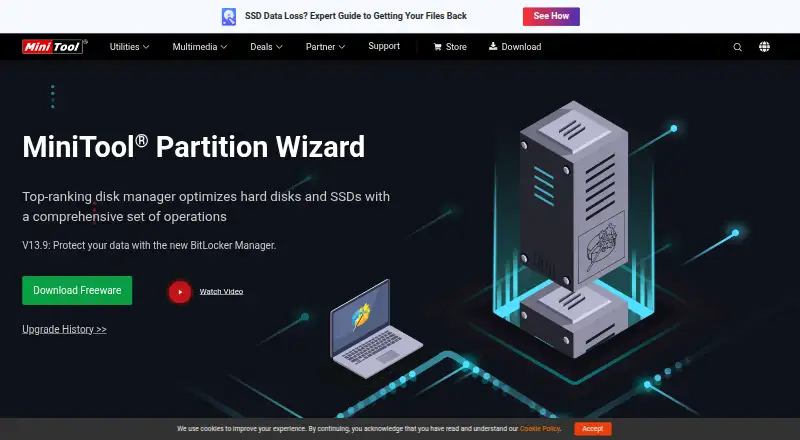
What MiniTool Partition Wizard is
MiniTool Partition Wizard is a Windows utility for managing hard disk and SSD partitions, with tools for disk operations, conversion, copying, and recovery. It can create, resize, move, merge, split, format, delete, wipe, and hide partitions, and convert between MBR and GPT, Primary and Logical, or FAT and NTFS. Disk checks include file-system error checking and repair, bad-sector exploration, space analysis, and read/write speed measurement. It can copy an OS disk to a larger drive or migrate Windows to an SSD, and create bootable CD, DVD, or USB media for a system that will not boot. The Free edition includes basic partition functions such as creating, deleting, resizing, formatting, checking, and wiping. The free plan is free; Pro costs $59 a year and excludes Data Recovery and Partition Recovery. Those recovery functions are listed for Pro Platinum and Pro Ultimate. Supported systems include listed Windows home editions from 7 through 11 and Windows Server editions from 2008 through 2025.
Good
- Free edition includes basic partition functions.
- Supports MBR/GPT and Primary/Logical conversions.
- Can migrate Windows to an SSD.
- Creates bootable CD, DVD, or USB media.
- Supports listed Windows home and Server editions.
Watch out
- Available for Windows only.
- Pro excludes Data Recovery and Partition Recovery.
- Pro annual subscription automatically renews unless canceled before the next term.
Who it suits
It suits Windows users who need partition operations, disk checks, OS migration, or bootable recovery media. The multiple plan tiers cover individual PCs as well as listed business and technician use cases.
Verdict
MiniTool Partition Wizard covers a wide range of partition operations alongside disk checks, migration, and bootable media creation. Check the recovery features and license terms for the tier you choose, since Pro omits both listed recovery functions.
Plans and prices
From MiniTool Partition Wizard's own pricing page, checked 2 Oct 2026.
| Plan | Price | What it gives you |
|---|---|---|
| Free | Free | Basic disk and partition functions |
| Pro | $59 a year | 1 PC · no Data Recovery · no Partition Recovery · 1-year free upgrade · US$59; annual subscription, automatically renews unless unsubscribed before the next term |
| Pro Platinum | $109 a year | 3 PCs · Data Recovery · Partition Recovery · 1-year free upgrade · US$109 (shown with US$129); annual subscription, automatically renews unless unsubscribed before the next term |
| Pro Ultimate | $159, paid once | 5 PCs · Data Recovery · Partition Recovery · lifetime free upgrade · US$159 (shown with US$199); perpetual license |
| Server | $259, paid once | 1 device · lifetime free upgrade · mail and phone support · US$259; perpetual license |
| Enterprise | $499 a year | 99 devices within 1 company · 1-year free upgrade · mail and phone support · US$499; annual subscription |
| Technician | $699 a year | 299 devices anywhere · 1-year free upgrade · mail and phone support · US$699; annual subscription |
The facts
Each one read from MiniTool Partition Wizard's own pages, with the date it was checked.
What it does
- Boot recovery
- The product can create bootable CD, DVD, or USB media for use when a system fails to boot.checked 2 Oct 2026
- Demo limitation
- The Pro demo is marked “Demo Only. No Apply.”checked 2 Oct 2026
- Disk checks
- Listed check tools include file-system error checking and repair, bad-sector exploration, disk-space analysis, and read/write speed measurement.checked 2 Oct 2026
- Disk conversion
- The product supports MBR/GPT and Primary/Logical conversions, as well as FAT to NTFS conversion.checked 2 Oct 2026
- Partition operations
- It can create, resize, move, merge, split, format, delete, wipe, and hide partitions.checked 2 Oct 2026
- Privacy
- MiniTool says it will not sell personal information and describes collecting usage data, including feature use, IP address, device information, and cookies.checked 2 Oct 2026
- Purpose
- MiniTool Partition Wizard manages hard disk and SSD partitions and offers operations for disk management, conversion, copying, and recovery.checked 2 Oct 2026
- Recovery limits
- The Pro edition does not support Data Recovery or Partition Recovery; the maker lists those features for Pro Platinum and Pro Ultimate.checked 2 Oct 2026
- Support
- The edition comparison lists mail support for Free, Pro, Pro Platinum, and Pro Ultimate, and mail and phone support for Server, Enterprise, and Technician.checked 2 Oct 2026
The company
- Company
- MiniTool describes itself as a software development company serving personal users and organizations with data recovery, partition management, and backup and restore solutions.checked 2 Oct 2026
- Headquarters
- Vancouver, British Columbia, Canada; Hong Kongchecked 28 Sep 2026
Money
- Free edition
- The Free edition includes basic partition functions such as create, delete, resize, format, check, and wipe.checked 2 Oct 2026
Where it runs
- OS migration
- The product can copy an OS disk to a larger drive or migrate Windows to an SSD.checked 2 Oct 2026
- Supported Windows
- The maker lists Windows 7, 8, 8.1, 10, and 11 for home editions, and Windows Server 2008, 2012, 2016, 2019, 2022, and 2025 for business editions.checked 2 Oct 2026
Alternatives to MiniTool Partition Wizard
- 1
DiskGenius
Free planWindows7.5From $99.90 a year - 2
GParted
Free planOpen sourceLinuxmacOSSelf-hostedWindows7.3Free plan - 3

iBeesoft Disk Partition Wizard
Free planWindows7.2From $39.95 a year - 4
Macrorit Partition Expert
Free planWindows6.7$39.99 one-time - 5

Paragon Partition Manager Community Edition
Free planWindows6.7Free plan - 6

AOMEI Partition Assistant
Free planWindows6.6From $49.95 a year