
AOMEI Partition Assistant
AOMEI Partition Assistant is a Windows utility for managing hard drive partitions.
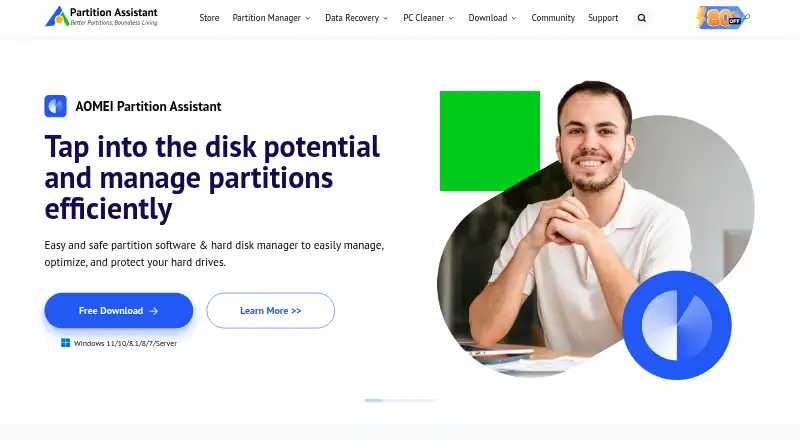
What AOMEI Partition Assistant is
AOMEI Partition Assistant is a Windows utility for managing hard drive partitions. It can create, delete, merge, split, resize, and move partitions, and it lists tasks such as migrating an operating system to an SSD, cloning a system disk, converting system disks between MBR and GPT, and making bootable media. It supports storage devices recognized by Windows, including HDDs, SSDs, USB disks, NVMe drives, RAID, and NAS. Listed operating systems include Windows 7 through Windows 11 and Windows Server 2008 R2 through Server 2025. The Standard edition is freeware, while the Professional Yearly plan costs $49.95 per year for one license covering two PCs. A demo lets users explore functions and simulate operations; upgrading to the full version activates all features. For ReFS, Ext2/3, ExFAT, and other unknown file systems, only format, delete, and wipe operations are supported. The maker describes the product as suitable for home users and IT professionals, and states that it provides lifetime free email technical support and a 90-day unconditional money-back guarantee.
Good
- Creates, moves, merges, splits, resizes, and deletes partitions.
- Lists OS migration and system-disk cloning.
- Supports HDDs, SSDs, USB disks, NVMe, RAID, and NAS.
- Standard edition is freeware.
Watch out
- ReFS, Ext2/3, and ExFAT have limited operations.
- Demo simulations require an upgrade to activate all features.
- Professional Yearly costs $49.95 per year.
Who it suits
It suits Windows home users and IT professionals who need to manage partitions or carry out listed disk and OS tasks. The demo can simulate operations before upgrading to activate all features.
Verdict
AOMEI Partition Assistant covers common partition changes as well as OS migration, disk cloning, and bootable media. Check file-system limits and edition licensing against the operations and devices you need.
Plans and prices
From AOMEI Partition Assistant's own pricing page, checked 30 Sep 2026.
| Plan | Price | What it gives you |
|---|---|---|
| Standard | Free | Free partition management features; Windows PC · Freeware |
| Professional Yearly | $49.95 a year | 1 license for 2 PCs · Yearly |
| Professional Lifetime | $59.95, paid once | 1 license for 2 PCs · One-time payment; lifetime use and upgrades |
| Professional Family Lifetime | $89.95, paid once | 1 license for 5 PCs · One-time payment |
| Server Yearly | $169 a year | 1 license for 2 servers · Yearly |
| Server Lifetime | $199, paid once | 1 license for 2 servers · One-time payment; lifetime upgrades |
| Unlimited Yearly | $399 a year | Unlimited PCs and servers within one company · Yearly |
| Technician Yearly | $599 a year | Unlimited PCs and servers; billable technical services for clients · Yearly |
| Unlimited Lifetime | $599, paid once | Unlimited PCs and servers within one company · One-time payment; lifetime upgrades |
| Technician Lifetime | $799, paid once | Unlimited PCs and servers; billable technical services for clients · One-time payment; lifetime upgrades |
The facts
Each one read from AOMEI Partition Assistant's own pages, with the date it was checked.
What it does
- Audience
- The maker describes Partition Assistant as suitable for home users and IT professionals.checked 30 Sep 2026
- Business licensing
- The Unlimited edition is described as licensed for unlimited PCs and servers within one company, while Technician supports billable services for clients.checked 30 Sep 2026
- Demo
- The demo allows users to experience all functions and simulate operations; upgrading to the full version activates all features.checked 30 Sep 2026
- File system limit
- For ReFS, Ext2/3, ExFAT, and other unknown file systems, the overview says the product supports only format, delete, and wipe operations.checked 30 Sep 2026
- Order security
- The edition comparison page advertises 256-bit SSL secure ordering.checked 30 Sep 2026
- Privacy
- AOMEI's privacy policy says it does not sell personal information and collects personal data for specified purposes such as support tickets and orders.checked 30 Sep 2026
- Purpose
- AOMEI Partition Assistant manages hard drive partitions, including creating, deleting, merging, splitting, resizing, and moving partitions.checked 30 Sep 2026
- Refund policy
- The maker states it offers a 90-day unconditional money-back guarantee.checked 30 Sep 2026
- Storage support
- The product supports storage devices recognized by Windows, including HDDs, SSDs, USB disks, NVMe drives, RAID, and NAS.checked 30 Sep 2026
- Support
- The maker says it provides lifetime free technical support by email and also directs customers to its social channels and forum.checked 30 Sep 2026
- Supported systems
- The overview lists Windows 7 through Windows 11 and Windows Server 2008 R2 through Server 2025 among supported operating systems.checked 30 Sep 2026
The company
- Company identity
- The about page identifies AOMEI International Network Limited and gives its address in Kwun Tong, Kowloon, Hong Kong.checked 30 Sep 2026
- Founded
- 2010checked 23 Sep 2026
Where it runs
- Disk and OS tasks
- Listed features include migrating an OS to an SSD, cloning a system disk, converting system disks between MBR and GPT, and making bootable media.checked 30 Sep 2026
The full review of AOMEI Partition Assistant
AOMEI Partition Assistant is Windows software for reorganizing partitions and handling selected disk and operating-system tasks. It is best suited to home users and IT staff who manage Windows-recognized storage. Its broad toolkit is useful, but file-system limits and the jump from personal to business licensing matter.
Overview
The core editor can create, delete, merge, split, resize and move partitions. Beyond that, it can migrate an operating system to an SSD, clone a system disk, convert a system disk between MBR and GPT, and make bootable media. That combination suits both routine disk reorganization and users preparing a migration or needing bootable tools.
Storage support follows what Windows recognizes, including HDDs, SSDs, USB disks, NVMe drives, RAID and NAS. File-system coverage is less uniform: for ReFS, Ext2/3, ExFAT and other unknown file systems, operations are limited to formatting, deleting and wiping. Users who need broader changes on those formats should look elsewhere.
The demo allows users to explore all functions and simulate operations; upgrading to the full version activates them. Supported systems include Windows 7 through Windows 11 and Windows Server 2008 R2 through Server 2025.
Key features
- Partition management: Create, remove, combine, divide, resize or move partitions. This covers common disk-layout changes in one utility.
- OS and disk tools: Migrate an OS to an SSD, clone a system disk, and convert a system disk between MBR and GPT. These additions make it relevant to migration and disk-conversion work, not just partition sizing.
- Bootable media: Create bootable media for disk work, a useful complement to changes made within Windows.
- Windows-recognized storage: Work with devices including RAID and NAS as well as conventional internal and USB drives, provided Windows recognizes them.
Pricing
The Standard edition is free: it provides free partition-management features for a Windows PC. The demo can simulate operations and expose all functions, but full access requires an upgrade. The free edition is the sensible starting point for basic personal disk work; paid editions are needed when their license scope or included terms fit the job.
- Professional Yearly: $49.95 a year for one license covering 2 PCs. It suits an individual who wants a subscription for two computers.
- Professional Lifetime: 59.95 USD one-time for lifetime use and upgrades, with one license for 2 PCs. For a longer-term two-PC need, the upfront price is only 10 USD above the yearly plan.
- Professional Family Lifetime: 89.95 USD one-time for one license covering 5 PCs, a fit for a household with several Windows machines.
- Server Yearly: $169 a year for one license covering 2 servers; Server Lifetime: 199.00 USD one-time for lifetime upgrades and 2 servers.
- Unlimited Yearly: $399 a year for unlimited PCs and servers within one company. Unlimited Lifetime: 599.00 USD one-time for lifetime upgrades under the same company-wide scope.
- Technician Yearly: $599 a year for unlimited PCs and servers, including billable technical services for clients. Technician Lifetime: 799.00 USD one-time with lifetime upgrades and the same client-service rights.
Professional plans fit personal computers, while Server plans cover two servers. The company-wide Unlimited edition does not include billable client services; technicians offering paid services to clients need the Technician license. A 90-day unconditional money-back guarantee and lifetime free technical support by email are offered. The maker also advertises 256-bit SSL secure ordering.
Platforms
AOMEI Partition Assistant runs on Windows, with support spanning Windows 7 to Windows 11 and Windows Server 2008 R2 to Server 2025. Its storage range is broad for devices Windows recognizes, but it is not a cross-platform partition editor.
Who it's for
Choose it if you manage Windows disks and want partition changes alongside OS migration, system-disk cloning, conversion and bootable media. The Standard edition offers a no-cost route for free partition-management features, while paid plans scale from a two-PC license to company-wide or client-service use. It is a weaker fit if you need extensive operations on ReFS, Ext2/3 or ExFAT, or need a native tool for another operating system.
Pros and cons
- Pro: Combines common partition changes with OS migration, system-disk cloning, MBR/GPT conversion and bootable media.
- Pro: Supports a wide range of Windows-recognized storage, including NVMe, RAID and NAS.
- Pro: Lifetime licenses are offered for personal, server and business editions, with upgrade terms specified for several paid tiers.
- Con: ReFS, Ext2/3, ExFAT and unknown file systems are restricted to format, delete and wipe operations.
- Con: Business licensing splits company-wide use from billable client work, so technicians need the more expensive Technician tier for the latter.
- Con: The software is Windows-only, limiting its fit for users who need a cross-platform editor.
Alternatives
Browse disk partition software for more options in the category. Consider these alternatives when their platform or plan terms better match your needs:
- GParted is a free option if you want a partition editor and can use Linux for native installation; it also supports several other platforms.
- DiskGenius is another freemium Windows option with a free edition and trial.
- IM-Magic Partition Resizer is another freemium Windows option with a free plan and trial.
- Macrorit Partition Expert offers a free Windows edition for home users and a paid Pro Standard edition at 39.99 USD one-time.
- MiniTool Partition Wizard has a free tier for basic disk and partition functions; its Pro plan is $59 a year and automatically renews unless canceled before renewal.
- NIUBI Partition Editor offers a free edition for non-commercial home use and a Professional license at 39.00 USD one-time for 2 computers.
- GPT fdisk is a free alternative for users considering another partitioning tool.
- EaseUS Partition Master is another freemium option for Windows and macOS.
Verdict
AOMEI Partition Assistant is a strong choice for Windows users who want one utility for partition changes, disk migration and bootable media, with license options from a free personal tier to company-wide and technician editions. Choose another tool if you need broader operations on the file systems it limits, a non-Windows workflow, or client-service rights without the Technician license.
Getting started
- Open the AOMEI Partition Assistant website.
- Choose the free Standard plan or a paid edition for PCs, servers, or technician work.
- Use the demo to experience functions and simulate operations.
- Upgrade to a full version to activate all features.
Limits worth knowing
For ReFS, Ext2/3, ExFAT, and other unknown file systems, the product supports only format, delete, and wipe operations. The Professional Yearly plan covers one license for two PCs.
Questions
Is there a free plan?
Yes. Standard is freeware for Windows PCs.
What does Professional Yearly cost?
It costs $49.95 per year and includes one license for two PCs.
What platforms and operating systems are supported?
Windows is the listed platform. Supported systems include Windows 7 through Windows 11 and Windows Server 2008 R2 through Server 2025.
Can I try the software before upgrading?
Yes. The demo lets users experience functions and simulate operations; upgrading activates all features.
Which plans support multiple computers or client services?
Unlimited editions cover unlimited PCs and servers within one company. Technician editions cover unlimited PCs and servers and allow billable technical services for clients.
Alternatives to AOMEI Partition Assistant
- 1
DiskGenius
Free planWindows7.5From $99.90 a year - 2
GParted
Free planOpen sourceLinuxmacOSSelf-hostedWindows7.3Free plan - 3

iBeesoft Disk Partition Wizard
Free planWindows7.2From $39.95 a year - 4
Macrorit Partition Expert
Free planWindows6.7$39.99 one-time - 5

Paragon Partition Manager Community Edition
Free planWindows6.7Free plan - 6
IM-Magic Partition Resizer
Free planWindows6.6$59 one-time