IM-Magic Partition Resizer
IM-Magic Partition Resizer manages disks and partitions on Windows computers.
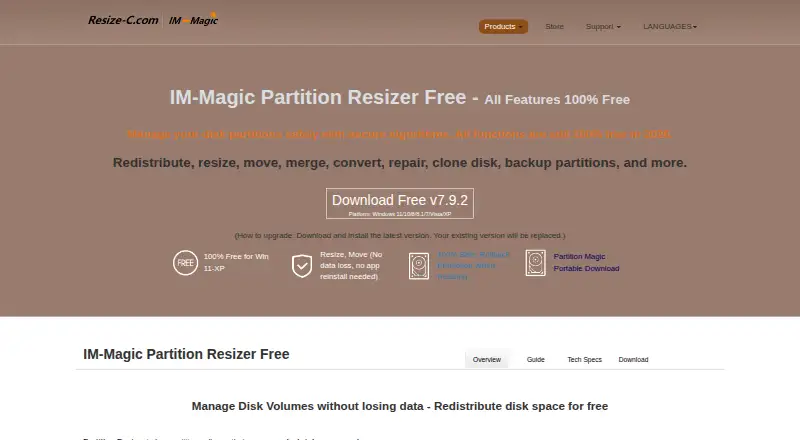
What IM-Magic Partition Resizer is
IM-Magic Partition Resizer manages disks and partitions on Windows computers. It can resize, move, merge, convert, repair, clone, and back up disks or partitions, and includes a wizard for transferring an operating system disk to another disk. The maker says rollback protection restores the earlier state if a resizing task is interrupted by an outage, crash, or other failure. Supported formats include FAT12, FAT16, FAT32, and NTFS, along with MBR and GPT disks. The free edition is for home users and supports Windows 11, 10, 8.1, 8, 7, Vista, and XP; paid editions add Windows Server support. Resizer Free is free, while Resizer Pro is $59, paid once. Other listed one-time prices are $139, paid once for Server, $399, paid once for Unlimited, and $599, paid once for Technician. Extending a partition requires adjacent unallocated space, and BitLocker partitions must be decrypted or unlocked before shrinking, extending, or moving. The maker warns that formatting, wiping, or copying disks can delete data, including existing data on the destination disk during a disk copy.
Good
- Free edition covers Windows 11 through XP
- Supports FAT and NTFS file systems
- Works with MBR and GPT disks
- Includes an OS migration wizard
- Rollback protection addresses interrupted resizing
Watch out
- Partition extension requires adjacent unallocated space
- BitLocker partitions must be unlocked or decrypted first
- Disk copying can erase destination data
- Commercial use requires a paid edition
Who it suits
IM-Magic Partition Resizer suits Windows users who need to manage partitions or move an operating system disk. The free edition is for home users; paid options include Windows Server support and commercial-use licensing.
Verdict
The tool offers a wide range of disk and partition operations, with a free home-use edition and paid one-time licenses. Check the space and BitLocker requirements before changing partitions, and take care with operations that may delete data.
Plans and prices
From IM-Magic Partition Resizer's own pricing page, checked 4 Oct 2026.
| Plan | Price | What it gives you |
|---|---|---|
| Resizer Free | Free | Free for home users · 16TB maximum disk capacity per PC · Windows 11/10/8/8.1/7/Vista/XP |
| Resizer Pro | $59, paid once | 1 license code for 2 PCs · 64TB maximum disk capacity per PC · Windows 11/10/8/7/Vista/XP · One-time payment; no subscription |
| Resizer Server | $139, paid once | 1 license code for 2 servers · 128TB maximum disk capacity per PC · Windows Server · One-time payment; no subscription |
| Resizer Unlimited | $399, paid once | Company-wide use · Unlimited disk capacity · Windows and Windows Server · One-time payment; no subscription; free lifetime upgrade |
| Resizer Technician | $599, paid once | Company-wide use · Technician services for others · Unlimited disk capacity · Windows and Windows Server · One-time payment; no subscription |
The facts
Each one read from IM-Magic Partition Resizer's own pages, with the date it was checked.
What it does
- BitLocker
- Encrypted BitLocker partitions must be decrypted or unlocked before they can be shrunk, extended, or moved.checked 4 Oct 2026
- Commercial licensing
- The comparison page says the free edition is for home users, while paid editions support commercial use; Unlimited covers company-wide use and Technician includes services for others.checked 4 Oct 2026
- Data-loss limits
- The maker warns that formatting, wiping, or copying Disk 1 to Disk 2 can delete data, including all existing data on the destination disk during a disk copy.checked 4 Oct 2026
- Partition limits
- Extending a partition requires adjacent unallocated space; the maker advises moving blocking partitions or shrinking another volume to create it.checked 4 Oct 2026
- Privacy
- The privacy policy says order information is collected to complete transactions and support customers, and that its payment processor encrypts personal information before it is sent.checked 4 Oct 2026
- Purpose
- The software manages Windows disk partitions and can resize, move, merge, convert, repair, clone, and back up disks or partitions.checked 4 Oct 2026
- Rollback
- The maker says rollback protection automatically restores the previous state if a resizing task is interrupted by an outage, crash, or other failure.checked 4 Oct 2026
- Support
- The maker directs software support, sales, and other inquiries to [email protected] and recommends consulting its user guide.checked 4 Oct 2026
- Supported formats
- The product lists FAT12/16/32 and NTFS file systems, and MBR and GPT disks.checked 4 Oct 2026
The company
- Headquarters
- Hong Kongchecked 28 Sep 2026
- Maker
- The maker identifies iCareAll Co., Limited as the owner of IM-Magic and RESIZE-C and gives its address as Mong Kok, Kowloon, Hong Kong.checked 4 Oct 2026
Where it runs
- OS migration
- It includes an OS migration wizard for moving the OS disk to another disk.checked 4 Oct 2026
- Windows support
- The free edition is listed for Windows 11, 10, 8.1, 8, 7, Vista, and XP; paid editions add Windows Server support.checked 4 Oct 2026
Money
- Trial
- The maker offers trial downloads for paid editions, including the Server edition, but the opened pages do not state a trial duration.checked 4 Oct 2026
The full review of IM-Magic Partition Resizer
IM-Magic Partition Resizer is a Windows utility for resizing, moving, repairing, cloning, backing up and otherwise managing disks and partitions. It suits home users through company IT teams, especially those who prefer perpetual licenses to subscriptions. Its breadth and rollback safeguard are appealing, but partition layout, BitLocker status and destructive commands demand careful preparation.
Overview
The software combines everyday volume management with more consequential disk work. You can resize, move, merge and convert partitions, repair disks, clone or back up partitions, and use an OS migration wizard to move a Windows installation to another disk. Bootable media provides an option for working outside a regular Windows session, useful when the running system prevents a change.
Rollback protection is a worthwhile safety feature: the maker says an interrupted resize caused by an outage, crash or similar failure automatically restores the previous state. It is protection against interruption, not a substitute for a separate backup. Formatting, wiping, and copying Disk 1 to Disk 2 can erase data, including everything already on the destination disk.
Key features
Partition management
Support covers FAT12, FAT16, FAT32 and NTFS file systems and both MBR and GPT disks. The core operations are broad enough for routine capacity adjustments, reorganizing volumes and preparing a replacement drive. Extending a partition requires adjacent unallocated space; if another partition blocks it, you must move that partition or shrink a different volume first. Users looking for a one-click extension when free space sits elsewhere may find the layout planning inconvenient.
Migration and recovery
The OS migration wizard gives the product a clear role when moving a Windows installation to a new disk, while cloning and backup functions address drive replacement and recovery planning. BitLocker adds an important prerequisite: encrypted partitions must be decrypted or unlocked before they can be shrunk, extended or moved. Check encryption status before scheduling maintenance.
Pricing
| Plan | Price and terms | What it covers |
|---|---|---|
| Resizer Free | 0.00 USD, free | Home users; 16TB maximum disk capacity per PC; Windows 11, 10, 8.1, 8, 7, Vista and XP |
| Resizer Pro | 59.00 USD once; no subscription; one license code for two PCs | 64TB maximum per PC; Windows 11, 10, 8, 7, Vista and XP |
| Resizer Server | 139.00 USD once; no subscription; one license code for two servers | Windows Server; 128TB maximum per PC |
| Resizer Unlimited | 399.00 USD once; no subscription | Company-wide use, unlimited capacity, Windows and Windows Server, free lifetime upgrades |
| Resizer Technician | 599.00 USD once; no subscription | Company-wide use, technician services for others, unlimited capacity, Windows and Windows Server |
The free edition is a sensible home-user starting point within its 16TB-per-PC ceiling. Pro adds commercial use and a two-PC license, but it does not include Windows Server support. Server is the focused choice for two servers, while Unlimited fits organizations standardizing on unrestricted internal deployment. Technician is aimed at service providers working on other customers' machines. Paid editions have trial downloads, including Server, although no trial duration is stated.
Platforms
IM-Magic Partition Resizer runs on Windows. The free edition supports Windows 11 through XP; paid editions add Windows Server support. FAT and NTFS formats, MBR and GPT tables, and bootable media make it suitable for a range of Windows-era storage setups, but it is not a cross-platform partition editor.
Who it's for
Choose it for home disk maintenance, Windows migration, or an IT department that wants resize, clone, backup and repair tools under a perpetual commercial license. Unlimited and Technician are relevant when many machines or customer systems are involved. Look elsewhere if you need native Linux or macOS operation, or if your workflow cannot accommodate unlocking BitLocker and rearranging partitions to create contiguous free space.
Pros and cons
Pros
- Broad operation set spanning resize, move, merge, conversion, repair, clone, backup and OS migration.
- Rollback protection can restore the prior state after an interrupted resize.
- One-time pricing avoids recurring subscription charges, with licenses for two PCs or two servers on the lower paid tiers.
- Bootable media, MBR/GPT support and legacy Windows coverage broaden practical compatibility.
Cons
- Partition extensions require adjacent unallocated space, often forcing extra moves or a preliminary shrink.
- BitLocker volumes must be unlocked or decrypted before structural changes.
- Formatting, wiping and disk copying can destroy existing data, including data on the destination disk.
- The free edition is limited to home use and 16TB per PC; commercial and server work requires paid licensing.
Alternatives
GParted is the better pick for free, open-source partition editing when Linux is available natively; its native installation requires Linux, despite broader platform options. AOMEI Partition Assistant suits Windows users who want a free standard edition or a lower-priced professional yearly plan. DiskGenius is another Windows freemium option with edition-based feature differences and a one-month professional plan. Macrorit Partition Expert is worth considering for a Windows home edition and a lower one-time Pro Standard price. MiniTool Partition Wizard fits readers who prefer basic free functions with a subscription-based Pro tier. NIUBI Partition Editor offers a free home-use edition and a lower-cost one-time professional license. Active@ Partition Manager is a free Windows alternative. Microsoft Quick Assist is for remote assistance rather than partition management.
For a broader comparison, see Disk Partition Software.
Verdict
IM-Magic Partition Resizer is a strong choice for Windows users who need more than resizing, particularly OS migration, cloning, backup and repair, and who value one-time commercial licensing. Choose it when its Windows and capacity limits match your machines and you can plan around contiguous free space and BitLocker. Look elsewhere for native Linux or macOS work, or for a simpler tool when those preparation and data-loss risks outweigh the wider feature set.
Alternatives to IM-Magic Partition Resizer
- 1
DiskGenius
Free planWindows7.5From $99.90 a year - 2
GParted
Free planOpen sourceLinuxmacOSSelf-hostedWindows7.3Free plan - 3

iBeesoft Disk Partition Wizard
Free planWindows7.2From $39.95 a year - 4
Macrorit Partition Expert
Free planWindows6.7$39.99 one-time - 5

Paragon Partition Manager Community Edition
Free planWindows6.7Free plan - 6

AOMEI Partition Assistant
Free planWindows6.6From $49.95 a year