
Linearity Curve
Linearity Curve is a design app for vector and raster artwork, with illustration tools, templates, and brand kits.
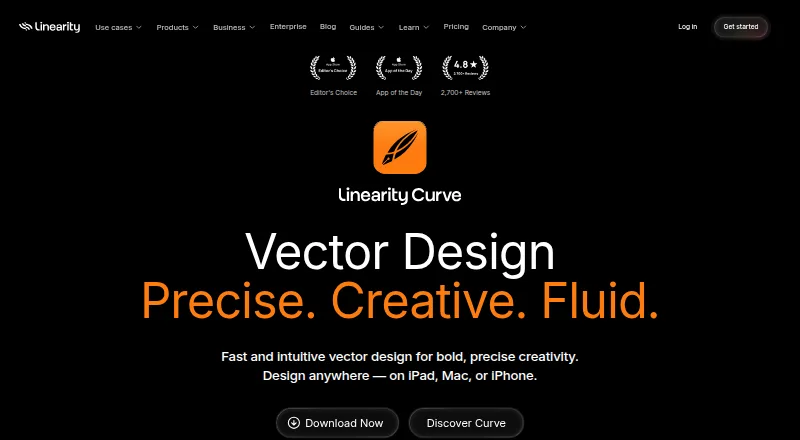
What Linearity Curve is
Linearity Curve is a design app for vector and raster artwork, with illustration tools, templates, and brand kits. It runs as a native app on iPad, Mac, and iPhone, and supports presentation design. Users can edit PDFs as Curve files, including annotating and signing them, then export to PDF, SVG, EPS, and other print or digital formats. The app includes AI background removal, AI Grab, and Magic Eraser. Core design work, local files, and exports work offline, though cloud features may be limited. Users can switch between personal, team, and client workspaces and share files across devices, but real-time collaboration is not available. The free plan includes 250 lifetime credits, one basic brand kit, and 5GB of cloud storage, without requiring a credit card. Students, teachers, schools, and institutions save 58% on the yearly Pro Plan. Files are not used for AI training unless users opt in within the app.
Good
- Free plan includes 250 lifetime credits and 5GB storage.
- Works offline for core design, local files, and exports.
- Edits, annotates, and signs PDFs as Curve files.
- Exports to PDF, SVG, and EPS.
Watch out
- Real-time collaboration is not available.
- Cloud features may be limited offline.
- Free credits are limited to 250 lifetime credits.
Who it suits
Curve suits people creating or editing vector and raster designs on iPad, Mac, or iPhone. Its PDF editing, offline design features, and workspace options may also suit users working with documents across personal, team, or client projects.
Verdict
Curve combines illustration, raster and vector editing, and PDF work in apps for Apple devices. The free plan has storage and credit limits, and teams needing live collaboration will not find that feature here.
Plans and prices
From Linearity Curve's own pricing page, checked 28 Sep 2026.
| Plan | Price | What it gives you |
|---|---|---|
| Free | Free | No credit card needed; includes 250 lifetime credits, 1 basic brand kit, and 5GB cloud storage. · 250 lifetime credits · 1 Basic brand kit · 5 GB cloud storage · billed monthly |
| Starter | $8 a month | 800 credits per month · 10 GB cloud storage · Billed annually |
| Pro | $8 a month | For individuals; monthly billing is shown at $10 per editor/month. · 3,250 credits per month · 100 GB cloud storage · Billed annually |
| Business | $65 a month | For teams needing advanced controls and governance; monthly billing is shown at $80 per editor/month. · 6,500 credits per month · 500 GB cloud storage · Billed annually |
| Enterprise | Priced on request | Priced by company size. · Custom billing and contract · Org shared credits · Export permissions · Team onboarding and account manager · SSO · Custom billing & contract |
| Studio | $25 a month | For teams creating together in real time; monthly billing is shown at $30 per editor/month. · billed annually at $25 per editor/month |
The facts
Each one read from Linearity Curve's own pages, with the date it was checked.
What it does
- AI training privacy
- Files are not used for AI training unless the user explicitly opts in within the application.checked 28 Sep 2026
- Brand kit
- Yeschecked 23 Sep 2026
- Design integrations
- Curve integrates with Brandfetch, Unsplash, SF Symbols, Icons8, Figma, Illustrator, and Sketch.checked 28 Sep 2026
- Education discount
- Students, teachers, schools, and institutions save 58% on the yearly Pro Plan.checked 28 Sep 2026
- Export formats
- The app exports clean PDFs, SVGs, EPS, and other print or digital formats.checked 28 Sep 2026
- Illustration tools
- Yeschecked 23 Sep 2026
- Offline use
- Core design features, local files, and exports work offline; cloud features may be limited.checked 28 Sep 2026
- Payment methods
- Online payment accepts major credit cards; invoicing is available for the Org plan.checked 28 Sep 2026
- PDF editing
- Users can open, edit, transform, annotate, and sign PDFs as native Curve files.checked 28 Sep 2026
- Real-time collaboration
- The Studio plan is for fast-moving teams creating together in real time.checked 28 Sep 2026
- Security certifications
- The provided page text does not state encryption or certifications.checked 28 Sep 2026
- Support resources
- Support includes a help center, user guides, tutorials, templates, and a status page.checked 28 Sep 2026
The company
- Company identity
- The product is made by Linearity GmbH, formerly known as Vectornator.checked 28 Sep 2026
- Founded
- 2017checked 28 Sep 2026
- Headquarters
- Solingen, Germanychecked 28 Sep 2026
- Team workspaces
- Users can switch between personal, team, or client workspaces and share files across devices.checked 28 Sep 2026
Where it runs
- Desktop app
- Yeschecked 23 Sep 2026
- Mobile app
- Yeschecked 23 Sep 2026
- Supported platforms
- Curve runs on iPadOS 14 or macOS Big Sur and later, with native iPad, Mac, and iPhone apps.checked 28 Sep 2026
Money
- Free brand kit
- The free plan includes one basic brand kit.checked 28 Sep 2026
- Free credits
- The free plan includes 250 lifetime credits.checked 28 Sep 2026
- Free payment terms
- The free plan does not require a credit card.checked 28 Sep 2026
- Free plan
- Yeschecked 23 Sep 2026
- Free storage
- The free plan includes 5GB of cloud storage.checked 28 Sep 2026
The full review of Linearity Curve
Overview
Linearity Curve is an Apple-device design app for people who want illustration, image editing, and PDF work in one place. It is a particularly good fit for individual designers moving between iPad, Mac, and iPhone. Its mix of vector and raster tools is broad, but the free tier’s small quotas and lack of live collaboration make it a less natural choice for growing teams.
Key features
Curve brings vector and raster editing together with illustration tools, AI background removal, AI Grab, and Magic Eraser. That range is useful when a project combines drawn artwork with image cleanup, rather than requiring separate apps for each task. Templates and a brand kit help with recurring visual work, though the single basic kit on Free is modest support for anyone managing multiple brands.
PDFs can be opened as native Curve files, edited, transformed, annotated, and signed. The app exports PDF, SVG, EPS, and other print and digital formats, giving designers a practical path from editing to delivery. Integrations with Brandfetch, Unsplash, SF Symbols, Icons8, Figma, Illustrator, and Sketch can help bring in assets or continue work across design tools.
Personal, team, and client workspaces let users switch contexts and share files across devices. Core design tools, local files, and exports work offline; cloud features may be limited without a connection. That is a useful distinction for work on the go, but it does not make Curve a fully offline cloud workflow. Files are not used for AI training unless a user opts in within the app.
Pricing
Free costs nothing, requires no credit card, and includes 250 lifetime credits, one basic brand kit, and 5GB of cloud storage. It is a sensible way to start or handle occasional projects, but the lifetime credit allotment and limited storage make it a constrained long-term plan.
Starter costs $8 a month, billed annually, and includes 800 credits per month and 10GB of storage. It suits a light individual workflow that needs recurring credits, but offers much less monthly capacity and storage than Pro. Pro also costs $8 a month when billed annually and is aimed at individuals; it includes 3,250 credits per month and 100GB of storage. Monthly billing is shown at $10 per editor/month. The substantially higher quotas make Pro the stronger individual option for regular, storage-heavy work.
Business costs $65 a month, billed annually, for teams needing advanced controls and governance; monthly billing is shown at $80 per editor/month. It includes 6,500 credits per month and 500GB of storage. Studio costs $25 per editor/month billed annually, or $30 per editor/month with monthly billing, and is aimed at teams creating together in real time. That plan description sits alongside Curve’s lack of real-time collaboration as a feature, so teams should distinguish Studio’s stated positioning from the app’s stated feature set before choosing it.
Enterprise has custom pricing based on company size and a custom billing and contract arrangement. It includes organization-shared credits, export permissions, team onboarding, an account manager, and SSO, making it the tier for organizations that need administrative controls rather than a standard individual or team subscription. Students, teachers, schools, and institutions save 58% on the yearly Pro Plan. Online payment accepts major credit cards; Org plan invoicing is available.
Platforms
Curve has native iPad, Mac, and iPhone apps and runs on iPadOS 14 or macOS Big Sur and later. Its Apple-only reach makes it a focused choice for people already working across those devices, but not for a Windows or Android workflow.
Who it's for
Curve is best suited to Apple-based illustrators and designers who value vector and raster tools, PDF editing, and exports in one app. Pro is the clearest fit for an individual doing regular work; Free works for exploration or lighter projects. Teams can use shared workspaces and higher business tiers, but organizations that require dependable live co-editing should consider a different workflow.
Pros and cons
- Pros: Combines vector, raster, illustration, and PDF editing, reducing the need to switch tools for those tasks.
- Pros: Offline support for core design, local files, and exports helps keep work moving without a connection.
- Pros: The free plan needs no credit card and includes storage and a basic brand kit for trying the workflow.
- Cons: Free credits are capped at 250 for the lifetime of the plan, limiting sustained use.
- Cons: Real-time collaboration is not available as a feature, a drawback for teams that need simultaneous editing.
- Cons: Curve is limited to Apple platforms, excluding mixed-device teams using Windows or Android.
Alternatives
Canva is a reasonable alternative for readers who want a freemium design tool with a free plan and macOS and Windows support. PosterMyWall is another freemium option, with Android, iOS, and web access plus a free tier that includes downloads, templates, and publishing to one social account.
Visme may suit readers looking for a freemium option across web, Windows, macOS, and iOS; its Basic plan includes 500MB of storage and 50 slides or pages per project. Desygner is worth considering for cross-platform use, with web, iOS, and Android apps and a free plan that allows three users, 100 projects, and 5GB of storage.
Microsoft Designer offers a free tier with a Microsoft account and access on web, iOS, and Android, making it an option for readers who want those platforms. Adobe Express Video has a free plan with 25 generative credits per month, more than 155,000 templates, and 5GB of storage, and supports web, iOS, and Android.
Kittl is a web-based alternative with a free plan limited to five projects and 100 one-time AI tokens. Piktochart is also web-based; its free plan allows one to four team members and includes two downloads, 1GB of storage, and 60 AI credits.
Verdict
Choose Linearity Curve if you use Apple devices and want illustration, raster and vector editing, and PDF work under one roof. Pro is the most compelling fit for an individual who needs regular credits and substantial cloud storage. Look elsewhere if live co-editing is central to your team’s work, or if your devices include Windows or Android.