
Boxy SVG
Boxy SVG is an SVG editor for beginners, professional designers, and developers.
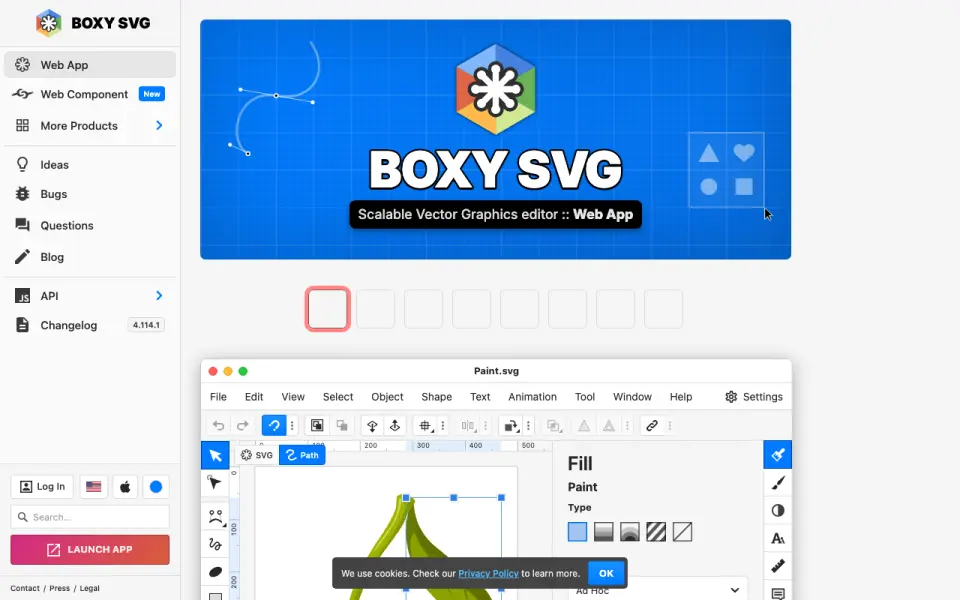
What Boxy SVG is
Boxy SVG is an SVG editor for beginners, professional designers, and developers. Its canvas lets users edit object geometry, transforms, paint, and other properties directly. It saves SVG and SVGZ files and exports PNG, JPG, WebP, PDF, and HTML5. The editor connects to Pixabay and other libraries for free stock photos and vector assets, and integrates with Google Fonts. Web developers get a Chromium-based rendering engine, an SVG and CSS code inspector, and support for editing SVG sprites. Boxy SVG runs on Android, iOS, Linux, macOS, web, and Windows, with desktop and mobile apps, and is also available as an installable PWA. Boxy SVG Cloud includes up to 10 GB of free storage; users can request a quote for more. The maker offers a 15-day free trial without a credit card, followed by an annual charge whose amount is shown as a variable on its page. The Web Component has customer-specific pricing and supports self-hosting, white-labeling, embedding, and framework integration.
Good
- Edits geometry, transforms, paint, and other properties on canvas.
- Saves SVG and SVGZ; exports PNG, JPG, WebP, PDF, and HTML5.
- Connects to free stock photo and vector libraries.
- Includes SVG and CSS code inspection tools.
- Up to 10 GB of cloud storage is free.
Watch out
- Trial lasts 15 days.
- Annual subscription amount is shown as a variable.
- Web Component pricing is customer-specific.
- More than 10 GB of cloud storage requires a quote.
Who it suits
Boxy SVG suits people who need to create or edit SVG graphics, from beginners to professional designers. Its code inspection and sprite editing tools may also suit web developers.
Verdict
Boxy SVG combines canvas editing and multiple export formats with tools for web developers. Check the maker’s pricing details before subscribing, since the annual amount is shown as a variable and Web Component pricing depends on the customer.
Plans and prices
From Boxy SVG's own pricing page, checked 15 Oct 2026.
| Plan | Price | What it gives you |
|---|---|---|
| Web trial | Free | Trial expires unless a paid plan is subscribed · 15 days; no credit card required |
| Web subscription | $9.99 a month | Subscription pricing · free trial and free version listed · per feature / per month |
| Mac App Store | $19.99, paid once | Mac-only application · 165.3 MB · one-time purchase |
| Boxy SVG Premium | — | 15-day free trial · annual subscription price shown as a variable on the maker’s page |
The facts
Each one read from Boxy SVG's own pages, with the date it was checked.
What it does
- API and SDK
- The Web Component exposes a declarative custom-element API, theme API, localization controls and an NPM package with no dependencies.checked 15 Oct 2026
- Bitmap generators
- Vectorize, triangulate, pixelate and primitivize tools convert bitmap imagery into vector-oriented results.checked 15 Oct 2026
- Cloud storage
- Users can save SVG files in cloud folders and synchronize application preferences between devices.checked 15 Oct 2026
- Code inspection
- A code inspector lets users view and edit SVG and CSS markup while preserving IDs, classes, titles and other metadata.checked 15 Oct 2026
- Core editing
- The editor supports on-canvas geometry, transforms, paint properties, guides, grids, path operations and object arrangement.checked 15 Oct 2026
- Developer and release history
- Jarosław Foksa is credited as developer; the first Mac App Store version was released on March 15, 2013.checked 15 Oct 2026
- Developer tools
- For web developers, it provides a Chromium-based rendering engine, an SVG and CSS code inspector, and SVG sprite editing support.checked 11 Oct 2026
- Documentation
- Published help resources include tutorials, questions, a bug tracker and API documentation links.checked 15 Oct 2026
- Editing
- The editor supports on-canvas editing of object geometry, transforms, paint, and other properties.checked 11 Oct 2026
- File formats
- It saves SVG and SVGZ files and exports PNG, JPG, WebP, PDF and HTML5.checked 15 Oct 2026
- Fonts
- The editor integrates with Google Fonts.checked 11 Oct 2026
- Framework support
- The component works with frameworks supporting custom elements, and an ngx-boxy-svg wrapper is recommended for Angular.checked 15 Oct 2026
- Illustration tools
- Yeschecked 20 Sep 2026
- Installation
- Boxy SVG is distributed as a progressive web app that can be installed like a native application; macOS Sonoma or newer can add it to the Dock from Safari.checked 15 Oct 2026
- Integrations
- Pixabay supplies stock photos and vector assets, while Google Fonts supplies hundreds of fonts.checked 15 Oct 2026
- Licence
- Boxy SVG is proprietary software rather than open source, with licensing linked to the product legal page.checked 15 Oct 2026
- Limit: default styling
- An Apple reviewer complained that spline-created shapes default to a fill, requiring a manual change for stroke-only work.checked 15 Oct 2026
- Limit: missing advanced effects
- A SitePoint review noted that SVG filter effects such as blur or color tint were a major feature gap at the time reviewed.checked 15 Oct 2026
- Limit: narrow scope
- An independent directory characterizes Boxy SVG as lightweight and inexpensive but narrower than Illustrator or Inkscape, with a smaller community.checked 15 Oct 2026
- Limit: rendering compatibility
- Apple reviewers reported imported SVG transform and fill discrepancies and missing support for some basic effects; the developer attributed remaining incompatibilities to complex use, foreignObject and external-reference features.checked 15 Oct 2026
The company
- Company identity
- The Android listing identifies the developer as BOXY SVG PL JAROSŁAW FOKSA at Wirki 37a, 58-111 Wirki, Poland.checked 15 Oct 2026
Where it runs
- Desktop app
- Yeschecked 20 Sep 2026
- Limit: Android usability
- Google Play reviewers reported unusable text editing, crashes, slow performance and close or file-management problems on some devices.checked 15 Oct 2026
- Mobile app
- Yeschecked 20 Sep 2026
Alternatives to Boxy SVG
- 1

Concepts
Free planAndroidiOSWindows8.0Free plan - 2
Lunacy
Free planWebAPILinuxmacOS8.0From $4.99 a month - 3
Drawtify
Free planWebAPImacOSWindows7.8From $99.99 a year - 4

Linearity Curve
Free planiOSmacOS7.7From $8 a month - 5

Tilda
Free planWebAPI7.6From $120 a year - 6

Adobe Illustrator
iOSWebmacOSWindows7.5