
Adobe Express Video: Android App, Features and Pricing
Create videos in a browser or on mobile alongside social posts, graphics, documents and brand materials.
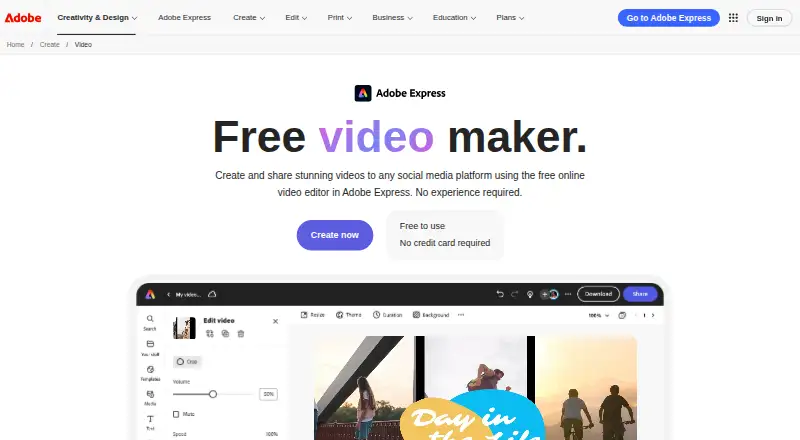
What Adobe Express Video is
Adobe Express Video is a freemium tool for producing videos and branded content on the web or mobile devices. It offers templates, stock media, collaboration, social scheduling and Creative Cloud connections. Android and iOS apps are available, while desktop use is through a browser. Free video projects can run up to 30 minutes; paid Premium and Firefly Pro projects can run up to two hours.
Good
- Android and iOS apps plus browser access
- Templates and royalty-free stock media
- Real-time viewing, editing and comments
- Social scheduling across six major networks
- Creative Cloud integrations and extension SDK
Watch out
- No desktop application
- Free videos are limited to 30 minutes
- Less detailed control than professional Adobe apps or Canva
- Mobile and larger projects may lag or fail to save
- Third-party integrations can be disabled without notice
Who it suits
Short social videos and branded content; People creating video and graphics in one app; Teams needing shared comments and editing
Skip it if
You need advanced timeline and color controls; You require a native Windows or Mac desktop app; Your workflow depends on uninterrupted third-party integrations
Verdict
Adobe Express Video fits users who want one place for short videos, social graphics, documents and brand materials. Its Android app, browser access, templates, stock library and scheduling cover common publishing tasks without a desktop installation. The free tier lets you start without a card, while Premium raises the video limit and adds larger content allowances. It is a weaker match for detailed post-production, strict design control or projects that often stress mobile performance. Teams and enterprise buyers should review storage, seats, administration and third-party service dependencies before committing.
Plans and prices
From Adobe Express Video's own pricing page, checked 20 Sep 2026.
| Plan | Price | What it gives you |
|---|---|---|
| Free | Free | 25 generative credits per month · 155,000+ templates · 5 GB storage |
| Premium | — | 250 generative credits per month · 220,000+ premium templates · 100 GB storage |
| Teams | — | 2 seat minimum · 250 generative credits per user per month · 1 TB storage per user · 3 accounts per social network |
| Enterprise | — | Enterprise administration · Single sign-on support · Encryption key support · User directory sync · User management APIs |
| Adobe Express Free | Free | 100,000+ templates · 1M+ Adobe Stock assets · 4,000+ fonts · 5GB storage · 10-day version history · video up to 30 minutes · 1 social account per network · Free to use; no credit card required |
| Adobe Express Teams | $7.99 a month | Premium features · 250 generative credits/user/month · brand controls and locked templates · 1TB pooled storage/user · Admin Console · 3 social accounts per network · Annual subscription billed monthly; 2-seat minimum; first-year offer US$4.99/month per license |
| Adobe Express Premium | $9.99 a month | 250 generative credits/month · premium templates · 200M+ Adobe Stock assets · 30,000+ fonts · 100GB storage · 30-day version history · video up to 2 hours · 3 social accounts per network · 30-day free trial · Billed monthly; no annual commitment |
| Adobe Express Enterprise | Priced on request | Experience Manager integration · encryption-key support · directory sync · user-management APIs · 24/7 technical support · enterprise governance controls · Contact Sales |
The facts
Each one read from Adobe Express Video's own pages, with the date it was checked.
What it does
- AI data use
- Adobe states that customer content is not used to train Firefly models and customer data is not used to train or fine-tune Azure OpenAI Service.checked 14 Oct 2026
- API extensibility
- Adobe offers a CLI, code playground, document APIs, marketplace distribution and add-on developer documentation.checked 14 Oct 2026
- Brand kit
- Yeschecked 20 Sep 2026
- Creative Cloud integrations
- Adobe Express integrates with Photoshop, Illustrator, InDesign, Firefly, Acrobat, Lightroom, Experience Manager, Workfront and GenStudio.checked 14 Oct 2026
- Developer architecture
- Add-ons use isolated iframe and document-sandbox JavaScript runtimes connected through a secure proxy layer.checked 14 Oct 2026
- Documentation and support
- Adobe Help includes setup, technical requirements, release notes, video guides, troubleshooting, known issues and community support.checked 14 Oct 2026
- Licence
- Adobe Express is governed by Adobe product-specific and general terms rather than an open-source licence.checked 14 Oct 2026
- Limit: advanced control
- Reviewers commonly report weaker customization, typography, vector, color and fine-grained editing controls than professional Adobe applications or Canva.checked 14 Oct 2026
- Limit: AI quality
- Reviewers describe AI accuracy, generation time and output quality as inconsistent.checked 14 Oct 2026
- Limit: paid assets
- TechRadar reports that many assets and options are paywalled, and Adobe's free offering is extensive but not complete.checked 14 Oct 2026
- Limit: performance
- Review summaries and app reviews cite slow loading, lag, crashes, failed saves and rendering problems, especially on mobile or larger projects.checked 14 Oct 2026
- Limit: video depth
- TrustRadius reviewers say video editing and advanced fine-tuning are limited compared with specialized video tools.checked 14 Oct 2026
- Praise: ease and templates
- Independent reviewers repeatedly praise the beginner-friendly interface, large template library, quick content production and Adobe Creative Cloud integration.checked 14 Oct 2026
- Presentation design
- Yeschecked 20 Sep 2026
The company
- Company founded
- LinkedIn lists Adobe's founding year as 1982.checked 14 Oct 2026
- Company headquarters
- Adobe's LinkedIn company profile lists San Jose, California as headquarters.checked 14 Oct 2026
- Company size
- LinkedIn lists Adobe as a public software company with 10,001+ employees.checked 14 Oct 2026
- Founded
- 1982checked 28 Sep 2026
- Headquarters
- San Jose, California, USAchecked 28 Sep 2026
Where it runs
- Desktop app
- Nochecked 20 Sep 2026
- Developer platform
- Adobe provides an Add-on SDK using HTML, CSS, JavaScript or TypeScript for extensions running inside Adobe Express.checked 14 Oct 2026
- Mobile app
- Yeschecked 20 Sep 2026
- Rating on Apple App Store
- 4.8 out of 5 from 369K ratingschecked 14 Oct 2026
Money
- Free plan
- Yeschecked 20 Sep 2026
The full review of Adobe Express Video
The gist
Adobe Express brings video making together with graphics, social posts, documents and brand assets in a browser-and-mobile content creation app. It suits people who want template-led video creation alongside other everyday marketing and design work.
It is not open source, and Adobe Express has no desktop app.
On Android
On Android, Adobe Express handles video creation as well as graphics, social posts, documents and brand assets. A mobile app is also available for iPhone and iPad.
On computers, Adobe Express runs in a web browser on Windows, macOS and ChromeOS. Desktop web use requires Chrome 100+, Edge 107+, Safari 17+ or Firefox 117+, plus 4GB of RAM, WebGL2, WebAssembly, JavaScript and hardware acceleration. APIs and an extension platform are also available.
What it does
Media can be placed in the editor with drag and drop, then cut, cropped, trimmed or sped up and slowed down. Audio, animation, filters and transitions are also available.
You can begin with adjustable video templates or use royalty-free stock video, music, photos and graphics. Completed videos can be saved as MP4 files, shared by link, resized for social channels and scheduled to Instagram, TikTok and Facebook.
People can share projects for real-time viewing, editing or comments. Adobe Express also connects with Photoshop, Illustrator, InDesign, Firefly, Acrobat, Lightroom, Experience Manager, Workfront and GenStudio.
Standouts
Templates, stock media, presentation design and brand-kit tools keep video work in the same app as other content types. Real-time collaboration supports shared review and editing.
Its scheduler works with Facebook, Instagram, X/Twitter, Pinterest, LinkedIn and TikTok. Developers can create in-app extensions through Adobe's Add-on SDK, using HTML, CSS, JavaScript or TypeScript.
Trade-offs
Advanced customization, typography, vector, color and fine-grained editing controls are weaker than in professional Adobe applications or Canva. Video editing is also less deep than in specialist video software, and AI results can vary in accuracy, wait time and quality.
Mobile and larger projects may encounter slow loading, lag, crashes, failed saves or rendering problems. Free projects can last 30 minutes, whereas Premium and Firefly Pro projects can reach two hours.
Adobe says third-party integrations may be disabled without notice and does not take responsibility for those services' availability or security.
Pricing
Adobe Express uses a freemium model. Its free offering includes 25 generative credits each month, more than 155,000 templates and 5GB of storage, with videos capped at 30 minutes.
The Premium subscription is $9.99 per month without an annual commitment and comes with a 30-day free trial. It provides 250 monthly generative credits, premium templates, over 200 million Adobe Stock assets, more than 30,000 fonts, 100GB of storage, 30-day version history, videos up to two hours and three social accounts per network.
Teams is listed at $7.99 per month when an annual subscription is billed monthly, and requires at least two seats. A first-year offer is $4.99 a month per license. Enterprise is price on request. Separate Free, Premium, Teams and Enterprise plan listings include different template, storage and administration allowances, so check the specific plan details before subscribing.
Verdict
Choose Adobe Express Video if you want quick, template-based videos together with graphics, documents, presentations and brand assets. The Android and iOS apps make it practical for phone and tablet work, while browser access covers computers without installing a desktop program.
The Free tier is a reasonable starting point for short projects, but its 30-minute video ceiling and smaller allowances may push regular creators toward Premium. Teams and Enterprise are aimed at shared administration and governance rather than solo editing.
Look elsewhere if you need deep timeline control, precise typography or color work, or a workflow that depends on consistently smooth rendering on mobile.
Getting started
- Open the Adobe Express Video website
- Choose the Free, Premium, Teams, or Enterprise plan
- Use the web app or install the iOS or Android app
- Select a template or begin a video or presentation
- Add brand-kit elements and collaborate in real time
Limits worth knowing
The Free plan includes 25 generative credits per month and 5 GB of storage. Teams requires at least two seats, while its storage and credit allowances are assigned per user.
Questions
Is Adobe Express Video available on Android?
Yes. Adobe Express has an Android mobile app for videos, graphics, social posts, documents and brand assets. An iPhone and iPad app is also available.
How long can a free Adobe Express video be?
Free projects can be up to 30 minutes long. Premium and Firefly Pro projects can run for as much as two hours.
Can Adobe Express Video schedule social posts?
Yes. Videos can be resized and scheduled to Instagram, TikTok and Facebook. The scheduler also connects to X/Twitter, Pinterest and LinkedIn.
Does Adobe Express have a desktop app?
No. Desktop use is through a browser on Windows, macOS or ChromeOS, subject to Adobe's browser and hardware requirements.
Can people edit an Adobe Express video together?
Yes. Shared projects let collaborators view, edit or comment in real time.
What does Adobe Express Premium cost?
The Premium plan is $9.99 per month and comes with a 30-day free trial. Videos can be up to two hours long.
Can developers extend Adobe Express?
Yes. Adobe offers an Add-on SDK and APIs for HTML, CSS, JavaScript or TypeScript extensions, including importing, exporting and content access.
Is Adobe Express open source?
No. Adobe Express is governed by Adobe's product-specific and general terms rather than an open-source licence.
Alternatives to Adobe Express Video
- 1

Visme
Free planAndroidiOSWebAPI8.4From $12.25 a month - 2

Picsart
Free planAndroidiOSWebAPI8.3From $10.50 a month - 3

Simplified
Free planAndroidiOSWebAPI8.3From $19 a month - 4

Renderforest Slideshow Maker
Free planAndroidiOSWebAPI8.2From $8 a month - 5

DesignCap
Free planWebLinuxmacOSWindows8.1From $59.88 a year - 6

BeFunky
Free planAndroidiOSWeb8.0Free plan