Lightcube
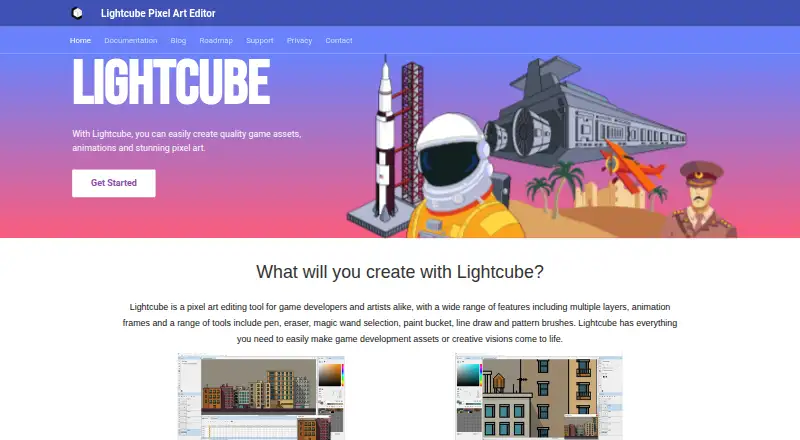
The facts below are what the maker publishes about Lightcube, checked and dated. Our editors have not written about it yet.
Plans and prices
From Lightcube's own pricing page, checked 11 Oct 2026.
| Plan | Price | What it gives you |
|---|---|---|
| Lightcube Pixel Art Editor | $14.99, paid once | Windows 7, 8, 10, or 11 · Demo is fully functional except saving files to disk |
The facts
Each one read from Lightcube's own pages, with the date it was checked.
What it does
- Animation
- Lightcube supports frame-by-frame animation with optional onion skinning per layer.checked 11 Oct 2026
- Brushes
- Included brushes are 16, 24, 32 and 64 pixels in size.checked 11 Oct 2026
- Color tools
- Palette management supports importing Gimp, JASC, Paint.net, Hex, and image files, and the editor includes an automatic color ramp generator.checked 11 Oct 2026
- Demo limit
- The free demo is fully functional except it cannot save files to disk.checked 11 Oct 2026
- Drawing tools
- Tools include pen, paint bucket, line, selection marquee, magic wand, shapes, color replacement, and gradient fill.checked 11 Oct 2026
- Export
- Images can be exported as PNG, BMP, GIF or JPEG.checked 11 Oct 2026
- Export formats
- The documentation says images and sprite sheets can be exported as PNG, BMP, GIF, or JPEG, and animations as GIF or MPEG-4 video.checked 11 Oct 2026
- File formats
- The product listing says Lightcube supports PNG, JPEG, GIF, and Photoshop PSD files.checked 11 Oct 2026
- Godot export
- The product listing says Lightcube can export sprites to Godot.checked 11 Oct 2026
- Layers
- Layers can be locked, moved, merged, given opacity and assigned blending modes; reference layers are supported.checked 11 Oct 2026
- Pixel art styles
- It supports 2D, 2.5D and isometric art, with square, rectangle and isometric gridlines and a built-in hue shifter.checked 11 Oct 2026
- Privacy
- The privacy policy says the website may collect contact details users provide, usage data and cookie data, and describes technical and organizational measures to protect personal data.checked 11 Oct 2026
- Privacy and security
- The privacy policy says the maker uses technical and organizational measures to protect personal data, while noting it cannot guarantee absolute security.checked 11 Oct 2026
- Purpose
- Lightcube is a pixel art editor for game developers and artists to create game assets, animations and pixel art.checked 11 Oct 2026
- Support
- Product support is available by email at [email protected]; the maker asks users to include the app and Windows versions and a description of the issue.checked 11 Oct 2026
- Support file handling
- The support page says files received for customer support issues are never shared with anyone.checked 11 Oct 2026
- Tile map editor
- The built-in tile map editor gives a live view of how tiles fit together while drawing.checked 11 Oct 2026
- Tile maps
- Its tile map editor provides a live view of how tiles fit together as they are drawn.checked 11 Oct 2026
Money
- Free demo
- A free demo is available on each store page.checked 11 Oct 2026
The company
- Maker
- The contact page identifies Richard Brock as an indie game developer based in London, UK, and says he makes Lightcube and other game development tools.checked 11 Oct 2026
Where it runs
- Platform
- The maker lists Windows 7, 8, 10 and 11 as supported versions.checked 11 Oct 2026
Alternatives to Lightcube
- 1
LibreSprite
Free planOpen sourceAndroidWebAPILinux8.0Free plan - 2
Pixelc
Free planOpen sourceAndroidWebLinuxmacOS7.8Free plan - 3

PixelWall
Free planWebAPILinuxmacOS7.6$15 one-time - 4
Avidemux
Free planOpen sourceWebLinuxmacOSWindows7.3Free plan - 5
Hexcalibur
Free planWebLinuxmacOSWindows7.2Free plan - 6
PixelAoi
Free planAPIWindows7.2$17 one-time