LeechBlock NG
LeechBlock NG is a free browser extension for blocking websites according to user-defined sites and schedules.
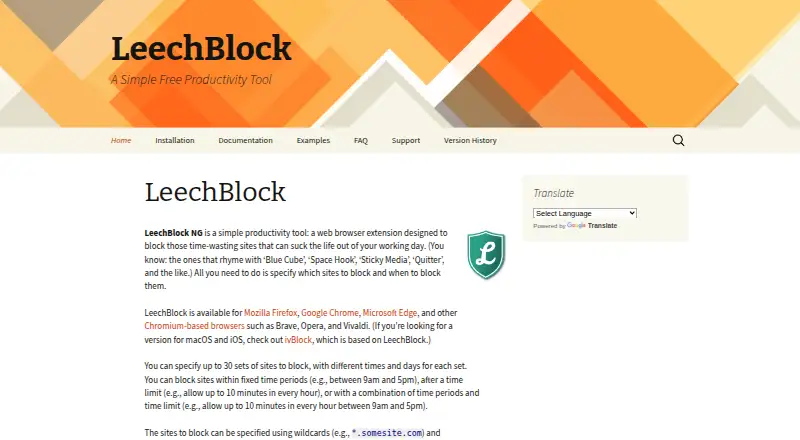
What LeechBlock NG is
LeechBlock NG is a free browser extension for blocking websites according to user-defined sites and schedules. Users can create up to 30 sets, each with separate days and times, and block sites during scheduled periods, after a time limit, or under both conditions. Site rules support wildcards and exceptions; the documentation also describes blocking by keyword or referring site. A lockdown option blocks sites immediately for a specified duration, and the options page can be protected with a password or random access code. The maker lists Firefox, Chrome, Edge, and Chromium-based browsers such as Brave, Opera, and Vivaldi. LeechBlock requires access to browser tabs, navigation activity, and website data; browsing history permission is optional. The maker says settings stay local unless sync storage is chosen, and are removed when the extension is uninstalled. It also says the extension does not collect personal information beyond user-entered settings. LeechBlock itself is not available for macOS or iOS, and the maker says it is not designed for parental control or blocking offensive content.
Good
- Free browser extension
- Supports up to 30 block sets
- Offers scheduled blocking, time limits, and lockdown
- Options page can be password- or code-protected
- Settings are local unless sync storage is chosen
Watch out
- Not available for macOS or iOS
- Requires access to tabs, navigation, and website data
- A browser may briefly connect to a blocked site
Who it suits
It suits people who want scheduled or time-limited website blocking in a supported browser. It is not designed for parental control or blocking offensive content.
Verdict
LeechBlock NG offers flexible site rules and schedules without a listed cost. Check its browser permissions and platform limits, and note that it is not intended for parental control.
Plans and prices
From LeechBlock NG's own pricing page, checked 8 Oct 2026.
| Plan | Price | What it gives you |
|---|---|---|
| Free | Free | Free browser extension · up to 30 block sets |
The facts
Each one read from LeechBlock NG's own pages, with the date it was checked.
What it does
- Access controls
- Users can protect the options page with a password or random access code.checked 8 Oct 2026
- Blocking schedules
- Users can block sites during scheduled time periods, after a time limit, or using both conditions together.checked 8 Oct 2026
- Block sets
- Users can configure up to 30 sets of sites with different times and days for each set.checked 8 Oct 2026
- Connection caveat
- The maker warns that a browser may briefly connect to a blocked site, which could allow the site to log the user's IP address.checked 8 Oct 2026
- Data storage
- The maker says user settings and data are stored locally unless the user chooses sync storage, and are removed when the extension is uninstalled.checked 8 Oct 2026
- Intended use limit
- The maker says LeechBlock is not designed for parental control or blocking offensive content.checked 8 Oct 2026
- Lockdown
- The lockdown feature can block sites immediately for a specified duration.checked 8 Oct 2026
- Matching rules
- Site lists support wildcards and exceptions, and the documentation also describes blocking by keyword or referring site.checked 8 Oct 2026
- Performance note
- The maker says many open browser tabs can sometimes slow LeechBlock and suggests reducing open tabs or enabling processing of active tabs only.checked 8 Oct 2026
- Permissions
- The extension requires access to browser tabs, navigation activity, and data on all websites; browsing history permission is optional and requested only if the user enables adding blocked pages to history.checked 8 Oct 2026
- Privacy
- The maker states that LeechBlock does not collect, store, or transmit personal information beyond user-entered settings, and does not collect or store webpage content it may access for keyword blocking.checked 8 Oct 2026
- Purpose
- LeechBlock NG is a browser extension for blocking time-wasting websites according to user-specified sites and schedules.checked 8 Oct 2026
- Support
- The maker directs users to its documentation, examples, FAQ, GitHub Q&A discussions, GitHub issue trackers, and developer email for support.checked 8 Oct 2026
Where it runs
- Platform limits
- The FAQ says LeechBlock itself is not available for macOS or iOS and points users to ivBlock, which is based on LeechBlock.checked 8 Oct 2026
- Supported browsers
- The maker lists Firefox, Chrome, Edge, and other Chromium-based browsers such as Brave, Opera, and Vivaldi.checked 8 Oct 2026
Alternatives to LeechBlock NG
- 1

Freedom
Free planAndroidiOSWebExtension8.2From $40 a year - 2

Opal
Free planAndroidiOSExtensionmacOS8.0From $8.29 a month - 3

ScreenZen
Free planAndroidiOSmacOSWindows7.3$49 one-time - 4
Focus Bear
Free planAndroidiOSmacOSWindows7.2From $9.99 a month - 5

one sec
AndroidiOSExtensionLinux7.2From $19.99 a year - 6

FocusMe
AndroidiOSExtensionLinux7.1$249 one-time