Lawcus
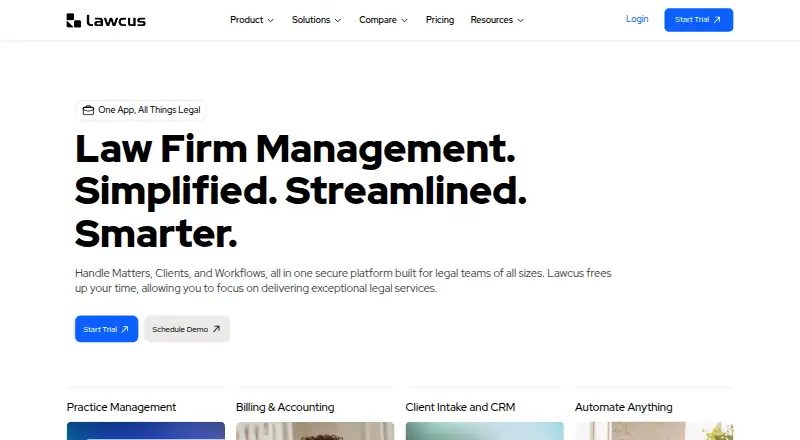
Lawcus is legal practice software with tools for client intake, case-related administration, and billing.
What Lawcus is
Lawcus is legal practice software with tools for client intake, case-related administration, and billing. It supports client intake forms and a client portal, along with document automation and time tracking. Billing and payments and trust accounting are also included. Lawcus is available on web, Windows, macOS, Linux, iOS, and Android, and its listed mobile apps cover both major mobile platforms. The service is headquartered in San Diego, California. Its combination of intake, document, time, and financial tools makes it a single software option for several client and office workflows.
Good
- Client intake forms and portal
- Document automation included
- Tracks time
- Billing, payments, and trust accounting
- Available across six listed platforms
Watch out
- No free plan
Who it suits
Lawcus suits legal practices that need client intake, a client portal, document automation, time tracking, billing, and trust accounting. It may also fit teams that want access across desktop and mobile platforms.
Verdict
Lawcus brings client-facing, document, time, and financial functions together in one paid product. Consider it if those tools and its wide platform availability match your practice’s needs.
Plans and prices
From Lawcus's own pricing page, checked 8 Oct 2026.
| Plan | Price | What it gives you |
|---|---|---|
| Essential | $39 a year | Case & Matter Management · Billing & Invoicing · Trust Accounting · Annually |
| Essential | $49 a month | Case & Matter Management · Billing & Invoicing · Trust Accounting · Monthly |
| Growth | $59 a year | Includes Essential · QB & Xero Integration · Google & Office365 Integration · Nova AI & Custom Fields · Annually |
| Growth | $69 a month | Includes Essential · QB & Xero Integration · Google & Office365 Integration · Nova AI & Custom Fields · Monthly |
| Elite | $79 a year | Includes Growth · Workflow Automation · Marketing Automation · Advanced Dashboards & Custom Report Builder · Annually |
| Elite | $89 a month | Includes Growth · Workflow Automation · Marketing Automation · Advanced Dashboards & Custom Report Builder · Monthly |
| Enterprise | Priced on request | Minimum 10 users · Includes Elite · Custom requirements · Get Quote |
The facts
Each one read from Lawcus's own pages, with the date it was checked.
What it does
- Audience
- The pricing page describes plans for growing and small firms, firms scaling operations, and enterprises with complex or high-volume needs.checked 8 Oct 2026
- Client intake
- Yeschecked 24 Sep 2026
- Client portal
- Yeschecked 24 Sep 2026
- Document automation
- Yeschecked 24 Sep 2026
- Document tools
- The product offers document automation and templates, and the pricing page lists unlimited document storage.checked 8 Oct 2026
- Enterprise limits
- Enterprise requires at least 10 users; private cloud deployment is an add-on priced according to infrastructure requirements.checked 8 Oct 2026
- Integrations
- Its listed integrations include Gmail, Microsoft 365, Dropbox, Google Drive, QuickBooks, Xero, LawPay, and Zapier.checked 8 Oct 2026
- Matter management
- The pricing page lists matter collaboration, visual Kanban pipelines, and statute of limitation tracking among its matter management features.checked 8 Oct 2026
- Mobile eligibility
- The pricing page says the mobile application is available only to firms with more than one user.checked 8 Oct 2026
- Paid from
- 49checked 24 Sep 2026
- Product
- Lawcus is cloud-based legal practice management software that brings intake and CRM, matter and task management, billing, document automation, client communication, and no-code workflows into one platform.checked 8 Oct 2026
- Security
- Lawcus says it uses 256-bit AES encryption, AWS cloud infrastructure, two-factor authentication, role-based access, and nightly backups.checked 8 Oct 2026
- Support
- The pricing page lists 24/7 access to help sites and AI support, with phone and email support also listed among plan features.checked 8 Oct 2026
- Time tracking
- Yeschecked 24 Sep 2026
- Trust accounting
- Yeschecked 24 Sep 2026
Money
- Billing
- Lawcus includes time tracking, invoicing, trust accounting, retainers, and online payments.checked 8 Oct 2026
- Billing and payments
- Yeschecked 24 Sep 2026
- Free plan
- Nochecked 24 Sep 2026
- Trial
- The company advertises a 14 day trial and says it can extend the trial on request.checked 8 Oct 2026
The company
- Headquarters
- San Diego, California, United Stateschecked 23 Sep 2026
Where it runs
- Mobile app
- The mobile app provides access to matters, contacts, tasks, time entries, documents, and notifications, and is available through the App Store and Google Play.checked 8 Oct 2026
The full review of Lawcus
Lawcus is cloud-based legal practice management software that combines matter work, client communication, documents, and billing. It is best suited to firms that want those functions in one system, including trust accounting and client-facing tools. Its breadth is appealing, but the right plan—and mobile access for smaller firms—deserves close attention.
Overview
Lawcus brings intake and CRM, matter and task management, billing, document automation, client communication, and no-code workflows into one platform. That can reduce the need to piece together core practice functions across separate products. Its value depends on how much of that breadth a firm will use: a practice looking mainly for one narrow function may find a broader paid system unnecessary.
Key features
Matter and client work
Matter collaboration, visual Kanban pipelines, and statute-of-limitation tracking address different stages of legal work, from coordinating cases to monitoring deadlines. Client intake forms and a client portal extend the system beyond internal matter administration, making Lawcus a stronger fit for firms that want clients to interact with their practice through the same platform.
Documents and workflows
Document automation, templates, and unlimited document storage support repeatable document work without a stated storage ceiling. Workflow automation is included in Elite, not the lower Essential or Growth plans, so firms that need to automate processes should account for that plan boundary before choosing.
Billing, integrations, and security
Time tracking, invoicing, trust accounting, retainers, and online payments give firms a connected set of financial tools. Integrations include Gmail, Microsoft 365, Dropbox, Google Drive, QuickBooks, Xero, LawPay, and Zapier. Lawcus says it uses 256-bit AES encryption, AWS cloud infrastructure, two-factor authentication, role-based access, and nightly backups—useful safeguards for a system handling sensitive practice information.
Support and mobile
Plans include 24/7 access to help sites and AI support, while phone and email support are also listed among plan features. The mobile app covers matters, contacts, tasks, time entries, documents, and notifications, but the pricing page limits app availability to firms with more than one user. A solo practitioner should not choose Lawcus expecting mobile app access.
Pricing
Lawcus is paid, has no free plan, and advertises a 14 day trial, which it says it can extend on request. The pricing note gives a starting point of $49/user/mo, while the plan prices below are stated as annual amounts; check the billing terms with Lawcus before comparing them with monthly per-user prices.
- Essential — $39 a year, billed Annually: Case & Matter Management, Billing & Invoicing, and Trust Accounting. This is the leanest option for firms focused on core case and financial administration; it gives up the integrations and automation named in higher tiers.
- Growth — $59 a year, billed Annually: Includes Essential, plus QB & Xero Integration, Google & Office365 Integration, Nova AI, and Custom Fields. It suits firms that need accounting and office-suite connections or more adaptable matter data.
- Elite — $79 a year, billed Annually: Includes Growth, plus Workflow Automation, Marketing Automation, Advanced Dashboards, and Custom Report Builder. Firms seeking process automation and deeper reporting have a clear reason to step up; smaller practices may not need those additions.
- Enterprise — custom pricing, billed Get Quote: Includes Elite and custom requirements. It requires at least 10 users; private cloud deployment is an add-on priced according to infrastructure requirements. This tier is for larger firms with complex or high-volume needs, not small teams seeking a published seat price.
The published plan terms do not give a seat quota for Essential, Growth, or Elite. The mobile app’s more-than-one-user condition is a separate practical limit for solo firms.
Platforms
Lawcus supports Android, iOS, Linux, macOS, web, and Windows, and lists an API. Its range suits firms with mixed devices or desktop and browser workflows, though mobile app eligibility still excludes firms with only one user.
Who it's for
Lawcus is a strong candidate for small and growing firms that want matter management, client intake, document tools, trust accounting, and payments under one roof, with higher plans for firms scaling workflows and reporting. It is less compelling for solo practitioners who need the mobile app, firms that want a free starting tier, or buyers looking only for a single legal-finance function.
Pros and cons
- Pros: Combines matter collaboration, deadline tracking, intake, client portal, documents, time, billing, and trust accounting, which can simplify a firm’s software stack.
- Pros: Integrations with common office, storage, accounting, payment, and automation services give firms several ways to connect existing tools.
- Pros: The 14 day trial and possible extension let a firm evaluate the product before committing to a paid plan.
- Cons: There is no free plan, so firms seeking a permanent no-cost option need to look elsewhere.
- Cons: The mobile application is available only to firms with more than one user, limiting its appeal to solo practices.
- Cons: Workflow automation and advanced reporting are reserved for Elite, while Enterprise requires at least 10 users and custom pricing.
Alternatives
For a free, self-hosted option, LexNebulis offers an open-source plan under Apache 2.0 across API, Linux, self-hosted, and web platforms; choose it if self-hosting and avoiding a paid plan matter more than Lawcus’s bundled client, document, and financial functions. RunSensible has a free plan and a free trial on Android, iOS, and web, making it worth considering when a freemium starting point is the priority.
CosmoLex starts with a $49 a month per-user Launch plan covering time tracking and invoicing, online payments, and trust accounting; consider it if those financial tools are the main requirement. LeanLaw offers a $55 a month per-user Core plan with time and expense tracking, e-payments, reporting, and trust accounting, for firms prioritizing that combination.
Account Legal offers a $19.94 a month plan with unlimited access, multiple trust accounts, unlimited clients, and downloadable client and account reports; it may suit readers whose priority is trust-account administration. BarBooks, Orion Law Management, and LEAP are other paid alternatives to compare.
Browse more options in Legal Trust Accounting Software, Legal Payments Software, Legal Client Portal Software, and Legal Practice Management Software.
Verdict
Choose Lawcus if your firm wants client-facing, document, matter, and financial work together and can match its needs to the paid tiers. Its broad coverage is the main reason to choose it; the absence of a free plan and the mobile app’s multi-user requirement are the clearest reasons to look elsewhere.
Alternatives to Lawcus
- 1
CaseFox
Free planAndroidiOSWebAPI8.7From $45 a month - 2
RunSensible
Free planAndroidiOSWebAPI8.7From $49 a month - 3

8am MyCase
Free planiOSmacOS8.6From $39 a month - 4
CaseDesk
Free planAndroidiOSAPILinux8.6From $290 a year - 5
Clio Manage
AndroidiOSWebAPI8.5 - 6

CosmoLex
AndroidiOSWeb8.5From $49 a month