
8am MyCase
8am MyCase is legal practice software with tools for client intake, case and contact management, documents, time tracking, billing, payments, and trust accou…
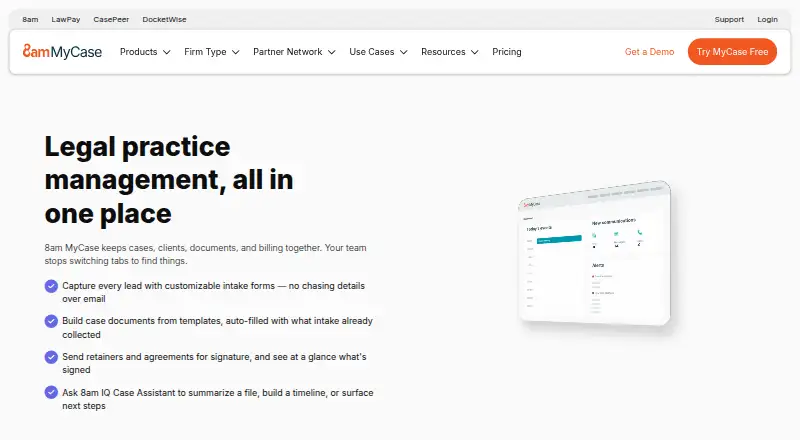
What 8am MyCase is
8am MyCase is legal practice software with tools for client intake, case and contact management, documents, time tracking, billing, payments, and trust accounting. Its Pro plan adds intake forms, automated workflows, document generation, and more than 70 integrations; named examples include Google, Outlook, Zapier, QuickBooks, and Microsoft Office. Payment options include debit, credit, eCheck, client financing, and payment plans. A client portal is listed, but it is limited in Basic. MyCase offers an iOS mobile app, while Desktop Drive for PC and Mac is available on the Advanced plan. Basic costs $50 a month when billed annually, Pro is $100 a month billed annually, and Advanced is $130 a month billed annually. Accounting costs $39 a month billed monthly. LawPay Payments has no monthly fee, though processing rates apply. The listing describes a 10-day trial rather than a continuing free plan; it says cancelling during the trial does not result in a charge.
Good
- Includes client intake, case management, and trust accounting.
- Pro includes more than 70 integrations.
- Supports several payment methods and payment plans.
- iOS mobile app is available.
- Trial cancellation does not result in a charge.
Watch out
- Client Portal is limited in Basic.
- Desktop Drive for PC and Mac requires Advanced.
- No free ongoing plan is described.
Who it suits
It suits law firms that need case management alongside documents, time tracking, billing, payments, and trust accounting. Firms considering Basic should note its limited client portal, and PC or Mac Desktop Drive requires Advanced.
Verdict
MyCase combines core legal-practice tasks with intake, document, and payment tools across its plans. Compare plan-specific access to the client portal and Desktop Drive, and note the separate monthly Accounting and LawPay terms.
Plans and prices
From 8am MyCase's own pricing page, checked 28 Sep 2026.
| Plan | Price | What it gives you |
|---|---|---|
| MyCase Basic | $50 a month | Pay yearly; save up to 16% · Case and contact management · Time entry, invoicing, and trust accounting · Online payments · Unlimited document storage · Limited client portal · billed annually |
| MyCase Pro | $100 a month | Pay yearly; save up to 16% · Everything in Basic · Unlimited eSignature and document generation · Automated workflows · Client intake forms and legal CRM · 70+ integrations · 8am IQ writing and document assistant · billed annually |
| MyCase Advanced | $130 a month | Pay yearly; save up to 16% · 5,000 discovery pages per user each month · billed annually |
| MyCase Accounting | $39 a month | Three-way trust reconciliations · Firm financial management · billed monthly |
| LawPay Payments | Free | Competitive processing rates apply · Integrated online payments · IOLTA trust account protection · No monthly fee; processing rates apply |
| Free trial | Free | 10-day trial; no credit card required; cancel during trial without charge |
The facts
Each one read from 8am MyCase's own pages, with the date it was checked.
What it does
- Bar associations
- MyCase is partnered with more than 130 bar associations.checked 28 Sep 2026
- Client intake
- Yeschecked 21 Sep 2026
- Client portal
- Yeschecked 21 Sep 2026
- Client portal limit
- Client Portal is listed as limited in the Basic plan and available as a core feature.checked 28 Sep 2026
- Document automation
- Yeschecked 21 Sep 2026
- Extra OCR pages
- An additional 5,000 pages for the firm costs $30 and expires at subscription end.checked 28 Sep 2026
- Firm adoption
- More than 19,000 law firms choose MyCase.checked 28 Sep 2026
- Integration count
- The Pro plan includes more than 70 integrations.checked 28 Sep 2026
- Named integrations
- Examples include Google, Outlook, Zapier, QuickBooks, Microsoft Office, LawToolBox, and Smith.ai.checked 28 Sep 2026
- Notable features
- Features include client intake, document automation, case management, billing, payments, and legal AI.checked 28 Sep 2026
- OCR page limit
- Discovery Assistant provides 5,000 pages per user each month, shared across the team.checked 28 Sep 2026
- Paid from
- 50checked 21 Sep 2026
- Payment methods
- Payments support debit, credit, eCheck, client financing, and payment plans.checked 28 Sep 2026
- Security standard
- MyCase describes its security as bank-grade and says it uses the highest security standards.checked 28 Sep 2026
Money
- Billing and payments
- Yeschecked 21 Sep 2026
- Billing options
- Monthly or yearly billing is available, with yearly billing saving up to 16%.checked 28 Sep 2026
- Free plan
- Nochecked 21 Sep 2026
- Free tier limits
- The page describes a free trial, not a free ongoing plan.checked 28 Sep 2026
- Free trial
- MyCase offers a 10-day no-cost trial with no credit card required.checked 28 Sep 2026
Where it runs
- Desktop platforms
- Desktop Drive is available for PC and Mac on the Advanced plan.checked 28 Sep 2026
- Mobile apps
- Yeschecked 21 Sep 2026
- Mobile platform
- The mobile app is available for iOS.checked 28 Sep 2026
The company
- Founded
- 2010checked 23 Sep 2026
- Headquarters
- Austin, Texaschecked 23 Sep 2026
The full review of 8am MyCase
Overview
8am MyCase is a legal practice management platform from 8am MyCase, a company founded in 2010 and headquartered in Austin, Texas. Its feature set covers case and contact management, client intake, document automation, time tracking, billing, payments and trust accounting, with legal AI tools also listed. MyCase says more than 19,000 law firms use the product and reports partnerships with more than 130 bar associations.
The product is paid, with a 10-day trial that does not require a credit card. Cancelling during the trial does not incur a charge. Although a free plan is listed, the available free option is a trial rather than an ongoing free tier. MyCase describes its security as bank-grade and says it uses the highest security standards.
Key features
MyCase combines common legal-office workflows with client-facing and financial tools. Which features are included depends on the plan.
- Case, contact and time management: Basic includes case and contact management, time entry, invoicing and trust accounting.
- Client intake: Pro includes intake forms and legal CRM. Client Portal is listed as limited in Basic and as a core feature.
- Documents and workflows: Pro adds unlimited eSignature and document generation, automated workflows, and 8am IQ writing and document assistance.
- Payments: The platform supports debit and credit cards, eCheck, client financing and payment plans. LawPay Payments has no monthly fee, though processing rates apply.
- Accounting: The separate Accounting plan includes three-way trust reconciliations and firm financial management.
- Integrations: Pro includes more than 70 integrations. Listed examples include Google, Outlook, Zapier, QuickBooks, Microsoft Office, LawToolBox and Smith.ai.
- Discovery Assistant: Advanced includes 5,000 discovery pages per user each month, shared across the team. An additional 5,000 pages for the firm costs $30 and expires at the end of the subscription.
Pricing
MyCase offers monthly or yearly billing, with yearly billing saving up to 16%. The listed plan prices and terms are:
- MyCase Basic: $50 a month, billed annually. Includes case and contact management, time entry, invoicing, trust accounting, online payments, unlimited document storage and a limited client portal.
- MyCase Pro: $100 a month, billed annually. Includes everything in Basic, plus unlimited eSignature and document generation, automated workflows, client intake forms and legal CRM, 70+ integrations, and 8am IQ writing and document assistance.
- MyCase Advanced: $130 a month, billed annually. Includes 5,000 discovery pages per user each month.
- MyCase Accounting: $39 a month, billed monthly. Includes three-way trust reconciliations and firm financial management.
- LawPay Payments: free, with no monthly fee; processing rates apply. Includes integrated online payments and IOLTA trust account protection.
- Free trial: 10 days; price not listed. No credit card is required, and cancelling during the trial does not result in a charge.
The number of firm employees allowed depends on the number of active firm users in the plan. Support is available Monday through Friday, 6am to 5pm PST, at (800) 571-8062.
Platforms
The mobile app is available for iOS. Desktop Drive is available for PC and Mac on the Advanced plan. MyCase lists iOS and macOS as platforms.
Who it's for
MyCase is aimed at law firms looking to manage cases, client information, intake, documents, time, billing and trust accounting in one product. Pro adds client intake forms, legal CRM, document generation, workflows and a broad integration selection. Firms that need Discovery Assistant's page allowance or Desktop Drive should note that those are associated with Advanced.
Pros and cons
- Pros: Plans cover case management, time entry, invoicing and trust accounting; Pro adds intake, document automation, workflows and more than 70 integrations; the trial lasts 10 days and requires no credit card.
- Cons: There is no ongoing free tier; Client Portal is limited in Basic; Desktop Drive is available only on Advanced; additional Discovery Assistant pages incur a charge and expire at subscription end.
Alternatives
For other products in this category, see Legal Practice Management Software. If client access or payment workflows are the focus, browse Legal Client Portal Software and Legal Payments Software.
Other options include HoudiniEsq, LexNebulis, CaseFox, LEAP, CosmoLex, CaseDesk, Kleos and Clio Manage.
Verdict
8am MyCase brings core legal case management together with intake, document tools, payments and trust accounting, while tiered plans separate added workflow, integration and discovery capabilities. The 10-day trial gives firms a way to evaluate the product without a credit card, but the free option is not an ongoing plan. Compare the plan inclusions carefully, especially for client portal access, Desktop Drive and discovery page needs.
Getting started
- Visit the MyCase website.
- Start the 10-day trial; no credit card is required.
- Choose Basic, Pro, Advanced, Accounting, or LawPay Payments based on the listed plan features.
- Use the iOS app for mobile access.
- On Advanced, use Desktop Drive on a PC or Mac.
Limits worth knowing
The 10-day trial is temporary, and the listing describes no ongoing free plan. Basic has a limited client portal. Advanced includes 5,000 Discovery Assistant pages per user each month, shared across the team; extra 5,000-page firm blocks cost $30 and expire at subscription end.
Questions
Is there a free MyCase plan?
The listing describes a free 10-day trial rather than an ongoing free plan.
How much does MyCase cost?
Basic is $50 a month billed annually, Pro is $100 a month billed annually, and Advanced is $130 a month billed annually. Accounting is $39 a month billed monthly; LawPay Payments has no monthly fee, and processing rates apply.
What platforms are available?
The mobile app is available for iOS. Desktop Drive for PC and Mac is available on the Advanced plan.
Does MyCase include a client portal?
Yes. The client portal is limited in Basic and is listed as a core feature.
Which integrations are included?
Pro includes more than 70 integrations. Examples include Google, Outlook, Zapier, QuickBooks, Microsoft Office, LawToolBox, and Smith.ai.
What does the trial include?
The trial lasts 10 days and does not require a credit card. Cancelling during the trial does not result in a charge.
Alternatives to 8am MyCase
- 1
CaseFox
Free planAndroidiOSWebAPI8.7From $45 a month - 2
RunSensible
Free planAndroidiOSWebAPI8.7From $49 a month - 3
CaseDesk
Free planAndroidiOSAPILinux8.6From $290 a year - 4
Clio Manage
AndroidiOSWebAPI8.5 - 5

CosmoLex
AndroidiOSWeb8.5From $49 a month - 6
Jarvis Legal
AndroidiOSWebmacOS8.4From €38 a month