
Lapce
Lapce is a free, open-source code editor written in Rust for Linux, macOS, and Windows.
What Lapce is
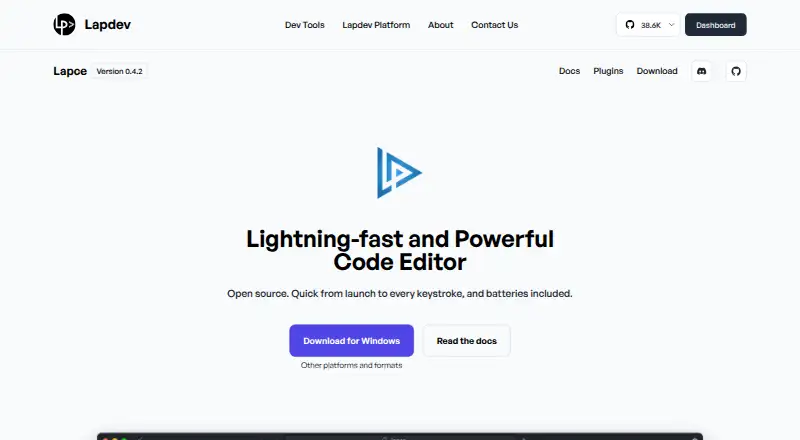
Lapce is a free, open-source code editor written in Rust for Linux, macOS, and Windows. Its native graphical interface uses GPU acceleration through Floem. Tree-sitter provides syntax highlighting, while Language Server Protocol support covers completion, diagnostics, and code actions. Developers can connect to a remote machine to work in an environment matching a production server, and the included terminal opens at the workspace path. The editor also offers Vim-like modal editing and multiple cursors. Plugins can be written in any programming language that compiles to WASI. Listed downloads include Linux tar.gz builds for x86 and ARM, Windows system installer and portable x86 builds, and a universal macOS DMG. The product page displays version 0.4.2. Lapce documentation covers setup, settings, keybindings, modal editing, remote development, themes, terminal use, multiple cursors, syntax highlighting, and plugin development. Its listed plan is free.
Good
- Free and open source.
- Supports Linux, macOS, and Windows.
- Includes LSP completion, diagnostics, and code actions.
- Has remote development and a built-in terminal.
- Plugins can use any language compiling to WASI.
Watch out
- The displayed version is 0.4.2.
- Remote development requires connecting to a remote machine.
Who it suits
Lapce suits developers looking for an open-source editor on Linux, macOS, or Windows. Its remote development, Vim-like editing, and WASI-compatible plugins may be useful to people who want those workflows.
Verdict
Lapce offers code intelligence, remote development, modal editing, and extensible plugins in a free editor. Its listed downloads cover the three desktop platforms, with multiple Linux and Windows build options.
Plans and prices
From Lapce's own pricing page, checked 29 Sep 2026.
| Plan | Price | What it gives you |
|---|---|---|
| Lapce | Free | Open source code editor |
| Lapce editor | Free | open-source desktop editor · Linux, Windows, macOS · built-in LSP, terminal, Vim mode, remote development, WASI plugins · No paid edition is listed |
The facts
Each one read from Lapce's own pages, with the date it was checked.
What it does
- Architecture
- The frontend, filesystem access, plugins and language servers communicate through lapce-proxy, which also runs on remote machines.checked 15 Oct 2026
- Availability disclaimer
- The maker's terms say the site may experience interruptions and that uninterrupted, secure or error-free operation is not guaranteed.checked 15 Oct 2026
- Code intelligence
- Lapce includes Tree-sitter syntax highlighting and LSP support for completion, diagnostics, and code actions.checked 29 Sep 2026
- Community support
- The project directs users to Discord, Reddit and Matrix for discussion and feedback.checked 15 Oct 2026
- Current site version
- The product page displays Lapce version 0.4.2.checked 15 Oct 2026
- Documentation
- Lapce documentation includes setup, command palette, settings, keybindings, modal editing, remote development, themes, terminal, multiple cursors, syntax highlighting, and plugin development.checked 29 Sep 2026
- Documentation depth
- The GitBook documentation covers setup, workspaces, remote SSH, terminal profiles, keybindings, syntax grammars, architecture and plugin publication, but its introduction page says it was last updated a year ago.checked 15 Oct 2026
- Downloads
- The official site offers Linux x86_64 and ARM64 archives, Windows x86_64 installer and portable builds, and a universal macOS disk image.checked 15 Oct 2026
- Extension support
- Yeschecked 22 Sep 2026
- Interface
- Lapce uses a native GUI with GPU acceleration through Floem.checked 29 Sep 2026
- Language intelligence
- Built-in LSP support supplies completion, diagnostics and code actions.checked 15 Oct 2026
- Latest stable release
- GitHub lists v0.4.6 as the latest stable release, dated January 21, 2026, with a nightly channel also available.checked 15 Oct 2026
- License
- The project is released under the permissive Apache License 2.0.checked 15 Oct 2026
- Limit: debugging
- A 2023 review praised SSH editing but said the reviewer could not find debugging or DAP support and hoped for fuller plugin documentation.checked 15 Oct 2026
- Limit: maturity
- MacGeneration reported that Lapce was still pre-alpha, had a small volunteer team, limited extensions and could not open one large test text file that other editors handled.checked 15 Oct 2026
- Limit: plugin ecosystem
- Open Source For You said the plugin ecosystem was still developing and less mature than VS Code's.checked 15 Oct 2026
- Limit: stability and ecosystem
- HysenLabs advised against Lapce when mature APIs, production stability or a large niche-plugin ecosystem are required, because the project remains pre-1.0 and WASI extensions are young.checked 15 Oct 2026
- Limit: stability complaints
- Reddit users reported Windows instability, frequent bugs, missing daily-use features and a plugin ecosystem behind VS Code.checked 15 Oct 2026
- Limit: user interface
- The same report described focus loss after resizing, absent middle-click paste, inability to drag selected text, low-contrast defaults and non-resizable sidebar sections.checked 15 Oct 2026
- Limit: Vim and crashes
- Hacker News commenters described incomplete Vim keybindings, hangs and crashes, and said the editor was not ready as a daily driver.checked 15 Oct 2026
- Local data handling
- The architecture documentation says the app stores file content locally and the proxy reads and writes files on disk.checked 15 Oct 2026
The company
- Company transparency
- The opened official pages do not state a legal entity name beyond Lapdev, headquarters, founding year, employee count or funding.checked 15 Oct 2026
Money
- Free plan
- Yeschecked 22 Sep 2026
Where it runs
- Limit: Linux packaging
- A C++ developer report noted that Linux downloads were a tarball or single binary and expressed a preference for AppImage or Flatpak packaging.checked 15 Oct 2026
The full review of Lapce
Overview
Lapce is a free, open-source code editor written in Rust, with code intelligence, remote development, and built-in Vim-like modal editing. It suits developers who want a cross-platform editor with a terminal and room to extend it; its strongest case is the breadth of its core tools without a paid plan.
Its native, GPU-accelerated interface and support for multiple cursors round out a practical editing setup. Lapce is less compelling for readers looking for a paid support tier or a specialized IDE experience; its appeal is a capable general editor that can be shaped with plugins.
Key features
Lapce combines Tree-sitter syntax highlighting with Language Server Protocol support for completions, diagnostics, and code actions. That gives developers language-aware help within the editor, while compiler diagnostics and Cargo support are relevant additions for Rust work. The feature set depends on language-server support rather than promising a bespoke toolchain for every language.
Remote development connects to a machine so work can happen in an environment matching a production server. This can help reduce differences between a local setup and deployment, though it is most useful to developers already working with remote machines.
Vim-like modal editing is built in, and multiple-cursor editing supports making repeated changes across a file. A terminal opens at the workspace path, keeping command-line work close to the project. Plugins can be written in any language that compiles to WASI, a flexible route for extending the editor that does require plugin authors to work within that constraint.
The interface is a native GUI built with Floem and GPU acceleration. Lapce’s documentation covers setup, settings, keybindings, themes, remote development, terminal use, syntax highlighting, modal editing, multiple cursors, and plugin development, giving new users a path into its less familiar workflows.
Pricing
Lapce has one plan: Lapce costs free and is an open-source code editor. There is no paid tier to unlock the editor’s listed features, so it suits developers who want to avoid subscription costs as well as those who value open-source software.
Platforms
Lapce supports Linux, macOS, and Windows. Downloads include Linux tar.gz builds for x86 and ARM, Windows system-installer and portable x86 builds, and a universal macOS DMG. The range gives users desktop installation choices, with Linux ARM and Windows portable builds particularly useful for matching an installation to a device or setup.
Who it's for
Lapce is a good fit for developers who want language-server-based assistance, a built-in terminal, and the option to work remotely in a production-like environment. Rust developers have Cargo support and compiler diagnostics to complement its general editing tools. Vim users can bring modal habits to the editor without relying on a plugin.
It is a weaker fit for anyone who needs an IDE tailored to a particular framework or prefers a product with a commercial support plan. Its WASI requirement for plugins may also be a hurdle for developers whose preferred extension does not compile to that target.
Pros and cons
- Pros: Free and open source, with no paid tier separating users from the editor’s core tools.
- Pros: LSP completions, diagnostics, and code actions combine with Tree-sitter highlighting for useful language-aware editing.
- Pros: Remote development, a workspace-rooted terminal, modal editing, and multiple cursors cover distinct daily workflows.
- Cons: Plugins must be written in a language that compiles to WASI, which narrows the extension path.
- Cons: The product is a general code editor, not a dedicated IDE for a specific language or framework.
Alternatives
For another free option centered on Rust, compare RustRover, which has a free non-commercial plan for learning, self-education, qualifying open-source contributions, content creation, and hobby development, as well as a free trial. Fresh is a free, open-source alternative for Linux, macOS, Windows, and self-hosted use, with no paid tiers or usage limits stated. Eclipse Corrosion is another free option for Linux, macOS, and Windows.
Zed may suit developers who want a free code editor plan with accepted edit predictions and external-agent or API-key support; its Personal plan includes 2,000 accepted edit predictions. For a macOS-only alternative, Evcode is free and has no free trial. CodeLite is a free GPLv2 IDE for Linux, macOS, and Windows, with an exception allowing separately developed plugins to use any license. Kate is a free text editor for the same three desktop platforms. Qt Creator is worth considering for broader platform coverage, including Android, iOS, and web; its open-source version comes with LGPL/GPL obligations for Qt framework use.
Browse more options in Rust IDEs, Go IDEs, Text Editors, and Code editors.
Verdict
Choose Lapce if you want a free, open-source desktop editor that brings language-server intelligence, remote development, modal editing, and extensibility together. Its main limitation is that it remains a general editor, with plugin development tied to WASI; developers seeking a specialized IDE or a different extension ecosystem should look elsewhere.
Alternatives to Lapce
- 1

Calmly Writer
Free planAndroidWebLinuxmacOS8.6Free plan - 2

Zed
Free planLinuxmacOSWindows8.3From $10 a month - 3

Visual Studio Code
Free planWebLinuxmacOSWindows8.2Free plan - 4
Neovim
Free planAndroidAPILinuxmacOS8.1Free plan - 5
Geany
Free planOpen sourceLinuxmacOSWindows8.1Free plan - 6
GNU Emacs
Free planAndroidLinuxmacOSWindows8.0Free plan