Eclipse Corrosion
Eclipse Corrosion is a free, open-source Rust development plugin for the Eclipse IDE, available on Windows, macOS, and Linux.
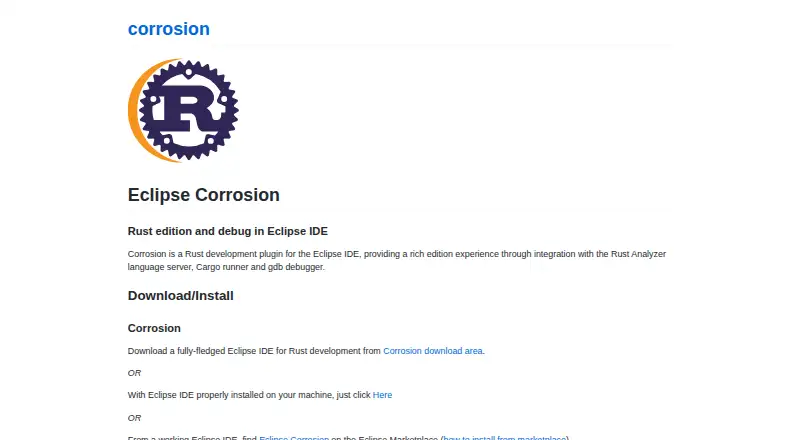
What Eclipse Corrosion is
Eclipse Corrosion is a free, open-source Rust development plugin for the Eclipse IDE, available on Windows, macOS, and Linux. It connects Rust Analyzer for completion, hover documentation, diagnostics, formatting, and Rust navigation. Cargo and Rustup tools support project setup, toolchain management, TOML editing, and crate export. For debugging, Corrosion uses rust-gdb with Eclipse CDT GDB support, including breakpoints, variable inspection, a GDB console, and expression execution. A Unit Tests view tracks test execution and helps examine reports. It can be installed as a packaged Eclipse IDE, added to an existing Eclipse installation, installed from Eclipse Marketplace, or obtained from a p2 repository. Corrosion can install the Rust toolchain on Linux and macOS. Git integration and an embedded terminal are available only in the Corrosion Package. In-IDE Cargo crate management is outside the project’s current scope. The project uses the Eclipse Public License 2.0; its latest listed release is version 1.2.4, dated 2022-07-05.
Good
- Integrates Rust Analyzer language features
- Includes Cargo and Rustup integration
- Supports Rust debugging and test monitoring
- Free and open source
Watch out
- In-IDE Cargo crate management is out of scope
- Git integration and embedded terminal require Corrosion Package
- Rust toolchain installation through Corrosion is listed for Linux and macOS
- Latest listed release is dated 2022-07-05
Who it suits
Corrosion suits Rust developers, from newcomers to experts, who use Eclipse and want integrated language, Cargo, testing, and debugging tools. It is less suited to users who need in-IDE Cargo crate management.
Verdict
Corrosion brings Rust language tools, testing, and debugging into Eclipse at no cost. Check the package-specific Git and terminal availability and the stated scope limit before choosing it.
The facts
Each one read from Eclipse Corrosion's own pages, with the date it was checked.
What it does
- Audience
- The project describes its Cargo and Rustup GUI as intended for Rust developers from newcomers to experts.checked 30 Sep 2026
- Cargo and Rustup
- Cargo and Rustup integration includes a project wizard, toolchain management, TOML editing support, and crate export.checked 30 Sep 2026
- Debugging
- It uses rust-gdb to support variable inspection, a GDB console, breakpoints, and expression execution.checked 30 Sep 2026
- Eclipse features
- Corrosion works with Eclipse features and Marketplace extensions; Git integration and an embedded terminal are listed as available only in the Corrosion Package.checked 30 Sep 2026
- Installation
- The page offers a packaged Eclipse IDE download, installation into an existing Eclipse IDE, Eclipse Marketplace installation, and a p2 repository.checked 30 Sep 2026
- Integrations
- The project overview says Corrosion integrates Rust Analyzer through LSP4E, provides syntax highlighting through TM4E, uses rustup to provision Rust tools, Cargo for project operations, and rust-gdb with Eclipse CDT GDB support for debugging.checked 30 Sep 2026
- Language tools
- It integrates with Rust Analyzer for completion, documentation hover, diagnostics, and formatting.checked 30 Sep 2026
- Latest listed release
- The Eclipse project page lists version 1.2.4, dated 2022-07-05, as the latest release.checked 30 Sep 2026
- License
- Corrosion is an open-source project licensed under the Eclipse Public License 2.0.checked 30 Sep 2026
- Purpose
- Corrosion is a Rust development plugin for the Eclipse IDE.checked 30 Sep 2026
- Scope limit
- In-IDE Cargo crate management is currently out of scope, according to the Eclipse project page.checked 30 Sep 2026
- Support
- The project invites users with a feature or bug to file an issue so developers can help them get started.checked 30 Sep 2026
- Support and contributions
- The project invites feature and bug reports through GitHub issues and says developers can help contributors get started.checked 30 Sep 2026
- Testing
- A Unit Tests view monitors test execution and helps analyze test reports.checked 30 Sep 2026
The company
- Founded
- 2018checked 23 Sep 2026
Where it runs
- Linux and macOS
- The Rust toolchain can be installed through Corrosion’s Rust preferences on Linux and macOS.checked 30 Sep 2026
- Toolchain platforms
- The Rust toolchain can be installed through Corrosion on Linux and macOS.checked 30 Sep 2026
Alternatives to Eclipse Corrosion
- 1
Qt Creator
Free planAndroidiOSWebLinux7.7From €546 a year - 2

Zed
Free planLinuxmacOSWindows7.6From $10 a month - 3

Lapce
Free planOpen sourceExtensionLinuxmacOSWindows7.4Free plan - 4

RustRover
Free planLinuxmacOSWindows6.9From $6.90 a month - 5

Kate
Free planLinuxmacOSWindows6.5Free plan - 6
CodeLite
Free planLinuxmacOSWindows6.2Free plan