
Kate
Kate is a free text editor for Linux, macOS, and Windows, suited to both general text files and code.
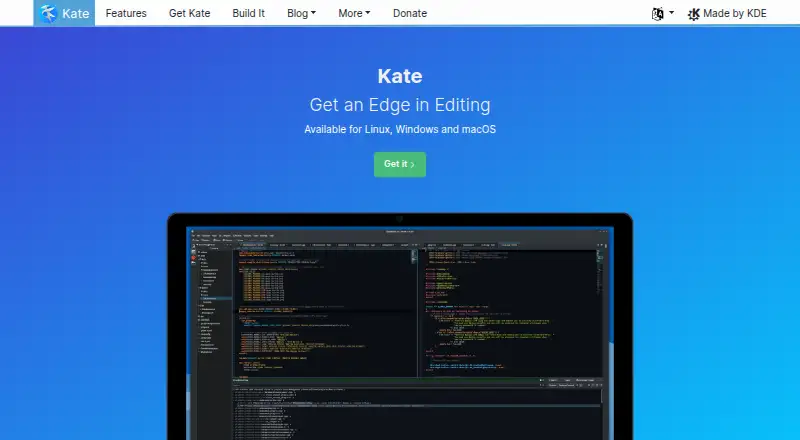
What Kate is
Kate is a free text editor for Linux, macOS, and Windows, suited to both general text files and code. It can keep several documents open in horizontal or vertical split windows, with multi-cursor and column editing. For code, it provides syntax highlighting for more than 400 languages, bracket matching, and spell checking as you type. Programming tools include completion with argument hints, scriptable auto-indentation, and a Vi input mode; Kate also uses the Language Server Protocol to provide completion in many languages. Search and replace supports regular expressions and multiline searches across open documents or files on disk. Listed extensions include an embedded terminal, SQL, build, GDB, and Replace in Files plugins. Kate can open remote files and handle Unicode and other encodings. Backups on save and swap files are intended to help recover data after a system crash. Kate is free, and no trial is listed.
Good
- Free to use on Linux, macOS, and Windows.
- Syntax highlighting covers more than 400 languages.
- Split windows support multiple open documents.
- Search spans open files and files on disk.
- Backups and swap files support crash recovery.
Watch out
- No free trial is listed.
- Nightly packages may be unstable or incomplete.
Who it suits
Kate suits people who want a free desktop editor for text, code, and multiple open documents. Its programming features and Linux, macOS, and Windows support may also suit developers working across those platforms.
Verdict
Kate combines multi-document editing with programming tools and broad file search. Its nightly builds are intended for testing and may be unstable or incomplete.
Plans and prices
From Kate's own pricing page, checked 4 Oct 2026.
| Plan | Price | What it gives you |
|---|---|---|
| Kate | Free | Text editor for Linux, Windows and macOS |
The facts
Each one read from Kate's own pages, with the date it was checked.
What it does
- Column editing
- Yeschecked 22 Sep 2026
- Development
- Kate and its related frameworks are created by volunteers around the world; the team page reports 95 contributors during the last year.checked 4 Oct 2026
- Extension support
- Yeschecked 22 Sep 2026
- File handling
- Kate supports opening remote files and Unicode and other encodings.checked 4 Oct 2026
- Language integration
- The homepage says Kate uses the Language Server Protocol to provide auto-completion for many languages.checked 4 Oct 2026
- Multi-cursor editing
- Yeschecked 22 Sep 2026
- Multiple documents
- Users can view and edit multiple documents at once in horizontally or vertically split windows.checked 4 Oct 2026
- Nightly builds
- The site says nightly packages are compiled daily and may be unstable or contain bugs or incomplete features, and recommends them for testing.checked 4 Oct 2026
- Plugins
- Listed plugins include an embedded terminal, SQL, build, GDB and Replace in Files plugins.checked 4 Oct 2026
- Privacy
- KDE says its software generally does not transfer information from users’ devices except after explicit user action; any telemetry is opt-in and disabled by default.checked 4 Oct 2026
- Product
- Kate is a text editor for viewing and editing text files.checked 4 Oct 2026
- Programming
- Programming features include auto-completion with argument hints, scriptable auto-indentation and Vi input mode.checked 4 Oct 2026
- Recovery
- Kate includes backups on save and swap files to recover data after a system crash.checked 4 Oct 2026
- Search
- Search and replace supports regular expressions, multiline searches and files on disk or multiple open files.checked 4 Oct 2026
- Support
- Kate support is offered through its KDE Discuss section, Matrix channel and KDE bug tracker.checked 4 Oct 2026
- Syntax highlighting
- Kate supports syntax highlighting for over 400 languages, bracket matching and on-the-fly spell checking.checked 4 Oct 2026
Money
- Free plan
- Yeschecked 22 Sep 2026
Where it runs
- Macro recording
- Yeschecked 22 Sep 2026
- Platforms
- The download page provides installation options for Linux, Windows and macOS, including nightly packages.checked 4 Oct 2026
- Supported platforms
- Linux,BSD,Windows,macOSchecked 22 Sep 2026
The full review of Kate
Kate is a free text editor for people who move between code and ordinary documents. It suits users who want capable editing and search across Linux, macOS, Windows, or BSD without a paid plan. Its breadth makes it a practical general-purpose editor, while its programming tools stop short of making it a dedicated IDE.
Overview
Kate brings multi-document editing, programming aids, and broad search into one editor. Split windows can show documents horizontally or vertically, which is useful for comparing files or keeping a reference beside the current draft. Syntax highlighting for more than 400 languages, bracket matching, and on-the-fly spell checking make it equally relevant to source code and prose.
Remote-file access and support for Unicode and other encodings extend its usefulness across different files and locations. Backups on save and swap files can help recover work after a system crash, an important safeguard for anyone editing valuable documents.
Key features
Programming features include auto-completion with argument hints, scriptable auto-indentation, and Vi input mode. Multi-cursor and column editing, along with macro recording, give users additional ways to handle repetitive or structured edits. Language Server Protocol integration provides auto-completion for many languages, but Kate is best understood as a versatile editor rather than a language-specific development environment.
Search and replace supports regular expressions and multiline searches across open documents or files on disk. That reach is useful when a change needs to span a project or a set of documents, not just the active file. Plugins include an embedded terminal, SQL, build, GDB, and Replace in Files tools; extension support offers room to adapt the editor to different workflows.
Kate's support channels include KDE Discuss, Matrix, and the KDE bug tracker. KDE says its software generally sends no information from users' devices unless they explicitly act, and any telemetry is opt-in and disabled by default. The editor and related frameworks are developed by volunteers around the world; the team page reports 95 contributors during the last year.
Nightly packages are compiled daily, but may be unstable, buggy, or incomplete. They are intended for testing, so users who need a dependable editing setup should avoid treating them as the default choice.
Pricing
Kate is free: its plan costs nothing and covers the text editor for Linux, Windows, and macOS. There is no free trial because the editor is already free to use. This straightforward arrangement suits individual users who want its full editing toolkit without a subscription; there is no cheaper tier that trades away features.
Platforms
Kate supports Linux, BSD, Windows, and macOS. The listed plan names Linux, Windows, and macOS, while supported-platform information also includes BSD. That range makes Kate a sensible option for users who work across desktop operating systems.
Who it's for
Choose Kate if you need one editor for code and text, often work with multiple files, or value search across documents and disk files. Its editing modes, broad syntax support, and recovery safeguards are useful for developers and writers alike. Look elsewhere if your priority is a dedicated IDE for a particular language rather than a general-purpose editor.
Pros and cons
- Pros: Split-document editing, extensive language highlighting, and search across files support varied work without requiring separate tools.
- Pros: Multi-cursor and column editing, macro recording, and programming aids give experienced users more control over edits.
- Pros: Free access across major desktop platforms, plus BSD support, makes it easy to adopt without a paid plan.
- Cons: Kate is positioned as a text editor, not a dedicated IDE, so users seeking a specialized development environment may prefer another tool.
- Cons: Nightly builds can be unstable or incomplete, making them a poor fit for users who need a reliable daily build.
Alternatives
For a broader directory of options, browse Text Editors or Code editors; readers focused on a language can compare Rust IDEs, PHP IDEs, or Go IDEs.
Qt Creator is worth considering if you want an IDE with a free open-source version, though Qt framework use is subject to LGPL/GPL obligations. Zed may suit readers interested in a free personal code-editor plan with accepted edit predictions and external-agent or API-key support. Lapce is another free, open-source code editor across Linux, macOS, and Windows.
CodeLite is a free GPLv2 IDE, with an exception allowing separately developed plugins to use any license. Fresh offers a free and open-source editor with no paid tiers or usage limits stated. For a Linux-only option, GNOME Builder is free and limited to desktop on x86_64 and aarch64. RustRover has a free non-commercial plan for qualifying uses, while Huly Code is free to use.
Verdict
Kate is the right choice for users who want a free, cross-platform editor with serious multi-document, search, and programming tools. Its greatest advantage is the amount of flexibility it brings to ordinary text editing without a paid plan. Choose a dedicated IDE instead if your work calls for a specialized development environment.
Getting started
- Open the Kate website
- Choose the package for Linux, macOS or Windows
- Install Kate on your computer
- Open text files or remote files
- Enable listed plugins or editing modes as needed
Limits worth knowing
The free Kate plan is the text editor for Linux, Windows and macOS. Nightly packages can contain bugs or incomplete features and are intended for testing.
Questions
Is Kate free?
Yes. The Kate plan is listed as free, and a free plan is available.
Which platforms does Kate support?
Kate supports Linux, macOS and Windows; supported platforms also include BSD.
Does Kate support extensions?
Yes. Listed plugins include an embedded terminal, SQL, build, GDB and Replace in Files.
Can Kate recover work after a crash?
Kate uses backups on save and swap files to help recover data after a system crash.
How does Kate handle telemetry?
KDE says telemetry is opt-in and disabled by default, with information transfer requiring explicit user action.
Alternatives to Kate
- 1

Calmly Writer
Free planAndroidWebLinuxmacOS8.6Free plan - 2

Zed
Free planLinuxmacOSWindows8.3From $10 a month - 3

Visual Studio Code
Free planWebLinuxmacOSWindows8.2Free plan - 4
Neovim
Free planAndroidAPILinuxmacOS8.1Free plan - 5
Geany
Free planOpen sourceLinuxmacOSWindows8.1Free plan - 6
GNU Emacs
Free planAndroidLinuxmacOSWindows8.0Free plan