
LandingLens
LandingLens is a computer vision platform for building, training, and deploying image-based AI models without complex programming or AI expertise.
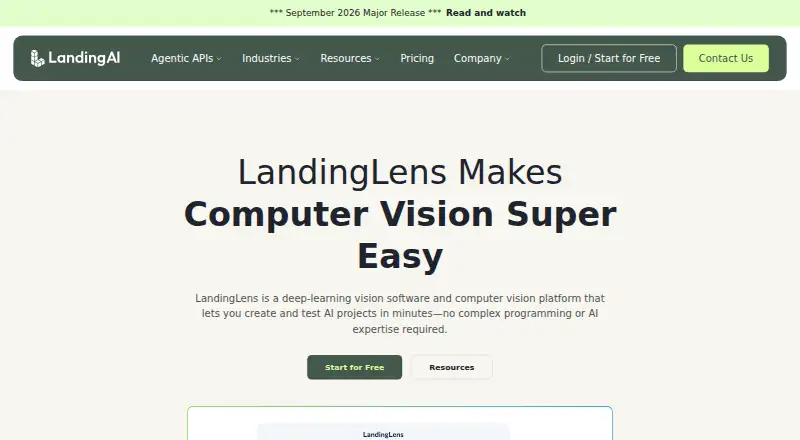
What LandingLens is
LandingLens is a computer vision platform for building, training, and deploying image-based AI models without complex programming or AI expertise. Its workflow moves from uploading and labeling images to training a model and deploying it. A label book helps teams align on class and label definitions, and labeling technology can detect mislabeled images; multiple users can label together. Models can be deployed to cloud or edge environments, including through a Windows App or API, and teams can add deployment data and retrain. The platform supports projects across locations and teams. Deployment choices also include a Snowflake Native App that runs in the customer’s Snowflake account and a VPC installation in a customer’s AWS, Azure, or GCP environment on Kubernetes. The Free plan is free and includes 1,000 monthly credits, unlimited projects, three users, and up to 10,000 images per project. Training and inference stop when the credit limit is reached; model downloads are limited to one active project and use is noncommercial. Enterprise pricing is available by contacting sales.
Good
- Builds models through image upload, labeling, and training.
- Multiple users can label images collaboratively.
- Deployment options include a Windows App and API.
- Free plan includes unlimited projects.
- Snowflake app runs in the customer’s Snowflake environment.
Watch out
- Free plan training and inference stop at 1,000 monthly credits.
- Free-plan model downloads are limited to one active project.
- Free-plan use is noncommercial.
- Enterprise pricing requires contacting sales.
Who it suits
LandingLens suits teams building image classification or object detection models, from a single production line to operations across locations. Its collaborative labeling and deployment options also fit teams that need to work together on projects.
Verdict
LandingLens offers a no-code path from labeled images to deployment, with options for collaboration and retraining. The Free plan has a monthly credit ceiling and noncommercial use; commercial model use is listed under Enterprise.
Plans and prices
From LandingLens's own pricing page, checked 4 Oct 2026.
| Plan | Price | What it gives you |
|---|---|---|
| Free | Free | 1,000 credits per month · unlimited projects · 3 users · up to 10k images per project · 1 active project for model downloads; noncommercial use · $0 /month |
| Enterprise | Priced on request | Custom users · active project downloads starting at 5 · commercial model use · customer success · enterprise security and volume discounts · Contact sales for pricing |
The facts
Each one read from LandingLens's own pages, with the date it was checked.
What it does
- Collaboration
- Multiple users can label images collaboratively to build consensus.checked 4 Oct 2026
- Continuous learning
- Users can add data from the deployment environment and retrain their model in LandingLens.checked 4 Oct 2026
- Data encryption
- The maker says LandingLens SaaS data is encrypted at rest and in transit.checked 4 Oct 2026
- Data quality
- Its label book helps teams align on class and label definitions, and its labeling technology can detect mislabeled images.checked 3 Oct 2026
- Data use
- For LandingLens SaaS PAYG and subscription customers, data may be used to improve LandingAI services and products under the applicable terms; enterprise data is used as directed to provide the services.checked 3 Oct 2026
- Deployment
- LandingLens offers cloud and edge deployment, with options ranging from a Windows App to a programmatic API.checked 4 Oct 2026
- Enterprise download limit
- Enterprise pricing lists active project downloads starting at five; downloaded models may be used commercially under the applicable enterprise agreement.checked 4 Oct 2026
- Intended users
- The maker describes LandingLens as a platform that can scale from a single production line to operations across multiple locations and teams.checked 4 Oct 2026
- Label quality
- LandingLens provides a label book to align class and label definitions, and its labeling technology automatically detects mislabeled images.checked 4 Oct 2026
- No-code model building
- The maker says users can build a computer vision model in minutes using an image-labeling tool and one-button training.checked 4 Oct 2026
- No-code workflow
- Users can build a computer vision model by uploading images, labeling them, and training the model.checked 3 Oct 2026
- Private deployment
- LandingLens VPC runs in a customer’s AWS, Azure, or GCP cloud environment on Kubernetes infrastructure.checked 3 Oct 2026
- Purpose
- LandingLens is a deep-learning computer vision platform for creating and testing AI projects without complex programming or AI expertise.checked 4 Oct 2026
- SaaS data location
- The security page says standard LandingLens SaaS data is stored on AWS in the US East (Ohio) region.checked 3 Oct 2026
- Scale
- LandingLens supports managing multiple projects across locations and collaborating with other teams.checked 3 Oct 2026
- Security
- LandingAI states that it is SOC 2 Type II compliant and GDPR compliant.checked 4 Oct 2026
- Security controls
- LandingAI says LandingLens provides SSO and role-based access control, and that data is encrypted in transit using TLS 1.2 or higher and at rest using AES-256.checked 3 Oct 2026
- Snowflake
- The security page says the LandingLens Snowflake Native App runs in the customer’s Snowflake environment, where the customer controls data access and retention.checked 3 Oct 2026
- Snowflake integration
- LandingLens is available as a Snowflake Native App, where data is stored and processed in the customer's Snowflake account.checked 4 Oct 2026
- Support
- The pricing page lists community and in-product support, while customer success is included with Enterprise.checked 4 Oct 2026
- VPC identity integration
- LandingLens VPC supports external identity services including LDAP, SAML, and Microsoft Entra ID for single sign-on and centralized user management.checked 3 Oct 2026
Money
- Free access
- The LandingLens product page offers a “Start for Free” option but does not state its price or specify whether this is a free plan or trial.checked 3 Oct 2026
- Free plan limit
- The free plan allows up to 1,000 credits monthly, and training or inference stops when that limit is reached.checked 4 Oct 2026
The company
- Team labeling
- Multiple users can label images collaboratively to build consensus.checked 3 Oct 2026
The full review of LandingLens
LandingLens is a computer-vision platform for creating and deploying image models without complex programming. It is best suited to teams that need shared labeling and custom vision projects across locations. Its connected workflow is a strength, but the free plan’s credit ceiling and noncommercial restriction limit it as a production option.
Overview
LandingLens takes teams from image uploads and labeling through training and deployment. It supports image classification, object detection, and custom models, so it is aimed at building tailored vision systems rather than only calling a fixed recognition service. The no-code approach reduces the programming burden, though teams still need sound labels and a way to decide whether a model suits their task.
Key features
A label book helps contributors align on classes and label definitions, while the labeling technology can flag mislabeled images. Multiple users can label collaboratively to build consensus. These features are useful when annotation is shared across a team; they help improve consistency but cannot settle ambiguous class definitions on their own.
After training, teams can deploy to cloud or edge environments, including through a Windows App or programmatic API. They can add data from deployment and retrain in LandingLens, supporting an iterative model workflow. Support for projects across locations and teams gives larger operations room to coordinate work, though the plan limits matter: Free includes three users and one active project for model downloads.
For customers who need more control over where data runs, LandingLens is offered as a Snowflake Native App in the customer’s Snowflake environment, and LandingLens VPC runs in a customer’s AWS, Azure, or GCP environment on Kubernetes. VPC supports LDAP, SAML, and Microsoft Entra ID for single sign-on and centralized user management. LandingAI says LandingLens provides SSO and role-based access control, encrypts data in transit with TLS 1.2 or higher and at rest with AES-256, and is SOC 2 Type II and GDPR compliant. Standard SaaS data is stored in AWS US East (Ohio). SaaS PAYG and subscription data may be used to improve LandingAI services under applicable terms; Enterprise data is used as directed to provide services.
Pricing
| Plan | Price | Includes |
|---|---|---|
| Free | free (billed $0 /month) | 1,000 credits per month, unlimited projects, 3 users, up to 10k images per project, and 1 active project for model downloads; noncommercial use |
| Enterprise | Custom pricing | Custom users, active project downloads starting at 5, commercial model use, customer success, enterprise security, and volume discounts |
Free is a practical starting point for small, noncommercial projects: its image allowance is generous per project, but training or inference stops at 1,000 monthly credits, and only one active project can be downloaded as a model. Commercial model use requires Enterprise, which also raises active project downloads to at least five and includes customer success. Enterprise is the relevant choice for production teams needing commercial rights or enterprise security, but it has custom pricing. The pricing page lists community and in-product support; Free is not a trial, and there is no free trial.
Platforms
LandingLens supports API, self-hosted, web, and Windows access. Cloud and edge deployment options, plus the Snowflake app and VPC deployment, give teams different ways to run projects and manage data.
Who it's for
Choose LandingLens if your team needs a no-code route from labeled images to custom models, shared annotation, and an ongoing deployment-and-retraining cycle. It is less suitable if you need unrestricted commercial use on a free tier, high-volume usage without credit interruptions, or a simple prebuilt image API rather than a custom model workflow.
Pros and cons
- Pros: Shared labeling, label guidance, and mislabeled-image detection address dataset consistency across contributors.
- Pros: Cloud and edge deployment, API and Windows options, and retraining from deployment data support an ongoing workflow.
- Pros: Snowflake and VPC deployment options let customers keep processing in their own cloud environments.
- Cons: Free training and inference stop at 1,000 credits monthly, which can interrupt evaluation or use once the quota is reached.
- Cons: Free is limited to noncommercial use and one active project download; commercial model use requires custom-priced Enterprise.
- Cons: Standard SaaS is hosted in AWS US East (Ohio), and SaaS PAYG and subscription data may be used to improve services under applicable terms.
Alternatives
For on-device machine-learning solutions and a free framework, choose MediaPipe instead of LandingLens’s image-labeling-to-custom-model workflow. If you want free API access with one API key and API-group-dependent QPS limits, consider Face++. Google Cloud Vision API is an alternative with per-image billing, where each feature applied to an image is a billable unit and usage is billed in monthly tiers. For free, open-source, Docker-based deployment with CPU and GPU support, consider CompreFace. Roboflow is another freemium option, with a Free Tier that includes 10 credits a month, enough to train about 30 models or run 80,000 inferences. Yandex Vision OCR is a paid API and web option for printed text and license-plate recognition. For a free, open-source single-machine option supporting CPU or GPU, consider DeepDetect. PaddleOCR is an alternative with an Official API Free Tier and a daily document-parsing limit of 20,000 pages.
Browse AI Image Recognition Software for more options.
Verdict
LandingLens is a strong fit for teams building custom computer-vision workflows that need collaborative labeling, multiple deployment routes, and a way to retrain from production data. Its free plan is useful for noncommercial evaluation, but the credit cap and download limit are real constraints; teams planning commercial deployment should expect to discuss custom-priced Enterprise, and teams seeking a ready-made recognition API should look elsewhere.
Alternatives to LandingLens
- 1

Roboflow
Free planAndroidiOSWebAPI8.3From $39 a month - 2

CVAT
Free planWebAPISelf-hosted6.9Free plan - 3
Supervisely
Free planWebAPISelf-hosted6.9From €199 a month - 4

Ultralytics Platform
Free planWebAPISelf-hosted6.7From $29 a month - 5
Clarifai Visual Search
WebAPISelf-hosted6.1 - 6
NVIDIA TAO Toolkit
Free planLinuxSelf-hosted5.9Free plan