Kubova
Kubova calculates container and pallet loading plans from cargo and equipment data, with capacity estimates, exact item placements, 3D visualizations, and PD…
What Kubova is
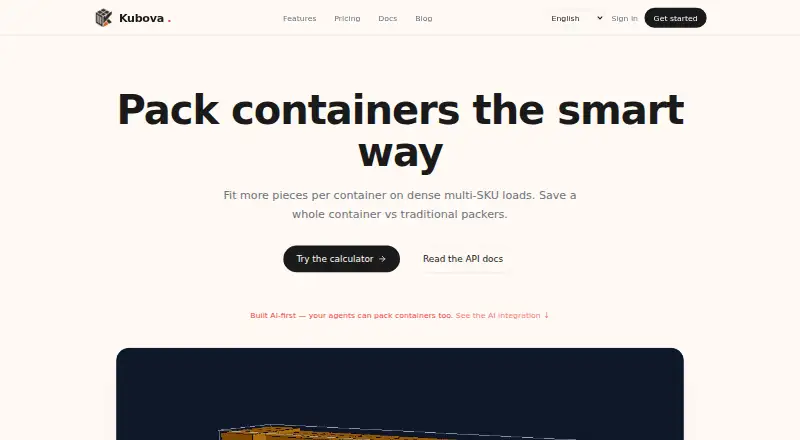
Kubova calculates container and pallet loading plans from cargo and equipment data, with capacity estimates, exact item placements, 3D visualizations, and PDF reports. It handles multiple SKUs and cylinders, standard or custom containers, and mixed container types. Its packing engine accounts for real container dimensions, payload limits, and gravity, and identifies items that do not fit. The web interface is available on the Free plan, which includes 50 packs and 20 PDF reports per month. Pro costs $29 a month and adds REST and MCP API access, with allowances of 5,000 packs and 2,000 PDF reports monthly. The API accepts cargo and container details and returns placements, used volume, and unplaced pieces. The MCP guide lists Claude, ChatGPT, Cursor, Cline, and VS Code as compatible clients. Kubova is aimed at logistics teams such as exporters, freight forwarders, and 3PLs. It says its data is stored in a managed encrypted database and its computation runs in a secure cloud region, with the US as default.
Good
- Plans container and pallet loads
- Supports mixed container types and custom sizes
- Accounts for dimensions, payload limits, and gravity
- Generates 3D placements and PDF reports
- Free plan includes 50 packs monthly
Watch out
- Free plan is limited to web UI
- API access starts at Pro, $29 a month
- Free plan includes only 20 PDF reports monthly
Who it suits
Kubova suits logistics teams such as exporters, freight forwarders, and 3PLs that need loading plans and capacity estimates. Pro may fit users who need REST or MCP API access; the Free plan is limited to the web UI.
Verdict
Kubova combines loading calculations with visual plans and reports, with API access available on Pro and above. Compare the Free plan’s monthly limits with your workload before choosing a tier.
Plans and prices
From Kubova's own pricing page, checked 19 Oct 2026.
| Plan | Price | What it gives you |
|---|---|---|
| Free | Free | 50 packs/month · 20 PDF reports/month · web UI only · community support · forever |
| Pro | $29 a month | 5,000 packs/month · 2,000 PDF reports/month · REST + MCP API · 1 user · 1 organization · email support · 14-day trial · monthly |
| Team | $69 a month | 3 seats · up to 3 organizations · unlimited packs and reports · shared workspaces · white-label PDFs · priority email support · 30-day trial · monthly |
| Enterprise | Priced on request | Unlimited usage · white-label PDFs · SAML SSO · dedicated worker pool · 99.9% SLA · custom |
The facts
Each one read from Kubova's own pages, with the date it was checked.
What it does
- 3D visualization
- Results provide an interactive CAD-style 3D layout with exact piece coordinates and dimensions.checked 19 Oct 2026
- AI integrations
- The MCP integration guide lists Claude, ChatGPT, Cursor, Cline, and VS Code as compatible clients, with a remote connector and an optional local npm setup.checked 8 Oct 2026
- API
- The REST API accepts cargo and container data and returns placements, used volume, and unplaced pieces; API access is available on Pro and above.checked 8 Oct 2026
- API endpoints
- Documented endpoints include /me, /pack and /report, with placements, utilization and unplaced-piece data returned.checked 19 Oct 2026
- API limits
- The documented default API limit is 60 requests per minute per key, with pack requests timing out after 290 seconds.checked 19 Oct 2026
- API rate limit
- The API documentation states a default limit of 60 requests per minute per key and a 290-second timeout for pack requests.checked 8 Oct 2026
- Capacity estimation
- The capacity tool calculates complete product sets per container and identifies whether space or weight is limiting.checked 19 Oct 2026
- Cargo support
- The calculator supports multiple SKUs and cylinders, and lets users choose standard or custom containers and mix container types.checked 8 Oct 2026
- Cloud regions
- Compute runs in a secure US cloud region by default, with EU and APAC regions planned for Enterprise.checked 19 Oct 2026
- Container choices
- Presets include 20DC, 40DC, 40HC and 45HC, with custom container dimensions also supported.checked 19 Oct 2026
- Data security
- Kubova says data is stored in a managed encrypted database, PDFs are held in private storage behind short-lived signed URLs, and computation runs in a secure cloud region with the US as default.checked 8 Oct 2026
- Documentation depth
- Official documentation includes setup guides, API authentication, request schemas, response behavior, rate limits and error codes.checked 19 Oct 2026
- ERP and automation
- Kubova says its REST and MCP endpoints are intended for AI agents and ERP integrations, and its homepage lists Claude, OpenAI Assistants, and n8n workflows as callers.checked 8 Oct 2026
- Independent availability
- Tracevero lists the MCP server as active, version 1.0.0, first registered on 14 June 2026, and remotely executed over streamable HTTP.checked 19 Oct 2026
- Independent registry limitation
- Tracevero reports that the registry record declares no repository URL, package registry, environment variables or required credentials.checked 19 Oct 2026
- Independent uptime
- MCPbeat measured 100.0% uptime over 92 of 92 checks in the prior 24 hours, with 367 ms average response time.checked 19 Oct 2026
- Integrations
- The product can be called by Claude, ChatGPT, Cursor, Cline, VS Code, n8n and other MCP-compatible clients.checked 19 Oct 2026
- Languages
- The site currently lists English, Vietnamese, Simplified Chinese and Spanish, with more languages planned.checked 19 Oct 2026
- Limit: human review needed
- Kubova’s own AI-planning guidance says users must still review fragility, securing, dangerous-goods segregation, customs and carrier-specific constraints.checked 19 Oct 2026
- Limit: MCP security score
- M8ven gives the MCP repository a 74/100 caution score and flags two high-severity dependency advisories.checked 19 Oct 2026
- Limit: MCP tool metadata
- M8ven reports that all four MCP tools lack one or more explicit safety annotations such as read-only or destructive hints.checked 19 Oct 2026
- Limit: no truck sequencing
- An independent directory describes Kubova as focused on container loading and says truck planning and delivery sequencing are not verified capabilities.checked 19 Oct 2026
- Limit: test coverage
- M8ven reports that the MCP repository contains no test files.checked 19 Oct 2026
- MCP installation
- A remote MCP URL needs no installation; an optional local server is installed with the @kubova/mcp npm package.checked 19 Oct 2026
The full review of Kubova
Kubova is a logistics planning service that turns cargo and equipment data into container and pallet loading calculations, visual layouts, and reports. It suits exporters, freight forwarders, and 3PL teams that need auditable placements or system integrations. The central choice is between a capped web-only tier and paid plans built for higher volume and automation.
Overview
Kubova combines capacity estimates with practical loading constraints rather than treating the job as a simple volume calculation. It supports container and pallet planning, mixed fleets, and weight-aware decisions. The service is delivered through a web interface and an API, giving small teams a browser workflow while leaving a path to ERP or automated operations.
Key features
The calculator accepts multiple SKUs and cylindrical items, lets users select standard or custom containers, and allows different container types in one planning task. Its packing engine considers actual container dimensions, payload limits, and gravity. Cargo that cannot be placed is reported as spillover, which is more useful operationally than silently producing an apparently complete plan. Results are inspectable in a CAD-style 3D view with exact placements, and a shareable PDF can document the decision for colleagues or customers.
The REST API accepts cargo and container data and returns placements, used volume, and unplaced pieces. API access is restricted to Pro and higher, so Free is not an option for unattended calculations. MCP support connects Claude, ChatGPT, Cursor, Cline, and VS Code through a remote connector, with an optional local npm setup. Kubova also describes REST and MCP as integration points for ERP and AI-agent workflows, naming Claude, OpenAI Assistants, and n8n as callers. The default API allowance is 60 requests per minute per key, while pack requests can run for up to 290 seconds; high-volume or long-running automation should account for both limits.
Kubova says data is kept in a managed encrypted database, PDFs in private storage protected by short-lived signed URLs, and computation in a secure cloud region with the United States as the default. Those statements address common handling concerns, although teams with residency requirements should confirm that the default region suits their policy.
Pricing
The Free plan costs nothing, billed at $0 forever. It allows 50 packs and 20 PDF reports per month, with web UI access only and community support. It is suitable for occasional planning or evaluating the workflow, but the monthly caps and lack of API access make it a poor fit for recurring operational automation.
Pro costs $29 a month, billed at $29/month. It raises the allowance to 5,000 packs and 2,000 PDF reports monthly and adds REST and MCP API access, one user, one organization, and email support. A 14-day Pro trial helps an individual or small operation validate integration needs before paying. The single-user, single-organization terms are the main constraint for growing teams.
Team costs $69 a month, billed at $69/month. It includes three seats, up to three organizations, unlimited packs and reports, shared workspaces, white-label PDFs, and priority email support. Its 30-day trial and shared-workspace features make it the sensible tier for a small logistics department; the price is harder to justify if usage remains within Pro's quotas and only one person needs access.
Enterprise has custom pricing and adds unlimited usage, white-label PDFs, SAML SSO, a dedicated worker pool, and a 99.9% SLA. It is aimed at organizations that need identity controls, reserved capacity, or a contractual availability commitment rather than another quota increase.
Platforms
Kubova is available on the web and through an API. MCP clients provide additional integration routes, but the underlying API and MCP access begin with Pro.
Who it's for
Exporters, freight forwarders, and 3PLs are the clearest audience, especially when plans must show exact placements, account for payload and gravity, or be passed into ERP and AI workflows. A solo planner can start on Free, while teams sharing projects or producing branded customer documents will need Team. Organizations requiring SAML or a 99.9% SLA belong on Enterprise.
Pros and cons
Pros
- Operational constraints: dimensions, payload, gravity, and spillover reporting make outputs more actionable than volume-only estimates.
- Inspectable documentation: exact 3D placements and shareable PDFs support review and hand-off.
- Integration path: REST and MCP expose placements, volume, and unplaced pieces for ERP, automation, and compatible AI clients.
- Clear team progression: Team adds seats, organizations, shared workspaces, and white-label reports rather than only larger quotas.
Cons
- Free is tightly capped: 50 packs and 20 reports per month, with no API, restrict it to light or exploratory use.
- Pro is individual: one user and one organization limit collaboration despite its substantial quotas.
- Automation has ceilings: the 60-request-per-minute default and 290-second pack timeout may matter for intensive workloads.
- US-default computation: teams with strict regional data policies may need to resolve residency requirements before adoption.
Alternatives
Load Planning Software is the broader category starting point when you want to compare several loading tools. Choose LOP instead if Android or iOS access and a very small permanent free allowance (three plans per month) matter more than Kubova's API and 3D reporting. CargoLoader3D is the better fit for mobile users who need manual placement, priority groups, and detailed reporting in its free tier. Pick Goodloading when Linux or macOS access is important; its free level covers default load and cargo-space dimensions but excludes palletization, oval loads, and axle loads.
ALPHA LOADING suits education users or web-only planners seeking education and discovery tiers. StackBuilder is the Windows choice, particularly for Excel-based mass calculations, though its free account processes only the first five rows. LoadingMCP is worth considering when a browser-based 3D planner and compliance verdict are the priority and a no-login free tier is useful. Choose LoadOptimizer.ai for AI optimization with a higher-priced Pro API tier, or Loggy for a browser tool with 3D visualization, custom dimensions, stacking, and no-registration project saving.
Verdict
Kubova is a strong choice for logistics teams that need constraint-aware loading plans, inspectable 3D placements, PDFs, and a route into REST or MCP automation. Start with Free for occasional web planning, move to Pro when integrations or regular volume matter, and choose Team for shared workspaces and branded reports. Look elsewhere if you need native mobile apps, desktop-first operation, or a generous collaborative tier without moving beyond one user.
Alternatives to Kubova
- 1

Goodloading
Free planWebAPILinuxmacOS7.5From €18 a month - 2
Loggy
Free planWebSelf-hosted7.3From zł49 a month - 3
MAXCUBE
Free planWebAPI7.3From $25 a month - 4

EasyCargo
AndroidiOSWeb6.8From $799 a year - 5
LOP
Free planAndroidiOSWeb6.7Free plan - 6
PalletPlan
Free planWebSelf-hosted6.7From $7.99 a year