CargoLoader3D
CargoLoader3D is a cargo-loading optimization platform for planning container and vehicle layouts.
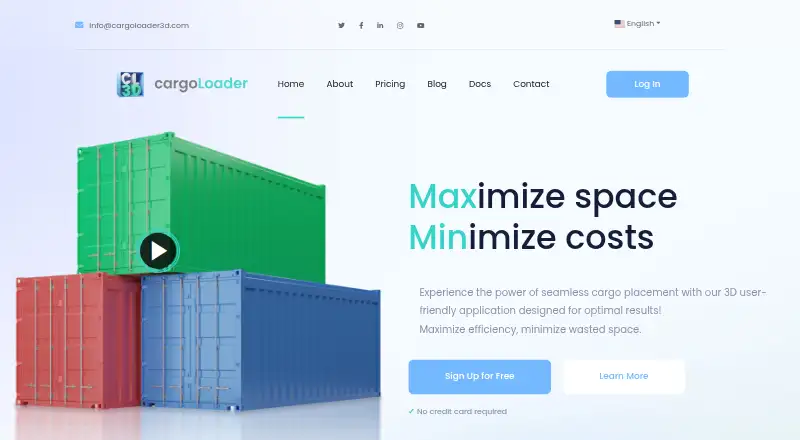
What CargoLoader3D is
CargoLoader3D is a cargo-loading optimization platform for planning container and vehicle layouts. It uses automated placement algorithms to create load plans, which users can inspect in real-time 3D in a browser. For more direct control, users can place items manually and continue loading without moving items that are already in place. The platform provides reports on container usage, truck-loading efficiency, and operational performance, and accepts Excel imports for cargo items and cargo spaces. Load plans can be shared by link; public links are part of Premium. The free plan costs nothing for lifetime and includes seven default spaces and five cargo items, alongside mobile support, item load order, priority groups, detailed reporting, and manual placement. CargoLoader3D supports container and truck loading, delivery sequencing, weight constraints, and mixed fleets. It is available on Android, iOS, and the web. Registration requires email verification. ERP and transportation-management integrations are described as upcoming, while a public API is on the roadmap.
Good
- Automated algorithms generate optimized loading layouts.
- Real-time 3D load plans are viewable in a browser.
- Reports cover container use, truck efficiency, and operations.
- Excel imports support cargo items and cargo spaces.
- Manual placement lets users preserve items already loaded.
Watch out
- The free plan is limited to seven default spaces and five cargo items.
- API access is unavailable; a public API is on the roadmap.
Who it suits
CargoLoader3D suits warehouses, forwarders, manufacturers, and distributors that need to plan container or vehicle loads. It is also relevant to teams that want to inspect layouts in 3D, use Excel imports, or combine automated and manual placement.
Verdict
Choose CargoLoader3D if you need container or truck planning with automated layouts, 3D viewing, and reporting. The free plan includes manual placement and mobile support, but its space and cargo-item limits may point larger operations toward Premium. Look elsewhere if API access is a current requirement.
Plans and prices
From CargoLoader3D's own pricing page, checked 30 Sep 2026.
| Plan | Price | What it gives you |
|---|---|---|
| FREE | Free | 7 default spaces · 5 cargo items · mobile support · item load order · priority groups · detailed reporting · manual placement · $0 for lifetime |
| PREMIUM | — | 34 default spaces + unlimited custom spaces · unlimited cargo items · instant loading · saved shipments · public links · Excel space and item import · per seat / month; 24-hour, 7-day, monthly, and yearly plans are also described |
The facts
Each one read from CargoLoader3D's own pages, with the date it was checked.
What it does
- Account verification
- Registration requires email verification before the user is redirected to the application.checked 30 Sep 2026
- Imports
- Users can import cargo items and cargo spaces using Excel.checked 30 Sep 2026
- Integrations
- ERP and transportation management system integration is described as upcoming, and a public API is listed on the roadmap.checked 30 Sep 2026
- Intended users
- The maker identifies warehouses, forwarders, manufacturers, and distributors as users the platform serves.checked 30 Sep 2026
- Manual control
- Users can manually place items and continue loading without moving items already placed.checked 30 Sep 2026
- Optimization
- The platform uses automated placement algorithms to produce optimized loading layouts.checked 30 Sep 2026
- Purpose
- CargoLoader3D is a 3D cargo-loading optimization platform for managing loading operations and planning container or vehicle layouts.checked 30 Sep 2026
- Reporting
- The product provides detailed reports on container usage, truck loading efficiency, and operational performance.checked 30 Sep 2026
- Security
- The documentation says license purchases use a secure checkout process.checked 30 Sep 2026
- Sharing
- Load plans can be shared by link, including public links on the Premium plan.checked 30 Sep 2026
- Support
- Customer support is offered by email in most of the languages supported by the application.checked 30 Sep 2026
- Visualization
- Users can view load plans in real-time 3D in the browser.checked 30 Sep 2026
Money
- Free plan limit
- The free plan is limited to 7 default spaces and 5 different cargo loads.checked 30 Sep 2026
The full review of CargoLoader3D
Overview
CargoLoader3D combines automated load planning with manual placement, 3D viewing, and operational reports for container and truck layouts. It is a strong fit for teams that need to plan mixed loads while retaining control over individual placement decisions. Its free tier is useful for small workflows, but the five-item cap is restrictive; Premium removes the caps, though API access is not currently available.
Key features
Automated placement generates optimized layouts for container and truck loading. Browser-based 3D views help operators inspect the arrangement, while reports cover container usage, truck-loading efficiency, and operational performance. Together, those tools support both layout review and evaluation of loading operations.
Manual placement lets operators shape a load themselves, and they can continue adding items without moving cargo already placed. That control is valuable when a plan needs adjustment without disturbing settled items. Excel imports support cargo items and cargo spaces, and plans can be shared by link; Premium adds public links.
Delivery sequencing, weight constraints, and mixed-fleet support broaden its usefulness for varied loading operations. However, teams that need system connectivity now should look elsewhere: ERP and transportation-management integrations are upcoming, and API access is not available.
Pricing
FREE costs free, billed at $0 for lifetime. It includes mobile support, item load order, priority groups, detailed reporting, and manual placement, with seven default spaces and five cargo items. The low entry price makes it practical for evaluating workflows or handling modest loads, but the cargo-item ceiling can quickly constrain larger operations.
PREMIUM has custom pricing, billed per seat per month; 24-hour, 7-day, monthly, and yearly plans are also described. It adds 34 default spaces plus unlimited custom spaces, unlimited cargo items, instant loading, saved shipments, public links, and Excel imports for spaces and items. The extra capacity and shipment-saving features suit ongoing or larger operations, but per-seat billing makes team size relevant to the cost.
Platforms
CargoLoader3D supports Android, iOS, and the web. Real-time 3D viewing runs in the browser, while mobile support is included in the FREE plan.
Who it's for
Warehouses, forwarders, manufacturers, and distributors are the clearest fit, particularly when they need container or truck planning with sequencing, weight constraints, or mixed fleets. Smaller teams can start with the free plan, provided seven default spaces and five cargo items are enough. Larger operations are better served by Premium’s expanded capacity. Organizations that require API access or current ERP and transportation-management integrations should choose another tool.
Pros and cons
Pros
- Automated layouts pair with manual placement, so operators can use a generated plan or adjust it without shifting items already placed.
- Detailed reports cover container usage, truck efficiency, and operational performance, adding operational context beyond the 3D layout.
- The free plan includes mobile support and reporting, with lifetime billing at $0.
- Premium supports unlimited cargo items and custom spaces, plus saved shipments and public sharing.
Cons
- The free plan’s five cargo-item and seven default-space limits narrow its usefulness for larger loads.
- Premium is priced per seat, and the price is custom, so teams cannot compare a fixed monthly cost from the plan terms.
- API access is unavailable, and ERP and transportation-management integrations are upcoming rather than current.
Alternatives
Load Planning Software is a useful category starting point for comparing tools. Consider LOP if a free tier with one seat, three plans per month, and no exports better matches a tightly limited workflow. Goodloading may suit readers looking for a free plan and trial across web, Linux, macOS, and API platforms, though its freemium plan excludes palletization, oval loads, and axle loads. ALPHA LOADING is another freemium option with free education licences for teachers and students. StackBuilder is worth considering for Windows users who want a paid one-user annual plan, while its free account limits Excel mass calculations to the first five rows. Kubova offers API and web platforms, with a free plan capped at 50 packs and 20 PDF reports per month. LoadingMCP provides a browser-based 3D planner and compliance verdict on its free plan without login or card. LoadOptimizer.ai may fit buyers who need a REST API on its Pro plan, priced at €99.99 a month, rather than CargoLoader3D’s unavailable API. Loggy is another web-based option with free 3D visualization, loading statistics, and browser-memory project saves.
Verdict
Choose CargoLoader3D if your team needs container or truck layouts that combine automated placement, operator control, 3D review, and reporting. Its free plan is a useful starting point, but the five-item limit makes Premium the more practical choice for larger loads. Look elsewhere if API access is a current requirement.
Getting started
- Visit the CargoLoader3D website.
- Register and verify your email before entering the application.
- Use the free plan, listed as free for lifetime.
- Access the platform on the web, Android, or iOS.
- Import cargo items or cargo spaces using Excel, or place items manually.
Limits worth knowing
The free plan is limited to seven default spaces and five cargo items.
Questions
Is there a free plan?
Yes. The FREE plan is listed as free, billed at $0 for lifetime.
What does the free plan include?
It includes seven default spaces, five cargo items, mobile support, item load order, priority groups, detailed reporting, and manual placement.
Which platforms does CargoLoader3D support?
It is available on Android, iOS, and the web.
Does it support Excel imports?
Yes. Excel import is available for cargo items and cargo spaces; it is listed among Premium plan features.
Does CargoLoader3D provide API access?
No. API access is listed as unavailable, and a public API is on the roadmap.
What does Premium cost?
No Premium price is listed.