kOps
kOps is a free, open-source tool for creating, destroying, upgrading, and maintaining highly available Kubernetes clusters while provisioning their required …
What kOps is
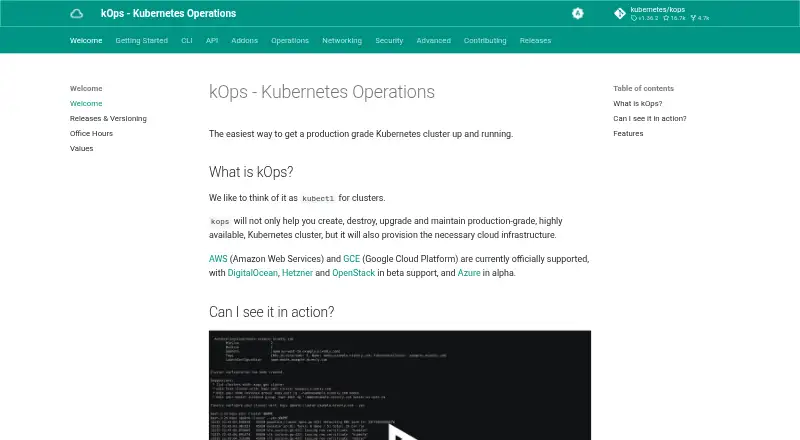
kOps is a free, open-source tool for creating, destroying, upgrading, and maintaining highly available Kubernetes clusters while provisioning their required cloud infrastructure. AWS and Google Cloud are officially supported; DigitalOcean, Hetzner, and OpenStack are in beta, and Azure is in alpha. The control plane is customer-managed. kOps uses a YAML manifest-based API with templating and dry-run modes, and its state synchronization supports dry runs and automatic idempotency. It can generate Terraform and provides popular CNI networking providers out of the box. ARM64 is supported, and the tool runs on Linux, macOS, and Windows. kubectl is required to install and use it. Security considerations include SSH access to masters and nodes being allowed from any address by default, though no public key is installed by default; SSH sources can be restricted in configuration or with a command option. Its security documentation also says Pods can access the underlying instance IAM role and describes the permission scope as broad. The project offers public office hours and points users to Kubernetes Slack channels for help. The repository lists the Apache-2.0 license.
Good
- Free and Apache-2.0 licensed
- Automates cluster creation and upgrades
- Supports dry runs and idempotent state sync
- Can generate Terraform
- Supports ARM64 architectures
Watch out
- kubectl is required
- Control plane management is customer-managed
- SSH access defaults to any address
- Pods can access a broadly scoped instance IAM role
Who it suits
kOps suits teams that want to provision and manage their own Kubernetes control plane on supported cloud environments. It is intended for operators who can use kubectl and review its SSH and IAM configuration considerations.
Verdict
kOps offers cluster lifecycle automation across several cloud environments, with official, beta, and alpha support levels varying by provider. Teams should account for the customer-managed control plane and review SSH and IAM settings before use.
Plans and prices
From kOps's own pricing page, checked 8 Oct 2026.
| Plan | Price | What it gives you |
|---|---|---|
| kOps | Free | No paid plans or price listed on the official pages reviewed |
The facts
Each one read from kOps's own pages, with the date it was checked.
What it does
- Architecture
- kOps supports ARM64 architectures.checked 8 Oct 2026
- Cloud providers
- AWS and Google Cloud are officially supported; DigitalOcean, Hetzner, and OpenStack are in beta, and Azure is in alpha.checked 8 Oct 2026
- Cluster provisioning
- kOps automates provisioning of highly available Kubernetes clusters.checked 8 Oct 2026
- Configuration
- It provides a YAML manifest based API, templating, and dry run modes for creating manifests.checked 8 Oct 2026
- Infrastructure output
- kOps can generate Terraform.checked 8 Oct 2026
- Installation requirement
- kubectl is required to install and use kOps.checked 8 Oct 2026
- License
- The kubernetes/kops repository lists the Apache-2.0 license.checked 8 Oct 2026
- Networking
- It offers popular CNI networking providers out of the box.checked 8 Oct 2026
- Purpose
- kOps creates, destroys, upgrades, and maintains production grade, highly available Kubernetes clusters and provisions the required cloud infrastructure.checked 8 Oct 2026
- Security: IAM
- The security documentation says all Pods running on a cluster have access to the underlying instance IAM role and that the permission scope is currently quite broad.checked 8 Oct 2026
- Security: SSH
- SSH access to masters and nodes is allowed from any address by default, though no public key is installed by default; SSH sources can be restricted in cluster configuration or with a command option.checked 8 Oct 2026
- State management
- Its state sync model supports dry runs and automatic idempotency.checked 8 Oct 2026
- Support
- kOps maintainers hold public office hours for developers and users, and the project points users to Kubernetes Slack channels for help.checked 8 Oct 2026
The full review of kOps
kOps is a free, open-source command-line tool for building and running highly available Kubernetes clusters on public-cloud infrastructure. It fits platform teams that want direct control over the control plane and repeatable infrastructure changes, rather than a hosted Kubernetes service. The main decision is whether your operators can take on that responsibility and tighten the security posture before production use.
Overview
kOps creates, destroys, upgrades, and maintains production-grade, highly available Kubernetes clusters while provisioning the cloud resources they need. The control plane remains customer-managed, so your organization keeps architectural control but also owns its operation, maintenance, and upgrade work.
AWS and Google Cloud have official support. DigitalOcean, Hetzner, and OpenStack integrations are in beta, while Azure is in alpha; teams choosing those providers should match the support stage to their risk tolerance. The project uses the Apache-2.0 license.
Key features
Lifecycle and state automation
Provisioning, upgrades, destruction, and maintenance are covered in one workflow for highly available clusters. State synchronization provides dry-run previews and automatic idempotency, making repeated changes more predictable and reducing the chance that an operator applies the same change inconsistently. These safeguards improve repeatability, but they do not transfer control-plane duties away from your team.
Configuration and infrastructure output
The YAML manifest-based API gives Kubernetes-oriented operators a declarative way to describe clusters. Templating and dry-run modes for manifest creation support reusable configurations and review before deployment. kOps can also generate Terraform, which is useful when infrastructure changes need to fit an existing Terraform workflow or review process.
Networking and architecture
Popular CNI networking providers are available out of the box, reducing the need to assemble a networking stack from scratch. ARM64 support broadens the hardware choices for compatible workloads and infrastructure.
Operational access and support
kubectl is required to install and use kOps, so it is aimed at teams already working in the Kubernetes command-line ecosystem. Maintainers hold public office hours for developers and users, and the project directs operators to Kubernetes Slack channels for help. That community route is useful for self-supported deployments, though it is not the same as vendor-managed operations.
Security considerations
SSH access to masters and nodes is allowed from any address by default, although no public key is installed by default. Restrict SSH sources in cluster configuration or with a command option before exposing a production environment. The security documentation also says every Pod can access the underlying instance IAM role and that the permission scope is currently broad. Teams with strict least-privilege requirements should treat IAM design and workload isolation as prerequisites, not afterthoughts.
Pricing
| Plan | Price | Best for |
|---|---|---|
| kOps | free | Teams willing to run the open-source tool and pay their chosen cloud provider directly |
There are no paid kOps plans or free-trial period. The zero software price removes licensing cost, but it does not remove cloud infrastructure charges or the personnel cost of managing a customer-owned control plane. This model suits engineering organizations with existing Kubernetes and cloud-operations capability more than buyers seeking bundled operations or a hosted support contract.
Platforms
kOps runs on Linux, macOS, and Windows. It can target AWS, Google Cloud, DigitalOcean, Hetzner, OpenStack, and Azure, with official support limited to AWS and Google Cloud; DigitalOcean, Hetzner, and OpenStack are beta, and Azure is alpha.
Who it's for
Choose kOps when your team needs declarative, repeatable lifecycle management for highly available clusters and wants Terraform generation alongside YAML manifests. It is particularly appropriate for operators comfortable with kubectl, cloud IAM, and maintaining their own control plane. It is a weaker fit for organizations that want a provider to run the control plane, require mature support on every listed cloud, or cannot dedicate time to hardening SSH and IAM settings.
Pros and cons
Pros
- Complete cluster lifecycle coverage: creation, upgrades, destruction, and maintenance are handled in one tool.
- Repeatable changes: dry runs and automatic idempotency make state updates easier to preview and reproduce.
- Infrastructure flexibility: Terraform generation, YAML manifests, and templating fit infrastructure-as-code workflows.
- Broad target choice: official AWS and Google Cloud support is supplemented by beta and alpha integrations.
- No license fee: the Apache-2.0 project is free to use.
Cons
- Customer-managed operations: your team remains accountable for control-plane health and upgrades.
- Uneven provider maturity: three providers are beta and Azure is alpha, limiting confidence for some production deployments.
- Security hardening required: default SSH exposure and broad Pod access to instance IAM roles demand configuration work.
- Kubernetes prerequisite: installation and use require kubectl.
Alternatives
For a broader Kubernetes management catalog, see Kubernetes Management Platforms.
- Kubermatic Kubernetes Platform offers a free, Apache-licensed Community Edition and a consumption-based Enterprise Edition; choose it when its API, web, self-hosted, and cross-platform options better match your management model.
- vCluster Platform has a free tier, free trial, and virtual-cluster limits; choose it when virtual clusters are a better fit than provisioning full customer-managed clusters.
- Cluster API is an open-source Kubernetes project whose provider components and infrastructure costs vary; choose it when you want that project-based provider model.
- Portainer provides a no-time-limit free Business Edition tier for up to three nodes and a paid Home & Student plan; choose it when a web-oriented management experience is preferable.
- Clusternet is an open-source project with no paid plans or stated usage limits.
- KubeSphere provides an open-source Community Edition for teams seeking an enterprise-oriented container platform.
- openCenter offers a free, self-supported Community plan for builders and proofs of concept.
- Rancher combines a free open-source tier with a paid Prime offering; choose it when that platform and support structure better suit your fleet.
Verdict
kOps is a strong choice for Kubernetes specialists who want free, declarative cluster lifecycle automation and direct ownership of cloud infrastructure. Its Terraform output, idempotent state handling, and multi-cloud reach are compelling. Look elsewhere if you need a vendor-managed control plane, mature support on every target cloud, or safer defaults without dedicated SSH and IAM hardening.
Alternatives to kOps
- 1

Portainer
Free planOpen sourceAndroidiOSWebAPI8.6Free plan - 2

KubeSphere
Free planOpen sourceWebAPILinuxSelf-hosted8.1From $65 a month - 3

Omni
Free planWebAPILinuxmacOS7.7From $25 a month - 4

vCluster Platform
Free planOpen sourceWebAPILinuxmacOS7.7Free plan - 5

Kubermatic Kubernetes Platform
Free planWebAPILinuxmacOS6.8Free plan - 6
Rancher
Free planWebAPILinuxSelf-hosted6.5Free plan