
Knovio
Knovio is an online video platform for creating, hosting, managing, delivering, and measuring video and multimedia presentations.
What Knovio is
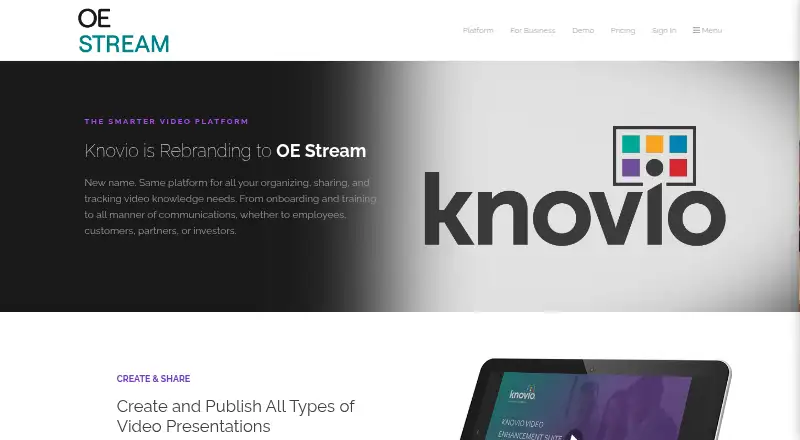
Knovio is an online video platform for creating, hosting, managing, delivering, and measuring video and multimedia presentations. Users can record video or audio narration alongside slides, sync slides to existing video, and add media clips, quizzes, and chapter navigation. Videos and presentations can be arranged into branded showcases with customizable layouts and registration pages. Sharing options include customized links and website embeds, with registration forms and approved guest lists available to control access. Analytics cover performance at video, account, author, and collection levels, and can include quiz results. Knovio Lite is free forever for up to three videos or presentations, each limited to seven minutes. Extra Lite storage is available in one-hour increments for 9.95 USD as a one-time upgrade. Listed plans include Student Annual at $5 a month billed annually, Student Semester at $7 a month billed every six months, and Student Monthly at $10 a month billed monthly. The site says Knovio is rebranding to OE Stream and describes it as the same platform under a new name.
Good
- Combines narration with slides and existing video
- Adds quizzes and chapter navigation
- Branded showcases support registration pages
- Analytics include presentation and quiz performance
Watch out
- Lite is limited to three videos or presentations
- Lite presentations are limited to seven minutes each
- Extra Lite storage costs 9.95 USD as a one-time upgrade
Who it suits
Knovio suits educators and organizations making narrated slide presentations or training and communication videos. Its stated audiences include learning and development, HR, customer education, onboarding, and partner development.
Verdict
Knovio combines presentation creation, controlled sharing, and viewer analytics, with a limited free Lite option. Note that its site describes the service as rebranding to OE Stream.
Plans and prices
From Knovio's own pricing page, checked 20 Sep 2026.
| Plan | Price | What it gives you |
|---|---|---|
| Student Annual | $5 a month | 5 hours storage · 5 hours maximum presentation length · billed annually |
| Student Semester | $7 a month | 5 hours storage · 5 hours maximum presentation length · billed every 6 months |
| Student Monthly | $10 a month | 5 hours storage · 5 hours maximum presentation length · billed monthly |
| Educator Pro Annual | $10 a month | 5 hours storage · billed annually |
| Educator Gold Annual | $20 a month | 10 hours storage · billed annually |
| Educator Pro Monthly | $15 a month | 5 hours storage · billed monthly |
| Educator Gold Monthly | $30 a month | 10 hours storage · billed monthly |
| Campus | — | Campus-wide deployment · LMS compatibility · Administrative management panel |
| Premium | — | 10 hours storage · 1 user license |
| Knovio Lite | Free | Up to 3 videos or multimedia presentations · up to 7 minutes each · Free Forever |
| Extra storage for Knovio Lite | $9.95, paid once | Adds one hour of storage · available for free accounts only · one-time upgrade |
| Multi-user Business | — | 100 hours storage · Unlimited licenses · Unlimited sub-accounts |
The facts
Each one read from Knovio's own pages, with the date it was checked.
What it does
- Analytics
- The platform reports video and presentation performance at video, account, author, and collection levels, and can report quiz results.checked 29 Sep 2026
- Integration limits
- The comparison lists marketing automation integrations upon request and live streaming as a Brightcove user add-on or by request.checked 29 Sep 2026
- Integrations
- The business plan comparison lists SCORM and LTI for some plans, Brightcove, Ooyala, and Kaltura media streaming integrations, and APIs available on request.checked 29 Sep 2026
- Intended users
- The site presents Knovio for learning and development, HR, customer education, internal communications, employee onboarding, partner development, and training.checked 29 Sep 2026
- Paid from
- 5checked 20 Sep 2026
- Presentation creation
- Users can record video or audio narration with slides, sync slides with existing video, and add media clips, quizzes, and chapter navigation.checked 29 Sep 2026
- Product
- Knovio is an online video platform for creating, hosting, managing, delivering, and measuring video and multimedia presentations.checked 29 Sep 2026
- Rebranding
- The site says Knovio is rebranding to OE Stream and describes it as the same platform under a new name.checked 29 Sep 2026
- Security options
- The plan comparison lists password access and corporate single sign-on as an available option, with SSO shown for the corporate plan.checked 29 Sep 2026
- Sharing and access
- Content can be shared with customized links or embedded in websites, with registration forms and approved guest lists available to control viewing.checked 29 Sep 2026
- Showcases
- Users can group videos and presentations into branded showcases, customize their layout, and add registration pages to control access.checked 29 Sep 2026
- Support
- The support page offers a knowledge base, guides, tutorials, a video learning center, and creative services; it says support included with a plan is accessed after logging in.checked 29 Sep 2026
The company
- Company
- Knovio's about page says it was founded in 2010 and refers to it as Knovio by KnowledgeVision.checked 29 Sep 2026
Money
- Free plan limits
- Knovio Lite is limited to three videos or multimedia presentations of up to seven minutes each, and extra storage is offered in one-hour increments for $9.95.checked 29 Sep 2026
The full review of Knovio
Knovio is a platform for building and delivering narrated video presentations, training content, and other multimedia. It is best suited to educators and organizations that need managed access and viewer reporting. Its structured presentation tools are a stronger fit for learning programs than for a simple one-off screen recording.
Overview
Knovio brings presentation creation, hosting, controlled sharing, and performance reporting into one platform. Teams can organize material for audiences and track engagement across individual videos and larger collections. The trade-off is that its strongest organizational capabilities sit alongside a sharply capped free tier, while individual plans focus on storage and presentation length.
The service is rebranding to OE Stream, which the company describes as the same platform under a new name. That is worth bearing in mind when evaluating it for a longer-term rollout.
Key features
Presentations can combine slides with recorded video or audio narration, or synchronize slides with an existing video. Creators can add media clips, quizzes, and chapter navigation, making Knovio more appropriate for structured lessons and training than a basic recorder. Webcam recording, transcript generation, video quality up to 1080p, and recording lengths up to 300 minutes round out the production options.
Branded showcases group videos and presentations in a customizable layout. Registration pages, forms, approved guest lists, customized links, and website embeds give teams ways to manage access rather than simply publish a public link. That control is useful for employee or partner material, though it may be more apparatus than an individual sharing an informal presentation needs.
Analytics report performance at video, account, author, and collection levels, and can include quiz results. This makes the platform more useful to learning and communications teams measuring both viewing and quiz outcomes than a tool focused only on recording and distribution.
Business plan comparisons include SCORM and LTI on some plans, media-streaming integrations for Brightcove, Ooyala, and Kaltura, and APIs on request. Marketing automation integrations are available on request; live streaming is a Brightcove-user add-on or available by request. Password access is an option, and corporate single sign-on is shown for the corporate plan. These options can support managed deployments, but some depend on plan or request rather than being universal features.
Pricing
Knovio Lite is free forever and allows up to three videos or multimedia presentations, each up to seven minutes. Free accounts can add one hour of storage for a one-time $9.95 upgrade, with extra storage offered in one-hour increments. The cap makes Lite useful for a small trial or occasional short content, not a growing library.
Student plans include five hours of storage and a five-hour maximum presentation length. Student Annual costs $5 a month, billed annually; Student Semester is $7 a month, billed every six months; and Student Monthly is $10 a month, billed monthly. The annual option has the lowest monthly rate but commits the user for a year; semester and monthly billing cost more per month.
Educator Pro Annual costs $10 a month, billed annually, and includes five hours of storage. Educator Pro Monthly is $15 a month, billed monthly, with five hours of storage. Educator Gold Annual is $20 a month, billed annually, and Educator Gold Monthly is $30 a month, billed monthly; both include ten hours of storage. The Gold plans double Pro storage, while annual billing lowers the monthly rate compared with monthly billing.
Premium has custom pricing and includes ten hours of storage and one user license. Campus has custom pricing for campus-wide deployment, LMS compatibility, and an administrative management panel. Multi-user Business also has custom pricing and includes 100 hours of storage, unlimited licenses, and unlimited sub-accounts. These options suit organizations that need deployment or administration capabilities beyond individual educator plans, but pricing should be assessed with the provider.
Platforms
Knovio is available on the web, Android, and iOS. That reach suits teams and learners using mobile devices as well as browsers.
Who it's for
Knovio is aimed at learning and development, HR, customer education, internal communications, employee onboarding, partner development, and training. It is a good fit when content needs to be organized, access managed, and viewing or quiz results reviewed. Someone seeking only a lightweight, unrestricted way to record and share a short presentation may find its access and analytics toolkit unnecessary, while Lite's short-video and item caps may be too restrictive for regular use.
Pros and cons
- Pros: Slides can be paired with narration, existing video, quizzes, and chapters, which supports structured learning material.
- Pros: Customizable showcases and multiple access controls help teams distribute content to defined audiences.
- Pros: Reporting spans videos, authors, accounts, and collections, with quiz results for learning review.
- Cons: Lite permits only three items of up to seven minutes each; its one-hour storage upgrades cost $9.95 each.
- Cons: Individual educator plans provide five or ten hours of storage, so larger libraries may require a different plan.
- Cons: Some integrations and live streaming depend on requests, plan availability, or a Brightcove add-on.
Alternatives
Choose Google Drive instead when general-purpose file storage and sharing are the priority: its free plan includes up to 15 GB with a Google Account, rather than Knovio's three-item, seven-minute Lite allowance.
Slideator is another freemium option for presentation recording; its Basic plan supports PowerPoint and Google Slides, with limits of 3 MB, 12 slides per file, and three presentation files and three videos per day.
Consider HeyGen if a free plan capped at three videos per month and one minute per video better matches a short-video workflow.
Capme is an alternative with a free plan limited to one user, three downloads per month, and no admin features.
Explain Everything offers a free plan for up to three projects, one slide per project, three-minute videos, one collaborator, and 500 MB of cloud storage.
Flonnect Presentation Recorder is another freemium presentation recorder.
VIDAREO offers a free plan with five recordings per month, two-minute videos, five shares and emails per month, 720p, and a watermark.
Visme is another freemium option, with a Basic plan that includes 500 MB storage and 50 slides or pages per project.
For a broader comparison, browse Presentation Recording Software or Presentation software.
Verdict
Knovio is a strong choice for educators and organizations that need narrated presentations, managed audience access, and reporting that can include quiz results. Its main advantage is the combination of structured content, distribution controls, and analytics; its main drawback is the restrictive free tier and limited storage on individual plans. Choose it for organized learning or communications programs, and look elsewhere for a simple recorder or a more generous free allowance.
Getting started
- Open the Knovio website
- Choose Knovio Lite or a listed paid plan
- Access the service through web, Android, or iOS
- Record narration with slides or synchronize slides to existing video
- Add media clips, quizzes, or chapter navigation
- Publish through a customized link, website embed, or branded showcase
Limits worth knowing
Knovio Lite is free forever for up to three videos or multimedia presentations, each no longer than seven minutes. Extra storage is available as a one-hour, 9.95 USD one-time upgrade for free accounts.
Questions
Is Knovio free?
Knovio Lite is free forever and allows up to three videos or multimedia presentations of up to seven minutes each.
What does extra Lite storage cost?
An extra hour of storage for Knovio Lite costs 9.95 USD as a one-time upgrade.
Which platforms support Knovio?
Knovio is available on Android, iOS, and the web.
What paid plans are listed?
Plans include Student Annual at $5 a month billed annually, Student Semester at $7 a month billed every six months, Student Monthly at $10 a month billed monthly, educator plans, Campus, Premium, and Multi-user Business.
Is Knovio becoming another product?
The site says Knovio is rebranding to OE Stream and describes OE Stream as the same platform under a new name.
Alternatives to Knovio
- 1

Visme
Free planAndroidiOSWebAPI8.4From $12.25 a month - 2

HeyGen
Free planAndroidiOSWebAPI8.3From $24 a month - 3
Explain Everything
Free planAndroidiOSWebmacOS8.2Free plan - 4

Fliki
Free planAndroidiOSWebAPI8.2From $28 a month - 5

Flonnect Presentation Recorder
Free planWebExtensionmacOSWindows7.8From $12 a month - 6

Slideator
Free planAndroidiOSWebLinux7.3From $5.25 a month