KioskFrame
KioskFrame turns an iPhone or iPad into a fullscreen kiosk display for live websites, images, PDFs, and photo galleries.
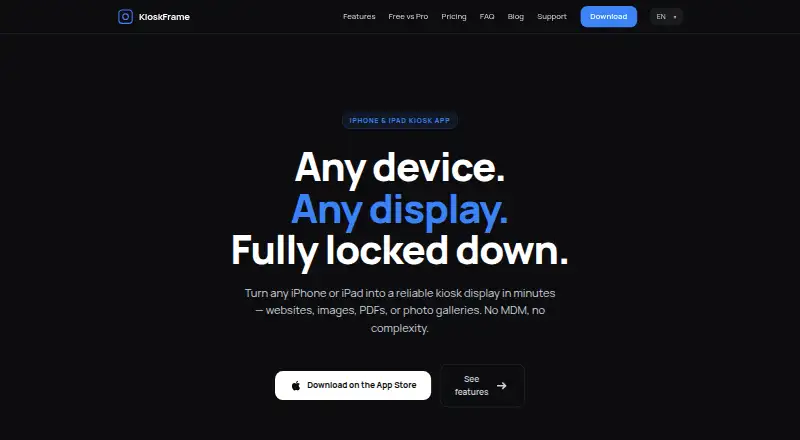
What KioskFrame is
KioskFrame turns an iPhone or iPad into a fullscreen kiosk display for live websites, images, PDFs, and photo galleries. It hides browser controls and the status bar, with a configurable gear button for operator settings. An idle screensaver can place a clock on screen after a set period, and the display can reload after inactivity or connection issues. The free PDF viewer shows only the first page; Pro adds multi-page PDF slideshows, photo galleries, bookmarks, scheduled reloads, zoom control, read-only mode, settings passcode protection, and branding removal. JavaScript access controls and a hostname whitelist are available in both plans. The operator interface supports English, Spanish, German, French, and Japanese. It is a standalone App Store app, with no MDM enrollment, Apple Configurator, or enterprise certificate requirement. Each device must be configured independently, and fleet management is not provided. The maker suggests pairing it with iOS Guided Access to keep visitors in the app.
Good
- Displays websites, images, PDFs, and photo galleries.
- Hides browser controls and the status bar.
- JavaScript controls and hostname whitelist in Free and Pro.
- Operator interface supports five listed languages.
- Free plan has no time limit or credit card requirement.
Watch out
- iOS only.
- No fleet management; configure each device separately.
- Free PDF viewer shows only the first page.
Who it suits
KioskFrame suits operators setting up menus, reception displays, museum exhibits, or trade show screens on iPhones or iPads. It is for deployments where devices can be configured individually rather than managed as a fleet.
Verdict
KioskFrame covers common kiosk content and provides display controls for individual iOS devices. Its lack of fleet management is an important constraint for operators managing multiple screens.
Plans and prices
From KioskFrame's own pricing page, checked 5 Oct 2026.
| Plan | Price | What it gives you |
|---|---|---|
| Free | Free | Core kiosk browser · no time limit · no credit card required |
| Monthly | $4.99 a month | Fullscreen kiosk browser · URL whitelist · idle screensaver · remove KioskFrame branding · all future Pro features · one app per device · per month · 14-day free trial |
| Yearly | $49.99 a year | Fullscreen kiosk browser · URL whitelist · idle screensaver · remove KioskFrame branding · all future Pro features · one app per device · per year · $4.17/mo · 14-day free trial |
| Lifetime | $99.99, paid once | Fullscreen kiosk browser · URL whitelist · idle screensaver · remove KioskFrame branding · all future Pro features · one app per device · one-time purchase |
The facts
Each one read from KioskFrame's own pages, with the date it was checked.
What it does
- Deployment
- KioskFrame is described as a standalone App Store app that requires no MDM enrollment, Apple Configurator, or enterprise certificates.checked 5 Oct 2026
- Display controls
- It hides browser chrome and the status bar and provides a configurable gear button for operator settings.checked 5 Oct 2026
- Intended uses
- The maker names restaurant menus, reception screens, museum exhibits, and trade show displays as example uses.checked 5 Oct 2026
- Languages
- The operator interface is available in English, Spanish, German, French, and Japanese, with in-app switching.checked 5 Oct 2026
- Pro features
- Pro adds settings passcode protection, photo galleries, multi-page PDF slideshows, bookmarks, scheduled reloads, read-only mode, branding removal, and zoom control.checked 5 Oct 2026
- Purpose
- KioskFrame turns an iPhone or iPad into a fullscreen kiosk display for websites, images, PDFs, and photo galleries.checked 5 Oct 2026
- Screensaver
- An idle screensaver can show a clock overlay after configurable inactivity, and the display can auto-reload after idle or connection issues.checked 5 Oct 2026
- Security controls
- The feature comparison lists JavaScript allow or deny and a navigation hostname whitelist in both Free and Pro, with read-only mode in Pro.checked 5 Oct 2026
- Supported content
- The app supports live websites, local or Photos images, PDFs, and photo gallery slideshows; the free PDF viewer shows the first page.checked 5 Oct 2026
Where it runs
- Device lockdown
- The maker recommends pairing KioskFrame with iOS Guided Access to prevent users from exiting the app.checked 5 Oct 2026
- Per-device configuration
- Each device is installed and configured independently, and the maker says the app does not provide fleet management.checked 5 Oct 2026
The full review of KioskFrame
Overview
KioskFrame turns an iPhone or iPad into a fullscreen display for web pages and on-device content. It suits operators setting up a small number of iOS kiosks who want display controls without enrolling devices in management systems. Its main trade-off is straightforward: useful per-device kiosk features, but no fleet management.
Key features
The app hides browser controls and the status bar, with an optional gear button for operator settings. It can display live websites, images from local storage or Photos, PDFs, and photo slideshows. Free PDF viewing is limited to the first page; multi-page PDF slideshows and photo galleries require Pro.
An idle screensaver can overlay a clock after a configurable period, and KioskFrame can reload after inactivity or connection problems. Pro adds scheduled reloads, bookmarks, zoom control, branding removal, and read-only mode. JavaScript allow-or-deny settings and a navigation hostname whitelist are available in both plans, while Pro’s read-only mode adds another way to limit interaction.
Settings passcode protection is also a Pro feature. For preventing visitors from leaving the app, the maker recommends pairing it with iOS Guided Access. The operator interface supports English, Spanish, German, French, and Japanese, with language switching in the app.
Pricing
The Free plan costs nothing, has no time limit, and requires no credit card. It provides the core kiosk browser, but gives up Pro features such as multi-page PDF slideshows, photo galleries, passcode protection, and scheduled reloads.
Monthly costs $4.99 a month, billed monthly, with a 14-day free trial. Yearly costs $49.99 a year, billed yearly, or $4.17/mo, also with a 14-day free trial. Both include the fullscreen kiosk browser, URL whitelist, idle screensaver, branding removal, and all future Pro features. Lifetime costs $99.99, paid once as a one-time purchase and includes the same listed Pro package. Each paid plan covers one app per device, so multi-device use means buying separately for each device.
Free is the sensible starting point for a basic single-screen setup. Monthly lowers the commitment for a short deployment; Yearly reduces the listed monthly equivalent for ongoing use; Lifetime may suit a long-lived installation that prefers a one-time purchase.
Platforms
KioskFrame supports iOS and is distributed as a standalone App Store app. It does not require MDM enrollment, Apple Configurator, or enterprise certificates. Each device must be installed and configured independently, so this approach is less suited to operators who need centralized administration across many screens.
Who it's for
Restaurant menus, reception screens, museum exhibits, and trade show displays are natural fits when an iPhone or iPad can serve as a dedicated screen. The combination of content options, idle reloads, and URL controls makes it adaptable to simple unattended displays. It is not the right choice for teams that need remote management or centralized fleet configuration.
Pros and cons
- Pro: Supports websites, images, PDFs, and slideshows, covering several common kiosk display needs in one iOS app.
- Pro: JavaScript controls and hostname allowlisting are included in both Free and Pro, giving basic browsing restrictions without requiring a paid plan.
- Pro: The standalone App Store deployment avoids MDM enrollment and enterprise certificates.
- Con: Each device is configured independently, with no fleet management for multi-screen operators.
- Con: Free PDF display stops at the first page, and photo galleries and multi-page PDF slideshows require Pro.
- Con: Settings passcode protection and read-only mode require Pro; Guided Access is recommended to prevent users exiting the app.
Alternatives
For a broader comparison, browse Kiosk Browsers. Choose SureAsset instead if the priority is asset lifecycle management and hardware or software license tracking across its supported platforms, rather than kiosk display controls. FreeKiosk is another free option, with Android, API, and web platforms in addition to its Android app.
Hexnode Kiosk Browser is worth considering when a paid option with plans starting at 15 devices is a better fit. Kiosker is another freemium kiosk-browser alternative. SiteKiosk, KioWare, Linutop Kiosk, and Porteus Kiosk are alternatives to compare.
Verdict
KioskFrame is a good fit for individuals and small operators who need a configurable iOS kiosk with varied display content and per-device controls. Its free tier makes a basic setup easy to start, while Pro fills in slideshow, access, and scheduling features. Look elsewhere if you need to manage multiple devices centrally: KioskFrame leaves setup and configuration to each device.
Alternatives to KioskFrame
- 1
Kiosk
Free planOpen sourceAndroidiOSWebExtension8.0Free plan - 2
Kiosk Browser
AndroidWebAPI7.2From $1.60 a month - 3
FreeKiosk
Free planAndroidWebAPI7.1From €0.80 a month - 4
SiteKiosk
AndroidWebSelf-hostedWindows6.9From $239 a year - 5

Hexnode Kiosk Browser
AndroidiOSWindows6.8From $2.20 a month - 6

Kiosker
AndroidiOS6.7From $24.99 a year