
Kiosker
Kiosker is a configurable, full-screen web kiosk browser for iPhone and iPad.
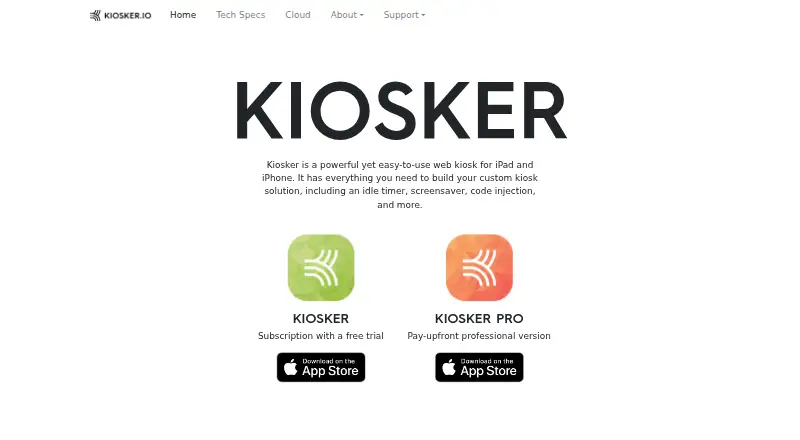
What Kiosker is
Kiosker is a configurable, full-screen web kiosk browser for iPhone and iPad. It can show websites, local HTML, PDFs, images, videos, and other documents, with HTML5, CSS WebKit, and native JavaScript support. Navigation can be limited to approved hosts or blocked hosts, and interactions such as scrolling, zooming, and text selection can be disabled. For unattended displays, weekly screensaver schedules can run unlimited events with clocks, slideshows, blank screens, or websites. Users can add custom CSS and JavaScript in a built-in syntax-highlighting editor. Remote MDM configuration is compatible with Simple MDM, Microsoft Intune, IBM MaaS360, Hexnode, and Jamf Pro. Other controls include camera and microphone permissions, certificate handling, tracking settings, passcode or Face ID/Touch ID protection, and event logs. The app also offers a REST API with TLS certificate support, IP filtering, and access tokens. It requires iOS 15 or iPadOS 15 or later, an iPhone 6s or newer, or an iPad Air 2 or newer. Plans include a free option, subscriptions, and a one-time Pro version.
Good
- Displays websites and multiple local file types
- Host allowlisting and interaction restrictions
- Weekly schedules with unlimited screensaver events
- Remote configuration supports five named MDM services
- REST API includes TLS support and IP filtering
Watch out
- Requires iOS 15 or iPadOS 15 or later
- Minimum device requirements exclude older iPhones and iPads
- Paid options include $6.99 a month or $24.99 a year
Who it suits
Kiosker suits organizations setting up restricted iPhone or iPad displays, including those that need remote MDM configuration or scheduled screensavers. It also fits users who want to customize kiosk pages with CSS or JavaScript.
Verdict
Kiosker combines content restrictions, screensaver scheduling, custom code, and remote management for iOS and iPadOS kiosk setups. Check the minimum OS and device requirements, and choose between its free plan, subscriptions, or $39.99, paid once Pro option.
Plans and prices
From Kiosker's own pricing page, checked 1 Oct 2026.
| Plan | Price | What it gives you |
|---|---|---|
| Kiosker monthly | $6.99 a month | subscription version · 7-day free trial |
| Kiosker yearly | $24.99 a year | subscription version · 7-day free trial |
| Kiosker Pro | $39.99, paid once | pay-upfront version · MDM configuration · single app mode |
The facts
Each one read from Kiosker's own pages, with the date it was checked.
Where it runs
- Browser engine
- Kiosker supports full HTML5 and CSS WebKit plus native JavaScript.checked 1 Oct 2026
What it does
- Code injection
- Users can inject custom CSS and JavaScript into websites and edit code in a built-in syntax-highlighting editor.checked 1 Oct 2026
- Content support
- It can display websites, local HTML files, PDF files, images, videos, and documents.checked 1 Oct 2026
- Flic support
- Kiosker can pair external Flic Bluetooth buttons and send a button ID to the website through JavaScript.checked 1 Oct 2026
- Hardware limits
- The technical requirements are iOS 15/iPadOS 15 or later, iPhone 6s or newer, and iPad Air 2 or newer.checked 1 Oct 2026
- Integrations
- Remote MDM configuration is confirmed compatible with Simple MDM, Microsoft Intune, IBM MaaS360, Hexnode, and Jamf Pro.checked 1 Oct 2026
- Privacy
- Apple's listing says the app may link purchase history and crash data to the user and may collect unlinked identifiers, usage data, and diagnostics.checked 1 Oct 2026
- Product
- Kiosker is a configurable full-screen web kiosk browser for iPad and iPhone.checked 1 Oct 2026
- REST API
- The app provides a REST API with TLS certificate support, IP filtering, and API access tokens.checked 1 Oct 2026
- Restrictions
- Navigation can be restricted by host using whitelisting or blacklisting, and user interactions such as scrolling, zooming, and text selection can be disabled.checked 1 Oct 2026
- Screensaver
- The app supports weekly screensaver schedules with unlimited events, clocks, slideshows, blank screens, or websites.checked 1 Oct 2026
- Security controls
- Security settings include camera and microphone permissions, insecure certificate handling, cross-site tracking, passcode or Face ID/Touch ID protection, and event-log controls.checked 1 Oct 2026
- Support
- The maker provides a contact form and asks users to review its documentation and FAQ before sending questions.checked 1 Oct 2026
- Usage
- The Kiosker app family has been downloaded over 100,000 times since its initial release in 2019.checked 1 Oct 2026
The company
- Headquarters
- Gislaved, Swedenchecked 28 Sep 2026
The full review of Kiosker
Kiosker is a full-screen kiosk browser for iPhone and iPad, aimed at teams that need to lock down web-based displays or guided sessions. Its strongest case is the combination of flexible content, detailed browser controls, and remote configuration; it is not the choice for an Android-first fleet.
Overview
Alongside websites, Kiosker can show local HTML files, PDFs, images, videos, and documents. Full HTML5 and CSS support through WebKit, plus native JavaScript, gives it room to handle interactive pages as well as static signage. That format range is useful for mixed-content deployments, though the app remains built around Apple devices.
Deployment is self-hosted, and remote MDM configuration is compatible with Simple MDM, Microsoft Intune, IBM MaaS360, Hexnode, and Jamf Pro. The Kiosker app family has had more than 100,000 downloads since its 2019 release. Apple says the app may link purchase history and crash data to the user, and may collect unlinked identifiers, usage data, and diagnostics; privacy-conscious organizations should weigh that when selecting a public-facing device.
Key features
Administrators can whitelist or blacklist hosts, and disable scrolling, zooming, or text selection. Those controls help keep shared devices within a task and reduce casual browsing, but they are less useful when visitors need to navigate freely or interact with pages in their usual way.
Weekly screensaver schedules support unlimited events, with clocks, slideshows, blank screens, or websites as the display. That flexibility suits signage that changes by time or needs a defined idle state. Custom CSS and JavaScript can be injected into websites, with a syntax-highlighting editor built in; this gives technically capable teams room to adapt pages without changing the source site, while adding a layer of configuration to maintain.
Flic Bluetooth buttons can send a button ID to a website through JavaScript, enabling a physical input for kiosk interactions. Security controls cover camera and microphone permissions, insecure certificates, cross-site tracking, passcode or Face ID/Touch ID protection, and event logs. The REST API adds TLS certificate support, IP filtering, and access tokens, making it more suitable for managed setups than a browser-only kiosk with no administrative interface.
Pricing
The free plan and 7-day trial make it possible to start without an immediate subscription commitment. The paid choices are Kiosker monthly at $6.99 a month with a 7-day free trial, Kiosker yearly at $24.99 a year with a 7-day free trial, and Kiosker Pro at $39.99, paid once. The yearly subscription costs less over a year than paying monthly, but renews by term; Pro is a one-time purchase and includes MDM configuration and single app mode.
The free plan is the sensible starting point for evaluating a deployment, but teams needing the Pro plan's MDM configuration or single app mode should compare those requirements before settling on a cheaper option. The monthly subscription fits shorter deployments or cautious buyers; the yearly plan suits ongoing use where recurring cost matters. The 7-day trial is brief, so organizations should validate device compatibility and configuration needs promptly.
Platforms
Kiosker is available for iOS and iPadOS, with technical requirements of iOS 15/iPadOS 15 or later, iPhone 6s or newer, and iPad Air 2 or newer. That excludes older hardware and makes it a poor fit for mixed or Android-based fleets. It supports URL allowlisting, remote management, session reset, and digital signage; its deployment mode is self-hosted.
Who it's for
Kiosker is a good fit for organizations running public displays, information points, or guided web sessions on supported iPhones and iPads, especially when they already manage devices through a compatible MDM. Its scheduled screensavers, content restrictions, and configurable code make it more adaptable than a simple full-screen browser. It is less suited to buyers who need broad operating-system coverage, older Apple hardware support, or a kiosk focused on unrestricted browsing.
Pros and cons
- Pro: Supports websites and several local media and document formats, so a kiosk can combine interactive pages with signage assets.
- Pro: Host rules, disabled interactions, scheduled screensavers, and session reset provide useful controls for shared-device use.
- Pro: MDM compatibility, a REST API, and code injection offer paths to managed and customized deployments.
- Con: The iOS/iPadOS requirement and minimum device generations rule out Android fleets and older Apple hardware.
- Con: The 7-day trial leaves a short window to evaluate a deployment, and the privacy disclosures may matter for sensitive environments.
Alternatives
For a wider comparison, browse Kiosk Browsers or Kiosk Management Software.
- SureAsset is the better fit when the priority is free asset lifecycle management, hardware and software license tracking, and API access across a broad range of platforms.
- Hexnode Kiosk Browser is worth considering for teams needing a paid kiosk browser across Android, iOS, or Windows, with plans starting at $2.20 a month billed for 15 devices and 2 technicians.
- SiteKiosk is another paid option for Android, Windows, web, or self-hosted deployments; its listed maintenance renewal is $100 a year per device for 12 months of support and updates.
- KioWare is an alternative paid kiosk product.
- Fully Kiosk Browser is an alternative paid browser for Android-oriented deployments.
- Kiosk Browser may suit buyers considering a separate remote-management plan, priced at $1.60 a month for the stated entry tier.
- Kiosk Pro is another iOS option, with a per-device monthly Lite plan and a one-time Basic plan.
- WebFrame Pro Kiosk is a cross-platform Android and iOS alternative with a $9.99, paid once price.
Verdict
Choose Kiosker for managed iPhone and iPad kiosks that need content restrictions, scheduled screensavers, and room for custom web behavior. Its breadth of controls and content support is the main reason to choose it; look elsewhere if your fleet depends on Android, older Apple devices, or broader platform coverage.
Alternatives to Kiosker
- 1
Kiosk
Free planOpen sourceAndroidiOSWebExtension8.0Free plan - 2

KioskCore
Free planAndroidiOSWebSelf-hosted7.3From €4 a month - 3

Canopy
AndroidiOSWebAPI7.2From $2,500 a month - 4
Kiosk Browser
AndroidWebAPI7.2From $1.60 a month - 5

Quantem Kiosk Software
AndroidiOSWebLinux6.9From $24 a year - 6
SiteKiosk
AndroidWebSelf-hostedWindows6.9From $239 a year