Kasm Workspaces
Kasm Workspaces is a secure workspace platform for delivering virtual desktops, isolated browsing, and streamed applications.
What Kasm Workspaces is
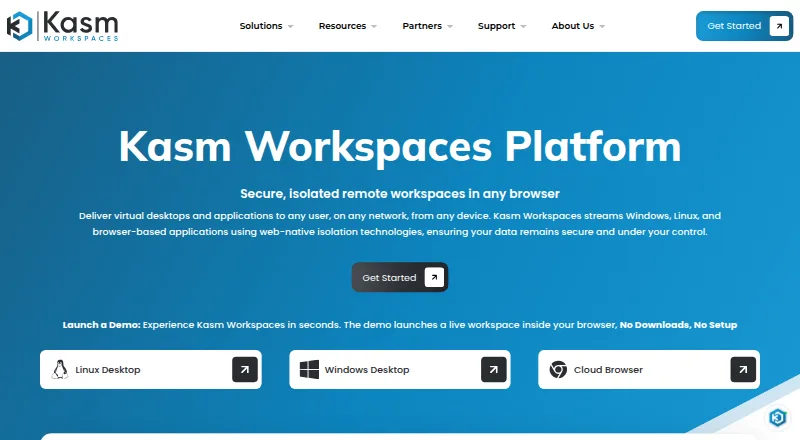
Kasm Workspaces is a secure workspace platform for delivering virtual desktops, isolated browsing, and streamed applications. It supports both container-based sessions and virtual-machine workspaces, with access provided through a modern web browser without plugins, agents, or client installations. Organizations can deploy it on premises, in disconnected or air-gapped environments, across multiple clouds, or in hybrid architectures. Connectivity options include KasmVNC, VNC, SSH, and RDP. Administrators can apply group policies, role-based access controls, data-loss-prevention restrictions, file-transfer controls, session recording, and other session-level controls. LDAP, SAML, and OIDC are listed authentication providers, while integrations cover identity providers, security tools, infrastructure, operational workflows, and existing VDI, PAM, IAM, SIEM, and DLP initiatives. Kasm states that the platform has SOC 2 Type II and CMMC Level 2 certifications, with customer compliance depending on how controls are implemented and maintained in each environment. The Community plan is free for five concurrent sessions and excludes commercial use.
Good
- Browser access needs no plugins, agents, or client installs
- Supports containerized and virtual machine workspaces
- Runs on-premises, across clouds, or in hybrid architectures
- Includes LDAP, SAML, and OIDC authentication
- Offers data-loss prevention and session recording controls
- Supports GPU-enabled desktop environments
Watch out
- Community plan is limited to five concurrent sessions
- Community edition excludes commercial use
- Starter concurrent-session licensing is $20 per contact
- Enterprise pricing requires a quote
Who it suits
Kasm Workspaces suits organizations needing browser-accessible virtual desktops, isolated browsing, or streamed applications across on-premises, cloud, disconnected, or hybrid environments. It is also aimed at teams requiring policy controls, identity integration, session recording, and multiple remote-access protocols.
Verdict
Choose Kasm Workspaces when you need controlled virtual desktops, browser isolation, or application streaming with flexible deployment and authentication options. Look elsewhere if five concurrent sessions cannot support a noncommercial evaluation or if you need pricing without requesting an Enterprise quote.
Plans and prices
From Kasm Workspaces's own pricing page, checked 29 Sep 2026.
| Plan | Price | What it gives you |
|---|---|---|
| Community | Free | Free · 5 concurrent sessions · no commercial use |
| Community Edition | Free | 5 concurrent sessions · personal, nonprofit, testing use |
| Starter | $10 a month | named-user or concurrent-session licensing · minimum under 25 licenses |
| Starter — Named User | Priced on request | License minimum <25 · commercial use included · web category filtering · Named user licensing; billing period not stated |
| Starter — Concurrent Session | Priced on request | License minimum <25 · commercial use included · web category filtering · Concurrent session licensing; billing period not stated |
| Enterprise | Priced on request | named-user or concurrent-session licensing · minimum over 25 licenses |
The facts
Each one read from Kasm Workspaces's own pages, with the date it was checked.
What it does
- Access protocols
- The platform lists KasmVNC, VNC, SSH, and RDP connectivity protocols.checked 29 Sep 2026
- Authentication
- Kasm's security documentation lists LDAP, SAML, and OIDC as supported authentication providers.checked 29 Sep 2026
- Autoscaling
- The platform can scale workspace capacity up or down with demand to reduce idle infrastructure costs.checked 15 Oct 2026
- Community limits
- The Community edition is listed as free with five concurrent sessions, and the features matrix marks commercial use as unavailable for it.checked 29 Sep 2026
- Compliance
- Kasm states it has achieved SOC 2 Type II and CMMC Level 2 certifications.checked 29 Sep 2026
- Compliance caveat
- Kasm says customer compliance depends on how controls are implemented, managed, monitored, and maintained in the organization’s environment.checked 29 Sep 2026
- Deployment
- Kasm says it can run on-premises, in disconnected or air-gapped environments, across multiple clouds, or in hybrid architectures.checked 29 Sep 2026
- Deployment models
- The platform runs on-premises, in public or private clouds, in hybrid architectures and in disconnected or air-gapped environments.checked 15 Oct 2026
- Developer API
- The Developer API exposes operations for sessions, users, groups, egress and deployment zones using least-privilege API key and secret pairs.checked 15 Oct 2026
- DLP controls
- Policies can control clipboard, file upload and download, printing, watermarks and session timeouts by user, group, application or desktop.checked 15 Oct 2026
- Documentation depth
- The documentation includes installation guides, configuration references, API specifications, troubleshooting material, release notes and developer preview documentation.checked 15 Oct 2026
- Identity integrations
- Supported authentication methods include LDAP, SAML 2.0 and OIDC, with LDAP group mapping and Active Directory synchronization.checked 15 Oct 2026
- Infrastructure as code
- Kasm publishes Terraform definitions and Ansible playbooks for custom image and deployment automation.checked 15 Oct 2026
- Integrations
- Independent catalog data lists integrations including AWS, Microsoft Azure, Oracle Cloud Infrastructure, DigitalOcean, Docker, Kubernetes, Ubuntu and RealVNC Connect.checked 15 Oct 2026
- Isolation
- Sessions execute remotely and are isolated from the endpoint, keeping applications and data inside the managed environment.checked 15 Oct 2026
- Licence
- The main Workspaces software is distributed under Kasm's commercial EULA; embedded open-source components retain their own licenses, while Community Edition is restricted from revenue-generating business use.checked 15 Oct 2026
- Limit: Kubernetes integration
- A GetApp reviewer reports that limited Kubernetes integration can require maintaining additional infrastructure.checked 15 Oct 2026
- Limit: tier restrictions
- A GetApp reviewer says lower tiers restrict the number of hours included.checked 15 Oct 2026
Where it runs
- Browser access
- Users access workspaces from modern browsers without installing endpoint plugins, agents or clients.checked 15 Oct 2026
- Limit: browser and heavy workloads
- A G2 reviewer notes browser responsiveness can depend on browser and network quality and that intensive 3D or simulation workloads may lag traditional VMs or physical desktops.checked 15 Oct 2026
The company
- Company
- Kasm Technologies lists its address as 1765 Greensboro Station Pl STE 900, McLean, Virginia 22102.checked 29 Sep 2026
- Company facts
- LinkedIn lists Kasm Technologies as privately held, founded in 2017, headquartered in McLean, Virginia, with 51–200 employees.checked 15 Oct 2026
- Company legal name
- The EULA identifies the maker as Kasm Technologies Inc., a Virginia corporation.checked 15 Oct 2026
- Headquarters
- McLean, Virginia, United Stateschecked 23 Sep 2026
The full review of Kasm Workspaces
Kasm Workspaces is a secure platform for browser isolation, virtual desktops, and streamed applications. It fits organizations that need centralized control over remote sessions while choosing among on-premises, cloud, disconnected, or hybrid deployment. Its broad workspace and security toolkit is compelling, but the free edition is unsuitable for commercial production use and larger deployments require paid licensing or a quote.
Overview
Kasm delivers applications, desktops, and containerized sessions through a modern web browser, without requiring plugins, agents, or client installations. Both containerized sessions and virtual machine workspaces are supported, allowing administrators to match the delivery model to the workload rather than forcing every user into one type of environment.
Deployment can be on-premises, in disconnected or air-gapped environments, across multiple clouds, or in a hybrid architecture. KasmVNC, VNC, SSH, and RDP connectivity cover a wide range of remote-session requirements. That breadth is valuable for organizations with mixed infrastructure, although it also puts more responsibility on administrators to design, secure, and maintain the chosen architecture.
Key features
Access and security controls
Group policies, role-based access control, and session-level controls let administrators define who can reach each workspace and how sessions operate. File-transfer controls and data-loss-prevention restrictions address data movement, while session recording supports oversight. Profile management preserves user settings across sessions, making recurring access less disruptive.
LDAP, SAML, and OIDC authentication providers support established identity environments. Kasm also describes integrations with security tools, infrastructure, operational workflows, and existing VDI, PAM, IAM, SIEM, and DLP initiatives. These options make Kasm a plausible layer in a larger access program rather than an isolated remote desktop product.
Workspace delivery
Application virtualization, remote isolation, GPU support, and both desktop types extend the platform beyond basic browser access. Web browsers, Windows, macOS, Linux, and desktop or mobile progressive web apps are supported on the client side, which helps organizations serve varied endpoints without distributing a dedicated client.
Kasm states that it has achieved SOC 2 Type II and CMMC Level 2 certifications. Those certifications do not automatically make an organization compliant: the resulting posture still depends on how controls are implemented, managed, monitored, and maintained in its own environment.
Pricing
Kasm uses a freemium model, with paid plans starting at $10 per user. The Community plan costs nothing and permits five concurrent sessions. Commercial use is unavailable, so it is appropriate for noncommercial evaluation or similarly limited use, not a small business’s production service.
Starter — Named User costs from $10 (priced on request) with named-user licensing, a license minimum of fewer than 25, commercial use, and web category filtering. This model suits organizations that can assign licenses to specific people and do not need to share a smaller pool of concurrent seats.
Starter — Concurrent Session costs from $20 (priced on request) with concurrent-session licensing, the same fewer-than-25 license minimum, commercial use, and web category filtering. It is the more natural fit for fluctuating users who share access, but its listed price is double the named-user entry price.
Enterprise has custom pricing, a license minimum above 25, commercial use, and hosted SaaS availability. Enterprise support adds direct access to technical support engineers, defined response-time SLAs, deployment and upgrade guidance, and architecture and scaling advice. That is the sensible tier for larger or operationally critical environments, but the purchase requires a quote.
Platforms
Kasm is available through web browsers and supports Windows, macOS, Linux, and desktop and mobile PWAs. Its platform supports API, Linux, web, and self-hosted operation, with hybrid deployment as the stated deployment model. The result is a strong fit for teams combining local infrastructure with cloud capacity or maintaining isolated environments.
Who it's for
Choose Kasm when you need browser-delivered desktops or applications, controlled browser isolation, mixed container and virtual-machine workspaces, or integration with established identity and security systems. It is especially relevant to organizations that require disconnected or air-gapped deployment and administrators who need session recording, data-loss prevention, and granular access policies.
It is a weaker fit for commercial teams seeking a genuinely free ongoing service: Community is capped at five concurrent sessions and excludes commercial use. Smaller organizations should also compare the named-user and concurrent-session economics carefully, while larger deployments should budget for Enterprise quoting and implementation work.
Pros and cons
- Pros: Browser access avoids client, agent, and plugin installation; container and virtual-machine workspaces cover different delivery needs; on-premises, air-gapped, multicloud, and hybrid deployment support unusual infrastructure; LDAP, SAML, and OIDC plus VDI, PAM, IAM, SIEM, and DLP integrations support centralized administration; session recording, file-transfer controls, and data-loss prevention provide meaningful governance.
- Cons: Community allows only five concurrent sessions and forbids commercial use; Starter pricing uses two different licensing models and does not state a billing period; Enterprise pricing requires a quote and a minimum above 25 licenses; the many deployment and control choices demand careful operational management.
Alternatives
For a browser-isolation-focused comparison, see Browser Isolation Software. For infrastructure centered on remote desktops, see Virtual Desktop Infrastructure Software.
BrowserGap is worth considering when an AGPL-3.0, source-available community edition and broad self-hosted platform coverage are priorities; its free use has stated government, researcher, journalist, and nonprofit conditions.
Netzilo Enterprise Browser suits teams wanting a free tier for up to five users and 100 devices, with community support, plus a free trial.
VirtualBrowser is an alternative for buyers seeking SaaS or on-premises deployment with shared or dedicated server options and quote-based pricing.
Zscaler Private Access is a paid private-access alternative with a limited Essentials platform option for 5% of users.
Menlo Security Secure Cloud Browser is a paid option with custom quotes varying by products and users.
Check Point Harmony SASE offers a 30-day trial before a license is required.
iboss Cloud is a paid alternative combining web filtering, URL categorization, basic CASB controls, HTTPS decryption, and cloud connector agents.
Netskope One Private Access is an enterprise product with quote-based pricing and a free trial.
Verdict
Kasm Workspaces is a strong choice for organizations that need controlled, browser-accessible desktops and applications across complex or isolated infrastructure. Its main reason to choose is the combination of flexible deployment, broad workspace support, and serious session and data controls. Look elsewhere if five concurrent sessions cannot support your noncommercial evaluation, if you need a permanently free commercial tier, or if you want transparent Enterprise pricing without requesting a quote.
Getting started
- Open the Kasm Workspaces website
- Choose a Community, Starter Named User, or Starter Concurrent Session plan
- Select an on-premises, cloud, disconnected, or hybrid deployment model
- Access desktops, applications, or sessions through a supported web browser
- Configure LDAP, SAML, or OIDC authentication if required
Limits worth knowing
The free Community plan allows five concurrent sessions and does not permit commercial use. Starter Named User licensing has a minimum below 25 licenses, while Starter Concurrent Session licensing also has a minimum below 25 licenses.
Questions
Is Kasm Workspaces free?
Yes. The Community plan costs nothing, allows five concurrent sessions, and excludes commercial use.
Which platforms can access Kasm Workspaces?
Kasm lists web browsers, Windows, macOS, Linux, and desktop and mobile progressive web apps as client platforms.
What authentication providers are supported?
The listed providers are LDAP, SAML, and OIDC.
Can Kasm Workspaces run in disconnected environments?
Yes. Deployment options include on-premises, disconnected or air-gapped environments, multiple clouds, and hybrid architectures.
Who makes Kasm Workspaces?
Kasm Technologies lists its headquarters at 1765 Greensboro Station Pl STE 900, McLean, Virginia 22102.
Alternatives to Kasm Workspaces
- 1
QVD
Free planOpen sourceAndroidiOSWebAPI8.4Free plan - 2
Amazon WorkSpaces
Free planAndroidiOSWebAPI8.2From $3.25 a month - 3

ThinLinc
Free planAndroidiOSWebLinux8.2From $103 a year - 4

Hydra
Free planWebAPISelf-hostedWindows7.5From $1 a month - 5

Inuvika OVD Enterprise
AndroidiOSWebLinux7.3 - 6

UDS Enterprise
AndroidiOSWebLinux7.0From €78 a year