
UDS Enterprise
UDS Enterprise is a desktop virtualization solution and connection broker for secure workspace access.
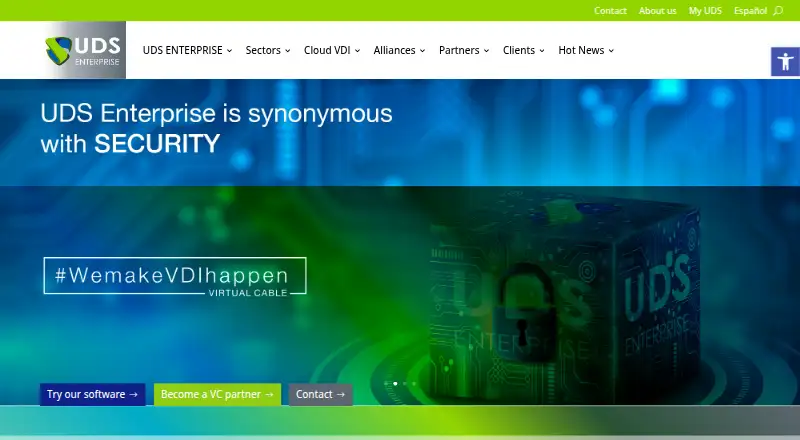
What UDS Enterprise is
UDS Enterprise is a desktop virtualization solution and connection broker for secure workspace access. It deploys Windows and Linux virtual desktops and applications, and provides remote access to physical Windows, Linux, and macOS devices. Organizations can run it on-premises, in public, private, or hybrid cloud, across multiple clouds, or as a managed DaaS service. Its integrations include virtualization platforms such as Microsoft Hyper-V, VMware vSphere, Proxmox, and OpenStack, alongside connection protocols including HTML5, RDP, SPICE, and NICE DCV. Authentication options include Active Directory, Entra ID, OAuth2, OpenLDAP, RADIUS, and SAML 2. Security features include an encrypted SSL tunnel for WAN connections, native multi-factor authentication, granular access policies, and least-privilege peripheral permissions. The platform also automates resource life cycles and scheduled machine startup and shutdown. Premium editions include 24×7 support and workplace monitoring and control tools.
Good
- Supports Windows and Linux virtual desktops and apps
- Offers on-premises, cloud, multi-cloud, and managed DaaS deployment
- Includes MFA and granular access policies
- Automates resource life cycles and machine schedules
- 60-day trial available
Watch out
- No free plan
- 24×7 support is included with Premium editions
Who it suits
UDS Enterprise suits organizations that need to provide virtual desktops, virtual applications, or remote access to physical computers across varied deployment environments. It may also suit teams seeking identity integrations, MFA, and access controls.
Verdict
UDS Enterprise covers virtual desktops, applications, and remote physical-device access across several deployment models. Its trial and starting price provide a clear entry point, while Premium editions are the listed option with 24×7 support.
Plans and prices
From UDS Enterprise's own pricing page, checked 1 Oct 2026.
| Plan | Price | What it gives you |
|---|---|---|
| UDS Corporate concurrent users (50–700) | €78 a year | from 50 to 700 concurrent users · price per user per year |
| 10 named-user add-on | €360 a year | 10 users · available from 1,000 to 5,000 users · requires 1,000-user subscription · annual extension |
| UDS Corporate named users (up to 50) | €3,900 a year | up to 50 users · annual subscription |
| UDS Corporate named users (350–1,000 flat rate) | €24,000 a year | flat rate from 350 to 1,000 users · annual subscription |
| Premium Edition named users (up to 1,000) | €39,000 a year | up to 1,000 named users · 24×7 support · annual subscription |
| UDS Corporate concurrent users (700–1,000 flat rate) | €54,600 a year | flat rate from 700 to 1,000 concurrent users · annual subscription |
| Premium Edition named users (up to 10.000) | — | up to 10.000 named users · 24×7 support · annual subscription |
| Premium Edition named users (up to 5,000) | — | up to 5,000 named users · 24×7 support · annual subscription |
The facts
Each one read from UDS Enterprise's own pages, with the date it was checked.
Where it runs
- Application virtualization
- It supports Windows and Linux virtual applications.checked 1 Oct 2026
What it does
- Authentication
- Authentication integrations include Active Directory, Entra ID, OAuth2, OpenLDAP, RADIUS and SAML 2.checked 1 Oct 2026
- Automation
- The platform automates resource life-cycle management and can schedule machines to turn on and off.checked 1 Oct 2026
- Connection protocols
- Supported connection protocols listed by the maker include HTML5, RDP, RDS, RemoteFX, SPICE, XRDP, X2GO, NICE DCV, NoMachine NX and HP Anyware PCoIP.checked 1 Oct 2026
- Core product
- UDS Enterprise is a desktop virtualization solution and cross-platform connection broker for secure access to workspaces.checked 1 Oct 2026
- Customer reach
- The maker says customers in more than 110 countries use UDS Enterprise.checked 1 Oct 2026
- Deployment environments
- The product can run on-premises, in public, private or hybrid cloud, multi-cloud, or as a fully managed DaaS service.checked 1 Oct 2026
- Encryption
- Its UDS Secure Tunnel provides SSL tunneling and end-to-end encryption for WAN connections.checked 1 Oct 2026
- Integrations
- Listed virtualization and infrastructure integrations include Citrix Hypervisor, HPE Morpheus, Microsoft Hyper-V, Nutanix Acropolis, Proxmox, oVirt, VMware vSphere, OpenStack and OpenNebula.checked 1 Oct 2026
- MFA
- Native MFA options include SMS token, email token, RADIUS and TOTP, with support for SAML 2 providers such as Azure AD, Google Workspace and Cisco Duo.checked 1 Oct 2026
- Remote access
- It provides remote use of physical Windows, Linux and macOS devices.checked 1 Oct 2026
- Security certification
- UDS Enterprise says it earned Spain’s Essential National Security Certification (LINCE), helping organizations comply with the Spanish National Security Framework (ENS).checked 1 Oct 2026
- Support
- Premium editions include 24×7 support, workplace monitoring and control tools.checked 1 Oct 2026
- VDI
- It administers and deploys Windows and Linux virtual desktops.checked 1 Oct 2026
- Zero Trust
- Zero Trust controls include granular access policies by operating system, IP, Wi-Fi type and device, plus least-privilege permissions for peripherals.checked 1 Oct 2026
The company
- Headquarters
- Rivas-Vaciamadrid, Madrid, Spainchecked 28 Sep 2026
The full review of UDS Enterprise
UDS Enterprise is a cross-platform broker for virtual desktops, virtual applications, and remote access to physical computers. It is best suited to organizations that need to connect varied workplace resources across different infrastructure environments. The breadth is compelling, but the annual prices and user thresholds make it a better fit for organizational deployments than small teams.
Overview
Windows and Linux virtual desktops and applications sit alongside remote access to physical Windows, Linux, and macOS devices. Organizations can deploy UDS Enterprise on-premises, in public, private, or hybrid cloud, across multiple clouds, or as a managed DaaS service. Profile management, identity integration, and GPU support round out its workplace capabilities.
The range of deployment models gives IT teams flexibility to fit the broker around existing infrastructure. That flexibility also means UDS Enterprise is not a simple, low-commitment desktop subscription: the published plans begin at defined user counts and reach substantial annual totals.
For a broader category comparison, see Virtual Desktop Infrastructure Software.
Key features
Workloads and infrastructure
UDS Enterprise covers both desktop and application virtualization for Windows and Linux, while also providing remote access to physical machines across Windows, Linux, and macOS. This mix is useful for organizations supporting virtual and physical work environments through one connection broker.
Infrastructure integrations include Citrix Hypervisor, HPE Morpheus, Hyper-V, Nutanix Acropolis, Proxmox, oVirt, VMware vSphere, OpenStack, and OpenNebula. Connection options span HTML5, RDP, RDS, RemoteFX, SPICE, XRDP, X2GO, NICE DCV, NoMachine NX, and HP Anyware PCoIP. That breadth can accommodate varied environments, though teams should confirm that their particular infrastructure and preferred protocol are supported.
Identity and security
Authentication integrations include Active Directory, Entra ID, OAuth2, OpenLDAP, RADIUS, and SAML 2. Native MFA options include SMS and email tokens, RADIUS, and TOTP; SAML 2 providers include Azure AD, Google Workspace, and Cisco Duo. UDS Secure Tunnel adds SSL tunneling and end-to-end encryption for WAN connections.
Zero Trust controls allow access policies to be set by operating system, IP, Wi-Fi type, and device, with least-privilege permissions for peripherals. UDS Enterprise says it earned Spain’s LINCE Essential National Security Certification, supporting organizations working to comply with the Spanish National Security Framework. These controls make the product relevant to security-conscious deployments, while the range of settings points to a platform intended for managed IT environments.
Operations
Resource life-cycle automation and scheduled machine startup and shutdown can help administrators manage provisioning and machine availability. Premium editions add 24×7 support and workplace monitoring and control tools, which may matter to organizations that need around-the-clock vendor support.
Pricing
UDS Enterprise is paid, has no free plan, and offers a 60-day trial. The stated starting price is €52/user/yr, but the specific annual plans vary by user type and threshold, so the entry price alone does not describe the commitment for every deployment.
- UDS Corporate concurrent users (50–700): €78 a year, billed per user per year, for 50–700 concurrent users. This structure suits organizations licensing by simultaneous usage, but requires at least 50 concurrent users.
- UDS Corporate named users (up to 50): €3,900 a year for up to 50 users. It offers a defined annual subscription for a smaller named-user deployment, rather than concurrent licensing.
- UDS Corporate named users (350–1,000 flat rate): €24,000 a year for 350–1,000 users. The flat rate may suit a large, predictable deployment, but is a sizeable annual commitment.
- UDS Corporate concurrent users (700–1,000 flat rate): €54,600 a year for 700–1,000 concurrent users. This is aimed at high concurrency and carries a higher fixed cost than the per-user tier.
- 10 named-user add-on: €360 a year for 10 users, available from 1,000 to 5,000 users and requiring a 1,000-user subscription. It is an extension, not a standalone entry plan.
- Premium Edition named users (up to 1,000): €39,000 a year, including 24×7 support, for up to 1,000 named users.
- Premium Edition named users (up to 5,000): €180,000 a year, including 24×7 support, for up to 5,000 named users.
- Premium Edition named users (up to 10.000): €330,000 a year, including 24×7 support, for up to 10.000 named users.
Corporate plans are the lower-priced route in the published lineup, while Premium adds round-the-clock support and workplace monitoring and control tools. The trial offers a way to assess fit before committing, but no free tier is available for ongoing use.
Platforms
Client access is supported on Windows, Linux, macOS, iOS, Android, and browser/HTML5. The product can also be self-hosted or delivered as managed DaaS, giving organizations a choice of deployment and client access models.
Who it's for
UDS Enterprise is a strong fit for organizations that manage virtual desktops and applications alongside remote physical devices, especially when they need multiple infrastructure, identity, and connection options. Its automation, access controls, MFA, and deployment choices suit centrally managed workplace environments. Smaller teams or buyers seeking free ongoing use should look elsewhere: there is no free plan, and the published subscriptions have minimum user thresholds or large annual flat rates.
Pros and cons
- Broad workload coverage: virtual desktops and applications for Windows and Linux, plus remote physical access for three operating systems, support mixed workplace estates.
- Flexible infrastructure and access: many virtualization integrations and connection protocols give organizations options to fit existing systems.
- Substantial security controls: MFA choices, encrypted WAN tunneling, granular access policies, and LINCE certification support security-focused deployments.
- High entry commitment: no free plan and user minimums or flat-rate annual fees make it poorly suited to small deployments.
- Premium costs more: 24×7 support and monitoring tools come with Premium subscriptions, whose annual prices rise substantially at larger user limits.
Alternatives
- Workspot Enterprise VDI Platform is another paid option for buyers comparing enterprise VDI; its licensing is per user, and virtual machines are billed separately.
- Hive Fabric is worth considering if a free option matters: its Community Edition is a perpetual license for one physical host with unlimited VMs.
- Inuvika OVD Enterprise is a paid alternative with a free trial and a five-year subscription option priced at $7.50 per concurrent user per month.
- Kasm Workspaces has a free Community tier capped at five concurrent sessions and excludes commercial use, making that tier relevant to noncommercial evaluation rather than business deployment.
- QVD offers a free Community Edition aimed at developers and testers, with GitHub community support.
- Amazon WorkSpaces is a paid option with a free plan and trial; its Windows single-session applications fee is $4.19 per user per month, plus provisioned instance-hour charges.
- Leostream Platform is another option to compare for web, Windows, macOS, and Linux access.
- IsardVDI is a free alternative supporting web, desktop, and mobile platforms.
Verdict
Choose UDS Enterprise if your organization needs one broker for virtual desktops, virtual applications, and remote physical access across varied infrastructure, and can justify its annual user commitments. Its breadth of integrations and security controls are the central reasons to shortlist it. Look elsewhere if you need a free ongoing plan, a small-team entry point, or a simpler commitment than the published user-based and flat-rate subscriptions.
Alternatives to UDS Enterprise
- 1

Kasm Workspaces
Free planOpen sourceAndroidiOSWebAPI8.6From $10 a month - 2
QVD
Free planOpen sourceAndroidiOSWebAPI8.4Free plan - 3

Amazon WorkSpaces
Free planAndroidiOSWebAPI8.2From $3.25 a month - 4

ThinLinc
Free planAndroidiOSWebLinux8.2From $103 a year - 5

Hydra
Free planWebAPISelf-hostedWindows7.5From $1 a month - 6

Inuvika OVD Enterprise
AndroidiOSWebLinux7.3