QVD
QVD is an open-source virtual desktop infrastructure solution for Linux desktops, with on-site and cloud desktop services.
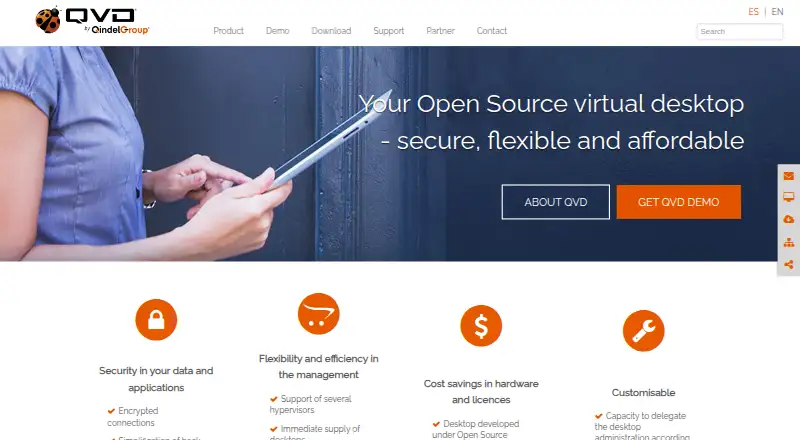
What QVD is
QVD is an open-source virtual desktop infrastructure solution for Linux desktops, with on-site and cloud desktop services. Its Web Administration Tool centrally manages users and virtual desktops and is designed for multitenant environments. QVD supports KVM and LXC virtualization, while authentication plugins can connect with LDAP and Active Directory. Listed security features include encrypted connections, control over external device connections, and traceability of user connections. Administrators can work through the web tool or the qa command-line utility; the site also describes API management. Graphical clients are listed for Linux, Windows, MacOS, Raspberry, iOS, and Android. Community Edition is aimed at developers and testers and has free GitHub community support, with response times dependent on volunteer availability. Enterprise and Education editions target organisations needing dedicated support; enterprise subscriptions may include consulting, engineering, deployment, maintenance, and support under agreed service levels. A free 30-day trial is available. The listed editions are Community, Enterprise, Online, and Education.
Good
- Open-source solution for Linux desktops
- Supports on-site and cloud desktop services
- Supports KVM and LXC virtualization
- Includes web administration and command-line management
- Free 30-day trial
Watch out
- Community support response times depend on volunteer availability
- Paid edition prices are not listed
- Online Edition price is shown without a currency symbol
Who it suits
Community Edition is aimed at developers and testers. Enterprise and Education editions are described for organisations needing dedicated support; the Online Edition is aimed at companies with in-house system administration expertise.
Verdict
QVD offers Linux desktop infrastructure with central administration, multiple authentication options, and clients across several platforms. Organisations should weigh their support needs against the community-support model and the unlisted prices for paid editions.
Plans and prices
From QVD's own pricing page, checked 14 Oct 2026.
| Plan | Price | What it gives you |
|---|---|---|
| Community Edition | Free | For developers and testers · GitHub community support |
| QVD Community Edition | Free | For developers and testers · GitHub community support |
| Enterprise Edition | €76 a year | 50 users · Gold support · fully supported installation · first year per user for 50 users |
| Online Edition | $76 a year | For companies with in-house system administrators · Gold support · first year per user |
| QVD Online Edition | — | For companies with in-house sysadmin expertise · Gold support · Page states “Price (1st year): 76” without a currency symbol |
| QVD Education Edition | Priced on request | For educational organisations needing 8x5 support and fully supported installations · Gold support (8x5) · Price based on subscription plan |
| QVD Enterprise Edition | Priced on request | For companies needing 8x5 support and fully supported installations · Gold support (8x5) · Price based on subscription plan |
| Education Edition | Priced on request | Educational organizations · Gold support 8x5 · price based on subscription plan |
The facts
Each one read from QVD's own pages, with the date it was checked.
What it does
- Administration API
- QVD administration can be managed through its web tool or the qa command-line utility, and the site describes API management.checked 2 Oct 2026
- API
- QVD documentation describes an API that also underpins its command-line administration application.checked 14 Oct 2026
- Authentication
- QVD can use authentication plugins, and its documentation describes LDAP and Active Directory integration.checked 2 Oct 2026
- Authentication integrations
- LDAP and Microsoft Active Directory authentication are supported through QVD integration mechanisms.checked 14 Oct 2026
- Command line
- The qa command-line utility can administer QVD from a machine connected to the QVD database.checked 14 Oct 2026
- Desktop capabilities
- Demo desktops support shared folders, USB devices, printing, multimedia sound, Linux applications and third-party applications.checked 14 Oct 2026
- Desktop management
- QVD centralizes management of desktops, users, images and applications and supports simultaneous desktops per user.checked 14 Oct 2026
- Documentation depth
- The documentation site provides release notes, architecture, installation, administration, WAT, client and API guides, plus upgrade and patching procedures.checked 14 Oct 2026
- Education use
- Education deployments provide remote student and teacher desktops, computer-room management and personal-device access.checked 14 Oct 2026
- Enterprise support
- Enterprise subscription support is tailored and may include consulting, engineering, deployment, maintenance, and support under agreed service levels.checked 2 Oct 2026
- Experimental binaries
- The vendor warns that several compiled clients, including Raspberry, FreeBSD, iOS and Android binaries, may be feature incomplete.checked 14 Oct 2026
- Hypervisors
- The platform supports KVM virtual machines and LXC containers.checked 14 Oct 2026
- Industry solutions
- The vendor describes banking, customer-center, healthcare, public-body, telecommunications and education deployments.checked 14 Oct 2026
- Intended users
- The maker describes Community Edition as aimed at developers and testers, while Enterprise and Education editions target organisations needing dedicated support.checked 2 Oct 2026
- License
- QVD is presented as open source and the project documentation identifies the GNU General Public License.checked 14 Oct 2026
- Low bandwidth
- QVD uses NX technology and offers connection modes intended for local, ADSL and modem bandwidth conditions.checked 14 Oct 2026
- Management
- The Web Administration Tool centrally manages QVD users and virtual desktops.checked 2 Oct 2026
- Multi-tenancy
- The Web Administration Tool is designed to administer multitenant environments from one platform.checked 2 Oct 2026
Where it runs
- Apple app details
- The iOS QVD Client is free, categorized under Productivity, and lists Qindel as developer with a 42 MB download.checked 14 Oct 2026
- Client platforms
- Download materials list clients for Linux, Windows, macOS, Raspberry Pi, iOS and Android.checked 14 Oct 2026
The company
- Company founded
- LinkedIn lists Qindel Group as founded in 1998.checked 14 Oct 2026
- Company headquarters
- LinkedIn lists Qindel Group headquarters in Madrid, Spain.checked 14 Oct 2026
- Company legal name
- QVD is developed by Qindel Group, a privately held IT-services and consulting company.checked 14 Oct 2026
- Company size
- LinkedIn lists Qindel Group in the 51–200 employee range.checked 14 Oct 2026
The full review of QVD
QVD is open-source virtual desktop infrastructure for Linux desktops, delivered on-site or in the cloud. It best suits teams that can manage their own environment or are prepared to pay for dedicated support. Its appeal is central, multitenant administration; community support’s volunteer-dependent response times are a real trade-off.
Overview
QVD brings user and virtual desktop management together in a Web Administration Tool, with KVM and LXC as virtualization options. Administrators can also use the qa command-line utility or the administration API. For organisations running multiple tenants, one management platform can reduce the need to administer each environment separately.
The product covers desktop and application virtualization, profile management, and identity integration. That breadth makes it relevant to organisations building a Linux desktop service, but does not by itself make QVD a fit for teams seeking a fully managed service.
Key features
Administration and identity
Authentication plugins allow teams to choose an authentication approach, while documented LDAP and Active Directory integration can fit environments already using those directory services. Web, command-line, and API administration offer different ways to manage the deployment; the web tool is also designed for multitenant environments.
Connection security and clients
QVD lists encrypted connections, controls for external device connections, and traceability of user connections. Those controls matter to organisations that need to manage device access and review connection activity. GUI clients are offered for Linux, Windows, MacOS, Raspberry, iOS, and Android, giving users several ways to connect across desktop and mobile devices.
Community and paid support
Community support is free and handled by GitHub community members, so response times depend on volunteer availability. Organisations that need defined support arrangements can choose an enterprise subscription, which may include consulting, engineering, deployment, maintenance, and support under agreed service levels.
Pricing
QVD has a free plan and a no-commitment 30-day trial. The paid editions use custom pricing, so organisations should confirm subscription terms and costs before choosing one.
- QVD Community Edition: free. Aimed at developers and testers, it includes GitHub community support. It suits teams able to rely on volunteer support rather than a dedicated service commitment.
- QVD Enterprise Edition: custom pricing based on the subscription plan, with Gold support (8x5). It targets companies needing 8x5 support and fully supported installations.
- QVD Online Edition: custom pricing; the page gives a first-year price of 76 without stating a currency. It includes Gold support and targets companies with in-house sysadmin expertise.
- QVD Education Edition: custom pricing based on the subscription plan, with Gold support (8x5). It targets educational organisations needing 8x5 support and fully supported installations.
The Community Edition’s main concession is support responsiveness: there is no promised response time because volunteers handle requests as available. The paid editions are for organisations that need more dependable support; the available plan descriptions do not establish seat limits or other usage caps.
Platforms
QVD’s platform coverage includes Android, iOS, Linux, MacOS, self-hosted deployments, web, Windows, and API. Its GUI clients span Linux, Windows, MacOS, Raspberry, iOS, and Android. The mix can suit organisations with varied user devices, while Linux desktops remain the product’s focus.
Who it's for
Community Edition is aimed at developers and testers who can work with community support. Enterprise Edition is a better fit for companies seeking 8x5 support and fully supported installations; Education Edition serves educational organisations with similar support needs. Online Edition is aimed at companies with in-house sysadmin expertise, so it is the more natural fit for teams prepared to operate their own service.
QVD is less suitable for teams that need a guaranteed community response or a clear paid-plan price before engaging with a vendor. Its open-source project also invites contributors to submit bug fixes, improvements, and suggestions through community channels, which may appeal to teams that want to participate in development.
Pros and cons
- Pros: Central multitenant administration, with web, command-line, and API management options, gives administrators flexibility as environments grow.
- Pros: KVM and LXC support, plus desktop and application virtualization and profile management, cover several parts of a Linux desktop service in one platform.
- Pros: LDAP and Active Directory integration and a range of desktop and mobile clients can accommodate existing identity systems and mixed device fleets.
- Cons: Free community support depends on volunteer availability, making response times unpredictable for organisations with operational support requirements.
- Cons: Paid editions use custom pricing, and the Online Edition’s stated first-year figure has no currency, complicating cost comparison.
Alternatives
For a broader comparison, see Virtual Desktop Infrastructure Software. Consider Amazon WorkSpaces if you prefer a paid service with a free plan and trial and broad desktop and mobile platform coverage; its Windows single-session user fee is $4.19 a month, plus provisioned instance-hour charges.
Hydra is another freemium option; its free Community Edition caps usage at one tenant and five hosts per host pool, with core autoscaling and image management. Choose Citrix Workspace if its paid offering better fits your requirements.
Kasm Workspaces may fit teams seeking a free self-hosted, web-oriented option: its Community plan allows five concurrent sessions but prohibits commercial use. ThinLinc offers a free plan for up to 10 concurrent users, making it worth considering when that user limit fits.
UDS Enterprise is a paid option with a free trial and a listed corporate concurrent-user plan for 50–700 users at €78 a year per user. Hive Fabric is another freemium option with web, Windows, and Linux platforms. Inuvika OVD Enterprise is a paid alternative with a free trial and a listed five-year subscription of $7.50 a year, billed per concurrent user per month.
Verdict
Choose QVD if you need Linux desktop infrastructure with central multitenant administration, multiple authentication options, and clients across desktop and mobile platforms. Its strongest case is the combination of management flexibility and support for both desktop and application virtualization. Look elsewhere if volunteer-dependent support is too uncertain or custom-priced paid editions make budgeting difficult.
Getting started
- Visit the QVD website.
- Choose the Community, Enterprise, Online, or Education edition that fits your needs.
- Use the free 30-day trial if you want to try QVD before committing.
- Select a listed client platform: Linux, Windows, MacOS, Raspberry, iOS, or Android.
Limits worth knowing
The free Community Edition includes GitHub community support, with response times dependent on volunteer availability. The free trial lasts 30 days and has no commitment.
Questions
Does QVD have a free plan?
Yes. QVD Community Edition is listed as free and is aimed at developers and testers.
Does QVD offer a trial?
Yes. The site offers a free 30-day trial with no commitment.
Which platforms have QVD clients?
The maker lists graphical clients for Linux, Windows, MacOS, Raspberry, iOS, and Android. The platforms list also includes web and self-hosted.
Is QVD open source?
Yes. QVD is described as an open-source VDI solution, and the project invites community contributions such as bug fixes and improvements.
What support comes with the editions?
Community Edition has free GitHub community support, with response times depending on volunteer availability. Enterprise and Education editions target organisations needing dedicated support; subscriptions may include consulting, engineering, deployment, maintenance, and support under agreed service levels.
What virtualization and identity options does QVD support?
QVD supports KVM and LXC virtualization. Authentication plugins are available, and its documentation describes LDAP and Active Directory integration.
Alternatives to QVD
- 1

Kasm Workspaces
Free planOpen sourceAndroidiOSWebAPI8.6From $10 a month - 2

Amazon WorkSpaces
Free planAndroidiOSWebAPI8.2From $3.25 a month - 3

ThinLinc
Free planAndroidiOSWebLinux8.2From $103 a year - 4

Hydra
Free planWebAPISelf-hostedWindows7.5From $1 a month - 5

Inuvika OVD Enterprise
AndroidiOSWebLinux7.3 - 6

UDS Enterprise
AndroidiOSWebLinux7.0From €78 a year