
Citrix Workspace
Citrix Workspace is client software for accessing work resources, including virtual apps and desktops delivered from on-premises infrastructure, public cloud…
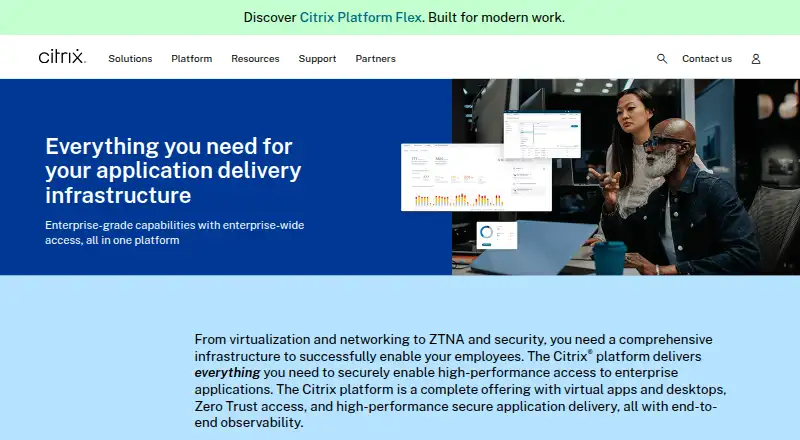
What Citrix Workspace is
Citrix Workspace is client software for accessing work resources, including virtual apps and desktops delivered from on-premises infrastructure, public clouds or hypervisor platforms. Users can connect through the installed app or a browser, with clients listed for Windows, Mac, Linux, Android, ChromeOS and HTML5. Citrix describes a unified portal and single sign-on for sanctioned web, SaaS and client-server apps. Access controls can take account of a user's role, location or device to help protect sensitive data. Administrators configure purchased Citrix Cloud services and make them available through Workspace integrations. Citrix also describes monitoring and troubleshooting for hybrid environments. Authentication options vary; StoreFront Cloud supports a time-based token as a second factor for Active Directory sign-in, with enrollment currently limited to one device per user. The Workspace app for Windows supports TLS 1.2 and 1.3. Citrix advises end users to contact their system administrator or IT help desk about setup and company-specific version requirements. Pricing is available on request. The supplied product URL redirects to a broader Citrix Platform page.
Good
- Provides access to virtual apps and desktops.
- Supports access through an app or browser.
- Access controls can consider role, location or device.
- Windows app supports TLS 1.2 and 1.3.
Watch out
- Pricing is available on request.
- StoreFront Cloud token enrollment is limited to one device at a time.
- Changing StoreFront Cloud authentication mode can interrupt store access for up to five minutes.
Who it suits
Citrix Workspace suits enterprise users who need access to work resources across desktop, mobile and browser clients. Administrators configure the purchased Citrix Cloud services and their access integrations.
Verdict
Citrix Workspace provides a client and browser route to enterprise work resources, with access controls and single sign-on options. Setup and authentication depend on organizational configuration, and pricing is available on request.
The facts
Each one read from Citrix Workspace's own pages, with the date it was checked.
What it does
- Access controls
- Citrix describes adaptive Zero Trust access to IT-sanctioned web, SaaS, and client-server apps.checked 30 Sep 2026
- Authentication options
- StoreFront Cloud supports Active Directory, Active Directory plus token, Azure Active Directory, Citrix Gateway, Google, Okta, and SAML 2.0 authentication.checked 30 Sep 2026
- Configuration impact
- Citrix says changing StoreFront Cloud authentication mode can cause an end-user store-access outage of up to five minutes.checked 30 Sep 2026
- Downloads
- Citrix lists Workspace app downloads for Windows, Mac, Linux, Android, ChromeOS, and HTML5, with current and long-term support releases for some platforms.checked 30 Sep 2026
- Intended users
- Citrix describes the platform as an enterprise-wide solution for delivering and managing secure access to enterprise content for users on any device.checked 30 Sep 2026
- Monitoring
- Citrix describes observability capabilities for monitoring and troubleshooting hybrid Citrix environments with actionable data and security policies.checked 30 Sep 2026
- Multifactor authentication
- StoreFront Cloud supports a time-based token as a second factor for Active Directory sign-in, with users currently able to enroll one device at a time.checked 30 Sep 2026
- Product page status
- The supplied Citrix Workspace product URL redirects to Citrix’s broader Citrix Platform page.checked 30 Sep 2026
- Secure access
- Citrix describes zero-trust access to sanctioned web, SaaS, and client-server apps, including single sign-on and a unified portal.checked 30 Sep 2026
- Secure communications
- Citrix Workspace app for Windows supports TLS versions 1.2 and 1.3 for secure communications.checked 30 Sep 2026
- Security certifications
- The Citrix DaaS row on Citrix’s certifications page lists SOC 2 Type 2, ISO 27001, ISO 27701, HIPAA, PCI DSS v4.0, IRAP, and FedRAMP Moderate JAB Authorization.checked 30 Sep 2026
- Service integrations
- Administrators configure purchased Citrix Cloud services and enable access to them through Workspace service integrations.checked 30 Sep 2026
- Single sign-on
- StoreFront Cloud supports single sign-on to virtual apps and desktops, using Active Directory credentials or Federated Authentication Service with other identity providers.checked 30 Sep 2026
- Support guidance
- Citrix recommends that end users contact their system administrator or IT help desk for setup information and company-specific version requirements.checked 30 Sep 2026
- Support resources
- Citrix links customers to customer support, onboarding and adoption, and product documentation.checked 30 Sep 2026
Where it runs
- Browser access
- Citrix documents browser access to hosted applications or virtual desktops through Workspace for Web.checked 30 Sep 2026
- Client app
- Citrix Workspace app is client software that provides secure access to work resources.checked 30 Sep 2026
- Device controls
- Access controls can use user context such as role, location, or device to help keep sensitive data off unauthorized devices.checked 30 Sep 2026
- Device security
- Citrix says access controls can use user context such as role, location, or device to protect sensitive data.checked 30 Sep 2026
- Supported app clients
- Citrix’s download page lists Workspace app for Windows, Mac, Linux, Android, ChromeOS, and HTML5.checked 30 Sep 2026
- Virtual apps and desktops
- Citrix says its platform delivers virtual apps and desktops from on-premises infrastructure, public clouds, or hypervisor platforms.checked 30 Sep 2026
- Workspace app
- Citrix describes Workspace app as client software for secure access to work resources.checked 30 Sep 2026
The company
- Microsoft Teams
- Citrix says Workspace app includes components for Microsoft Teams optimization that offload media processing to the endpoint.checked 30 Sep 2026
The full review of Citrix Workspace
Citrix Workspace is an enterprise access client and portal for virtual desktops, applications, and managed work resources. It suits organizations operating Citrix services across a mixed device estate. Its security and delivery breadth are persuasive, while custom pricing and administrator-led setup make it unsuitable for people wanting an independently configured, clearly priced app.
Overview
Workspace connects employees to virtual applications and desktops hosted on on-premises infrastructure, public clouds, or hypervisor platforms. A user can connect through the installed Workspace app or a browser, while administrators expose purchased Citrix Cloud services through Workspace service integrations. It is therefore an access and delivery layer whose usefulness depends on the Citrix services and policies behind it, rather than a self-contained application suite.
Citrix positions the platform for enterprise-wide access to work content on any device. Adaptive Zero Trust controls cover sanctioned web, SaaS, and client-server applications, and can use role, location, or device context to keep sensitive data away from unauthorized endpoints. That is a strong fit for centrally managed workforces, but end users depend on their administrator or help desk for setup and company-specific version requirements.
Key features
Identity and access
StoreFront Cloud supports Active Directory, Active Directory with a token, Azure Active Directory, Citrix Gateway, Google, Okta, and SAML 2.0 authentication. Single sign-on can use Active Directory credentials or Federated Authentication Service with other identity providers, reducing repeated sign-ins across virtual apps and desktops. A time-based token can provide a second factor for Active Directory sign-in, although users can currently enroll only one device at a time. Changing the StoreFront Cloud authentication mode can interrupt store access for up to five minutes, so identity changes require operational planning.
Virtual delivery and clients
Virtual apps and desktops can be delivered from several infrastructure models, with profile management, application virtualization, identity integration, GPU support, and both desktop types represented. Downloads cover Windows, Mac, Linux, Android, ChromeOS, and HTML5, with current and long-term support releases available for some platforms. Browser access is useful on unmanaged or temporary machines; the installed client is the route for organizations that need a dedicated endpoint experience. On Windows, TLS 1.2 and 1.3 protect communications.
Collaboration and operations
Workspace app includes Microsoft Teams optimization components that offload media processing to the endpoint, an important consideration for organizations delivering Teams through virtual desktops. Citrix also describes observability for monitoring and troubleshooting hybrid Citrix environments, with actionable data and security policies. These capabilities serve administrators more than individual users and depend on the relevant Citrix services being purchased and configured.
Security and assurance
The Citrix DaaS certifications row includes SOC 2 Type 2, ISO 27001, ISO 27701, HIPAA, PCI DSS v4.0, IRAP, and FedRAMP Moderate JAB Authorization. Those attestations can support regulated procurement, but they do not remove the need to configure authentication and endpoint policies appropriately.
Pricing
Citrix Workspace uses paid, custom pricing, with quotes available on request. There is no published free plan, seat allowance, trial term, or renewal schedule to compare. This model is aimed at organizations budgeting for an enterprise Citrix environment and working through an account team; it is a poor match for a small team that needs immediate pricing or a self-serve trial.
Platforms
Supported client platforms are Windows, macOS, Linux, iOS, Android, and browser. Citrix lists Workspace app downloads for Windows, Mac, Linux, Android, ChromeOS, and HTML5. That range supports employees moving between desktops, phones, tablets, and browser-only situations, while the organization remains responsible for selecting compatible releases and completing configuration.
Who it's for
Choose Workspace when your organization already runs Citrix Cloud or related virtual desktop services and needs one controlled route to applications and desktops across varied endpoints. It is especially appropriate for enterprises requiring federated identity, contextual access rules, virtualized applications, and governance in regulated environments. Individuals, small groups without Citrix administration, and buyers seeking transparent monthly plans should look elsewhere.
Pros and cons
Pros
- Broad delivery model: virtual apps and desktops can come from on-premises, public-cloud, or hypervisor infrastructure.
- Flexible identity: support for major directory, gateway, social, and SAML providers plus single sign-on.
- Contextual protection: role, location, and device signals can restrict access to sensitive resources.
- Wide endpoint coverage: dedicated clients and HTML5 browser access span major desktop and mobile systems.
- Enterprise assurance: the stated SOC 2, ISO, HIPAA, PCI DSS, IRAP, and FedRAMP Moderate JAB credentials help with compliance reviews.
Cons
- Custom pricing: buyers cannot assess cost from a public plan table or published seat terms.
- Administrative dependency: setup, versions, service integrations, and authentication are controlled by the organization’s IT team.
- Authentication-change disruption: switching StoreFront Cloud authentication mode can cause up to five minutes of store-access outage.
- One-device token enrollment: the current time-based second-factor enrollment limit may constrain users with multiple devices.
Alternatives
Virtual Desktop Infrastructure Software is the broader category guide for comparing deployment approaches. Pick QVD instead if a freemium product with a community edition, free trial, and self-hosted or cloud-facing platform coverage better suits developers and testers. ThinLinc is a stronger choice when a free tier capped at 10 concurrent users or a per-user annual Standard plan matches a smaller deployment.
Hive Fabric fits buyers seeking a perpetual Community Edition for one physical host and unlimited VMs. Ravada VDI is the simpler free, self-hosted Linux/KVM route. Hydra suits teams wanting a free-forever community tier with limited tenants and host pools, or a Windows 365-focused plan. IsardVDI is worth choosing when open-source software and collaborative GitLab development are priorities.
Kasm Workspaces is preferable for browser-delivered workspaces when a free Community edition permits five concurrent sessions but disallows commercial use. Leostream Platform is an alternative for organizations prepared for a customized quote, one-year commitment, and a 25-user minimum.
Verdict
Citrix Workspace is a strong enterprise choice for organizations already invested in Citrix services and needing governed access to virtual desktops and applications across many device types. Its main reason to choose is the combination of broad delivery, identity integration, and contextual controls. Look elsewhere if you need transparent pricing, independent setup, or a small-scale free tier.
Alternatives to Citrix Workspace
- 1

Kasm Workspaces
Free planOpen sourceAndroidiOSWebAPI8.6From $10 a month - 2
QVD
Free planOpen sourceAndroidiOSWebAPI8.4Free plan - 3

Amazon WorkSpaces
Free planAndroidiOSWebAPI8.2From $3.25 a month - 4

ThinLinc
Free planAndroidiOSWebLinux8.2From $103 a year - 5

Hydra
Free planWebAPISelf-hostedWindows7.5From $1 a month - 6

Inuvika OVD Enterprise
AndroidiOSWebLinux7.3