Ravada VDI
Ravada VDI is an open-source broker that lets users connect to virtual desktops.
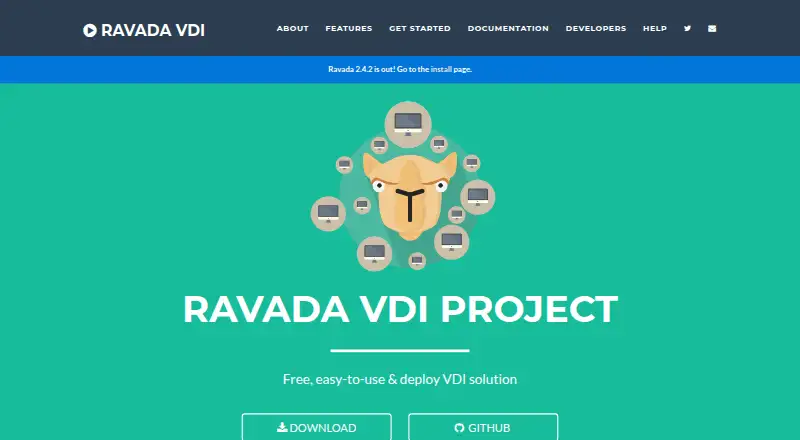
What Ravada VDI is
Ravada VDI is an open-source broker that lets users connect to virtual desktops. Its web interface provides user access to machines and settings, while administrators can manage virtual machine pools and templates. The backend currently supports KVM and is designed to allow additional hypervisors to be added later. Users need a web browser and a remote viewer that supports SPICE. Ravada runs on Linux distributions, with server packages supported for Ubuntu, Debian, and Fedora; Docker is another installation option. Documentation describes SPICE viewer clients for Linux and Windows and includes setup pages for macOS. SQL and LDAP authentication are supported, and the production deployment guide covers SPICE-TLS configuration. Ravada is licensed under AGPL and is free to use. It is intended for sysadmins deploying on-premise virtual desktops, with basic GNU/Linux administration knowledge advised. Help is directed to documentation, GitHub issues, a Google group, and a public Telegram group; the developers are unpaid volunteers rather than a personal support hotline.
Good
- Free to use under the AGPL license.
- Web interface supports users and administrators.
- Supports SQL and LDAP authentication.
- Docker installation is available.
Watch out
- The backend currently supports KVM.
- A SPICE-compatible remote viewer is required.
- Basic GNU/Linux administration knowledge is advised.
- Developers are unpaid volunteers, not a personal support hotline.
Who it suits
Ravada VDI suits sysadmins deploying on-premise virtual desktops who have basic GNU/Linux administration knowledge. Users also need a browser and a SPICE-compatible remote viewer.
Verdict
Ravada VDI provides a free, self-hosted route to virtual desktop access and administration, with KVM currently stated as its backend. It is better suited to sysadmins comfortable with Linux deployment and SPICE viewer setup.
Plans and prices
From Ravada VDI's own pricing page, checked 7 Oct 2026.
| Plan | Price | What it gives you |
|---|---|---|
| Free | Free | Self-hosted deployment · Linux-based server administration · KVM support currently stated · Free to use |
The facts
Each one read from Ravada VDI's own pages, with the date it was checked.
What it does
- Access
- Users need a web browser and a remote viewer that supports the SPICE protocol.checked 7 Oct 2026
- Authentication
- The maker says SQL and LDAP authentication are supported.checked 7 Oct 2026
- Deployment
- Ravada works on Linux distributions, with packages supported for Ubuntu, Debian, and Fedora servers, and it can also be installed with Docker.checked 7 Oct 2026
- Hypervisor
- The maker says the backend currently supports KVM and is designed to allow future hypervisors to be added.checked 7 Oct 2026
- License
- Ravada's code is licensed under AGPL.checked 7 Oct 2026
- Security configuration
- The documentation includes a production deployment guide with SPICE-TLS configuration.checked 7 Oct 2026
- Support
- The project directs users to documentation, GitHub issues, a Google group, and a public Telegram group, and says its developers are unpaid volunteers rather than a personal support hotline.checked 7 Oct 2026
- Web interface
- The web frontend includes user machine access and settings, machine management, and administrator tools for managing VM pools and templates.checked 7 Oct 2026
- What it does
- Ravada is an open-source VDI broker that lets users connect to virtual desktops.checked 7 Oct 2026
- Who it is for
- Ravada is intended for sysadmins deploying on-premise virtual desktops, and basic GNU/Linux administration knowledge is advised.checked 7 Oct 2026
Where it runs
- Client platforms
- The installation documentation describes SPICE viewer clients for Linux and Windows, and the documentation includes client setup pages for macOS.checked 7 Oct 2026
The full review of Ravada VDI
Ravada VDI is an open-source broker for connecting users to virtual desktops on an organization’s own infrastructure. It is best for sysadmins with GNU/Linux administration skills who want to run an on-premise VDI service. Its appeal is a free, self-hosted route to desktop access; its trade-off is responsibility for Linux deployment and SPICE client setup.
Overview
Ravada combines user access to machines and settings with administrator tools for managing virtual-machine pools and templates. That makes its web frontend useful as a shared access and management point, while leaving the underlying server and desktop infrastructure in the administrator’s hands.
KVM is the currently supported backend. The project is designed to accommodate additional hypervisors in future, but teams running another hypervisor should not treat that as support today. Users also need a web browser and a remote viewer compatible with SPICE, so browser access alone is not enough to reach a desktop.
Key features
- Web access and administration: Users can reach their machines and settings, while administrators manage VM pools and templates. This covers core VDI access and pool administration without replacing Linux server administration.
- SQL and LDAP authentication: Support for both makes Ravada a fit for environments using either authentication method.
- Linux deployment options: Ravada works on Linux distributions, with packages supported for Ubuntu, Debian and Fedora servers; Docker installation is also an option. These choices help teams match deployment to their server setup, but still require someone able to administer it.
- SPICE client and transport configuration: Client setup documentation covers Linux and Windows, with setup pages for macOS. A production guide includes SPICE-TLS configuration, useful for administrators planning a secured deployment.
- Open-source license: The code is licensed under AGPL, which suits teams seeking open-source software and able to work within that license.
Pricing
Ravada’s Free plan costs nothing, billed Free to use. It includes self-hosted deployment, Linux-based server administration and the KVM support currently stated. For sysadmins prepared to operate their own infrastructure, this removes a software subscription charge; it does not remove the work of deploying and maintaining the service.
The plan is a private deployment with both desktop types, identity integration and GPU support. The key limitation is operational rather than a stated seat or usage cap: Ravada depends on Linux administration and SPICE-compatible clients. It is a stronger fit for teams that can own those responsibilities than for organizations seeking a managed service or personal support hotline.
Platforms
Ravada’s deployment is Linux-based and self-hosted, with web access for users and administrators. The documented SPICE viewer clients cover Linux and Windows, and client setup pages are available for macOS. A browser is required, but it must be paired with a SPICE-capable remote viewer to access desktops.
Who it's for
Ravada suits sysadmins deploying on-premise virtual desktops who are comfortable with basic GNU/Linux administration, KVM and SPICE viewer setup. It is particularly relevant to teams that want web-based user access and VM pool management while keeping the deployment on their own infrastructure.
It is a poor fit for users looking for a turnkey hosted desktop service, a browser-only client, or direct personal support. The project points users to documentation, GitHub issues, a Google group and a public Telegram group; its developers are unpaid volunteers, not a personal support hotline.
Pros and cons
- Pro — no software charge: The Free plan is free to use and supports a self-hosted KVM deployment.
- Pro — useful administration surface: The web frontend brings user machine access and settings together with VM pool and template management.
- Pro — established identity options: SQL and LDAP authentication are supported.
- Con — KVM is the current backend: Organizations that require another hypervisor should look elsewhere for present support.
- Con — client setup is not browser-only: Users need a SPICE-compatible viewer as well as a browser.
- Con — operations and support remain with the team: Linux administration is advised, and community channels replace a personal support hotline.
Alternatives
Browse Virtual Desktop Infrastructure Software for more options in the category.
- QVD is a freemium alternative with a free community edition aimed at developers and testers, with GitHub community support. Choose it if that audience and support model fit better.
- ThinLinc offers a free tier for 10 concurrent users and a paid Standard plan. Consider it when that user cap or its freemium model better matches your deployment.
- Hive Fabric has a perpetual free Community Edition for one physical host with unlimited VMs. It may suit a deployment that fits that host-based limit.
- Hydra has a Community Edition with limited tenants and host pools, plus a Windows 365 plan. Consider it if those constraints or that plan better fit your needs.
- Citrix Workspace is a paid alternative.
- IsardVDI is a free, open-source alternative for teams comparing self-hosted VDI projects.
- Kasm Workspaces offers a Community plan with five concurrent sessions and no commercial use. It is worth considering when that session limit and use restriction fit.
- Leostream Platform is a paid alternative with a free trial.
Verdict
Choose Ravada VDI if your team can administer Linux servers, run KVM and configure SPICE clients, and wants a free, self-hosted broker with web-based machine and pool management. Its strongest reason to choose it is that combination of open-source licensing and on-premise control without a software charge. Look elsewhere if you need another hypervisor today, a browser-only desktop client or dedicated personal support.
Alternatives to Ravada VDI
- 1

Kasm Workspaces
Free planOpen sourceAndroidiOSWebAPI8.6From $10 a month - 2
QVD
Free planOpen sourceAndroidiOSWebAPI8.4Free plan - 3

Amazon WorkSpaces
Free planAndroidiOSWebAPI8.2From $3.25 a month - 4

ThinLinc
Free planAndroidiOSWebLinux8.2From $103 a year - 5

Hydra
Free planWebAPISelf-hostedWindows7.5From $1 a month - 6

Inuvika OVD Enterprise
AndroidiOSWebLinux7.3