
Jitter
Jitter is a browser-based motion design tool for creating and shipping animations.
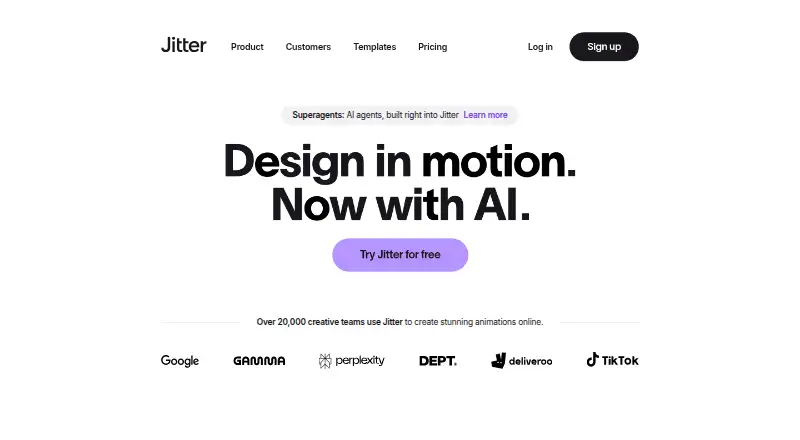
What Jitter is
Jitter is a browser-based motion design tool for creating and shipping animations. Its design canvas supports vector and alpha masks, gradients, blur, SVGs, and imported images, GIFs, video, and audio. A timeline, text and easing presets, reusable animations, and curved paths provide ways to build motion. Jitter AI can generate editable animations, effects, and variations from a description. A Figma plugin imports designs into Jitter, lets users edit layers, and can sync design changes while preserving animations. Teams can work together in real time in a shared workspace, share files by link, and leave in-context comments. Jitter also lists Magic Import, resizing and translation tools, animated components, and batch export for producing variations. Export formats include MP4, MOV, WebM, GIF, Lottie, and ProRes 4444. The free plan can be used indefinitely and includes three workspace files, 720p exports at 30fps, and limited AI credits. Jitter offers more than 400 free templates, according to its homepage.
Good
- Runs in a browser without download or installation.
- Supports MP4, MOV, WebM, GIF, Lottie, and ProRes 4444 exports.
- Real-time collaboration includes comments and link sharing.
- Figma plugin syncs design changes while preserving animations.
- Free plan can be used indefinitely.
Watch out
- Free plan allows three workspace files.
- Free exports are limited to 720p at 30fps.
- Free plan includes limited AI credits.
Who it suits
Jitter suits people creating motion graphics in a browser, especially teams that need shared editing, feedback, or a Figma-based workflow.
Verdict
Jitter combines browser-based animation tools with team collaboration and several export formats. Its free plan has clear limits on files, export quality, frame rate, and AI credits.
Plans and prices
From Jitter's own pricing page, checked 24 Sep 2026.
| Plan | Price | What it gives you |
|---|---|---|
| Pro (monthly) | — | 1080p export · 60fps export |
| Max (monthly) | — | 4K export · 120fps export |
| Ultra (monthly) | — | Increased AI output · 3x Max AI credits · Everything in Max |
| Free | Free | Unlimited drafts · 3 workspace files · Video/GIF/Lottie export · 720p 30fps · Limited AI credits |
| Pro | — | Unlimited files and folders · 1080p 60fps · ProRes/WebM · Image to Video · Standard AI credits · billed annually |
| Max | — | Brand Kits · Transparent export · Frame-by-frame export · 4K 120fps · 2x Pro AI credits · billed annually |
| Enterprise | Priced on request | Advanced security · Custom SSO and SCIM · Dedicated account manager · Pre-release features · Custom integrations and workflow support |
| Ultra | — | Everything in Max · Increased AI output · 3x Max AI credits · billed annually |
The facts
Each one read from Jitter's own pages, with the date it was checked.
What it does
- AI animation
- Jitter AI can generate editable animations, effects and variations from natural-language prompts.checked 15 Oct 2026
- AI image to video
- The Image to Video feature turns still images into animated video scenes.checked 15 Oct 2026
- Animation controls
- The editor provides pen and morph tools, gradients, blur, blend modes, audio/video layers and animated text.checked 15 Oct 2026
- Animation features
- Animation features include a timeline, text animation presets, easing presets, reusable animations, and curved paths.checked 5 Oct 2026
- Batch production
- Magic Import, auto-resize, auto-translate, animated components and batch export support large-scale content production.checked 15 Oct 2026
- Changelog news
- On October 14, 2026 Jitter added Balanced and Smart AI chat modes powered by Claude Sonnet 5.5 and Claude Opus 5.5.checked 15 Oct 2026
- Cloud collaboration
- Yeschecked 24 Sep 2026
- Collaboration
- Shared workspaces, real-time collaboration, link sharing and in-context comments are available.checked 15 Oct 2026
- Design features
- The design tool includes an infinite canvas, vector and alpha masks, gradients, blur, SVG support, and imported images, GIFs, video, and audio.checked 5 Oct 2026
- Developer extensibility
- The public developer-facing integration documented for Jitter is its Figma Community plugin; no official public REST API or SDK documentation is presented on the product or help pages.checked 15 Oct 2026
- Documentation
- The help center has collections for getting started, using Jitter, billing, workspaces, troubleshooting and FAQs, totaling 101 listed articles.checked 15 Oct 2026
- Enterprise security
- The Enterprise plan lists advanced security, custom SSO and SCIM, and a dedicated account manager.checked 5 Oct 2026
- Export formats
- Jitter supports MP4, MOV, WebM, GIF, and Lottie exports, with up to 4K and 120fps listed on its product page.checked 5 Oct 2026
- Exports
- Export formats include video, GIF and Lottie on Free, with ProRes and WebM on paid plans.checked 15 Oct 2026
- Figma integration
- Jitter provides a Figma plugin that copies selected Figma layers or frames into Jitter for animation.checked 15 Oct 2026
- Figma plugin update
- The February 2025 plugin update added Figma Slides import, multiselect and full-file import.checked 15 Oct 2026
- Fonts
- Jitter offers more than 1,500 free fonts and supports importing custom fonts.checked 15 Oct 2026
- Funding
- CB Insights lists Jitter as founded in 2020 in Paris with $500,000 total funding and Y Combinator among its investors.checked 15 Oct 2026
Where it runs
- Browser-based access
- Jitter says users can start creating without a download or installation.checked 5 Oct 2026
- Browser requirement
- Jitter recommends the latest desktop Google Chrome, especially for exporting.checked 15 Oct 2026
- GetApp integration rating
- Figma received a 5.0 integration rating from 2 user reviews on GetApp.checked 15 Oct 2026
The company
- Company profile
- LinkedIn lists Jitter as a privately held design-services company with 11–50 employees, headquartered in Paris, and founded in 2022.checked 15 Oct 2026
Money
- Free plan
- Yeschecked 24 Sep 2026
- Free plan limits
- The Free plan includes three workspace files, 720p at 30fps export, and limited AI credits; the pricing page says it can be used indefinitely.checked 5 Oct 2026
The full review of Jitter
Jitter is a web-based workspace for designing, animating, and exporting motion graphics. It is best suited to designers and teams who need to turn visual assets into animation and collaborate on the work. Its broad toolset is compelling, but the free plan’s three-file and 720p, 30fps export limits constrain ongoing production.
Overview
Jitter brings design, animation, and review into one browser-based workflow, with no download or installation required to start. Its range extends from editable AI-generated animations and effects to collaboration and batch production. That makes it a better fit for creating and revising motion work than for people who only want a library of finished assets.
Key features
Design and animation
An infinite canvas supports vectors, alpha masks, gradients, blur, SVGs, and imported images, GIFs, video, and audio. A timeline, text and easing presets, reusable animations, and curved paths give designers practical ways to build and refine motion. More than 400 free templates offer starting points, though they do not replace adapting a design to a specific project.
Figma and collaboration
The Figma plugin imports designs and layers, and can sync later Figma changes while preserving animations. Real-time shared workspaces, link-based file sharing, and in-context comments help teams coordinate review without separating feedback from the work. These features are most useful when multiple people need to iterate together; solo creators may have less reason to value the collaboration layer.
AI and production at scale
Jitter AI generates editable animations, effects, and variations from a description, while Magic Import, auto-resize and auto-translate, animated components, and batch export target teams producing multiple versions. Ultra raises AI output and provides three times Max’s AI credits. These capabilities suit repeatable, high-volume work, but the free plan’s limited AI credits are a meaningful constraint for anyone relying on generation regularly.
Exports
Jitter supports MP4, MOV, WebM, GIF, Lottie, and ProRes 4444, covering a wide range of animation delivery needs. The plan determines the ceiling: Free exports at 720p and 30fps, Pro at 1080p and 60fps, and Max at 4K and 120fps. Free is therefore better for trying the workflow or lower-resolution output than for demanding production delivery.
Pricing
Jitter uses a freemium model. Free costs nothing and can be used indefinitely, but allows just three workspace files, 720p export, 30fps, and limited AI credits. It is a practical way to explore the editor, but the file cap and output limits are restrictive for sustained work.
| Plan | Price | What it adds |
|---|---|---|
| Pro | Custom pricing | 1080p export and 60fps |
| Max | Custom pricing | 4K export and 120fps |
| Ultra | Custom pricing | Everything in Max, increased AI output, and three times Max AI credits |
| Enterprise | Custom pricing | Advanced security, custom SSO and SCIM, a dedicated account manager, custom integrations, and workflow support |
Pro is the step up for people who need sharper, smoother exports than Free allows. Max is aimed at projects that need 4K or high frame rates; Ultra makes more sense when AI generation is central to the workflow. Enterprise adds security and tailored support for organizations. Chat support is listed for Max, Ultra, and Enterprise, with priority support for those plans. Stripe processes payments, and Jitter says it does not directly handle customers’ card information.
Platforms
Jitter runs on the web, so users can start without installing software. That keeps access straightforward across web workflows, but it is not a choice for someone specifically seeking a desktop-native editor.
Who it's for
Jitter suits designers who want to animate their own visual assets, teams that need shared review and Figma syncing, and production groups creating variations at scale. It is less suitable for users who only need downloadable templates or whose work requires the free plan to exceed its file, resolution, or frame-rate caps.
Pros and cons
- Pros: Design and animation tools share one browser workspace, reducing the need to move between separate stages of motion work.
- Pros: Figma syncing can preserve animations as source designs change, which is useful for iterative design workflows.
- Pros: Six export formats, including Lottie and ProRes 4444, give teams flexibility in delivery.
- Cons: Free is capped at three workspace files, 720p, and 30fps, so it is not a roomy long-term production tier.
- Cons: Free AI credits are limited, which curbs use of AI generation without a higher plan.
- Cons: Pro, Max, Ultra, and Enterprise use custom pricing, making plan costs harder to compare in advance.
Alternatives
For a curated starting point rather than an animation workspace, browse Motion Graphics Template Libraries or Animation Software.
- Allavio is a freemium alternative for people seeking free sample titles and selected templates for DaVinci Resolve 19 and above.
- ProductionCrate offers a free tier with basic libraries and five daily downloads, or a $49 a month PRO plan with full library access and up to 50 downloads.
- Pixel Film Studios is another freemium option, with a free Starter plan offering unlimited downloads, free asset updates, free assets, and live chat support.
- Animdock is a free web option with no subscription fees or registration required and WebM and PNG exports.
- Motion Master Templates is a macOS option for Final Cut Pro users, with 114 templates available to download free and optional voluntary donations.
- Mixkit offers unlimited free downloads without attribution or sign-up, for readers who want downloadable assets rather than Jitter’s editing workflow.
- Adobe Stock is a paid alternative with a free trial and asset plans, for readers comparing stock-asset subscriptions.
- Motion Array has a free account with selected video templates, songs, sound effects, and graphics, for readers seeking a free selection of ready-made assets.
Verdict
Choose Jitter if you want to create motion graphics in a browser and value the combination of animation tools, Figma syncing, and team review. Its breadth and export options make it a strong fit for collaborative design workflows, but the free tier is best treated as an entry point. Look elsewhere if you primarily need downloadable templates, or if you need higher export quality and cannot justify a custom-priced plan.
Getting started
- Open the Jitter website in a browser
- Start creating without downloading or installing software
- Choose the Free plan or another listed plan
- Import a design through the Figma plugin if needed
- Create animations on the canvas and timeline
- Export in a supported format such as MP4, GIF, Lottie, or ProRes 4444
Limits worth knowing
The Free plan includes three workspace files, 720p exports at 30fps, and limited AI credits. It is available indefinitely.
Questions
Does Jitter have a free plan?
Yes. The Free plan is listed as free and can be used indefinitely.
What platforms does Jitter support?
Jitter is listed for the web, and users can create without a download or installation.
Which export formats are available?
Exports include MP4, MOV, WebM, GIF, Lottie, and ProRes 4444.
Does Jitter work with Figma?
Yes. Its Figma plugin imports designs, supports layer editing in Jitter, and swaps synchronized Figma changes while preserving animations.
What does Enterprise include?
Enterprise lists advanced security, custom SSO and SCIM, a dedicated account manager, and custom integrations and workflow support.
Alternatives to Jitter
- 1

Cascadeur
Free planAndroidiOSAPILinux8.9From $96 a year - 2

Rokoko Studio
Free planAndroidiOSWebAPI8.8Free plan - 3

Rive
Free planAndroidiOSWebLinux8.7From $9 a month - 4

Powtoon
Free planAndroidiOSWebExtension8.6From $8 a month - 5

Animation Desk
Free planAndroidiOSmacOSWindows8.6From $2.49 a month - 6

Houdini
Free planWindowsmacOSLinux8.4From $95 a year