
Powtoon
Powtoon is a browser-based platform for creating animated videos and visual presentations with Powtoon Studio.
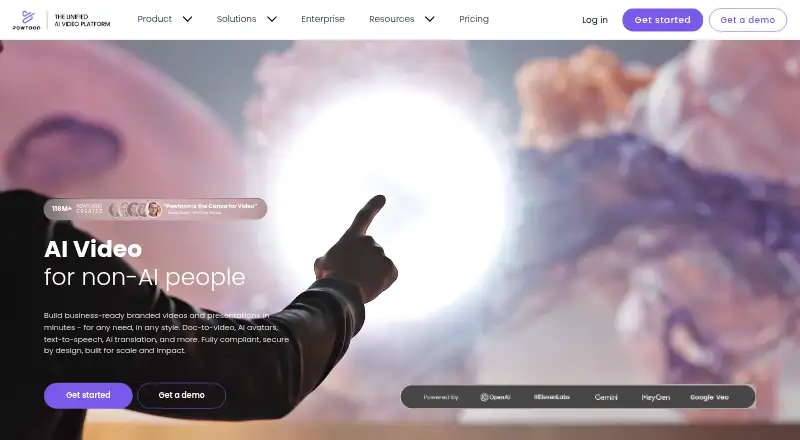
What Powtoon is
Powtoon is a browser-based platform for creating animated videos and visual presentations with Powtoon Studio. Its editor includes scene trimming and merging, captions, transitions, animations, brand assets, stock footage, voiceovers, and soundtracks. AI tools cover document-to-video, scriptwriting, text-to-speech, avatars, text-to-video, captions, translations, and text-to-image. The platform also offers a stock media library and a character builder for adjusting appearance and gestures. Powtoon Capture records a screen, webcam, or both; recordings can last up to 70 minutes and are automatically deleted after three months. The Free plan supports 720p videos up to three minutes and includes a Powtoon watermark. Lite costs $15.00 per month billed yearly and offers HD 1080p exports up to 10 minutes. Powtoon works in Chrome, Firefox, Edge, and Safari, with Chrome recommended for the most reliable fully supported experience. Its free Powtoon Connect companion app for Apple and Android devices can upload media, record voiceovers, and play or share Powtoons.
Good
- Includes animated video and presentation editing tools
- AI tools include text-to-video and scriptwriting
- Capture records screen, webcam, or both
- Free plan includes screen recording
Watch out
- Free videos are limited to three minutes
- Free exports include a Powtoon watermark
- Capture recordings are deleted after three months
- Lite is $15.00 per month, billed yearly
Who it suits
Powtoon suits educators, marketers, trainers, entrepreneurs, and organizations creating presentations, ads, explainers, training, or educational content. It may suit users who want browser-based creation tools alongside screen and webcam recording.
Verdict
Powtoon combines presentation and video creation with recording and AI tools. The Free plan has short, watermarked exports, while paid plans add different export limits and capabilities.
Plans and prices
From Powtoon's own pricing page, checked 28 Sep 2026.
| Plan | Price | What it gives you |
|---|---|---|
| Free | Free | 720p · up to 3 minutes · screen recording · Powtoon watermark · basic templates and characters |
| Lite | $15 a month | watermark removed for 5 exports/mo · MP4 HD 1080p · up to 10 minutes · 300 AI credits renewing yearly · Billed yearly |
| Professional | $40 a month | all content and templates · unlimited premium exports · camera movement control · up to 20 minutes · 500 AI credits renewing yearly · Billed yearly; $70/mo also shown billed yearly |
| Advanced | $125 a month | full character customization and branding · character lip-sync · full brand control · custom fonts · up to 30 minutes · reseller rights · 1200 AI credits renewing yearly · Billed yearly |
| Education | $8 a month | MP4 download · EDU content package · 10 GB storage · 1080p · privacy control · 24/7 priority support · EDU watermark · Billed yearly |
| 125 AI credits | $49, paid once | credit package · final · non-refundable · non-transferable |
| 300 AI credits | $99, paid once | credit package · final · non-refundable · non-transferable |
| 450 AI credits | $149, paid once | credit package · final · non-refundable · non-transferable |
| Enterprise | Priced on request | unlimited users · full creative suite · corporate branding and templates · team management · admin and licensing controls · AI suite · Custom Pricing |
| Institutions & Districts | Priced on request | institution-wide access · dedicated account manager · unlimited content · branded characters · LMS integration · MP4 download |
The facts
Each one read from Powtoon's own pages, with the date it was checked.
What it does
- 2D animation tools
- Yeschecked 21 Sep 2026
- AI data policy
- Powtoon says customer data is not used to train its models and that AI-generated content has full usage rights and indemnification protection.checked 28 Sep 2026
- AI video creation
- Powtoon offers AI document-to-video, scriptwriting, text-to-speech, avatars, text-to-video, captions, translations, and text-to-image tools.checked 28 Sep 2026
- Audience
- Powtoon says its users include corporate trainers, marketers, educators, entrepreneurs, and organizations using it for presentations, ads, explainers, training, and education.checked 28 Sep 2026
- Cloud collaboration
- Yeschecked 21 Sep 2026
- Compliance
- Powtoon states that it is ISO 27001:2022 certified, GDPR compliant, Privacy Shield framework compliant, and SOC 2 aligned.checked 28 Sep 2026
- Editing
- Its editor supports trimming, merging scenes, captions, transitions, animations, brand assets, stock footage, voiceovers, and soundtracks.checked 28 Sep 2026
- Export formats
- MP4,GIF,PPT,PDF,imagechecked 21 Sep 2026
- Integrations
- Powtoon lists integrations including Salesforce, Articulate 360, Google Drive, Zapier, Google Slides, Figma, HubSpot, Microsoft Teams, PowerPoint, Canva, and LMS platforms.checked 28 Sep 2026
- Media library
- Powtoon says it includes a 4M+ stock media library and a character builder for hair, clothing, facial expressions, and animated gestures.checked 28 Sep 2026
- Motion graphics
- Yeschecked 21 Sep 2026
- Paid from
- 15checked 21 Sep 2026
- Recording
- Powtoon Capture records a screen, webcam, or both and is available to all Powtoon users, including free plans.checked 28 Sep 2026
- Recording limit
- Powtoon Capture recordings have a maximum length of 70 minutes and recordings are automatically deleted after three months.checked 28 Sep 2026
- Security encryption
- Powtoon states that data at rest uses AES-256 encryption and data in transit uses TLS 1.2+ encryption.checked 28 Sep 2026
- Support
- All paid plans include 24/7 priority support, while Enterprise includes VIP support and onboarding.checked 28 Sep 2026
- What it does
- Powtoon is a browser-based creation platform built around Powtoon Studio for making animated videos and visual presentations.checked 28 Sep 2026
Where it runs
- Browser support
- Powtoon works with Chrome, Firefox, Edge, and Safari, with Chrome recommended for the most reliable fully supported experience.checked 28 Sep 2026
- Mobile app
- Powtoon Connect is a free companion app available for Apple and Android devices for uploading media, recording voiceovers, and playing or sharing Powtoons.checked 28 Sep 2026
- Supported platforms
- web,chrome_extensionchecked 21 Sep 2026
The company
- Founded
- 2012checked 23 Sep 2026
- Headquarters
- London, United Kingdomchecked 23 Sep 2026
Money
- Free plan
- Yeschecked 21 Sep 2026
The full review of Powtoon
Overview
Powtoon brings animated video and presentation creation together in a browser-based studio, with AI tools and screen or webcam recording alongside conventional editing. It suits trainers, educators, marketers and others who need to explain ideas visually. Its breadth is compelling, but the free plan’s three-minute cap and watermark make it better for trying the workflow than publishing polished work.
Powtoon Studio supports 2D animation and motion graphics, and projects can be exported as MP4, GIF, PowerPoint, PDF or images. That range makes it useful for both video and slide-based communication, though export allowances vary substantially by plan.
For category comparisons, see Animated Presentation Software, Explainer Video Software, Video Ad Maker Software, AI Explainer Video Makers, Cartoon Maker Software and Video Intro Maker Software.
Key features
The editor trims footage, combines scenes, and adds captions, transitions, animation, brand assets, voiceovers and soundtracks. Powtoon says its stock library contains more than four million media items; a character builder offers control over appearance and animated gestures. This combination gives teams room to produce branded explainers without limiting projects to slides, although the most extensive character and brand controls sit in the Advanced plan.
AI tools cover document-to-video, scriptwriting, text-to-speech, avatars, text-to-video, captions, translations and text-to-image. Annual subscriptions include different yearly AI-credit allowances, so frequent AI production needs attention to plan quotas. Extra credits are sold in one-time packs, but those purchases are final, non-refundable and non-transferable.
Powtoon Capture records a screen, webcam or both and is available even on the free plan. Recordings can run up to 70 minutes, but are automatically deleted after three months, so it is not a permanent recording archive. Integrations include Google Drive, Slides, PowerPoint, Teams, Figma, Canva, Salesforce, HubSpot, Zapier, Articulate 360 and LMS platforms.
Powtoon states that it encrypts stored data with AES-256 and data in transit with TLS 1.2 or higher, and that it is ISO 27001:2022 certified, GDPR compliant, Privacy Shield framework compliant and SOC 2 aligned. It says customer data is not used to train its models and that AI-generated content receives full usage rights and indemnification protection.
Pricing
The free plan costs nothing and allows 720p exports up to three minutes, basic templates and characters, screen recording and a Powtoon watermark. It is a sensible way to explore creation and capture, but the watermark and short output limit constrain finished work.
Lite costs $15 a month, billed yearly. It removes the watermark for five exports per month, supports HD 1080p MP4 up to 10 minutes and includes 300 AI credits renewing yearly. The export allowance makes this a fit for occasional publishing, not a high-volume video schedule.
Professional costs $40 a month billed yearly; a $70/mo price is also shown billed yearly. It includes all content and templates, unlimited premium exports, camera movement control, a 20-minute maximum and 500 AI credits renewing yearly. This is the clearest step up for regular creators who need broader assets and more exports, though the credit allowance remains finite.
Advanced costs $125 a month billed yearly. It adds full character customization and branding, character lip-sync, full brand control, custom fonts, reseller rights, a 30-minute maximum and 1,200 AI credits renewing yearly. Those controls and resale rights are aimed at brand-heavy production rather than casual presentation work.
Education costs $8 a month billed yearly and includes MP4 download, an EDU content package, 10 GB storage, 1080p, privacy control and 24/7 priority support, with an EDU watermark. It is the lower-cost education-specific option, but the watermark is a notable trade-off.
Enterprise has custom pricing and unlimited users. Institutions & Districts also has custom pricing, with institution-wide access, unlimited content access, a dedicated account manager, LMS integration and branded characters. All paid plans include 24/7 priority support; Enterprise adds VIP support and onboarding.
One-time AI credit packs cost $49.00 USD for 125 credits, $99.00 USD for 300 credits and $149.00 USD for 450 credits. They may supplement a subscription, but their non-refundable, non-transferable terms make them a less flexible way to manage changing needs.
Platforms
Powtoon works on the web and through a Chrome extension, with Chrome recommended for the most reliable fully supported experience; Firefox, Edge and Safari are also supported. The free Powtoon Connect app for Apple and Android devices uploads media, records voiceovers, and plays or shares Powtoons. It is a companion rather than a stated full editing workspace.
Who it's for
Corporate trainers, educators, marketers and entrepreneurs can use Powtoon for presentations, ads, explainers and learning content. Its mix of animation, recording, stock media and integrations is especially useful when one project must move between video and presentation formats. Readers seeking only occasional short videos may find the free cap or paid export and credit limits restrictive; institutions needing broad deployment have a dedicated custom-priced option.
Pros and cons
- Pros: Combines animated presentations, video editing, recording and multiple AI creation tools in one browser workspace.
- Pros: Capture is included on the free plan and supports screen, webcam or combined recordings up to 70 minutes.
- Pros: Export formats include MP4, GIF, PPT, PDF and images, giving projects uses beyond video.
- Cons: Free exports are watermarked, capped at three minutes and limited to 720p.
- Cons: Lite limits watermark-free exports to five monthly; AI credits on subscription plans renew yearly in set amounts.
- Cons: Capture recordings disappear automatically after three months, limiting its use as an archive.
Alternatives
Animaker is another freemium option with a free plan offering basic animation, limited premium assets and watermarked exports; consider it if those stated free-plan terms suit your needs better.
Focusky offers a free plan with 10 GB cloud storage and 50 uploads per month, but published presentations carry a watermark and output and online features are limited. It is an option to consider when those storage and upload allowances matter more than Powtoon’s broader creation toolkit.
HeyGen has a free plan capped at three videos per month and one minute per video. That may suit a reader whose needs fit those short-video limits.
Prezi is another freemium presentation option; consider it when comparing presentation-focused tools.
Decks.Studio offers three decks per month, five AI refinements per day and one Agent-mode run per month on its free plan, with watermarked PDF export and no PPTX or DOCX export. It may suit readers whose deck workflow fits those bounds.
Mango Animate Whiteboard Animation Maker has a Windows free plan with 576p video, more than ten dynamic characters and two backgrounds per project. Consider it if a Windows whiteboard-animation workflow is the priority.
Slides has a web-based free plan allowing one presentation and five image generations per month, with ten asset storage slots. It is worth comparing for a presentation-focused workflow within those limits.
SUPA is another freemium web option.
Verdict
Powtoon is a strong choice for educators, trainers and marketing teams that need animated presentations and videos, plus recording and AI tools in one place. Its main advantage is that versatility; its main drawback is that meaningful publishing capacity and more complete branding depend on paid plans, while AI use remains quota-based. Choose it when that combined workflow matters, and look elsewhere if you need simple, high-volume exports without plan-specific ceilings.
Getting started
- Open https://www.powtoon.com/ in a supported browser; Chrome is recommended.
- Choose the free plan or a paid plan billed yearly.
- Use Powtoon Studio to create an animated video or visual presentation.
- Use Powtoon Capture to record a screen, webcam, or both.
- Install Powtoon Connect on an Apple or Android device to upload media, record voiceovers, or play and share Powtoons.
Limits worth knowing
The free plan allows 720p videos up to three minutes and includes a Powtoon watermark. Lite supports HD 1080p videos up to 10 minutes, but watermark removal is limited to five exports per month.
Questions
Is Powtoon free?
Yes. Its Free plan is listed as free and supports 720p videos up to three minutes with a Powtoon watermark.
What do paid plans cost?
Lite is $15.00 per month billed yearly, Professional is $40.00 per month billed yearly, Advanced is $125.00 per month billed yearly, and Education is $8.00 per month billed yearly. Enterprise and Institutions & Districts have no price listed.
Which platforms does Powtoon support?
Powtoon works on the web and through a Chrome extension. Supported browsers are Chrome, Firefox, Edge, and Safari; the free Powtoon Connect app is available for Apple and Android devices.
What can I export?
Powtoon lists MP4, GIF, PPT, PDF, and image export formats.
Does Powtoon integrate with other tools?
Listed integrations include Salesforce, Articulate 360, Google Drive, Zapier, Google Slides, Figma, HubSpot, Microsoft Teams, PowerPoint, Canva, and LMS platforms.
What are Powtoon's recording limits?
Powtoon Capture recordings can be up to 70 minutes long and are automatically deleted after three months.
Alternatives to Powtoon
- 1

Cascadeur
Free planAndroidiOSAPILinux8.9From $96 a year - 2

Rokoko Studio
Free planAndroidiOSWebAPI8.8Free plan - 3

Rive
Free planAndroidiOSWebLinux8.7From $9 a month - 4

Animation Desk
Free planAndroidiOSmacOSWindows8.6From $2.49 a month - 5

Houdini
Free planWindowsmacOSLinux8.4From $95 a year - 6
iClone
Free planiOSAPIWindows8.4Free plan