
Pixel Film Studios
Pixel Film Studios makes plugins, transitions, effects, titles, and motion templates for video editors.
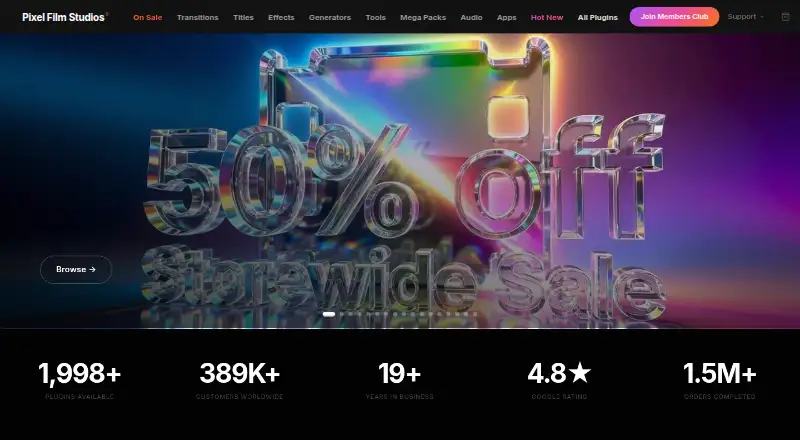
What Pixel Film Studios is
Pixel Film Studios makes plugins, transitions, effects, titles, and motion templates for video editors. The company says its library contains more than 2,000 plugins. Its tools are built exclusively for Final Cut Pro and Motion 5, while the Members Club site also provides assets for DaVinci Resolve. On Mac, the PFS Installer app installs, updates, and removes Final Cut Pro assets. Products are compatible with Apple Silicon and Intel processors. A single-user license can be activated on up to three Mac computers and includes personal and commercial use. The free Starter plan offers unlimited downloads, free assets, and free asset updates. The Monthly plan costs $39.99 a month and provides full access to the assets. Members Club costs 499.00 USD as a one-time payment and includes 2,000+ film and motion plugins, use on up to three Macs, commercial use, and free updates for life. Audio products are sold separately from the Members Club film and motion library. Live chat support is available weekdays from 8:00 AM to 4:00 PM Pacific Time.
Good
- Library contains more than 2,000 plugins.
- Starter includes unlimited downloads and free asset updates.
- Products support Apple Silicon and Intel processors.
- Single-user license covers up to three Macs.
- Commercial use is included in the single-user license.
Watch out
- Primary tools are built exclusively for Final Cut Pro and Motion 5.
- Audio products are sold separately from Members Club.
- Live chat is available only on weekdays during listed hours.
Who it suits
Pixel Film Studios suits video editors working with Final Cut Pro or Motion 5, and Members Club users seeking assets for DaVinci Resolve. Its licenses include personal and commercial use on up to three Macs.
Verdict
Pixel Film Studios offers a large library of video-editing assets, with a free Starter option and paid choices for broader access. Confirm that the relevant assets fit your editor, and note that audio products are separate from the Members Club library.
Plans and prices
From Pixel Film Studios's own pricing page, checked 15 Oct 2026.
| Plan | Price | What it gives you |
|---|---|---|
| PFS Installer | Free | macOS 13+ recommended or macOS 10.15–12 legacy · Apple Silicon or Intel · internet required · purchased account required · free download |
| Starter | Free | unlimited downloads · free asset updates · access free assets · live chat support |
| Monthly | $39.99 a month | unlimited downloads · free template updates · full access to all assets · live chat support · monthly |
| Audio Visualizer | $49.95, paid once | Final Cut Pro 10.8+ · macOS Ventura 13+ · Apple Silicon or Intel · single user, 3 machines · one-time product purchase |
| Members Club | $499, paid once | 2,000+ film and motion plugins · up to 3 Macs · commercial-use license · free updates for life · one-time payment |
| Members Club / Lifetime Access License | $499, paid once | 2,000+ film and motion plugins · future releases · up to 3 Macs · commercial use · audio products excluded · non-refundable · one-time payment; lifetime access |
The facts
Each one read from Pixel Film Studios's own pages, with the date it was checked.
What it does
- API and SDKs
- The official product, installer, license and help pages describe end-user plugins and account installation but provide no public API or SDK documentation.checked 15 Oct 2026
- Audio Visualizer content
- Audio Visualizer ships with 43 audio-reactive scenes, including particle, fluid, tunnel and text-based designs.checked 15 Oct 2026
- Audio Visualizer features
- Audio Visualizer provides 96-band spectrum analysis, tempo and key analysis, stem controls, MIDI mapping, live projection output and up-to-4K export.checked 15 Oct 2026
- Catalog size
- The company advertises more than 2,000 plugins, with new releases added regularly.checked 15 Oct 2026
- Commercial rights
- Commercial use is included for client work, monetized channels, broadcast, brand social content, film and documentary projects.checked 15 Oct 2026
- Commercial use
- The single-user license includes personal and commercial use.checked 1 Oct 2026
- Compatibility
- Products are compatible with Apple Silicon and Intel processors.checked 1 Oct 2026
- Core categories
- The catalog is organized into transitions, titles, effects, generators, tools, mega packs and audio products.checked 15 Oct 2026
- DaVinci Resolve assets
- The older PFS Members App site provides installation guides and product navigation for DaVinci Resolve assets as well as Final Cut Pro assets.checked 15 Oct 2026
- Documentation
- The Help Center lists articles covering accounts, purchases, refunds, installation, updates, troubleshooting, composite footage, LUTs, device activation and support.checked 15 Oct 2026
- Final Cut Pro integration
- Plugins install into Final Cut Pro categories such as Titles, Effects, Generators and Transitions through Motion Templates folders.checked 15 Oct 2026
- Installer
- The PFS Installer is the required application for downloading and installing Pixel Film Studios plugins, with one-click install, update, uninstall and reinstall controls.checked 15 Oct 2026
- Library size
- The company says its library contains more than 2,000 plugins.checked 1 Oct 2026
- License activation
- A single-user license can be activated on up to three Mac computers.checked 1 Oct 2026
- License restrictions
- Licenses are tied to one user and cannot be transferred, resold, redistributed or shared with others.checked 15 Oct 2026
- Limit: access policy
- A Trustpilot reviewer complained that access to previous purchases was threatened when the account was considered inactive.checked 15 Oct 2026
Where it runs
- App-store presence
- Apple’s developer page lists Pixel Film School for Final Cut Pro X and ProCutX for Final Cut Pro X for iPhone and iPad.checked 15 Oct 2026
The company
- Company founding
- LinkedIn lists Pixel Film Studios as founded in 2006, while a 2026 company newsroom article says it was founded in 2011.checked 15 Oct 2026
- Company headquarters
- LinkedIn lists headquarters at 120 Vantis Dr, Suite 300, Aliso Viejo, California 92656, United States.checked 15 Oct 2026
- Company legal name
- The website copyright identifies the maker as Pixel Film Studios, Inc.checked 15 Oct 2026
- Company scale
- The 2026 newsroom announcement claims more than 391,000 customers, 1.5 million orders and customers in over 100 countries.checked 15 Oct 2026
- Company size
- LinkedIn places the company in the 11–50 employee range.checked 15 Oct 2026
- Founded
- 2006checked 28 Sep 2026
- Headquarters
- Aliso Viejo, California, United Stateschecked 28 Sep 2026
The full review of Pixel Film Studios
Pixel Film Studios sells plugins and creative assets for video editors, with its strongest fit for Final Cut Pro and Motion 5 users seeking ready-made effects, transitions, titles, and motion templates. Its broad catalog and three-Mac license are appealing, but the primary tools target Apple editors, and audio is outside the Members Club.
Overview
Founded in 2006 and based in Aliso Viejo, California, Pixel Film Studios says its library contains more than 2,000 plugins. Its catalog covers effects, transitions, titles, generators, themes, production packs, and tools, with HD and 4K options. That range can serve editors who want a variety of assets from one provider, though the editor requirement narrows its usefulness.
Key features
- Editor coverage: The primary software is built exclusively for Final Cut Pro and Motion 5. The Members Club site also provides assets for DaVinci Resolve, so Resolve users should confirm that the specific assets they need are included.
- Mac installation and compatibility: PFS Installer installs, updates, and removes Final Cut Pro assets on a Mac. Products support Apple Silicon and Intel processors, covering both processor types.
- License scope: A single-user license can be activated on up to three Mac computers and permits personal and commercial use. That is useful for one editor working across several Macs, but it is not a multi-user team license.
- Support and security: Live chat is available Monday through Friday, 8:00 AM to 4:00 PM Pacific Time. The privacy policy describes SSL/TLS encryption, secure server infrastructure, access controls, and regular security reviews; PayPal processes payment information, and the company does not store full card numbers.
- Audio is separate: Audio products are sold separately from the Members Club film and motion library, so membership does not bundle every asset category.
Pricing
The Starter plan is free and includes unlimited downloads, free asset updates, access to free assets, and live chat support. It is a no-cost way to browse and use the free catalog, but it does not include the full library.
Monthly costs $39.99 a month, billed monthly. It adds full access to all assets, unlimited downloads, free template updates, and live chat support. This suits editors who want broad access without a one-time purchase, though its recurring charge may be less attractive for occasional use.
Members Club costs 499.00 USD as a one-time payment. It includes 2,000+ film and motion plugins, access on up to three Macs, a commercial-use license, and free updates for life. It is the more durable option for regular users who expect to draw on the library over time; audio remains separate.
Platforms
Pixel Film Studios supports macOS and web. Its installer manages Final Cut Pro assets on Mac, and products support Apple Silicon and Intel processors. Included apps are Final Cut Pro, Motion, and DaVinci Resolve through the Members Club site; the primary software remains focused on Final Cut Pro and Motion 5.
Who it's for
Pixel Film Studios is best suited to Final Cut Pro and Motion users who want a large assortment of editing assets, commercial-use rights, and the option to work across as many as three Macs. Resolve users may also find a fit through Members Club, but should check that the desired assets are offered for their editor. It is a weaker match for editors seeking an all-in-one film, motion, and audio membership or tools for a different primary editor.
Pros and cons
- Pro: More than 2,000 plugins and varied asset types give editors a broad set of ready-made creative elements.
- Pro: The single-user license covers commercial use and up to three Macs, which suits an individual working across devices.
- Pro: The free Starter plan provides unlimited downloads from its free assets and includes updates.
- Con: The primary tools are exclusive to Final Cut Pro and Motion 5, limiting relevance for editors centered on other software.
- Con: Audio products cost extra rather than being part of the Members Club film and motion library.
- Con: Members Club's 499.00 USD one-time cost is a substantial commitment for anyone who only needs a few assets.
Alternatives
For a broader comparison of template catalogs, see Motion Graphics Template Libraries.
Allavio is another freemium option, with free sample titles and selected templates for DaVinci Resolve 19 and above; it may suit Resolve users seeking a free starting selection.
ProductionCrate offers basic libraries with five free downloads per day and a PRO plan at $49 a month for full library access and up to 50 downloads; choose it if its broader platform support or quota-based plan fits better.
Jitter is a web-based alternative with a free tier capped at three workspace files and 720p, 30fps exports, and a Pro tier offering 1080p and 60fps exports; consider it if browser-based editing matters more than Pixel Film Studios' editor-specific assets.
MrAlexTech is another freemium option for macOS and Windows.
Animdock is a free web option with no subscription fees or registration required and WebM and PNG exports.
Motion Master Templates offers 114 Final Cut Pro templates as a free download with optional voluntary donations, and includes personal and commercial use.
Mixkit provides unlimited free downloads without attribution or sign-up, making it worth considering if you want a free web catalog.
Adobe Stock is a paid alternative with a free trial and asset-credit plans; consider it if you want a stock-asset service rather than an editor-focused plugin catalog.
Verdict
Choose Pixel Film Studios if you edit primarily in Final Cut Pro or Motion and want extensive film and motion assets with commercial use and lifetime updates through a one-time membership. Look elsewhere if you need audio included, rely on another editor, or cannot justify the Members Club commitment for your level of use.
Alternatives to Pixel Film Studios
- 1

ProductionCrate
Free planiOSWebExtensionmacOS8.0From $9 a month - 2
Motion Array
Free planWebExtensionmacOSWindows7.7From $10.99 a month - 3

Allavio
Free planWebmacOSWindows7.6$1.99 one-time - 4
Adobe Stock
AndroidiOSWebAPI7.4 - 5

Storyblocks
WebAPIExtensionmacOS7.1From $21 a month - 6

Jitter
Free planWebExtension6.9Free plan