
Indenta
Indenta is a free outliner note app for making structured notes with Markdown, backlinks, tags, and tasks.
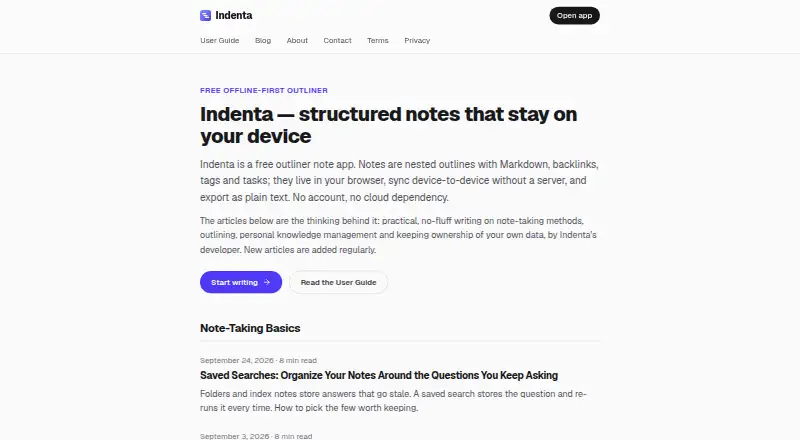
What Indenta is
Indenta is a free outliner note app for making structured notes with Markdown, backlinks, tags, and tasks. Notes are trees of lines that can be nested, collapsed, rearranged, or viewed by zooming into a branch. Wiki-links, automatic backlinks, tags, saved searches, and date-based search help organize and retrieve information. Any line can become a task, and a task view gathers open tasks from across notes. Its journal keeps each day as a branch within one note. Notes are stored in the browser's IndexedDB on the user's device; the installed Progressive Web App works offline. Users can export notes as Markdown files in a ZIP, or import an Indenta ZIP or individual Markdown files. Optional sync is available peer-to-peer over end-to-end encrypted WebRTC, or through Google Drive. Indenta runs in a browser and is available for web, Windows, macOS, Linux, Android, and iOS. It has no paid tiers, feature gates, device limits, or trial clocks.
Good
- Works fully offline as an installed Progressive Web App.
- Supports Markdown, backlinks, tags, and tasks.
- Exports notes as Markdown files in a ZIP.
- Optional peer-to-peer sync is end-to-end encrypted.
Watch out
- Notes are stored only on the user's device.
- The developer cannot recover or reset lost notes.
- On-device AI requires desktop Chrome with its built-in model.
Who it suits
Indenta suits people who want to arrange notes as nested outlines, connect ideas, and collect tasks in one place. It may work well for users who need offline access and prefer notes stored on their own device.
Verdict
Indenta offers outlining, task tracking, and offline access without paid tiers or stated device limits. Because notes stay on the user's device, users should plan their own exports or backup.
Plans and prices
From Indenta's own pricing page, checked 15 Oct 2026.
| Plan | Price | What it gives you |
|---|---|---|
| Free | Free | No stated feature limits · No stated device limits · No trial clock · Free means free; no paid tiers, feature gates, device limits, or trial clocks |
The facts
Each one read from Indenta's own pages, with the date it was checked.
What it does
- Advertising
- The website and sometimes the app may display third-party advertisements, including Google AdSense, although notes are not used for ad targeting.checked 15 Oct 2026
- AI
- On-device AI uses Chrome's Prompt API, and the guide says it requires desktop Chrome with the built-in model available.checked 2 Oct 2026
- API and SDK availability
- The published developer integration is browser WebMCP; no conventional HTTP API or SDK is documented on the official pages.checked 15 Oct 2026
- Certificate dates
- The observed certificate is valid from August 21, 2026 through November 19, 2026.checked 15 Oct 2026
- Certificate policy
- The certificate lookup reports that no CAA policy is published for indenta.app.checked 15 Oct 2026
- Conflict resolution
- Sync merges edits using vector-clock history so concurrent changes can be reconciled automatically.checked 15 Oct 2026
- Data recovery limit
- Because notes are stored only on the user's device, the developer cannot see, recover, or reset them; exports or Google Drive backup are suggested.checked 2 Oct 2026
- Domain nameservers
- The domain uses desiree.ns.cloudflare.com and greg.ns.cloudflare.com as nameservers.checked 15 Oct 2026
- Domain registration
- RDAP data lists indenta.app as registered on August 21, 2026, expiring August 21, 2027, through Cloudflare as registrar.checked 15 Oct 2026
- Export and import
- Users can export notes as Markdown files in a ZIP and import an Indenta ZIP or individual Markdown files.checked 2 Oct 2026
- Google Drive
- Optional Google Drive sync stores notes in the account's hidden appDataFolder, which Indenta says it alone can access.checked 2 Oct 2026
- Google Drive integration
- Optional Drive sync stores one sync file in the account's hidden appDataFolder and keeps up to five dated restore snapshots.checked 15 Oct 2026
- Import and export
- Users can export all notes as Markdown files in a ZIP and import Indenta ZIP archives or individual Markdown files.checked 15 Oct 2026
- Journal
- The journal stores each day as a branch inside one note, and dated tasks inherit the day's due date.checked 15 Oct 2026
- Limit: collaboration
- The official material describes personal note organization and does not document shared workspaces or real-time team collaboration.checked 15 Oct 2026
- Limit: data recovery
- Because notes are stored locally, the developer cannot see, recover or reset lost data; exports or Drive backup are recommended.checked 15 Oct 2026
- Limit: WebRTC networks
- Strict corporate networks may block peer-to-peer WebRTC connections, in which case the guide recommends Google Drive sync.checked 15 Oct 2026
- Local storage
- Notes are saved automatically in the browser's IndexedDB storage on the user's device.checked 15 Oct 2026
- Markdown
- Each line supports common Markdown formatting and exported notes remain plain Markdown files.checked 15 Oct 2026
The company
- Funding and ownership
- The maker says Indenta is not backed by a company or investors.checked 15 Oct 2026
- Maker
- Indenta is designed, built, and maintained by one software engineer in Japan as a personal project.checked 2 Oct 2026
- Maker structure
- Indenta is designed, built and maintained by one software engineer in Japan as an ongoing personal project.checked 15 Oct 2026
Where it runs
- Limit: AI platform support
- On-device AI currently requires desktop Chrome with its built-in model available.checked 15 Oct 2026
- Limit: browser storage loss
- Clearing site data, using another browser profile or using private browsing can make locally stored notes unavailable.checked 15 Oct 2026
The full review of Indenta
Indenta is a browser-based outliner for people who want to keep structured notes, linked ideas, and personal tasks in one place. It is best suited to users comfortable managing their own data, rather than relying on a provider to restore it. Its strongest case is a flexible outline workspace that keeps working offline.
Overview
Indenta builds notes from nestable lines that can be collapsed, rearranged, or viewed at a closer level of detail. That makes it a natural fit for evolving plans, research, and personal knowledge work: users can keep context together while moving between a broad outline and its finer points. Markdown, wiki-links, automatic backlinks, and tags add structure beyond a simple list, while saved searches and date-based search help locate material later.
Its central compromise is data custody. Notes are saved in browser storage on the user's device, so the developer cannot recover or reset them. That suits people who prefer local storage, but makes exports or a separate backup important for anyone who cannot risk losing notes with a device or browser problem.
Key features
Outlines and connections
Collapsible branches make long notes easier to scan, while zooming into a line and rearranging items help when an idea's structure changes. Wiki-links and automatic backlinks connect related notes; tags, saved searches, and date-based search offer several ways to retrieve them. This is a useful toolkit for organizing personal material, though its organizing model remains the outline rather than a collection of distinct workspaces or document types.
Tasks and journal
Any line can become a task, and a dedicated view gathers open tasks from across notes. Keeping actions beside the notes that prompted them can help with personal planning; users seeking a more specialized project-management system may prefer a purpose-built tool. The journal stores each day as a branch in one note, a simple arrangement for daily entries that fit naturally into an outline.
Offline use, sync, and backup
The installed Progressive Web App works offline, a meaningful advantage for users who want their notes available without a connection. Optional peer-to-peer sync sends notes directly between devices over end-to-end encrypted WebRTC. Google Drive sync is another option; notes go into the account's hidden appDataFolder, which Indenta says only it can access. Neither changes the need to think about recovery: exporting notes as Markdown files in a ZIP provides a portable copy, and the app can import an Indenta ZIP or individual Markdown files.
On-device AI and privacy
On-device AI uses Chrome's Prompt API, but requires desktop Chrome with the built-in model available, so it is not a broadly available feature across the platform range. Indenta says it does not run analytics or track app use; its site and, in some places, the app may show third-party ads. The product is maintained as a personal project by one software engineer in Japan, and support comes directly from the developer in Discord, where replies usually take a few days; email may be slower.
Pricing
The Free plan costs nothing. It includes the app without paid tiers, feature gates, device limits, or a trial clock, making it a strong fit for individual users who want to use the full offering without a subscription. There are no cheaper or paid plans to compare, and no free-trial deadline to manage. The practical cost is not financial: users must arrange their own export or backup because notes remain on their device unless they set up sync.
Platforms
Indenta runs in a browser and supports web, Windows, macOS, Linux, Android, and iOS. The guide describes installation through Chrome or Edge, with iOS users adding it to the home screen through Safari. This broad device reach, together with offline access in the installed PWA, suits people who move between devices; it is not a native-app offering in the conventional sense.
Who it's for
Choose Indenta if you think in nested outlines, want linked notes and personal tasks together, and value offline access without a paid tier or stated device cap. It is less suitable if you need provider-assisted recovery, or if you want specialized project tools rather than tasks attached to notes. Users considering it should be prepared to export regularly or configure a sync option.
Pros and cons
- Pro: Flexible, collapsible outlines with zoom, rearrangement, links, tags, and search support detailed notes without forcing them into separate documents.
- Pro: Offline operation and multiple device platforms make notes accessible in more situations.
- Pro: The free plan has no stated feature or device limits and no paid tiers.
- Con: Device-local storage means the developer cannot restore lost notes; backup is the user's responsibility.
- Con: The AI feature depends on desktop Chrome and availability of its built-in model.
- Con: Support is direct from a solo developer, with Discord answers usually taking a few days and email potentially slower.
Alternatives
Outliner Software is a useful starting point for comparing options in the category. Choose Legend if you want a freemium outliner with unlimited documents and items on its Free plan, but can work within its 10-Pane and one-plugin-sync-account limits. Workflowy may suit users who want all features on a free plan but can live with a 100-node monthly allowance and 100 MB file uploads. Consider Dynalist for unlimited items and documents on Free, with five bookmarks and community support. Logseq is another free option for personal use, with a Sync Backer plan that offers beta sync access for a monthly donation.
Tine is another free alternative. outl is free and MIT licensed, with no paid tier. Checkvist offers a free plan with unlimited hierarchical lists and collaboration, plus email task creation and Markdown. Tana may be worth considering if its free allowance of five meetings per month, one calendar, and 50 AI queries fits your needs.
Verdict
Indenta is a strong choice for personal knowledge work built around nested notes, especially if offline use and a free, uncapped plan matter more than provider-managed recovery. Its outline, links, and task view bring useful structure to one workspace. Choose it only if you are willing to own the backup plan; otherwise, look for an app with a recovery approach that better fits your needs.
Getting started
- Open https://indenta.app/ in a supported browser
- Install the Progressive Web App through Chrome or Edge
- Add Indenta to an iOS home screen through Safari
- Create notes as nested lines and organize them with links, tags, or searches
- Export notes as a Markdown ZIP or import an Indenta ZIP or Markdown files
- Enable peer-to-peer WebRTC sync or Google Drive sync if desired
Questions
Is Indenta free?
Yes. Indenta has a free plan at 0.00 USD and no paid tiers, feature gates, device limits, or trial clock.
Which platforms can run Indenta?
It is available through the web and on Windows, macOS, Linux, Android, and iOS. The app runs in a browser, with installation described for Chrome, Edge, or Safari on iOS.
Can Indenta work offline?
Yes. The installed Progressive Web App works fully offline.
How are notes synchronized?
Optional peer-to-peer sync uses end-to-end encrypted WebRTC. Google Drive sync stores notes in the account’s hidden appDataFolder.
Can I export or import notes?
You can export Markdown files in a ZIP archive and import an Indenta ZIP or individual Markdown files.
Who makes Indenta?
It is designed, built, and maintained as a personal project by one software engineer in Japan.
Alternatives to Indenta
- 1

Dynalist
Free planAndroidiOSWebAPI8.1From $95.88 a year - 2

outl
Free planOpen sourceAndroidiOSAPILinux7.9Free plan - 3

Workflowy
Free planAndroidiOSWebAPI7.8From $6.99 a month - 4
Cloud Outliner
Free planiOSmacOS7.7$4.99 one-time - 5

Logseq
Free planAndroidiOSWebLinux7.7From $5 a month - 6

Legend
Free planAndroidiOSWebLinux7.5From $5 a month