iMeet Central
iMeet Central is an online collaboration and project-management workspace for files, projects, and connected teams.
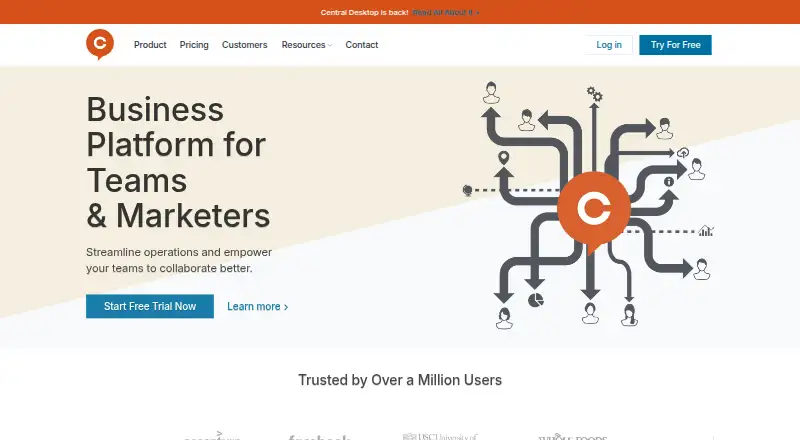
What iMeet Central is
iMeet Central is an online collaboration and project-management workspace for files, projects, and connected teams. Project features include tasks, task lists, milestones, Gantt charts, and CSV schedule import or export. Members can upload files, manage versions, comment, subscribe to notifications, and collaborate on online documents, spreadsheets, and wikis. Review and Approve supports inline edits and comments on creative proofs, while browser previews display more than 200 file types, including Office documents and PDFs. The service includes time tracking, automation rules, and guest access. Files can come from Google Drive and OneDrive for Business, and calendars, tasks, and milestones can be subscribed to through iCal-compatible software. It runs on web, Windows, macOS, Android, and iOS, with API access. Pricing is on request, and a free plan is available.
Good
- Tasks, milestones, and Gantt charts
- Previews over 200 file types
- Time tracking and automation rules
- Guest access and mobile apps
- API and calendar integrations
Watch out
- Public file sharing unavailable on Desktop Professional
- Free plan cannot share folders across workspaces
- Pricing available only on request
Who it suits
iMeet Central suits project managers, creative teams, operations managers, executive sponsors, and others coordinating day-to-day work. Its broad platform coverage also helps distributed teams.
Verdict
iMeet Central brings project planning, file collaboration, reviews, and scheduling into one workspace. Confirm plan-specific sharing limits and request pricing before adopting it.
The facts
Each one read from iMeet Central's own pages, with the date it was checked.
What it does
- API
- The API documentation describes OAuth 2.0 Service Client authentication for API access.checked 12 Oct 2026
- Audit logs
- Workspace administrators can enable an audit log for activity in Files & Discussions, Project Management, and database records.checked 13 Oct 2026
- Automation rules
- Yeschecked 23 Sep 2026
- Calendar integrations
- Workspace calendars, tasks, and milestones can be subscribed to through iCal-compatible software, including Outlook, Google Calendar, and Apple Calendar.checked 12 Oct 2026
- Content collaboration
- Members can collaborate on uploaded files, online documents, online spreadsheets, and wikis.checked 12 Oct 2026
- External sharing
- Public file sharing supports share links with passwords, expiration dates, view notifications, and download restrictions; the help page says it is unavailable on Desktop Professional plans.checked 13 Oct 2026
- File collaboration
- Members can upload files, manage versions, add comments, and subscribe to file notifications.checked 13 Oct 2026
- File previews
- The browser-based file preview feature displays over 200 file types, including common Office documents and PDFs.checked 13 Oct 2026
- Guest access
- Yeschecked 23 Sep 2026
- Integrations
- Workspace calendar feeds can be viewed in iCal-compatible software, including Outlook, Google Calendar, and Apple iCal; the feeds are read-only.checked 13 Oct 2026
- Intended users
- The product's training materials recommend project management features for project managers, creative teams, operations managers, executive sponsors, and other users managing day-to-day work.checked 13 Oct 2026
- Mobile
- The Help Center lists an iMeet Central mobile application and articles about using it.checked 12 Oct 2026
- Notable limitation
- Public file sharing is unavailable on the Desktop Professional plan.checked 12 Oct 2026
- Product
- iMeet Central is an online collaboration and project management solution for managing files, collaborating on projects, and connecting teams.checked 12 Oct 2026
- Project management
- Project Management includes tasks, task lists, and milestones, with schedule import and export through CSV files.checked 13 Oct 2026
- Project tools
- The product includes tasks, milestones, and Gantt charts for project scheduling.checked 12 Oct 2026
- Purpose
- More than 750,000 users rely on iMeet Central as online collaboration and project management software to manage files, collaborate on projects, and connect teams.checked 13 Oct 2026
- Reviews
- Review and Approve supports in-line edits and comments on creative proofs.checked 12 Oct 2026
- Security
- Agency and Enterprise plans include advanced security settings for password requirements, trusted email domains, and trusted IP addresses.checked 12 Oct 2026
- Security controls
- Enterprise and Agency plans include advanced security settings for password rules, trusted email domains, and trusted IP addresses.checked 13 Oct 2026
- Single sign-on
- The help page lists SSO configurations for ADFS, Okta, OneLogin, PingOne, LogMeIn, Citrix ADC, Google IdP, and JumpCloud, and says SSO is available only to internal members.checked 13 Oct 2026
- Support
- Workspace settings let administrators grant iMeet Central Support access for troubleshooting and revoke it after support is finished.checked 13 Oct 2026
- Time tracking
- Yeschecked 23 Sep 2026
Money
- Free-plan limit
- Sharing a folder across workspaces is unavailable on the free plan.checked 13 Oct 2026
Alternatives to iMeet Central
- 1
EGroupware
Free planOpen sourceAndroidiOSWebAPI8.6From €21.90 a month - 2

Teamwork.com
Free planAndroidiOSWebAPI8.4From $9.99 a month - 3

Wrike
Free planAndroidiOSWebAPI8.4From $10 a month - 4

Hive
Free planAndroidiOSWebAPI8.3From $5 a month - 5

Nifty
Free planAndroidiOSWebAPI8.3Free plan - 6

Asana
Free planAndroidiOSmacOSWindows8.1From $10.99 a month