iLovePDF
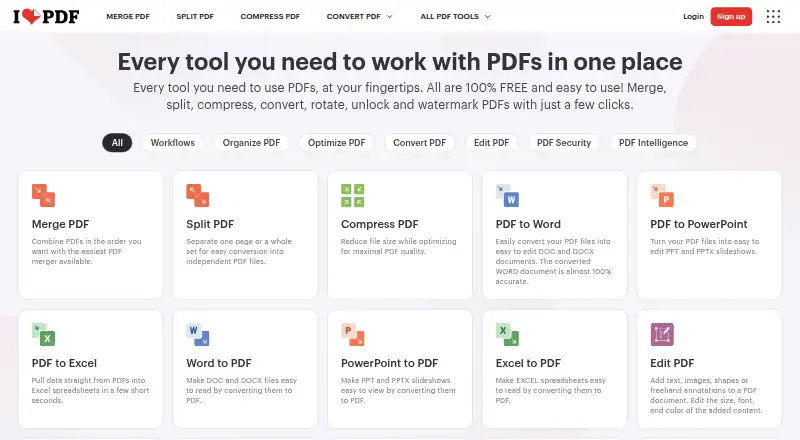
iLovePDF provides tools for editing PDF text, adding annotations, running OCR, converting files, and creating forms.
What iLovePDF is
iLovePDF provides tools for editing PDF text, adding annotations, running OCR, converting files, and creating forms. Its PDF Forms tools can detect fields and add fillable text fields, checkboxes, multiple-choice fields, and lists. AI tools include PDF summarization, translation, and PDF-to-Markdown conversion. The service is available on the web, Mac and Windows desktop, and iOS and Android. The free plan includes core tools for light use, with document processing limits that vary by task; examples listed are 100 MB for Merge PDF and 15 MB for Office to PDF. Premium includes unlimited document processing, while its listed price is ₹3,400 billed annually or ₹500 billed monthly. The desktop app supports offline batch editing and local document management. Business offers custom contracts, a dedicated account manager, and single sign-on. Integrations include Zapier, Make, and Wordpress, and iLoveAPI supports document automation for developers. The service describes documents as encrypted and processed under regulations including GDPR; its plan comparison also lists HTTPS and ISO27001 certification. iLovePDF was founded in 2010 and is headquartered in Barcelona, Spain.
Good
- PDF text editing, annotations, OCR, conversion, and form creation
- PDF Forms can detect fields and add fillable controls
- Available on web, desktop, iOS, and Android
- Desktop app supports offline batch editing
Watch out
- Free processing limits vary by task
- Merge PDF has a listed 100 MB limit on the free plan
- Office to PDF has a listed 15 MB limit on the free plan
- Premium is listed at ₹3,400 annually or ₹500 monthly
Who it suits
iLovePDF suits people who need PDF editing, conversion, OCR, or form tools across web, desktop, and mobile. Its free plan is aimed at light use, while Premium includes unlimited document processing.
Verdict
iLovePDF brings a broad set of PDF tools to web, desktop, and mobile, with offline desktop editing and form features. Free processing limits vary by tool, and Premium is listed at ₹3,400 billed annually or ₹500 billed monthly.
Plans and prices
From iLovePDF's own pricing page, checked 27 Sep 2026.
| Plan | Price | What it gives you |
|---|---|---|
| Basic | Free | Start for free with limited tools and document processing. · Limited document processing |
| Premium | — | Up to 25 users; monthly or yearly billing. · Up to 25 users · Unlimited document processing · 2,000 AI credits · ₹3,400 billed annually or ₹500 billed monthly |
| Business | Priced on request | Scalable business solutions with customized pricing. · 25+ users |
The facts
Each one read from iLovePDF's own pages, with the date it was checked.
What it does
- AI features
- AI tools include summarization, PDF translation, and PDF-to-Markdown conversion.checked 27 Sep 2026
- Annotation tools
- Yeschecked 20 Sep 2026
- Customer support
- Premium includes priority customer support, while Business offers dedicated support.checked 27 Sep 2026
- Custom workflows
- Users can create, automate, and reuse custom workflows with favorite tools.checked 27 Sep 2026
- Form creation
- Yeschecked 20 Sep 2026
- Integrations
- Integrations include Zapier, Make, and Wordpress; iLoveAPI supports document automation for developers.checked 27 Sep 2026
- OCR
- Yeschecked 20 Sep 2026
- Offline desktop
- The Desktop app supports offline batch editing and local document management without internet or limits.checked 27 Sep 2026
- Payment methods
- Payments include Visa, MasterCard, American Express, PayPal, Apple Pay, Google Pay, and bank transfer for Business.checked 27 Sep 2026
- PDF conversion
- Yeschecked 20 Sep 2026
- PDF forms
- PDF Forms can detect fields, create fillable PDFs, and add text fields, checkboxes, multiple-choice fields, and lists.checked 27 Sep 2026
- Premium processing
- Premium includes unlimited document processing.checked 27 Sep 2026
- Security and encryption
- Documents are fully encrypted and processed securely under international data protection regulations including GDPR.checked 27 Sep 2026
- Security certification
- The pricing comparison lists a secure HTTPS connection and ISO27001 certification.checked 27 Sep 2026
Money
- Billing changes
- Users can upgrade, downgrade, or cancel anytime in account settings.checked 27 Sep 2026
- Centralized billing
- Multiple accounts can share one credit card for centralized billing.checked 27 Sep 2026
- Free file limits
- Basic task limits vary by tool, including 100 MB for Merge PDF and 15 MB for Office to PDF.checked 27 Sep 2026
- Free plan
- Yeschecked 20 Sep 2026
- Free tier
- The Free Plan provides core tools for light use with limited document processing.checked 27 Sep 2026
The company
- Company reach
- iLovePDF reports 16.5 million documents processed every day and millions of trusted users.checked 27 Sep 2026
- Founded
- 2010checked 23 Sep 2026
- Headquarters
- Barcelona, Spainchecked 23 Sep 2026
Where it runs
- Platforms and apps
- The service is available on Web, Desktop, and Mobile, with Desktop for Mac and Windows and Mobile for iOS and Android.checked 27 Sep 2026
- Supported platforms
- web,windows,macos,ios,androidchecked 20 Sep 2026
The full review of iLovePDF
Overview
iLovePDF is a PDF toolkit from Barcelona-based iLovePDF, founded in 2010, that brings editing, conversion, OCR and form tools to browsers, computers and phones. It suits people who handle varied PDF tasks and want the option to work offline on a desktop. Its main trade-off is that free processing is limited, with caps that differ by tool.
Alongside text editing and annotations, the service can detect fields and build fillable forms, and it offers AI tools for summarizing and translating PDFs and converting them to Markdown. Users can also assemble, automate and reuse workflows from favorite tools. Integrations include Zapier, Make and WordPress; iLoveAPI supports document automation for developers.
The Mac and Windows desktop app stands out for offline batch editing and local document management without internet or limits. That makes it a more useful fit for recurring local work than a browser-only workflow, while free users who process documents often may find the task-specific caps restrictive.
Key features
- Editing and markup: Text editing and annotation tools cover common changes and review work within PDFs.
- Conversion and OCR: PDF conversion and OCR broaden its use beyond markup, though the free plan's processing limits vary by task.
- Fillable forms: Field detection and support for text fields, checkboxes, multiple-choice fields and lists make it useful for preparing PDFs for completion.
- AI tools: Summarization, translation and PDF-to-Markdown conversion provide options for extracting or reusing document content.
- Security: Documents are encrypted and processed under international data protection regulations including GDPR. The pricing comparison lists HTTPS and ISO27001 certification.
- Team and workflow tools: Business includes custom contracts, a dedicated account manager and Single Sign On. Multiple accounts can share one card for centralized billing.
Pricing
iLovePDF uses a freemium model. The Basic plan is free, with core tools for light use and limited document processing. Caps vary by task: Merge PDF allows files up to 100 MB, while Office to PDF allows 15 MB. Those limits make Basic suitable for occasional work, but less dependable for larger or frequent jobs.
Premium costs ₹3,400 billed annually or ₹500 billed monthly. It supports up to 25 users, unlimited document processing, 2,000 AI credits and priority customer support. The annual option costs less than paying month by month over a full year, while monthly billing avoids an annual commitment; either way, the 25-user ceiling matters for larger teams. Users can upgrade, downgrade or cancel in account settings.
Business uses custom pricing for 25+ users and adds scalable business solutions, custom contracts, a dedicated account manager, Single Sign On and dedicated support. It is the tier for organizations that need team administration beyond Premium's user limit, rather than a low-cost step up for individuals. Payment methods include Visa, MasterCard, American Express, PayPal, Apple Pay and Google Pay; bank transfer is available for Business.
Platforms
iLovePDF runs on the web and has desktop apps for Windows and macOS, plus mobile apps for iOS and Android. Desktop is the strongest choice for offline work: it supports batch editing and local document management without an internet connection or limits. The listed security measures include encryption, HTTPS and ISO27001 certification.
Who it's for
Choose iLovePDF if you need a broad set of PDF tasks across devices, particularly if forms, OCR or reusable workflows are part of your work. It also suits desktop users who need offline batch processing. Occasional users can start with Basic, but those who regularly process large files or many documents will get more from Premium's unlimited processing. Larger organizations needing more than 25 users and dedicated administration should consider Business.
Pros and cons
- Pro: Editing, annotations, OCR, conversion, forms and AI tools share one service, reducing the need to switch tools for different PDF jobs.
- Pro: Offline desktop batch editing and local document management support work without an internet connection.
- Pro: Premium combines unlimited document processing with up to 25 users and 2,000 AI credits.
- Con: Free file caps vary by task, so a file that works for one operation may exceed the limit for another.
- Con: Premium's 25-user ceiling leaves larger teams to custom-priced Business.
- Con: AI use is quantified at 2,000 credits on Premium, so it is not an unlimited AI tier.
Alternatives
For a wider PDF shortlist, browse PDF editors, PDF Compression Software or PDF Merger Software.
- WPS PDF Editor is another freemium option, with a free trial and a Standard plan that includes 1 GB cloud storage, 47 file formats and 46 languages.
- ONLYOFFICE PDF Editor offers a free plan and trial, with support for self-hosted and Linux use as well as common desktop and mobile platforms.
- Smallpdf is worth comparing if a 7-day free trial and a free tier with 30+ tools and two Sign.com documents per month suit your workflow.
- Soda PDF is another freemium option, with Pro, Team and Business plans listed for 3–19 licenses.
- PDF Candy offers a free web and desktop tier, but its free plan has page and hourly restrictions, no batch processing and limited file size.
- PDFgear is a free alternative whose online editor allows PDFs up to 100 MB.
- Foxit PDF Editor is a paid alternative at $129.99 a year, with an annual subscription that includes DMS and 300 AI credits per month.
- DocHub has a free plan limited to three uses per month shared across core features.
Verdict
iLovePDF is a strong fit for people who want editing, conversion, OCR and forms in one cross-platform service, especially if offline desktop batch work matters. Premium is the practical choice for regular processing, while free users must work around task-specific caps. Look elsewhere if your team exceeds 25 users and you need predictable, published pricing rather than a custom Business plan.
Alternatives to iLovePDF
- 1

Smallpdf
Free planAndroidiOSWebWindows8.9From $10 a month - 2

LightPDF
Free planAndroidiOSWebAPI8.8From $15.99 a year - 3
PDF2Go
Free planAndroidiOSWebAPI8.7$6.42 usage-based - 4
Foxit PDF Editor
AndroidiOSWebmacOS8.5 - 5
WPS PDF Editor
Free planAndroidiOSWebExtension8.5From $3 a year - 6

PDF Candy
Free planAndroidiOSWebLinux8.5From $4 a year