
Soda PDF
Soda PDF provides tools to create, edit, convert, merge, compress, and manage PDF files.
What Soda PDF is
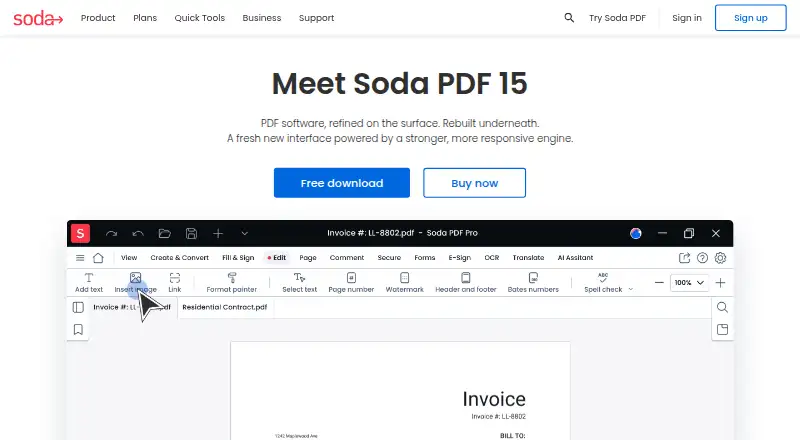
Soda PDF provides tools to create, edit, convert, merge, compress, and manage PDF files. Users can change PDF content, organize pages, make forms, annotate documents, and use OCR on scanned documents or images. Online tools include PDF chat, AI summaries, and document translation. E-Sign lets users prepare, send, and track signature requests remotely; recipients can sign from a web-enabled device.
The service is available on the web, Windows, macOS, Linux, iOS, and Android, and a Chrome extension is listed. Files can be accessed and saved through Google Drive, OneDrive, Dropbox, and Box. Many quick tools allow limited free use, generally up to two files per day or a 3 MB file size. Some advanced tools require a subscription to download, print, email, or save results. Soda PDF offers monthly and yearly subscriptions, but no perpetual license. The Pro plan lists 50 AI questions, 5 GB of cloud storage, and 1,200 translation pages yearly; Standard lists 10 AI questions and basic PDF tools. Uploaded documents are said to be deleted automatically after 24 hours.
Good
- Tools cover editing, conversion, merging, and compression.
- OCR works on scans or images.
- E-Sign supports remote signature requests.
- Available across web, desktop, and mobile platforms.
- Connects file access and saving with four cloud services.
Watch out
- Many free tools limit use to two files daily or 3 MB.
- Some advanced actions require a subscription.
- There is no perpetual license.
- The company says there is no traditional free trial.
Who it suits
It suits people who need PDF editing, conversion, OCR, forms, annotations, or remote signature requests across desktop, mobile, and web platforms. Its free tools may work for light use within the stated file limits, while advanced actions may require a subscription.
Verdict
Soda PDF covers common PDF tasks, OCR, forms, and remote signatures across a broad range of platforms. Free use has limits, and subscriptions are required for some advanced actions; no perpetual license is offered.
Plans and prices
From Soda PDF's own pricing page, checked 9 Oct 2026.
| Plan | Price | What it gives you |
|---|---|---|
| Pro | — | 50 AI questions · 5 GB cloud storage · 1200 translation pages/yearly · Monthly subscription; price not shown on the page |
| Team | — | 3–19 licenses |
| Business | Priced on request | Up to 200 AI questions · 10 GB cloud storage · 1800 translation pages/yearly · Phone support · Deployment on all platforms · Price not shown on the page |
| Standard | — | 10 AI questions · Basic PDF tools · Monthly subscription; price not shown on the page |
The facts
Each one read from Soda PDF's own pages, with the date it was checked.
What it does
- AI tools
- Its online tools include PDF chat, AI summaries, and document translation.checked 9 Oct 2026
- Annotation tools
- Yeschecked 20 Sep 2026
- Business deployment
- The Business plan describes deployment options including MSI through GPO, Windows SCCM, Windows Terminal Server, and Citrix.checked 9 Oct 2026
- Editing
- Features include editing PDF content, managing pages, creating forms, and using OCR on scanned documents or images.checked 9 Oct 2026
- E-signatures
- E-Sign lets users prepare, send, and track signature requests remotely, and signees can sign from a web-enabled device.checked 9 Oct 2026
- Form creation
- Yeschecked 20 Sep 2026
- Integrations
- The product comparison PDF says users can access and save files with Google Drive, OneDrive, Dropbox, and Box.checked 9 Oct 2026
- OCR
- Yeschecked 20 Sep 2026
- PDF conversion
- Yeschecked 20 Sep 2026
- Purpose
- Soda PDF provides tools to create, edit, convert, merge, compress, and manage PDF files.checked 9 Oct 2026
- Security
- The company says uploaded documents are automatically deleted 24 hours after upload and describes its online and desktop files as protected by confidentiality measures.checked 9 Oct 2026
- Subscription terms
- Soda PDF says it offers monthly or yearly subscriptions and does not offer a perpetual software license.checked 9 Oct 2026
- Support
- The company offers customer support and a knowledge base; Business includes phone support from technical experts.checked 9 Oct 2026
- Text editing
- Yeschecked 20 Sep 2026
The company
- Company
- Soda is a registered trademark of Avanquest Software, whose listed address is in Montréal, Quebec, Canada.checked 9 Oct 2026
Money
- Free plan
- Yeschecked 20 Sep 2026
- Free-use limits
- Many quick tools are free within a limit of up to two files per day or a file size of 3 MB; several advanced tools require a subscription to download, print, email, or save results.checked 9 Oct 2026
- Plan security
- The plans page says the cloud employs encryption and security measures, without identifying specific certifications there.checked 9 Oct 2026
- Trial
- Soda PDF says it has no traditional free trial, while offering limited free use of many quick tools.checked 9 Oct 2026
Where it runs
- Platforms
- Soda PDF is available as Windows desktop software and as a web app that the company says can be used on Mac, Linux, iOS, and Android.checked 9 Oct 2026
- Supported platforms
- web,windows,macos,linux,ios,android,chrome_extensionchecked 20 Sep 2026
Alternatives to Soda PDF
- 1

Smallpdf
Free planAndroidiOSWebWindows8.9From $10 a month - 2

LightPDF
Free planAndroidiOSWebAPI8.8From $15.99 a year - 3
PDF2Go
Free planAndroidiOSWebAPI8.7$6.42 usage-based - 4
Foxit PDF Editor
AndroidiOSWebmacOS8.5 - 5
WPS PDF Editor
Free planAndroidiOSWebExtension8.5From $3 a year - 6

PDF Candy
Free planAndroidiOSWebLinux8.5From $4 a year