i3
i3 is a free, open-source tiling window manager for Linux systems, designed primarily for advanced users and developers.
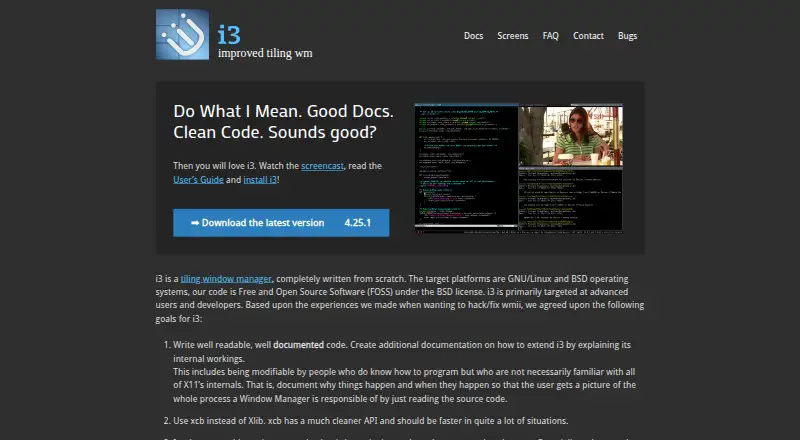
What i3 is
i3 is a free, open-source tiling window manager for Linux systems, designed primarily for advanced users and developers. It arranges windows in a tree, with split, stacking, and tabbed layouts. You can group windows into workspaces and associate those workspaces with multiple screens. A configuration file lets you customize key bindings, application startup, workspace assignments, and colors. i3’s multi-monitor goals include supporting screens that are attached or detached while it is running, as well as rotated monitors. Its inter-process communication interface accepts commands and provides event subscriptions. The project documentation describes integrations with i3bar, i3status, and external workspace bars such as dzen2. i3 targets GNU/Linux and BSD and is an X11 window manager. The project recommends installing packages provided by your Linux distribution and also provides Debian and Ubuntu repositories. The listed current stable release is version 4.25.1, dated 2026-02-06; downloads are cryptographically signed, and users are asked to verify them before use.
Good
- Supports split, stacking, and tabbed layouts.
- Workspaces can be associated with multiple screens.
- Configuration covers bindings, startup, workspaces, and colors.
- IPC accepts commands and provides event subscriptions.
- Free and open source under the BSD license.
Watch out
- Designed for X11, not a general desktop environment.
- Targets GNU/Linux and BSD only.
Who it suits
i3 suits advanced users and developers who want to configure window layouts, key bindings, and workspaces through a file. It is for people using GNU/Linux or BSD with X11.
Verdict
i3 offers configurable tiling layouts, workspace grouping, and multi-monitor support for GNU/Linux and BSD users on X11. Its file-based configuration and advanced-user focus make it a better fit for people comfortable setting up their own window manager.
Plans and prices
From i3's own pricing page, checked 30 Sep 2026.
| Plan | Price | What it gives you |
|---|---|---|
| i3 | Free | Free and Open Source Software · BSD license · GNU/Linux and BSD |
The facts
Each one read from i3's own pages, with the date it was checked.
What it does
- Configuration
- Users can customize key bindings, application startup, workspace assignments, and colors through a configuration file.checked 30 Sep 2026
- Current release
- The downloads page lists version 4.25.1 as the current stable release, dated 2026-02-06.checked 30 Sep 2026
- Documentation and help
- The user guide directs users to GitHub Discussions, IRC, or the mailing list for questions.checked 30 Sep 2026
- Installation
- The project recommends using packages provided by the user's distribution and also provides Debian and Ubuntu repositories.checked 30 Sep 2026
- Integrations
- The documentation describes i3bar, i3status, and external workspace bar programs such as dzen2.checked 30 Sep 2026
- Intended users
- The project primarily targets advanced users and developers.checked 30 Sep 2026
- IPC
- i3 provides an inter-process communication interface that accepts commands and supports event subscriptions.checked 30 Sep 2026
- License
- The project describes its software as free and open source under the BSD license.checked 30 Sep 2026
- Multi-monitor
- The project goals include multi-monitor support, including attaching or detaching monitors during operation and rotated monitors.checked 30 Sep 2026
- Notable limit
- The project describes i3 as an X11 window manager and lists GNU/Linux and BSD as its target operating systems.checked 30 Sep 2026
- Product
- i3 is a tiling window manager written from scratch.checked 30 Sep 2026
- Release security
- The downloads page says releases are cryptographically signed and asks users to verify them before use.checked 30 Sep 2026
- Window layouts
- i3 arranges windows in a tree and supports split, stacking, and tabbed layouts.checked 30 Sep 2026
- Workspaces
- Users can group windows into workspaces and associate workspaces with multiple screens.checked 30 Sep 2026
The company
- Founded
- 2009checked 23 Sep 2026
The full review of i3
Overview
i3 is a tiling window manager that arranges windows in a configurable tree rather than leaving placement to a conventional desktop. It suits advanced GNU/Linux and BSD users who want keyboard-driven control and are prepared to configure their environment. Its strongest case is flexible layouts and workspace handling; its X11 focus makes it the wrong fit for users seeking a window manager for another operating system or display system.
Key features
Windows can be split, stacked, or tabbed within a tree. That gives users several ways to organize a crowded screen, though the layout depends on learning and shaping the configuration rather than relying on a fixed preset. Workspaces group windows and can be associated with multiple screens, making it practical to keep tasks separated across monitors.
A configuration file controls key bindings, application startup, workspace assignments, and colors. This breadth is useful to developers and other advanced users who want a tailored workflow, but less appealing to anyone who would rather adjust settings through a graphical interface. Application rules and window grouping add control over how applications fit into that setup.
Multi-monitor support includes attaching or detaching displays during operation and rotated monitors. An inter-process communication interface accepts commands and supports event subscriptions, giving other software a way to interact with i3. The project describes integrations with i3bar, i3status, and external workspace bars such as dzen2; these options extend the setup, while adding components also means more choices to make.
Pricing
i3 is free and open source under the BSD license. Its free plan costs nothing and includes the window manager without a paid tier. There is no free trial because there is no paid plan to trial. This suits users who want a no-cost, openly licensed window manager; the trade-off is that i3 targets GNU/Linux and BSD on X11 rather than serving as a general-purpose choice across platforms.
Platforms
i3 targets GNU/Linux and BSD as an X11 window manager. Installation is recommended through packages from the user's distribution, with Debian and Ubuntu repositories also provided. Releases are cryptographically signed, and users are asked to verify them before installation. The current stable release is version 4.25.1, dated 2026-02-06. Questions can be directed to GitHub Discussions, IRC, or the mailing list.
Who it's for
i3 is best for advanced users and developers who value configurable layouts, workspace assignments, and multi-monitor handling enough to work with a file-based setup. It is a poor match for users who need a window manager outside GNU/Linux or BSD, or who do not use X11.
Pros and cons
- Pros: Split, stacking, and tabbed layouts offer meaningful ways to organize windows in the same tree.
- Pros: Workspaces can be grouped across multiple screens, with support for monitor changes and rotation.
- Pros: Key bindings, startup behavior, workspace assignments, and colors are configurable, and the software is free under the BSD license.
- Cons: Its X11 and GNU/Linux/BSD focus rules it out for users on other systems or display environments.
- Cons: Configuration-file customization and its advanced-user focus put a learning and setup burden on people seeking a ready-made desktop workflow.
Alternatives
For more options, browse Window Management Software.
- Choose awesome if you want a free Linux X window manager under the GNU GPLv2 license.
- Qtile is another free, open-source Linux desktop window manager/compositor, under the MIT license.
- Choose yabai if you need a free tiling window manager for macOS rather than i3's GNU/Linux and BSD target.
- komorebi spans Windows and macOS and has a freemium model; its Windows single-platform license is $10 a month, billed monthly.
- spectrwm is a free X11 window manager with Linux, macOS, and Windows platforms listed, under the ISC license.
- bug.n is a free GPL-3.0 window manager for Windows.
- Amethyst is a free, open-source macOS option with configurable layouts, keyboard shortcuts, and application floating or tiling rules.
- DisplayFusion is a freemium Windows option with a free version after trial and a Pro Standard lifetime license at $34, paid once, billed per machine.
Verdict
Choose i3 if you use GNU/Linux or BSD on X11 and want control over window layouts, workspaces, and monitor behavior without paying for the software. Its main reason to look elsewhere is its narrow platform and display-system focus; users who need macOS or Windows support should choose an alternative built for that system.
Alternatives to i3
- 1

DisplayFusion
Free planAndroidiOSAPIWindows7.9$34 one-time - 2
Avidemux
Free planOpen sourceWebLinuxmacOSWindows7.3Free plan - 3

Dexpot
Free planAPIWindows7.2€24.90 one-time - 4
spectrwm
Free planOpen sourceLinuxmacOSWindows7.1Free plan - 5

Launchpad
Free planWebAPILinuxSelf-hosted7.0Free plan - 6

Reloop
Free planSelf-hosted7.0From $10 a month