yabai
yabai is a free tiling window manager for macOS that automatically arranges windows using binary space partitioning.
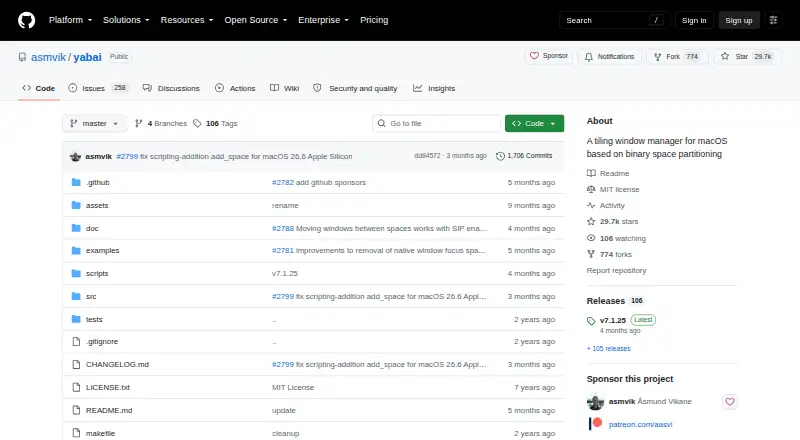
What yabai is
yabai is a free tiling window manager for macOS that automatically arranges windows using binary space partitioning. Users can also select floating layouts and adjust padding, gaps, and split ratios. Its command-line interface controls and queries windows, spaces, and displays, and commands can be used in scripts with rules and signals. Features include focus follows mouse, space-switching animation controls, and the ability to create spaces beyond the 16-space limit. The project documents connections with skhd for keyboard shortcuts and Übersicht or Sketchybar for custom status bars. yabai requires Accessibility permission, and Screen Recording permission when window animations are enabled. Partially disabling System Integrity Protection is optional, but many advanced features that inject a scripting addition into Dock.app require it; the maker warns of potential risk and gives no recommendation on whether to disable it. Native macOS tabs in apps such as Terminal and Finder are noted as not behaving correctly when creating tabs. yabai is MIT licensed and supports macOS Big Sur 11 or later on Intel, and Monterey 12 or later on Apple Silicon, including Tahoe 26.
Good
- Free and MIT licensed.
- Offers both tiled and floating layouts.
- Commands support scripting, rules, and signals.
- Integrates with skhd for keyboard shortcuts.
Watch out
- Requires Accessibility permission.
- Screen Recording permission is needed for window animations.
- Many advanced features require partially disabling System Integrity Protection.
- Native app tabs may not behave correctly when creating tabs.
Who it suits
yabai suits macOS users who want command-line control over tiled or floating windows, spaces, and displays. Its advanced options may appeal to people comfortable reviewing permissions and system requirements.
Verdict
yabai offers window layout and space controls through a command-line interface, with scripting and documented integrations. Review its permissions and the risks described for advanced features before choosing it.
Plans and prices
From yabai's own pricing page, checked 4 Oct 2026.
| Plan | Price | What it gives you |
|---|---|---|
| yabai | Free | macOS only · MIT licensed |
The facts
Each one read from yabai's own pages, with the date it was checked.
What it does
- Advanced access
- Partially disabling System Integrity Protection is optional but required for many advanced features that inject a scripting addition into Dock.app.checked 4 Oct 2026
- Automation
- Commands can be used in scripts, and yabai supports automation through rules and signals.checked 4 Oct 2026
- Controls
- Its command line interface lets users control and query windows, spaces, and displays.checked 4 Oct 2026
- Installation
- The maker documents installation using a codesigned binary installer script or Homebrew from the asmvik/formulae tap.checked 4 Oct 2026
- Integrations
- The project documents integration with skhd for keyboard shortcuts and Übersicht or Sketchybar for custom status bars.checked 4 Oct 2026
- Known limitation
- The wiki warns that native macOS tabs in applications such as Terminal and Finder do not behave correctly when creating tabs.checked 4 Oct 2026
- License
- yabai is distributed under the MIT License.checked 4 Oct 2026
- Permissions
- yabai requires Accessibility permission, and Screen Recording permission when window animations are enabled.checked 4 Oct 2026
- Purpose
- yabai is a tiling window manager for macOS that automatically arranges windows using binary space partitioning.checked 4 Oct 2026
- Security caveat
- The maker cautions that disabling System Integrity Protection carries potential risk and provides no recommendation on whether users should disable it.checked 4 Oct 2026
- Support
- The project provides installation and configuration documentation through its GitHub wiki and asks users to review requirements before filing issues.checked 4 Oct 2026
- Supported systems
- The project lists macOS Big Sur 11 or later for Intel and macOS Monterey 12 or later for Apple Silicon, including Tahoe 26.checked 4 Oct 2026
- Window features
- It includes focus follows mouse, space switching animation controls, and the ability to create spaces beyond the limit of 16.checked 4 Oct 2026
- Window layouts
- Users can choose between binary space partitioning and floating layouts, and configure padding, gaps, and split ratios.checked 4 Oct 2026
The company
- Founded
- 2019checked 28 Sep 2026
Alternatives to yabai
- 1

DisplayFusion
Free planAndroidiOSAPIWindows7.9$34 one-time - 2
Avidemux
Free planOpen sourceWebLinuxmacOSWindows7.3Free plan - 3

Dexpot
Free planAPIWindows7.2€24.90 one-time - 4
spectrwm
Free planOpen sourceLinuxmacOSWindows7.1Free plan - 5

Launchpad
Free planWebAPILinuxSelf-hosted7.0Free plan - 6

Reloop
Free planSelf-hosted7.0From $10 a month