Guidelines
Guidelines is an online platform for creating interactive brand guides that teams can publish and manage together.
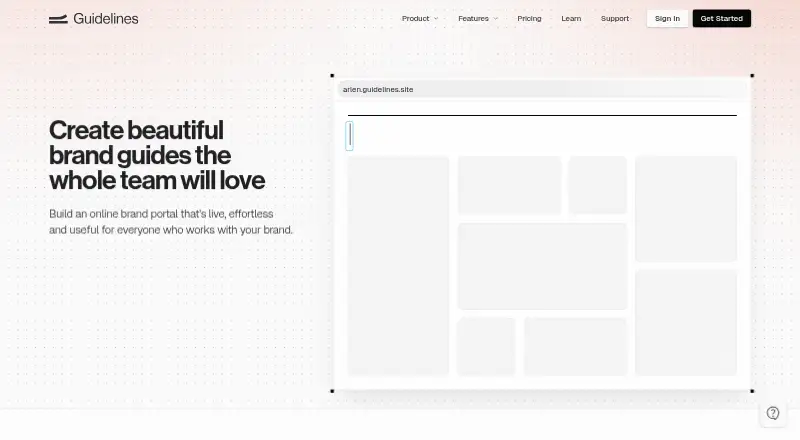
What Guidelines is
Guidelines is an online platform for creating interactive brand guides that teams can publish and manage together. A guide can gather logos, colors, typography, icons, and downloadable files in one searchable place. Quick Start turns uploaded logos, selected colors, and fonts into a first draft, while collaborators can be invited to design and manage guidelines. Guides can be shared publicly, password-protected, or limited through account-based authentication. Integrations include Figma, Adobe Creative Cloud, Sketch, Tailwind, CSS Variables, ChatGPT, Claude, Claude Code, Cursor, and Okta. Its ChatGPT connector uses MCP and OAuth and reads brand data without write access. The Free plan includes one public guide, one editor, seven published pages, and 100MB of storage. Studio is $15 a month, billed per editor per month; Enterprise is $40 a month, billed per editor per month. Enterprise includes SSO, version history, translations and localization, and automatic access by domain; additional SSO fees may apply per monthly active SSO user. Support is available by message and email, with replies usually arriving within a few hours when the team is available.
Good
- Searchable guides collect logos, colors, typography, and files.
- Quick Start drafts a guide from logos, colors, and fonts.
- Supports public, password-protected, and account-based sharing.
- Integrates with design tools and AI services.
Watch out
- Free plan limits users to one editor.
- Free plan allows one public guide and seven pages.
- Free plan includes 100MB of asset storage.
- Enterprise may incur additional SSO user fees.
Who it suits
Guidelines suits studios and in-house teams that need to organize brand assets and publish shared guides. Enterprise is described for large agencies and brands needing features such as SSO and localization.
Verdict
Guidelines centralizes brand materials in searchable, shareable interactive guides, with a free tier and paid collaboration plans. Check the editor, page, and storage limits on Free, or the per-editor pricing and possible SSO fees on paid plans.
Plans and prices
From Guidelines's own pricing page, checked 7 Oct 2026.
| Plan | Price | What it gives you |
|---|---|---|
| Free | Free | One public guide · one editor · 100MB asset storage · seven published pages · unlimited guide visitors · basic integrations |
| Studio | $15 a month | Unlimited guides, brands, and pages · 1GB asset storage per brand · collaborative editing · password or account-protected guides · custom domains · AI integrations · per editor per month |
| Enterprise | $40 a month | Everything in Studio · custom storage limits · SSO · version history · translations and localization · automatic access by domain · additional SSO fees may apply per monthly active SSO user · per editor per month |
The facts
Each one read from Guidelines's own pages, with the date it was checked.
What it does
- Access controls
- Guides can be shared publicly, with password protection, or through account-based authentication.checked 7 Oct 2026
- Brand assets
- Guides can bring together logos, colors, typography, icons, and downloadable files in one searchable place.checked 7 Oct 2026
- ChatGPT connector
- The ChatGPT connector uses MCP and OAuth, and the support page says it reads brand data without write access.checked 7 Oct 2026
- Collaborative editing
- The platform lets teams invite collaborators to design and manage brand guidelines together.checked 7 Oct 2026
- Enterprise security
- The pricing comparison lists HTTPS/SSL for all guides and SSO authentication as security features, with SSO included in Enterprise.checked 7 Oct 2026
- Integrations
- Listed integrations include Figma, Adobe Creative Cloud, Sketch, Tailwind, CSS Variables, ChatGPT, Claude, Claude Code, Cursor, and Okta.checked 7 Oct 2026
- Intended users
- The pricing page describes Studio for studios or in-house teams and Enterprise for large agencies and brands.checked 7 Oct 2026
- Quick start
- Quick Start turns uploaded logos, selected colors, and fonts into a first draft of interactive brand guidelines.checked 7 Oct 2026
- Support
- Guidelines offers support by message and email, and says message replies usually arrive within a few hours or sooner if the team is available.checked 7 Oct 2026
- What it does
- Guidelines is an online brand publishing platform for creating interactive brand guides for teams.checked 7 Oct 2026
The company
- Company identity
- The site identifies the maker as The Guidelines Company and lists ABN 56 666 563 257.checked 7 Oct 2026
Money
- Free plan limit
- The Free plan includes one public guide, one editor, seven published pages, and 100MB of asset storage.checked 7 Oct 2026
The full review of Guidelines
Guidelines is a browser-based publishing workspace that turns a company’s visual identity into searchable, interactive guides. It is particularly well suited to in-house brand teams, design studios, and agencies that need several editors and controlled sharing. The best reason to choose it is the combination of quick guide creation and a proper brand portal; the main drawback is how quickly the Free limits become restrictive.
Overview
Guidelines brings logos, color definitions, typography, icons, and downloadable files into one organized guide instead of leaving them dispersed across folders and design applications. The result is an editorial reference that can explain usage as well as provide the approved assets themselves. Searchable organization is valuable for teams that repeatedly field requests for the correct logo, color, or typeface.
Quick Start uses uploaded logos, selected colors, and fonts to create a first draft. That lowers the effort of establishing a guide, although editors still need to shape the material into their own standards. Guides can be shared publicly, protected with a password, or limited to authenticated accounts, so the same system can serve a public identity site or a restricted partner and employee portal.
Key features
Brand publishing and management
Brand-portal, guideline-management, and template-management capabilities make Guidelines more than an asset repository. It fits organizations that must communicate rules to many contributors, while a team seeking only file storage would be paying for editorial structure it may not use.
Collaboration and integrations
Editors can invite collaborators to design and maintain guides together. Integrations listed include Figma, Adobe Creative Cloud, Sketch, Tailwind, CSS Variables, ChatGPT, Claude, Claude Code, Cursor, and Okta, giving teams connections across design, development, AI, and identity workflows. The ChatGPT connector uses MCP and OAuth and reads brand data without write access, a useful boundary when AI assistance is wanted without allowing it to alter source material.
Sharing and security
HTTPS/SSL applies to all guides. Enterprise adds SSO, automatic access by domain, and additional controls, while account authentication and password protection are available in Studio. Message and email support is offered, with replies usually arriving within a few hours when the team is available.
Pricing
Free
The Free plan costs nothing and includes one public guide, one editor, seven published pages, 100MB of asset storage, unlimited guide visitors, and basic integrations. It is suitable for a small proof of concept or a simple public style reference. One editor, seven pages, and 100MB leave little room for a substantial multi-brand library or an active content team.
Studio
Studio costs $15 a month, billed per editor per month. It removes the structural ceilings with unlimited guides, brands, and pages, provides 1GB of storage per brand, collaborative editing, password- or account-protected guides, custom domains, and AI integrations. This is the practical choice for studios and in-house teams, but per-editor billing means costs rise with every contributor who needs editing rights.
Enterprise
Enterprise costs $40 a month, billed per editor per month, and includes everything in Studio plus custom storage limits, SSO, version history, translations and localization, and automatic access by domain. Additional SSO fees may apply per monthly active SSO user. Large agencies and brands that need identity administration, audit-friendly history, or localized portals are the clear audience; smaller teams are unlikely to justify the added price.
Platforms
Guidelines is available on the web. That makes browser-based access straightforward across a team, but there is no separate desktop or mobile platform in the offering.
Who it's for
Choose Guidelines for an in-house brand department, design studio, or agency that needs a maintained source of truth, multiple editors, and selective external access. Studio is the sensible starting point when more than one person publishes or when a guide needs more than seven pages. Free works for a compact public guide; Enterprise is aimed at larger organizations with SSO, domain-based access, versioning, and localization requirements.
Pros and cons
- Pros: Quick Start creates a usable first draft from core brand inputs, reducing setup friction.
- Pros: Searchable guides combine explanatory standards with downloadable assets in one portal.
- Pros: Public, password, and account-based access support different audiences and confidentiality needs.
- Pros: Broad design, development, AI, and identity integrations can fit an existing workflow.
- Cons: Free is limited to one editor, one public guide, seven pages, and 100MB, so it is not a realistic home for a growing library.
- Cons: Studio and Enterprise charge per editor, and Enterprise may add monthly active SSO-user fees.
- Cons: Web-only delivery may not suit teams requiring a dedicated desktop or mobile application.
Alternatives
Brandy is a better fit when unlimited editors and a lower-cost Pro plan matter more than Guidelines’ interactive publishing model; its free tier includes 100MB, 20 assets, and one brand space.
BrandHalo suits teams wanting an API-accessible service with a free tier and trial. BrandKity is worth considering for a free 500MB allowance or a 9.00 USD monthly starter plan. Brink offers web workspaces and free options for a single team member or brand portal.
BrandPatrol is an alternative for teams centered on brand checking and Brand Twin workflows. Brand Context Protocol is a free open standard rather than a comparable hosted publishing suite. Brand24 is a paid, multi-platform monitoring product, while Frontify is a paid enterprise option with custom pricing. Browse the broader Brand Management Software category for more choices.
Verdict
Guidelines is a strong choice for teams that want an attractive, searchable brand portal with collaborative editing and flexible access controls. Pick Studio for most active brand teams; move to Enterprise when SSO, version history, localization, or domain-based access are essential. Look elsewhere if you need generous free collaboration, a non-per-editor pricing model, or a native desktop and mobile experience.
Alternatives to Guidelines
- 1
Brandworkz
Free planAndroidiOSWebAPI8.2$500 one-time - 2
Brand24
AndroidiOSWebAPI7.7From $249 a month - 3
BrandPatrol
Free planWeb7.3From €29 a month - 4

Bynder
AndroidiOSWebAPI7.1 - 5

Awario
Web7.0From $29 a month - 6
Brandy
Free planWebAPI7.0From $5 a month